2200


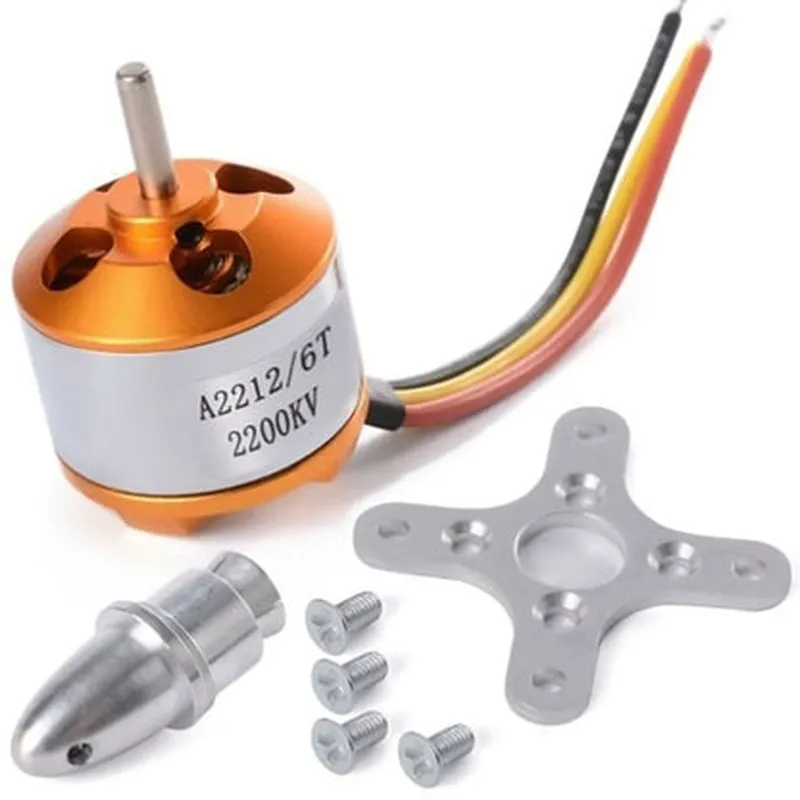
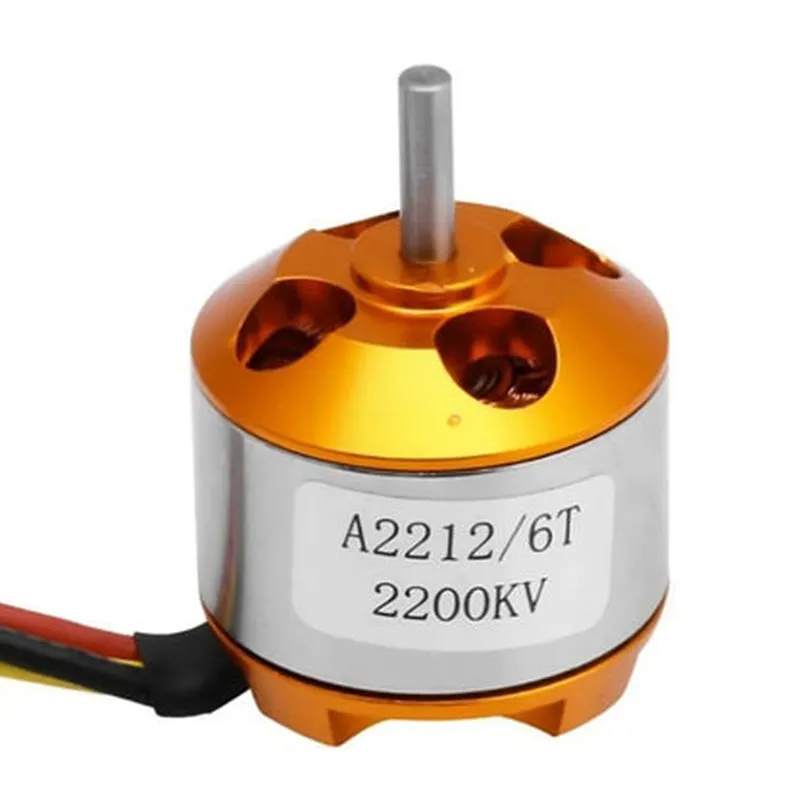
2200
2-4S LiPo
10-20A
250-400W
12000-15000
20A-30A
54g
3.17mm
12mm x 12mm
Applications
| The A2212 2200Kv Brushless Outrunner Motor is suitable for various aerial applications, including |
Quadcopters
Helicopters
Drones
Aerial Photography and Videography
Racing and FPV (First-Person View)
Important Notes
It is essential to follow proper installation, configuration, and maintenance procedures to ensure the motor's optimal performance and longevity.
The motor should be used with a compatible electronic speed controller (ESC) and a suitable propeller.
Operating the motor outside its recommended specifications can result in reduced performance, overheating, or damage.
A2212 2200Kv Brushless Outrunner Motor Aircraft Quadcopter Helicopter DocumentationOverviewThe A2212 2200Kv Brushless Outrunner Motor is a high-speed, high-torque motor designed for quadcopter and helicopter applications. With its 2200 Kv rating, this motor is optimized for high-RPM operations, making it an ideal choice for high-performance aerial vehicles.Key Features2200 Kv rating for high-RPM operations
Brushless outrunner design for improved efficiency and reliability
Suitable for quadcopter and helicopter applications
High-torque output for optimal thrust and controlTechnical SpecificationsMotor Type: Brushless Outrunner
Kv Rating: 2200
Voltage: 12V
Current: 12A
Power: 144W
Max RPM: 20,000
Shaft: 3.17mm
Mounting Holes: M3 x 16mmConnecting the MotorTo connect the motor to a flight controller or other device, you will need to use a compatible ESC (Electronic Speed Controller) and connect the motor wires to the ESC outputs. The motor has three wires:Yellow: Signal wire
Red: Positive power wire
Black: Negative power wireExample Code 1: Using the Motor with an Arduino Flight ControllerIn this example, we will use an Arduino board as a flight controller to control the motor speed. We will use the Arduino's built-in PWM capabilities to generate a signal to the ESC, which will then control the motor speed.```cpp
#include <Arduino.h>const int escPin = 9; // PWM output pin for ESC signal
const int motorSpeed = 50; // Initial motor speed (0-100)void setup() {
pinMode(escPin, OUTPUT);
}void loop() {
// Set motor speed to 50% using PWM
analogWrite(escPin, motorSpeed 2.55);
delay(20);
}
```Example Code 2: Using the Motor with a Pixhawk Flight ControllerIn this example, we will use a Pixhawk flight controller to control the motor speed. We will use the Pixhawk's built-in motor control library to generate a signal to the ESC.```c
#include <Pixhawk.h>const int motorPin = MOTOR_PIN(1); // Pin for motor 1
const int motorSpeed = 50; // Initial motor speed (0-100)void setup() {
pixhawk_init();
motor_init(motorPin);
}void loop() {
// Set motor speed to 50% using Pixhawk motor control
motor_set-speed(motorPin, motorSpeed);
delay(20);
}
```Example Code 3: Using the Motor with a Raspberry Pi and PythonIn this example, we will use a Raspberry Pi as a flight controller and Python to generate a signal to the ESC using the RPi.GPIO library.```python
import RPi.GPIO as GPIO
import timeGPIO.setmode(GPIO.BCM)
escPin = 18 # GPIO pin for ESC signal
GPIO.setup(escPin, GPIO.OUT)motorSpeed = 50 # Initial motor speed (0-100)
pwm = GPIO.PWM(escPin, 50) # 50 Hz PWM frequency
pwm.start(motorSpeed 2.55) # Set motor speed to 50%while True:
time.sleep(0.02) # 20ms delay
```Note: The above examples are for illustration purposes only and may require additional configuration and tuning for optimal performance. It is recommended to consult the documentation for your specific flight controller or development board for more information on connecting and using the A2212 2200Kv Brushless Outrunner Motor.