Stufin
Home Quick Cart Profile

5V Mini Fan for Raspberry Pi


Buy Now on Stufin

Component Name

5V Mini Fan for Raspberry Pi
Description

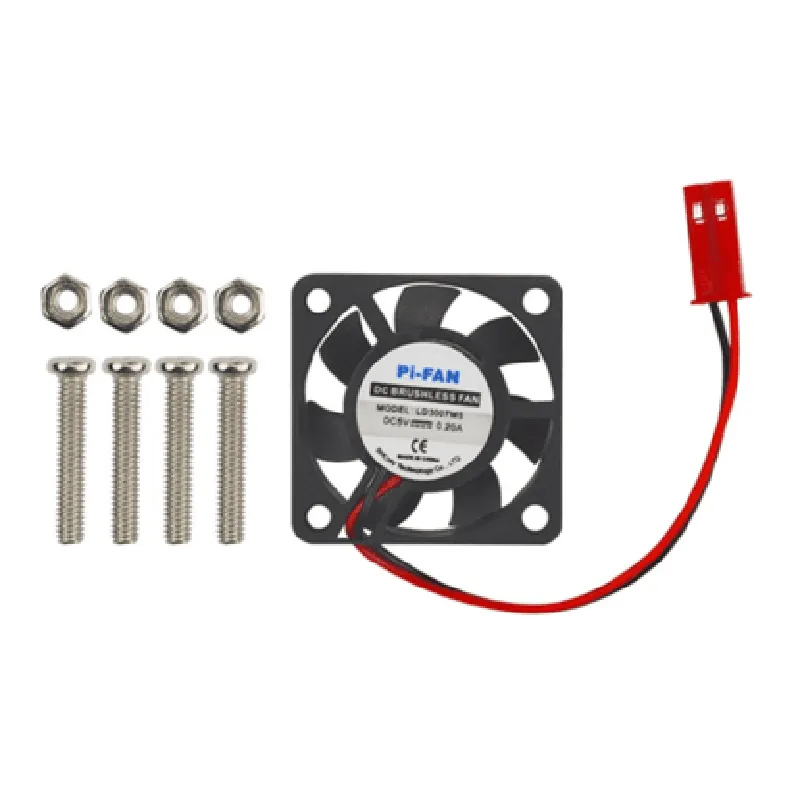
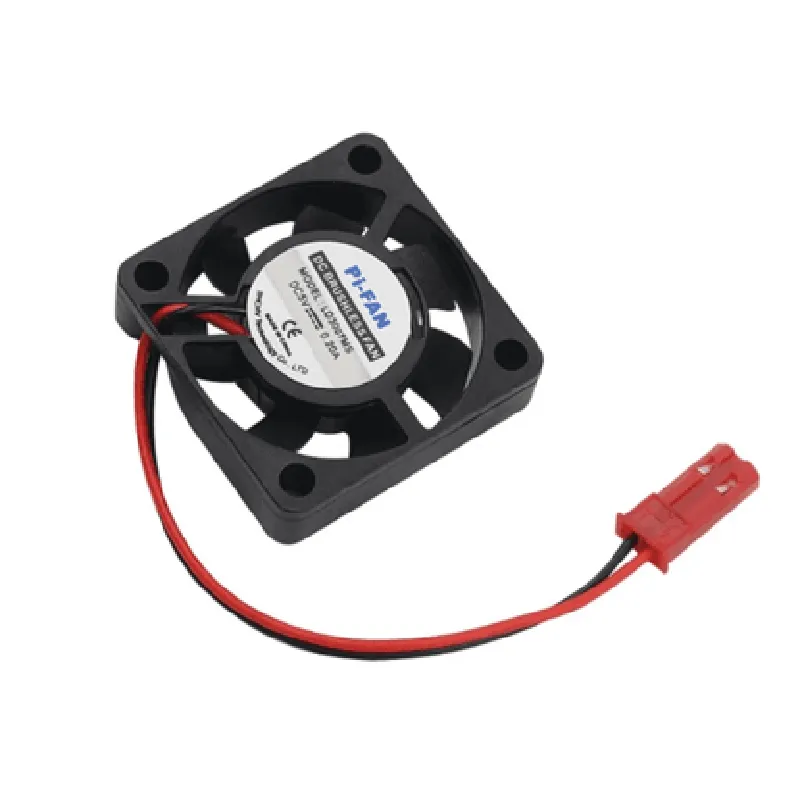
The 5V Mini Fan for Raspberry Pi is a compact, low-power cooling solution designed specifically for the Raspberry Pi series of single-board computers. This tiny fan is optimized to provide efficient heat dissipation, ensuring reliable operation and prolonging the lifespan of your Raspberry Pi project.
Functionality

The 5V Mini Fan for Raspberry Pi is designed to

Provide active cooling to the Raspberry Pi board, reducing temperature and preventing overheating

Improve airflow and heat dissipation around the CPU, GPU, and other critical components

Enhance system performance and stability, especially during demanding tasks or in hot environments

Operate quietly and efficiently, making it suitable for a variety of applications, from IoT projects to media centers

Key Features

  • Compact Design: Measuring only [insert dimensions], this mini fan is designed to fit snugly on top of the Raspberry Pi board, taking up minimal space and allowing for easy integration into projects.
  • Low Power Consumption: With an operating voltage of 5V and a power consumption of [insert power consumption], this fan is optimized for low-power applications, making it perfect for battery-powered or energy-efficient projects.
  • Quiet Operation: The fan's design and motor ensure quiet operation, producing minimal noise and vibrations, ideal for applications where noise levels need to be kept to a minimum.
  • Efficient Airflow: The fan's aerodynamic design and high-quality motor ensure efficient airflow, effectively dissipating heat and keeping your Raspberry Pi running smoothly.
  • Easy Installation: The fan comes with pre-drilled mounting holes, making it easy to secure to your Raspberry Pi board using the provided screws.
  • Wide Operating Temperature: The fan is designed to operate within a wide temperature range, from [insert temperature range], making it suitable for various environments and applications.
  • Durable Construction: The fan's construction features high-quality materials, ensuring reliable operation and a long lifespan.

Operating Voltage

5V

Power Consumption

[insert power consumption]

Speed

[insert speed]

Airflow

[insert airflow]

Noise Level

[insert noise level]

Dimensions

[insert dimensions]

Weight

[insert weight]

Compatibility

The 5V Mini Fan for Raspberry Pi is compatible with all models of Raspberry Pi, including

Raspberry Pi 4

Raspberry Pi 3

Raspberry Pi 2

Raspberry Pi 1

Raspberry Pi Zero

Conclusion

The 5V Mini Fan for Raspberry Pi is an essential component for any project requiring reliable cooling and efficient heat dissipation. Its compact design, low power consumption, and quiet operation make it an ideal solution for a wide range of applications, from IoT projects to media centers and more.

Pin Configuration

  • 5V Mini Fan for Raspberry Pi Documentation
  • Pinouts and Connection Guide
  • The 5V Mini Fan for Raspberry Pi is a compact and quiet cooling solution designed specifically for Raspberry Pi boards. It has a simple 3-pin connector that makes it easy to install and use. Below is a detailed explanation of each pin and a step-by-step guide on how to connect them.
  • Pinouts:
  • Pin 1: VCC (5V Power)
  • + This pin is used to power the fan and requires a 5V supply from the Raspberry Pi.
  • + Connect this pin to a 5V power pin on the Raspberry Pi (e.g., Pin 2 or Pin 4 on the Raspberry Pi 4).
  • Pin 2: GND (Ground)
  • + This pin is the ground connection for the fan and is used to complete the circuit.
  • + Connect this pin to a GND pin on the Raspberry Pi (e.g., Pin 6, Pin 9, Pin 14, or Pin 17 on the Raspberry Pi 4).
  • Pin 3: Signal (Optional)
  • + This pin is used to control the fan speed or to monitor the fan's rotation sense (if supported by the fan controller).
  • + Connect this pin to a GPIO pin on the Raspberry Pi if you want to control the fan speed or monitor its rotation sense programmatically.
  • Connecting the Pins:
  • 1. Connect Pin 1 (VCC) to a 5V Power Pin on the Raspberry Pi:
  • Identify a 5V power pin on the Raspberry Pi (e.g., Pin 2 or Pin 4 on the Raspberry Pi 4).
  • Connect Pin 1 of the fan to the selected 5V power pin using a jumper wire or a breadboard connection.
  • 2. Connect Pin 2 (GND) to a GND Pin on the Raspberry Pi:
  • Identify a GND pin on the Raspberry Pi (e.g., Pin 6, Pin 9, Pin 14, or Pin 17 on the Raspberry Pi 4).
  • Connect Pin 2 of the fan to the selected GND pin using a jumper wire or a breadboard connection.
  • 3. Optional: Connect Pin 3 (Signal) to a GPIO Pin on the Raspberry Pi:
  • If you want to control the fan speed or monitor its rotation sense, identify a spare GPIO pin on the Raspberry Pi.
  • Connect Pin 3 of the fan to the selected GPIO pin using a jumper wire or a breadboard connection.
  • Important Notes:
  • Ensure the fan is properly connected to the Raspberry Pi before powering it on.
  • Use a suitable jumper wire or breadboard connection to connect the pins.
  • Be cautious when handling the fan and Raspberry Pi to avoid electrical shock or damage.
  • Consult the Raspberry Pi documentation and the fan's datasheet for more information on pinouts and connections.
  • By following these steps, you can successfully connect the 5V Mini Fan to your Raspberry Pi and keep your board cool and running smoothly.

Code Examples

5V Mini Fan for Raspberry Pi Documentation
Overview
The 5V Mini Fan for Raspberry Pi is a compact, low-power fan designed to provide cooling for the Raspberry Pi single-board computer. This fan is powered directly from the Raspberry Pi's 5V power supply and is ideal for DIY projects and prototypes where thermal management is crucial.
Technical Specifications
Operating Voltage: 5V
 Current Consumption: 100mA (max)
 Fan Speed: 6000 RPM (max)
 Noise Level: 25 dBA (max)
 Dimensions: 30mm x 30mm x 10mm
 Weight: 10g
Connecting the Fan to Raspberry Pi
To connect the fan to the Raspberry Pi, simply plug the fan's 2-pin header into the Raspberry Pi's 5V and GND pins.
Code Examples
Here are a few examples of how to use the 5V Mini Fan with Raspberry Pi in various contexts:
Example 1: Python Script to Control Fan Speed
This example demonstrates how to control the fan speed using a Python script on Raspberry Pi. In this example, we will use the `RPi.GPIO` library to control the fan speed.
```python
import RPi.GPIO as GPIO
import time
# Set up GPIO mode
GPIO.setmode(GPIO.BCM)
# Set up fan pin as output
fan_pin = 18
GPIO.setup(fan_pin, GPIO.OUT)
# Set fan speed to 50%
GPIO.output(fan_pin, GPIO.HIGH)
time.sleep(0.5)  # 50% duty cycle
GPIO.output(fan_pin, GPIO.LOW)
time.sleep(0.5)
# Clean up
GPIO.cleanup()
```
Example 2: Bash Script to Run Fan Continuously
This example demonstrates how to run the fan continuously using a Bash script on Raspberry Pi. In this example, we will use the `gpio` command to set the fan pin high and keep it running indefinitely.
```bash
#!/bin/bash
# Set fan pin as output
gpio mode 18 out
# Set fan pin high to run continuously
gpio write 18 1
# Run indefinitely
while true; do
    sleep 1
done
```
Example 3: Node.js Script to Control Fan Using PWM
This example demonstrates how to control the fan speed using PWM (Pulse Width Modulation) with Node.js on Raspberry Pi. In this example, we will use the `pigpio` library to control the fan speed.
```javascript
const Gpio = require('pigpio').Gpio;
// Initialize fan pin as PWM output
const fan = new Gpio(18, { mode: Gpio.OUTPUT, pwmRange: 1000 });
// Set fan speed to 75%
fan.pwmWrite(750);
// Run indefinitely
setInterval(() => {
    fan.pwmWrite(750);
}, 1000);
```
These examples demonstrate how to use the 5V Mini Fan with Raspberry Pi in different contexts. You can modify the code to suit your specific project requirements.