Raspberry Pi Metal Aluminum Case with Double Fans for Raspberry Pi 4B (Gold)


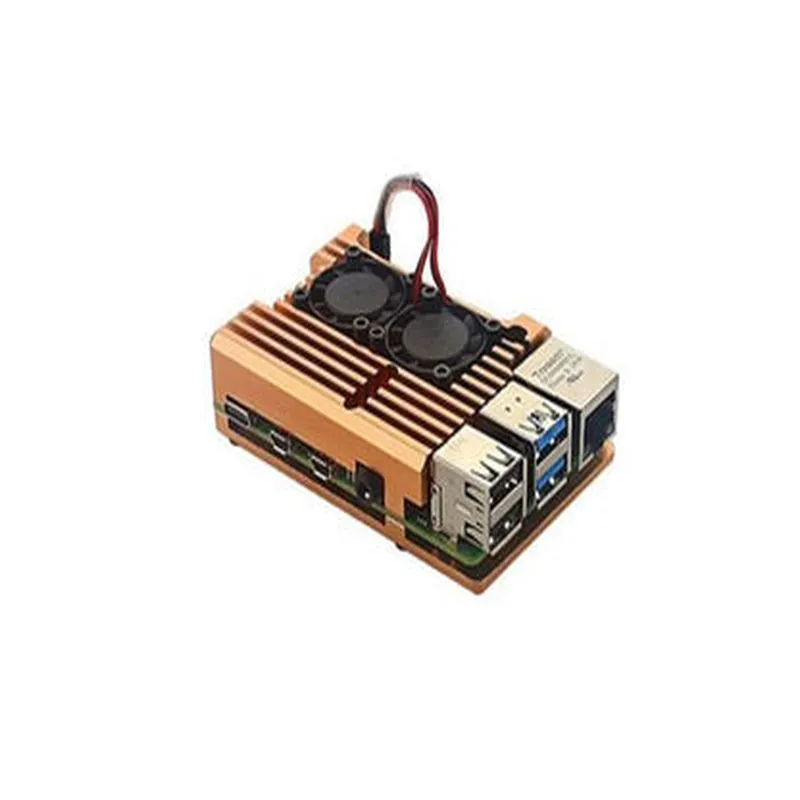
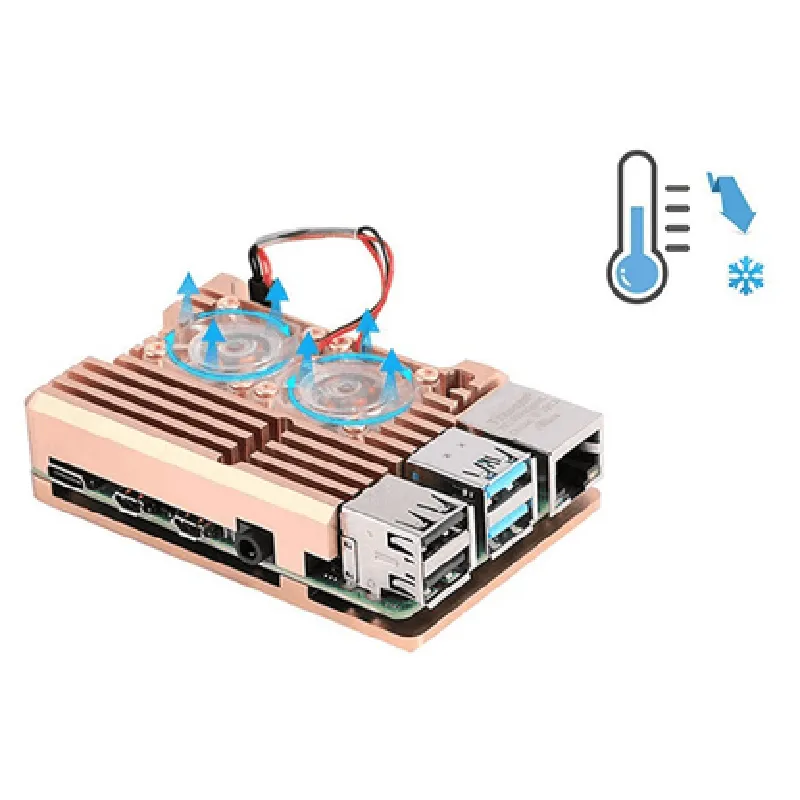
Raspberry Pi Metal Aluminum Case with Double Fans for Raspberry Pi 4B (Gold)
The Raspberry Pi Metal Aluminum Case with Double Fans for Raspberry Pi 4B (Gold) is a premium enclosure designed specifically for the Raspberry Pi 4B single-board computer. This case provides a robust and durable housing for your Raspberry Pi project, while also ensuring efficient heat dissipation and noise reduction through its integrated dual-fan system.
This metal aluminum case serves as a protective enclosure for the Raspberry Pi 4B, safeguarding it from environmental factors, physical damage, and electromagnetic interference (EMI). The case's primary function is to provide a solid foundation for your Raspberry Pi project, allowing you to focus on developing your application without worrying about the board's exposure to the environment.
| ### Durability and Build Quality |
Constructed from high-quality aluminum metal, ensuring exceptional strength and durability
Gold anodizing finish provides enhanced corrosion resistance and aesthetic appeal
| ### Efficient Cooling System |
Dual-fan design with two 30mm fans providing superior airflow and heat dissipation
Fans are strategically placed to draw cool air in and expel hot air out, maintaining a stable operating temperature for your Raspberry Pi
Rubber feet on the bottom of the case prevent it from slipping and ensure proper airflow
| ### Easy Installation and Access |
Snap-on design allows for easy installation and removal of the Raspberry Pi board
Transparent acrylic side panels provide clear visibility of the board and its components
Screw-free design eliminates the need for cumbersome screws, making it easier to access the board and peripherals
| ### Enhanced Electromagnetic Interference (EMI) Shielding |
The metal aluminum case provides natural EMI shielding, reducing electromagnetic radiation and protecting your Raspberry Pi from external interference
| ### Compatibility and Versatility |
Specifically designed for the Raspberry Pi 4B, ensuring a snug and secure fit
Compatible with a wide range of Raspberry Pi projects, from media centers to industrial applications
| ### Additional Features |
Includes four rubber feet for improved grip and reduced slippage
Supports wall mounting for convenient and space-saving installation
Aluminum metal with gold anodizing finish
95 x 65 x 35 mm (L x W x H)
Approximately 220g
2 x 30mm, 5V, 0.5A
Raspberry Pi 4B
Gold
The Raspberry Pi Metal Aluminum Case with Double Fans for Raspberry Pi 4B (Gold) is a premium enclosure that offers a unique combination of durability, efficient cooling, and easy installation. Its robust design, superior heat dissipation, and enhanced EMI shielding make it an ideal choice for a wide range of Raspberry Pi projects, from hobbyist applications to industrial deployments.
Raspberry Pi Metal Aluminum Case with Double Fans for Raspberry Pi 4B (Gold)OverviewThe Raspberry Pi Metal Aluminum Case with Double Fans for Raspberry Pi 4B (Gold) is a high-quality enclosure designed specifically for the Raspberry Pi 4B. This case provides excellent heat dissipation and protection for your Raspberry Pi 4B, while also adding a touch of elegance with its gold-colored aluminum design. The case comes with two built-in fans that help to keep your Raspberry Pi 4B running at optimal temperatures, even during intense usage.FeaturesCompatible with Raspberry Pi 4B
Made of high-quality aluminum for excellent heat dissipation and durability
Gold-colored finish adds a touch of elegance to your project
Two built-in fans for efficient cooling
Easy installation and access to Raspberry Pi 4B portsCode Examples### Example 1: Basic Fan Control using PythonIn this example, we will demonstrate how to control the fans in the case using Python. We will use the `RPi.GPIO` library to interact with the fan pins.Hardware RequirementsRaspberry Pi 4B
Raspberry Pi Metal Aluminum Case with Double Fans
Jumper wiresSoftware RequirementsRaspbian OS
Python 3.x
`RPi.GPIO` libraryCode
```python
import RPi.GPIO as GPIO
import time# Set up GPIO mode
GPIO.setmode(GPIO.BCM)# Define fan pins
FAN_PIN_1 = 17
FAN_PIN_2 = 23# Set fan pins as outputs
GPIO.setup(FAN_PIN_1, GPIO.OUT)
GPIO.setup(FAN_PIN_2, GPIO.OUT)try:
while True:
# Turn on fan 1
GPIO.output(FAN_PIN_1, GPIO.HIGH)
print("Fan 1 turned on")
time.sleep(5)
# Turn off fan 1
GPIO.output(FAN_PIN_1, GPIO.LOW)
print("Fan 1 turned off")
time.sleep(5)
# Turn on fan 2
GPIO.output(FAN_PIN_2, GPIO.HIGH)
print("Fan 2 turned on")
time.sleep(5)
# Turn off fan 2
GPIO.output(FAN_PIN_2, GPIO.LOW)
print("Fan 2 turned off")
time.sleep(5)
except KeyboardInterrupt:
GPIO.cleanup()
```
Note: Make sure to connect the fan pins to the correct GPIO pins on the Raspberry Pi 4B.### Example 2: Temperature Monitoring and Fan Control using Python and `sysfs` InterfaceIn this example, we will demonstrate how to monitor the temperature of the Raspberry Pi 4B and control the fans in the case based on the temperature.Hardware RequirementsRaspberry Pi 4B
Raspberry Pi Metal Aluminum Case with Double Fans
Jumper wiresSoftware RequirementsRaspbian OS
Python 3.x
`sysfs` interface (enabled by default on Raspbian)Code
```python
import os
import time# Define temperature threshold (in Celsius)
TEMP_THRESHOLD = 60# Define fan pins
FAN_PIN_1 = "/sys/class/gpio/gpio17/value"
FAN_PIN_2 = "/sys/class/gpio/gpio23/value"try:
while True:
# Read temperature from `sysfs` interface
temp = int(os.popen("cat /sys/class/thermal/thermal_zone0/temp").read()) / 1000
print(f"Temperature: {temp}C")
# Turn on fans if temperature exceeds threshold
if temp > TEMP_THRESHOLD:
os.system(f"echo 1 > {FAN_PIN_1}")
os.system(f"echo 1 > {FAN_PIN_2}")
print("Fans turned on")
else:
os.system(f"echo 0 > {FAN_PIN_1}")
os.system(f"echo 0 > {FAN_PIN_2}")
print("Fans turned off")
time.sleep(5)
except KeyboardInterrupt:
print("Exiting...")
```
Note: Make sure to run the script as root or with `sudo` privileges to access the `sysfs` interface.These examples demonstrate the basic usage of the Raspberry Pi Metal Aluminum Case with Double Fans for Raspberry Pi 4B (Gold). You can modify and extend these examples to suit your specific project requirements.