433.92 MHz


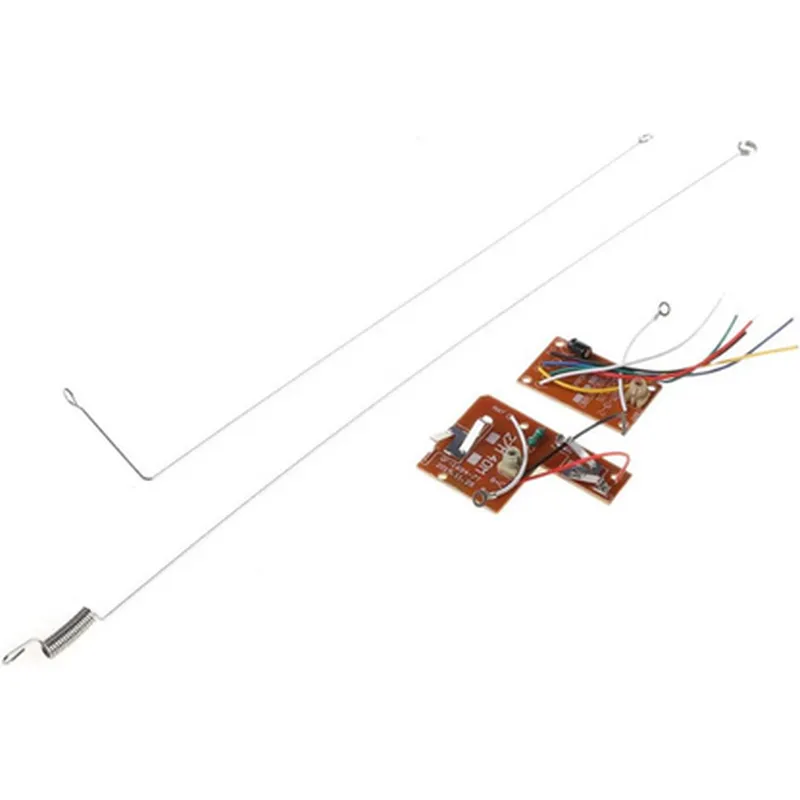
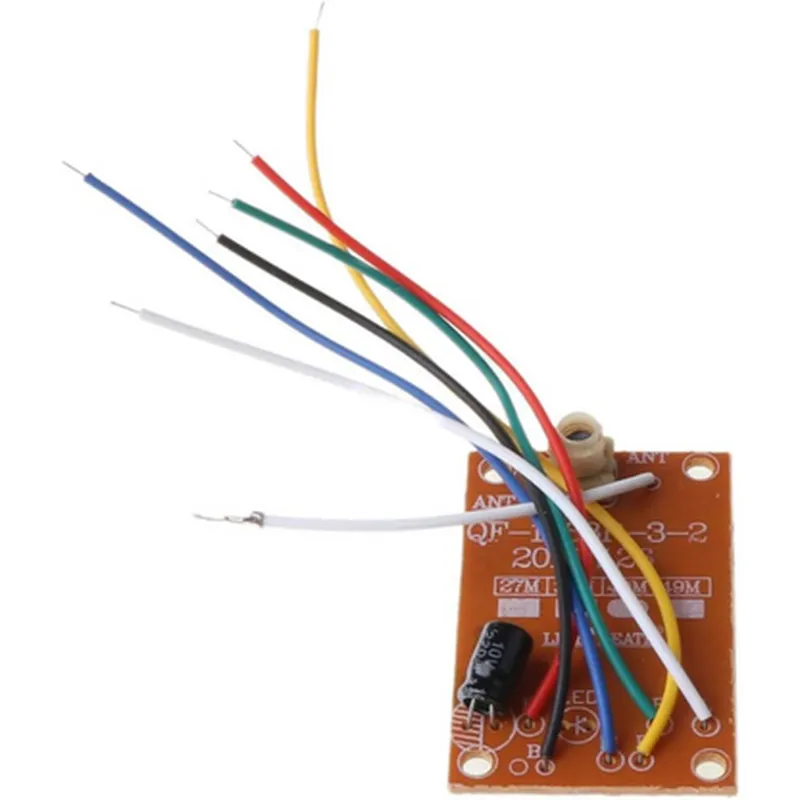
433.92 MHz
10 dBm
3V-12V
5 mA (typical)
60x40x20 mm
Applications
Wiring Diagram and Connection
Please refer to the provided wiring diagram for connecting the transmitter and receiver units to the remote controller and microcontroller/relay module.
-105 dBm
4
The documentation is subject to change without notice. Please ensure to verify the specifications and pinouts before using the component in your design.
4CH Remote Control Transmitter Receiver Circuit DocumentationOverviewThe 4CH Remote Control Transmitter Receiver Circuit is a popular IoT component used for wireless remote control applications. This module consists of a transmitter and receiver pair, allowing users to control up to 4 devices remotely using a wireless signal. This component is commonly used in robotics, home automation, and industrial control systems.Component SpecificationsOperating Frequency: 433.92 MHz
Modulation Type: ASK (Amplitude Shift Keying)
Transmission Range: Up to 100 meters (330 feet) in open air
Data Transmission Rate: 1-4 Kbps
Power Supply: 5V DC
Output Current: 30mA (max)Pinout and Connection DiagramThe transmitter module has 4 data pins (D0-D3) and 2 power pins (VCC and GND). The receiver module has 4 data pins (D0-D3) and 2 power pins (VCC and GND).Code Examples### Example 1: Simple Remote Control using ArduinoIn this example, we will use the 4CH Remote Control Transmitter Receiver Circuit to control 4 LEDs using an Arduino board.Transmitter Code (Arduino)
```c
#include <VirtualWire.h>const int transmitterPin = 2; // Transmitter pin connected to Arduino digital pin 2void setup() {
vw_set_tx_pin(transmitterPin);
vw_set_ptt_pin(transmitterPin);
vw_setup(2000); // Transmission speed (bits per second)
}void loop() {
char buffer[] = "Hello"; // Data to be transmitted
vw_send((uint8_t )buffer, strlen(buffer));
vw_wait_tx(); // Wait for transmission to complete
delay(1000);
}
```
Receiver Code (Arduino)
```c
#include <VirtualWire.h>const int receiverPin = 2; // Receiver pin connected to Arduino digital pin 2void setup() {
vw_set_rx_pin(receiverPin);
vw_setup(2000); // Transmission speed (bits per second)
}void loop() {
uint8_t buf[VW_MAX_MESSAGE_LEN];
uint8_t buflen = VW_MAX_MESSAGE_LEN;
if (vw_get_message(buf, &buflen)) {
int i;
char message = (char)buf;
for (i = 0; i < buflen; i++) {
Serial.print(message[i]);
}
Serial.println();
// Control LEDs based on received data
if (message[0] == '1') {
digitalWrite(LED1, HIGH);
} else {
digitalWrite(LED1, LOW);
}
if (message[1] == '2') {
digitalWrite(LED2, HIGH);
} else {
digitalWrite(LED2, LOW);
}
// ...
}
}
```
### Example 2: Controlling Relays using Raspberry Pi (Python)In this example, we will use the 4CH Remote Control Transmitter Receiver Circuit to control 4 relays using a Raspberry Pi.Transmitter Code (Python)
```python
import RPi.GPIO as GPIO
import time# Set up GPIO pins for transmitter
GPIO.setmode(GPIO.BCM)
transmitterPin = 17
GPIO.setup(transmitterPin, GPIO.OUT)def transmit_data(data):
# Convert data to binary string
binary_data = ''.join(format(ord(x), '08b') for x in data)
# Transmit data using ASK modulation
for bit in binary_data:
if bit == '1':
GPIO.output(transmitterPin, GPIO.HIGH)
else:
GPIO.output(transmitterPin, GPIO.LOW)
time.sleep(0.001) # 1 ms pulse width# Example transmission
transmit_data("Hello")
```
Receiver Code (Python)
```python
import RPi.GPIO as GPIO
import time# Set up GPIO pins for receiver
GPIO.setmode(GPIO.BCM)
receiverPin = 23
GPIO.setup(receiverPin, GPIO.IN)def receive_data():
# Receive data using ASK demodulation
binary_data = ''
while True:
if GPIO.input(receiverPin) == GPIO.HIGH:
binary_data += '1'
else:
binary_data += '0'
time.sleep(0.001) # 1 ms sampling rate
if len(binary_data) >= 8: # Check for complete byte
break
# Convert binary data to ASCII string
data = ''.join(chr(int(binary_data[i8:i8+8], 2)) for i in range(len(binary_data)//8))
return data# Example reception
print(receive_data())
```
These examples demonstrate the basic usage of the 4CH Remote Control Transmitter Receiver Circuit in various contexts. You can modify and extend these examples to suit your specific IoT projects.