6 inches x 4 inches (152.4 mm x 101.6 mm)


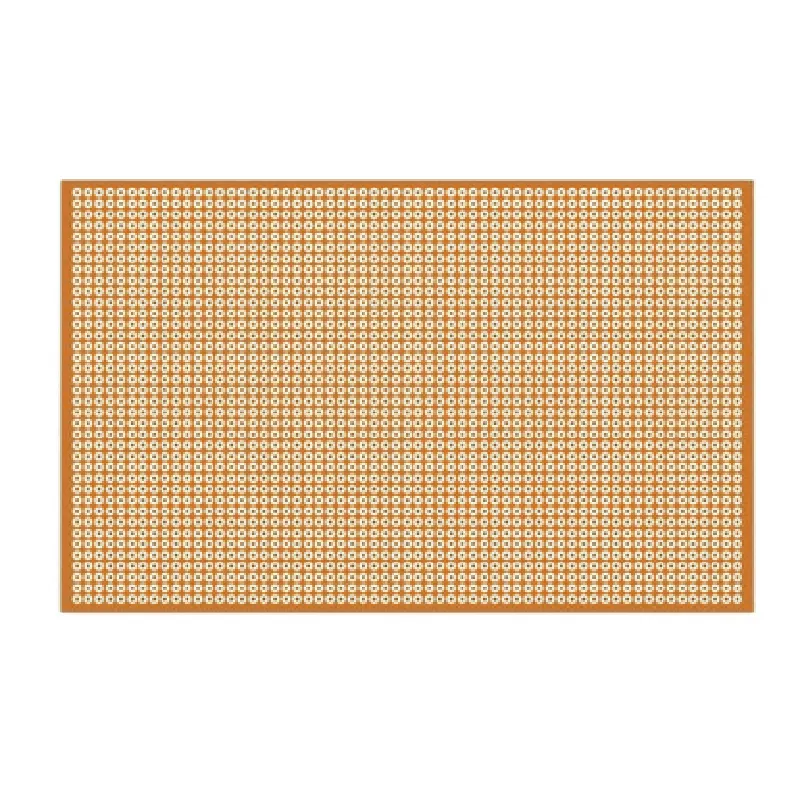
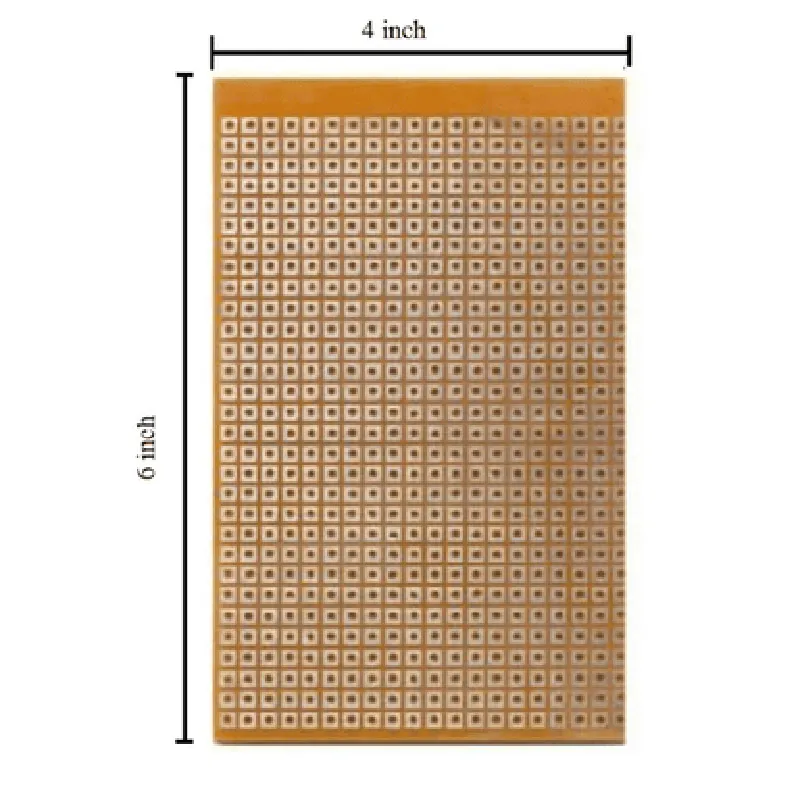
6 inches x 4 inches (152.4 mm x 101.6 mm)
1.6 mm
### 2. Copper Tracks
The board features a grid of copper tracks, spaced 0.1 inches (2.54 mm) apart, allowing for easy connection of components.
The tracks are 35 m thick, providing a reliable and durable connection point.
### 3. Holes
The board has a grid of holes, spaced 0.1 inches (2.54 mm) apart, allowing for easy mounting of components.
The holes are 1 mm in diameter, accommodating standard component leads.
### 4. Pad Size
The pads are 1.5 mm in diameter, providing a secure connection point for components.
### 5. Material
The board is made from FR4 (Flame Retardant 4) material, a high-quality, glass-reinforced epoxy laminate.
The material is durable, resistant to moisture, and suitable for a wide range of operating temperatures.
### 6. RoHS Compliance
The VeroBoard (6x4 Inch) is RoHS (Restriction of Hazardous Substances) compliant, ensuring the board meets environmental and safety standards.
### 7. Applications
Prototyping and development of electronic circuits
Building custom circuits for IoT projects
Creating proof-of-concept designs
Educating students in electronics and circuit design
Technical Specifications
-------------------------
-40C to +125C
-40C to +125C
Meet IPC standards
Meets IPC standards
Conclusion
--------------
The VeroBoard (6x4 Inch) is a versatile and reliable platform for building and testing electronic circuits. Its compact size, durable construction, and convenient layout make it an ideal choice for prototyping and development projects. With its wide range of applications and compatibility with various components, the VeroBoard (6x4 Inch) is an essential tool for electronics enthusiasts, hobbyists, and professionals alike.
VeroBoard (6x4 Inch) DocumentationOverviewThe VeroBoard (6x4 Inch) is a high-quality, general-purpose printed circuit board (PCB) designed for prototyping and building electronic projects. It features a 6x4 inch format with a 0.1-inch grid, making it ideal for creating complex circuits and interfaces.Features6x4 inch format with 0.1-inch grid
High-quality, copper-clad PCB material
Suitable for prototyping and building electronic projects
Compatible with a wide range of components, including through-hole, SMD, and wire-wrap componentsUsing the VeroBoard in Various Contexts### Example 1: Building a Simple LED CircuitIn this example, we'll demonstrate how to use the VeroBoard to build a simple LED circuit using a 9V battery, a 1k resistor, an LED, and jumper wires.Components:1 x VeroBoard (6x4 Inch)
1 x 9V Battery
1 x 1k Resistor
1 x LED
Jumper wiresCode: Not applicable (analog circuit)Steps:1. Connect the 9V battery to the VeroBoard using jumper wires.
2. Connect one end of the 1k resistor to the positive terminal of the battery.
3. Connect the other end of the resistor to the anode (positive leg) of the LED.
4. Connect the cathode (negative leg) of the LED to the negative terminal of the battery.
5. Use jumper wires to connect the components to the VeroBoard's grid points.### Example 2: Building an Arduino-based Weather StationIn this example, we'll demonstrate how to use the VeroBoard to build an Arduino-based weather station using an Arduino Uno, DHT11 temperature and humidity sensor, and an LCD display.Components:1 x VeroBoard (6x4 Inch)
1 x Arduino Uno
1 x DHT11 Temperature and Humidity Sensor
1 x LCD Display (16x2)
Jumper wiresCode:
```c
#include <DHT.h>
#include <LiquidCrystal.h>#define DHT_PIN 2
#define LCD_RS 12
#define LCD_EN 11
#define LCD_D4 5
#define LCD_D5 4
#define LCD_D6 3
#define LCD_D7 2DHT dht(DHT_PIN, DHT11);
LiquidCrystal_I2C lcd(LCD_RS, LCD_EN, LCD_D4, LCD_D5, LCD_D6, LCD_D7);void setup() {
lcd.begin(16, 2);
dht.begin();
}void loop() {
int temp = dht.readTemperature();
int humidity = dht.readHumidity();
lcd.setCursor(0, 0);
lcd.print("Temp: ");
lcd.print(temp);
lcd.print("C");
lcd.setCursor(0, 1);
lcd.print("Humidity: ");
lcd.print(humidity);
lcd.print("%");
delay(1000);
}
```
Steps:1. Connect the Arduino Uno to the VeroBoard using jumper wires.
2. Connect the DHT11 sensor to the VeroBoard's grid points.
3. Connect the LCD display to the VeroBoard's grid points.
4. Connect the jumper wires to the Arduino Uno's digital pins.
5. Upload the code to the Arduino Uno.
6. Power on the Arduino Uno and observe the temperature and humidity readings on the LCD display.These examples demonstrate the versatility of the VeroBoard (6x4 Inch) in building simple analog circuits and complex microcontroller-based projects. With its high-quality PCB material and 0.1-inch grid, the VeroBoard is an ideal platform for prototyping and building a wide range of electronic projects.