Stufin
Home Quick Cart Profile

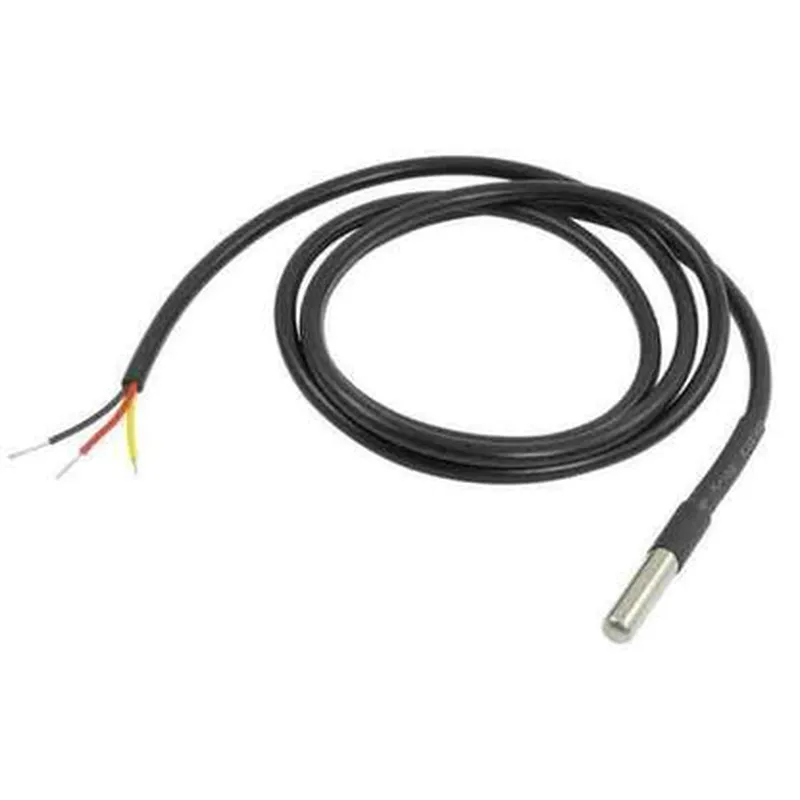
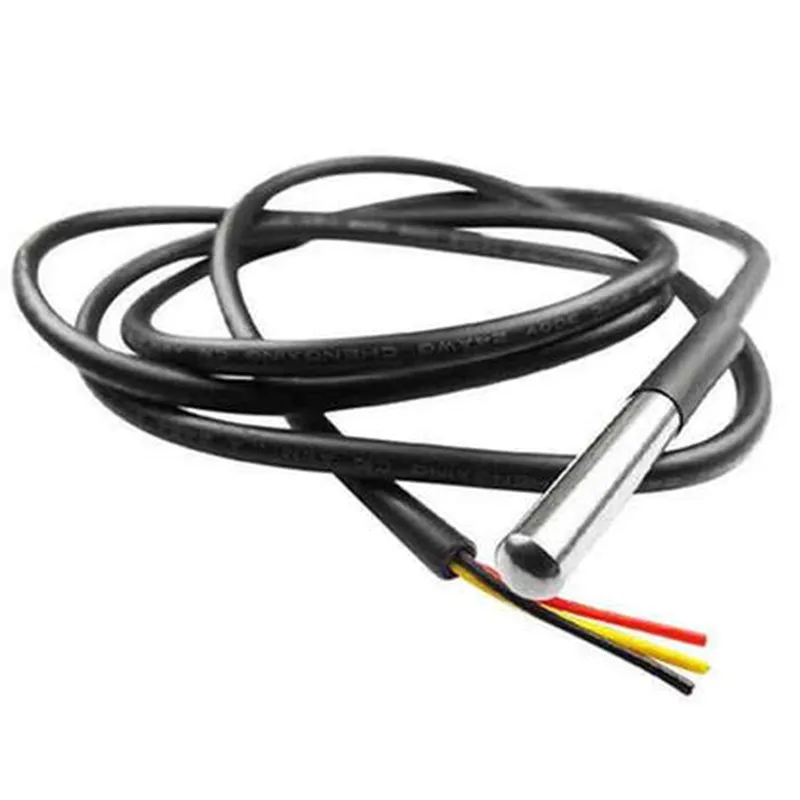
DS18B20 Waterproof Digital Thermometer Sensor Probe

Buy Now on Stufin

Component Name

DS18B20 Waterproof Digital Thermometer Sensor Probe

Overview

The DS18B20 Waterproof Digital Thermometer Sensor Probe is a high-accuracy, waterproof temperature sensor designed for monitoring temperature in various applications, including industrial, commercial, and residential settings. This sensor probe is a part of the Dallas Semiconductor DS18B20 family, known for their reliability and precision in temperature measurement.

Functionality

The DS18B20 Waterproof Digital Thermometer Sensor Probe is designed to measure temperature with high accuracy and precision. The sensor probe converts the temperature reading into a digital signal, which can be easily interfaced with microcontrollers, Arduino boards, or other digital systems. The sensor probe is versatile and can be used in a variety of applications, such as

Temperature monitoring in industrial processes

Medical equipment temperature control

Food storage and refrigeration monitoring

HVAC system temperature monitoring

Weather stations and environmental monitoring

Key Features

  • High-Accuracy Temperature Measurement: The sensor probe measures temperature with an accuracy of 0.5C (0.9F) between -10C and +85C (14F to 185F), making it suitable for critical temperature monitoring applications.
  • Waterproof and Rugged Design: The sensor probe is sealed in a waterproof stainless steel tube, allowing it to be used in harsh environments, including humid or wet conditions.
  • Digital Output: The sensor probe provides a digital output, eliminating the need for analog-to-digital conversion and reducing noise and interference.
  • One-Wire Communication: The sensor probe uses a single wire (VCC) for communication, making it easy to integrate with existing systems and reducing the number of connections required.
  • Low Power Consumption: The sensor probe operates at a low voltage (3.3V to 5V) and consumes minimal power, making it suitable for battery-powered devices.
  • Fast Response Time: The sensor probe responds quickly to temperature changes, allowing for accurate and timely measurements.
  • Long-Term Stability: The sensor probe maintains its accuracy over a long period, minimizing the need for recalibration.
  • Wide Operating Temperature Range: The sensor probe can operate in a temperature range of -55C to +125C (-69F to 257F), making it suitable for extreme temperature environments.
The DS18B20 Waterproof Digital Thermometer Sensor Probe boasts the following key features

Physical Characteristics

Length

60mm (2.36 inches)

Diameter

5.5mm (0.22 inches)

Material

Stainless Steel

Weight

10g (0.35 oz)

Cable Length

100cm (39.4 inches)

Additional Information

Operating Voltage

3.3V to 5V

Communication Protocol

One-Wire Protocol

Resolution

9-bit to 12-bit (user-selectable)

Conversion Time

750ms (max)

The DS18B20 Waterproof Digital Thermometer Sensor Probe is an ideal solution for accurate temperature measurement in a variety of applications, offering high accuracy, rugged design, and ease of use.

Pin Configuration

  • DS18B20 Waterproof Digital Thermometer Sensor Probe Pinout
  • The DS18B20 Waterproof Digital Thermometer Sensor Probe is a popular temperature sensor used in various IoT applications. It has three pins, which are described below:
  • Pin 1: VCC (Supply Voltage)
  • Function: Power supply pin
  • Description: This pin is used to connect the sensor to a power source, typically between 3.0V to 5.5V.
  • Connection: Connect to the positive terminal of the power supply (e.g., +3.3V or +5V) or a voltage regulator output.
  • Pin 2: DQ (Data)
  • Function: Data communication pin
  • Description: This pin is used for digital communication between the DS18B20 sensor and the microcontroller or other devices. It is a bidirectional pin, meaning it can both transmit and receive data.
  • Connection: Connect to a digital input/output pin on the microcontroller or other devices, such as GPIO pins on an Arduino or Raspberry Pi.
  • Pin 3: GND (Ground)
  • Function: Ground pin
  • Description: This pin is used to connect the sensor to the ground or negative terminal of the power supply.
  • Connection: Connect to the negative terminal of the power supply (e.g., GND) or a common ground point on the circuit board.
  • Connection Structure:
  • To connect the DS18B20 Waterproof Digital Thermometer Sensor Probe to a microcontroller or other devices, follow this structure:
  • VCC (Pin 1) Power Supply (+3.3V or +5V)
  • DQ (Pin 2) Microcontroller/Device Digital Input/Output Pin (e.g., GPIO Pin on Arduino or Raspberry Pi)
  • GND (Pin 3) Power Supply Ground (GND) or Common Ground Point on the Circuit Board
  • Important Notes:
  • Make sure to use a suitable pull-up resistor (typically 4.7k) between the VCC and DQ pins to ensure proper communication.
  • Use a waterproof connector or wire to connect the sensor probe to the circuit board or microcontroller to maintain the waterproof rating of the sensor.
  • Follow the specific connection guidelines and recommendations provided in the datasheet or documentation for the microcontroller or device you are using.
  • By following this pinout and connection structure, you can successfully integrate the DS18B20 Waterproof Digital Thermometer Sensor Probe into your IoT project and start measuring temperatures accurately.

Code Examples

DS18B20 Waterproof Digital Thermometer Sensor Probe Documentation
Overview
The DS18B20 Waterproof Digital Thermometer Sensor Probe is a digital temperature sensor that accurately measures temperature in various environments. It is waterproof, making it suitable for applications where humidity and water exposure are a concern. This sensor is commonly used in IoT projects, such as weather stations, aquarium monitoring, and industrial automation.
Technical Specifications
Temperature range: -55C to 125C (-67F to 257F)
 Accuracy: 0.5C (0.9F)
 Resolution: 9-bit to 12-bit (configurable)
 Supply voltage: 3.0V to 5.5V
 Communication protocol: 1-Wire protocol
 Waterproof rating: IP67
Connecting the DS18B20 to a Microcontroller
To connect the DS18B20 to a microcontroller, you will need:
DS18B20 Waterproof Digital Thermometer Sensor Probe
 Microcontroller (e.g., Arduino, Raspberry Pi, ESP32)
 Breadboard and jumper wires
 4.7k ohm pull-up resistor
Connect the DS18B20 VCC pin to the microcontroller's 5V pin, GND pin to GND, and the DQ pin to a digital pin on the microcontroller (e.g., D2 on Arduino). Add a 4.7k ohm pull-up resistor between the VCC and DQ pins.
Code Examples
### Example 1: Arduino Sketch to Read Temperature
```cpp
#include <OneWire.h>
#include <DallasTemperature.h>
#define ONE_WIRE_BUS 2  // Pin for DS18B20 communication
OneWire oneWire(ONE_WIRE_BUS);
DallasTemperature sensors(&oneWire);
void setup() {
  Serial.begin(9600);
  sensors.begin();
}
void loop() {
  sensors.requestTemperatures(); 
  float tempC = sensors.getTempCByIndex(0);
  Serial.print("Temperature: ");
  Serial.print(tempC);
  Serial.println("C");
  delay(1000);
}
```
### Example 2: Python Code for Raspberry Pi Using RPi.GPIO Library
```python
import os
import time
import glob
from gpiozero import OutputDevice
# Set up GPIO pin 4 as output for DS18B20 communication
pin = 4
device = OutputDevice(pin)
# Set up 1-Wire communication
base_dir = '/sys/bus/w1/devices/'
device_folder = glob.glob(base_dir + '28')[0]
device_file = device_folder + '/w1_slave'
def read_temp_raw():
    f = open(device_file, 'r')
    lines = f.readlines()
    f.close()
    return lines
def read_temp():
    lines = read_temp_raw()
    while lines[0].strip()[-3:] != 'YES':
        time.sleep(0.2)
        lines = read_temp_raw()
    temp_data = lines[1].find('t=')
    if temp_data != -1:
        temp_data = lines[1].strip()[temp_data+2:]
        return float(temp_data) / 1000.0
while True:
    temp = read_temp()
    print("Temperature: {:.2f}C".format(temp))
    time.sleep(1)
```
Note: These code examples assume you have the necessary libraries installed and configured for your microcontroller or single-board computer. Make sure to consult the relevant documentation for your specific setup.