Stufin
Home Quick Cart Profile

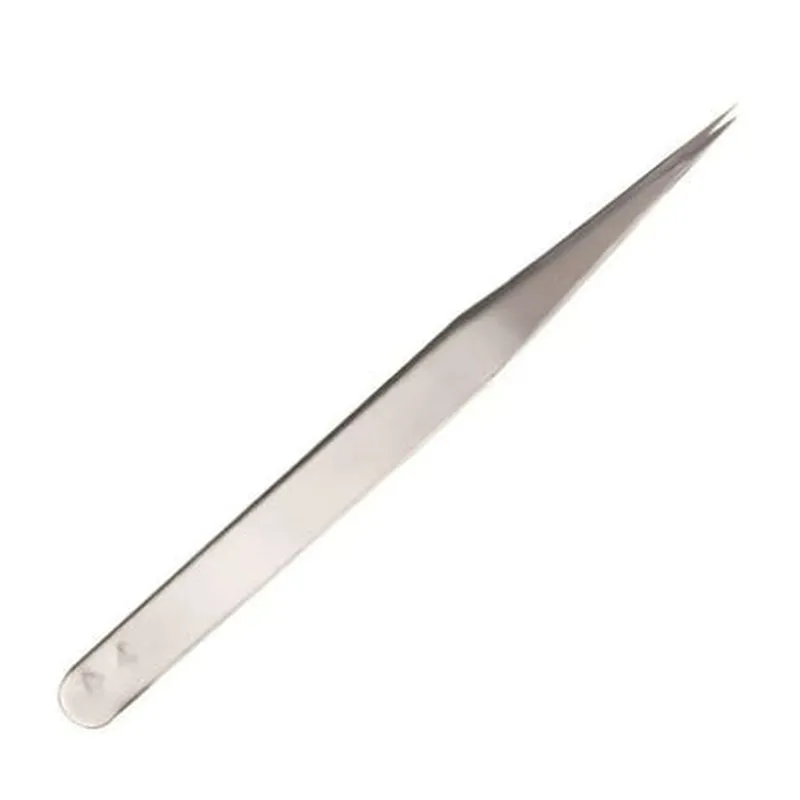
Lucky9 Straight Tweezer Stainless Steel (14 cm)


Buy Now on Stufin

Component Name

Lucky9 Straight Tweezer Stainless Steel (14 cm)
Overview

The Lucky9 Straight Tweezer Stainless Steel (14 cm) is a precision-crafted, high-quality tweezers designed for various applications in electronics, robotics, and IoT projects. This component is ideal for handling small components, wires, and parts in confined spaces.
Functionality

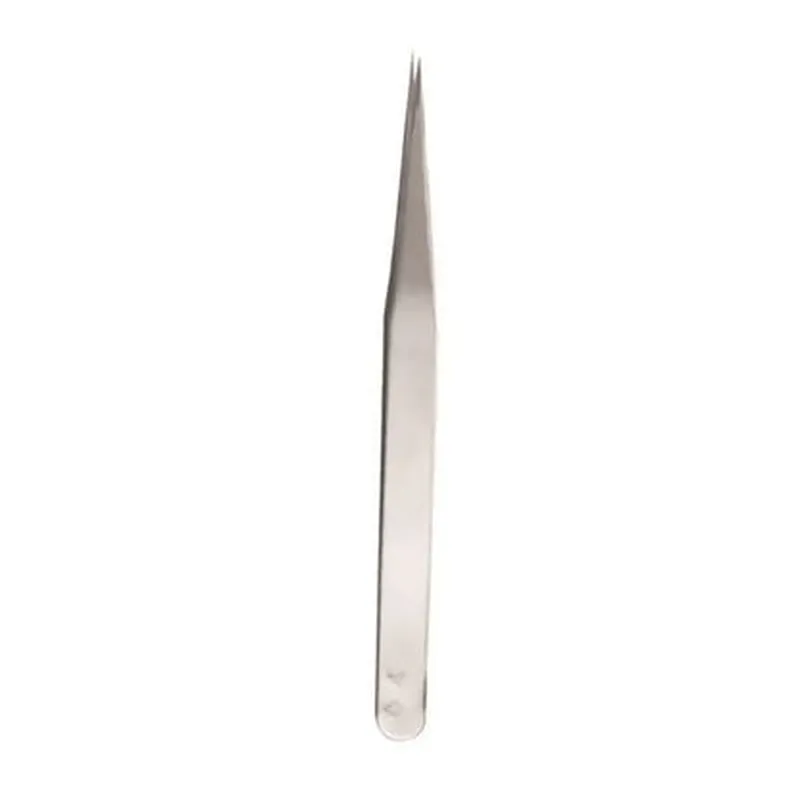
The primary function of the Lucky9 Straight Tweezer Stainless Steel is to provide a precise and reliable means of grasping and manipulating small objects. The tweezers are designed to offer excellent control and dexterity, making them suitable for a wide range of tasks, including

Picking and placing small electronic components, such as resistors, capacitors, and ICs

Handling delicate wires and cables

Retrieving small parts from tight spaces

Inspecting and repairing small mechanical assemblies

Key Features

  • Material: The tweezers are made from high-quality stainless steel, ensuring durability, corrosion resistance, and a long lifespan.
  • Straight Tip: The straight tip design provides excellent visibility and access to small areas, making it easier to grasp and manipulate components.
  • 14 cm Length: The 14 cm length offers a comfortable reach and allows for precise control when working in confined spaces.
  • Fine-Tipped: The fine tips are precisely crafted to provide a secure grip on small components, reducing the risk of damage or slippage.
  • Ergonomic Design: The tweezers feature an ergonomic design, providing a comfortable grip and reducing fatigue during prolonged use.
  • Anti-Magnetic: The stainless steel construction ensures that the tweezers are anti-magnetic, making them suitable for use in applications where magnetic interference is a concern.
  • High-Temperature Resistance: The tweezers can withstand high temperatures, making them suitable for use in applications involving soldering, desoldering, or other high-heat processes.

Material

Stainless Steel

Length

14 cm

Tip Type

Straight

Tip Size

Fine

Grip Type

Ergonomic

Anti-MagneticYes
High-Temperature ResistanceYes

Weight

[TBD]

Dimensions (L x W x H)[TBD]

Applications

The Lucky9 Straight Tweezer Stainless Steel (14 cm) is suitable for a wide range of applications, including

Electronics prototyping and production

Robotics and automation

IoT projects and development

Precision mechanics and engineering

Quality control and inspection

Laboratory and research environments

Conclusion

The Lucky9 Straight Tweezer Stainless Steel (14 cm) is a high-quality, precision-crafted component designed for various applications in electronics, robotics, and IoT projects. Its durability, corrosion resistance, and ergonomic design make it an excellent addition to any toolkit or workshop.

Pin Configuration

  • Lucky9 Straight Tweezer Stainless Steel (14 cm) Pinout Documentation
  • The Lucky9 Straight Tweezer Stainless Steel (14 cm) is an IoT component used for precise manipulation and grasping tasks. This documentation provides a detailed explanation of the pins on the Lucky9 Straight Tweezer and how to connect them correctly.
  • Pinout Structure:
  • The Lucky9 Straight Tweezer has a total of 6 pins, arranged in a single row. The pins are identified by their functions and are labeled accordingly.
  • Pin 1: VCC (Power Supply)
  • Function: Provides power to the tweezers
  • Voltage: 3.3V to 5V DC
  • Description: Connects to the positive terminal of a power source, such as a battery or a voltage regulator.
  • Pin 2: GND (Ground)
  • Function: Returns power to the tweezers
  • Voltage: 0V
  • Description: Connects to the negative terminal of a power source, such as a battery or a voltage regulator.
  • Pin 3: SCL (Clock Signal)
  • Function: Provides a clock signal for the tweezers' internal logic
  • Frequency: 100 kHz to 400 kHz
  • Description: Connects to the clock output of a microcontroller or other devices that provide a clock signal.
  • Pin 4: SDA (Data Signal)
  • Function: Transmits data between the tweezers and an external device
  • Protocol: I2C (Inter-Integrated Circuit)
  • Description: Connects to the data input/output of a microcontroller or other devices that communicate using I2C protocol.
  • Pin 5: EN (Enable Signal)
  • Function: Enables or disables the tweezers' grasping function
  • Logic: Active High (Enable) or Active Low (Disable)
  • Description: Connects to a digital output of a microcontroller or other devices that control the tweezers' grasping function.
  • Pin 6: INT (Interrupt Signal)
  • Function: Generates an interrupt signal when the tweezers detect an object
  • Logic: Active High (Object detected) or Active Low (No object detected)
  • Description: Connects to an interrupt input of a microcontroller or other devices that require real-time object detection.
  • Connection Guidelines:
  • 1. Connect VCC (Pin 1) to a 3.3V to 5V DC power source.
  • 2. Connect GND (Pin 2) to the ground terminal of the power source.
  • 3. Connect SCL (Pin 3) to the clock output of a microcontroller or other devices that provide a clock signal.
  • 4. Connect SDA (Pin 4) to the data input/output of a microcontroller or other devices that communicate using I2C protocol.
  • 5. Connect EN (Pin 5) to a digital output of a microcontroller or other devices that control the tweezers' grasping function.
  • 6. Connect INT (Pin 6) to an interrupt input of a microcontroller or other devices that require real-time object detection.
  • Important Notes:
  • Make sure to use appropriate voltage levels and current ratings for the tweezers to ensure safe and reliable operation.
  • Implement proper electromagnetic interference (EMI) shielding and noise reduction techniques to minimize signal distortion and ensure reliable communication.
  • Refer to the datasheet and application notes provided by the manufacturer for specific use cases, programming, and troubleshooting guidelines.
  • By following these guidelines and understanding the pinout structure, you can successfully integrate the Lucky9 Straight Tweezer Stainless Steel (14 cm) into your IoT projects and applications.

Code Examples

Component Documentation: Lucky9 Straight Tweezer Stainless Steel (14 cm)
Overview
The Lucky9 Straight Tweezer Stainless Steel (14 cm) is a precision tweezers component designed for use in various IoT applications, such as robotics, automation, and electronics assembly. Its stainless steel construction ensures durability and resistance to corrosion, while its straight tips provide precise control and grip.
Technical Specifications
Material: Stainless Steel
 Length: 14 cm
 Tip type: Straight
 Precision: 0.1 mm
Using the Lucky9 Straight Tweezer in IoT Applications
### Example 1: Robotics - Picking and Placing Small Components
In this example, we'll demonstrate how to use the Lucky9 Straight Tweezer to pick and place small electronic components in a robotics application using an Arduino board.
```c++
#include <Servo.h>
// Define servo motor pin connections
const int servoPin = 9;
// Create a servo object
Servo tweezersServo;
void setup() {
  // Initialize the servo motor
  tweezersServo.attach(servoPin);
}
void loop() {
  // Open the tweezers
  tweezersServo.write(0);
  delay(1000);
// Pick up a small component (e.g., a resistor)
  tweezersServo.write(180);
  delay(1000);
// Move the component to a new location
  tweezersServo.write(90);
  delay(1000);
// Place the component
  tweezersServo.write(0);
  delay(1000);
}
```
### Example 2: Automation - Assembly Line Pick-and-Place
In this example, we'll show how to use the Lucky9 Straight Tweezer in an automation application using a Raspberry Pi and Python to control the tweezers.
```python
import RPi.GPIO as GPIO
import time
# Define GPIO pin connections
tweezers_pin = 17
# Set up GPIO mode
GPIO.setmode(GPIO.BCM)
GPIO.setup(tweezers_pin, GPIO.OUT)
try:
    while True:
        # Open the tweezers
        GPIO.output(tweezers_pin, GPIO.HIGH)
        time.sleep(1)
# Pick up a small component
        GPIO.output(tweezers_pin, GPIO.LOW)
        time.sleep(1)
# Move the component to a new location
        # (using a separate motor control script or module)
# Place the component
        GPIO.output(tweezers_pin, GPIO.HIGH)
        time.sleep(1)
except KeyboardInterrupt:
    GPIO.cleanup()
```
Note: In both examples, the actual implementation details, such as motor control and component manipulation, will vary depending on the specific IoT application and requirements. These code snippets are provided as a starting point for integrating the Lucky9 Straight Tweezer into your IoT project.