0.5C (max) accuracy


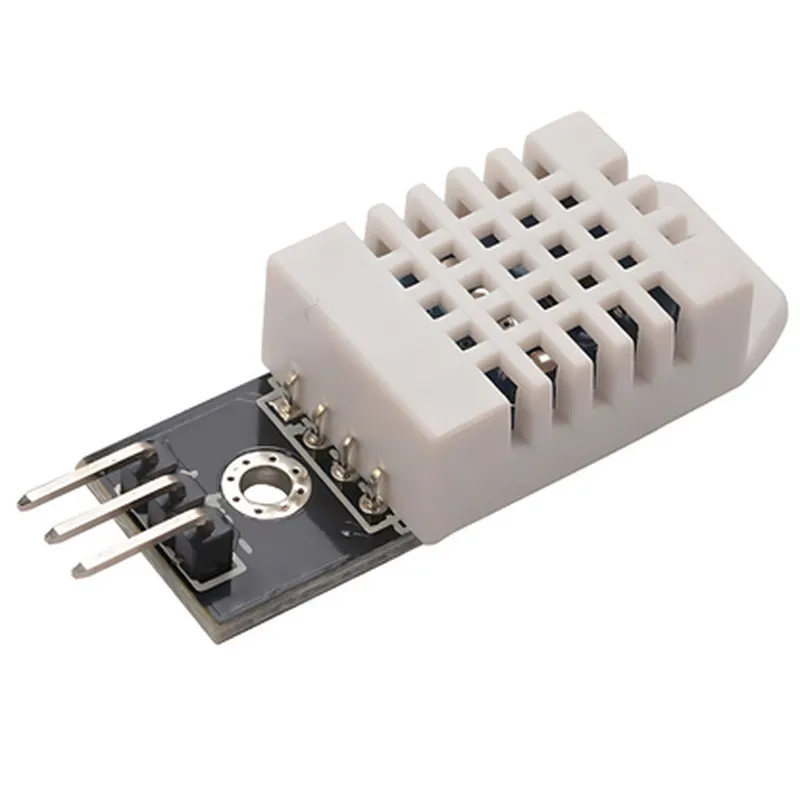
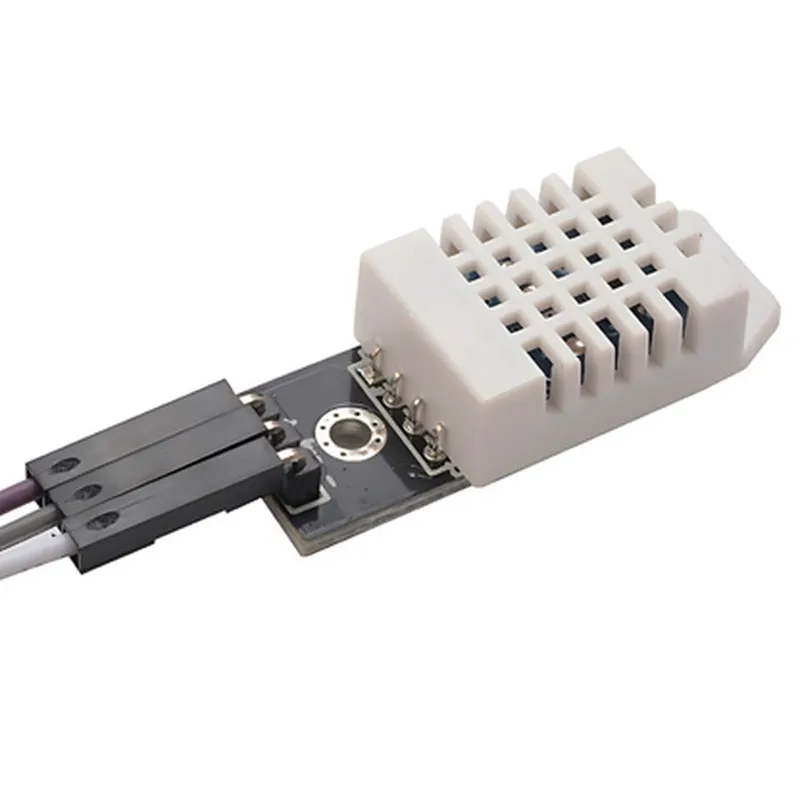
0.5C (max) accuracy
2% RH (max) accuracy
The sensor module provides a digital output, eliminating the need for analog-to-digital converters (ADCs) and reducing errors.
10 seconds
10-30 seconds
2.5mA (max)
0.5mA (max)
Single-bus digital output (3-5V tolerant)
Compatible with 3.3V and 5V microcontrollers
27.5mm x 18.5mm x 10.5mm
10g (approx.)
Digital, single-bus
3.3V or 5V
3 (VCC, GND, OUT)
-40C to 80C (-40F to 176F)
-40C to 125C (-40F to 257F)
Applications
| The DHT22 Humidity and Temperature Sensor Module is suitable for a wide range of applications, including |
Environmental monitoring systems
Home automation and HVAC systems
Weather stations and forecasting systems
Industrial automation and process control
IoT projects and smart devices
Medical and healthcare equipment
Conclusion
The DHT22 Humidity and Temperature Sensor Module (AM2302) is a reliable and accurate sensor module ideal for measuring relative humidity and temperature in various applications. Its compact design, low power consumption, and simple interface make it a popular choice for IoT projects and other systems requiring environmental monitoring.
DHT22 Humidity and Temperature Sensor Module (AM2302) DocumentationOverviewThe DHT22 Humidity and Temperature Sensor Module (AM2302) is a low-cost, highly accurate sensor module that measures both temperature and humidity. It is widely used in IoT projects, weather stations, and other applications where environmental monitoring is required.Pinouts and ConnectionsThe DHT22 module has four pins:VCC: Connect to a 3.3V or 5V power source
GND: Connect to Ground
DATA: Connect to a digital I/O pin on the microcontroller (e.g., Arduino, Raspberry Pi)Technical SpecificationsTemperature Range: -40C to 80C
Humidity Range: 0% to 100%
Accuracy:
+ Temperature: 0.5C
+ Humidity: 2%
Power Consumption: 2.5mA (average)Code Examples### Example 1: Using DHT22 with ArduinoConnect the DHT22 module to an Arduino board as follows:VCC to Arduino's 5V pin
GND to Arduino's GND pin
DATA to Arduino's digital pin 2```cpp
#include "DHT.h"#define DHTPIN 2 // Digital pin connected to the DHT sensorDHT dht(DHTPIN, DHT22); // Initialize DHT sensor for DHT22void setup() {
Serial.begin(9600);
dht.begin();
}void loop() {
delay(2000); // Wait 2 seconds between measurementsfloat humidity = dht.readHumidity();
float temperature = dht.readTemperature();if (isnan(humidity) || isnan(temperature)) {
Serial.println("Error reading from DHT sensor!");
} else {
Serial.print("Humidity: ");
Serial.print(humidity);
Serial.print("% Temperature: ");
Serial.print(temperature);
Serial.println("C");
}
}
```### Example 2: Using DHT22 with Raspberry Pi (Python)Connect the DHT22 module to a Raspberry Pi as follows:VCC to Raspberry Pi's 3.3V pin
GND to Raspberry Pi's GND pin
DATA to Raspberry Pi's GPIO pin 4```python
import Adafruit_DHTDHT_SENSOR = Adafruit_DHT.DHT22
DHT_PIN = 4 # GPIO pin connected to the DHT sensorwhile True:
humidity, temperature = Adafruit_DHT.read_retry(DHT_SENSOR, DHT_PIN)if humidity is not None and temperature is not None:
print('Humidity: {:.1f}%'.format(humidity))
print('Temperature: {:.1f}C'.format(temperature))
else:
print('Error reading from DHT sensor!')time.sleep(2) # Wait 2 seconds between measurements
```### Example 3: Using DHT22 with ESP32 (MicroPython)Connect the DHT22 module to an ESP32 board as follows:VCC to ESP32's 3.3V pin
GND to ESP32's GND pin
DATA to ESP32's GPIO pin 4```python
import dht
import machinedht_sensor = dht.DHT22(machine.Pin(4)) # Initialize DHT sensor on GPIO pin 4while True:
try:
humidity, temperature = dht_sensor.read()
print('Humidity: {:.1f}%'.format(humidity))
print('Temperature: {:.1f}C'.format(temperature))
except RuntimeError as e:
print('Error reading from DHT sensor:', e)machine.sleep(2000) # Wait 2 seconds between measurements
```NotesMake sure to install the required libraries and modules for each example before running the code.
The DHT22 sensor may take a few seconds to stabilize after power-on, so it's recommended to add a short delay before taking the first measurement.
The examples above are just a starting point, and you may need to adjust the code to suit your specific project requirements.