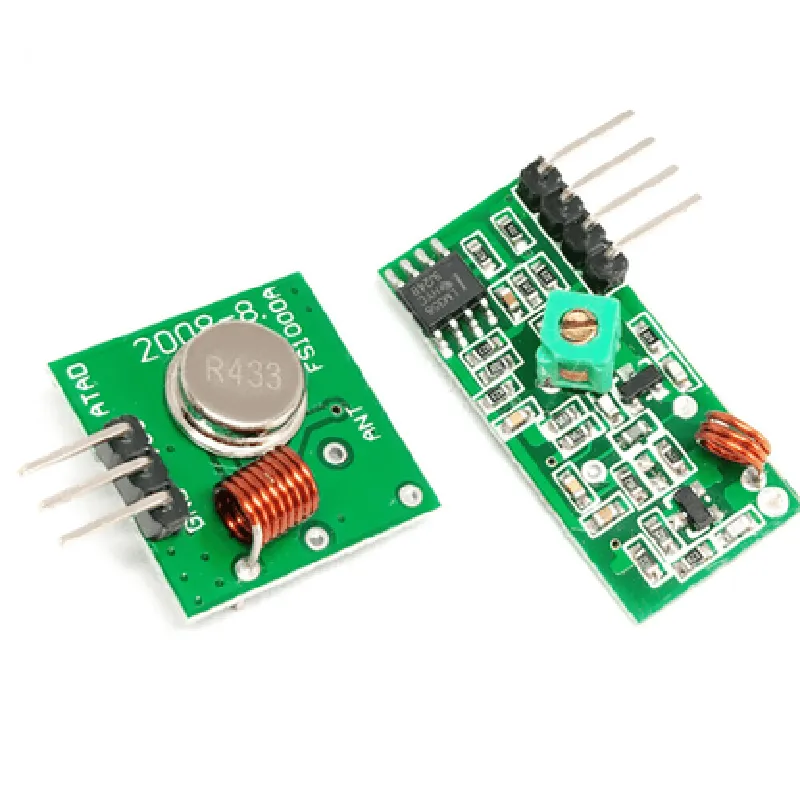
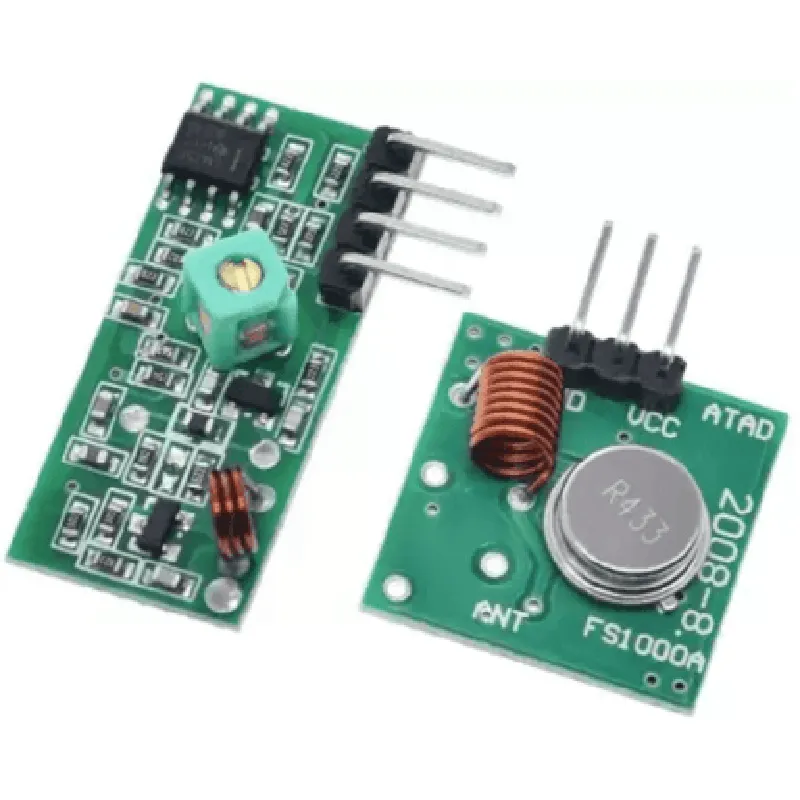
RF Wireless Module Pair (433MHZ) Documentation
The RF Wireless Module Pair (433MHZ) is a set of two wireless communication modules that operate at a frequency of 433MHz. These modules are used for wireless data transmission and reception in various IoT applications. The pair consists of a transmitter module and a receiver module, which can be used to establish a wireless communication link between two devices.
Operating frequency: 433MHz
 Transmission range: Up to 100 meters (line of sight)
 Data transfer rate: Up to 4.8 Kbps
 Low power consumption
 Small form factor
VCC: 3.3V/5V power supply
 GND: Ground
 DATA: Data input pin
 ANT: Antenna connection
VCC: 3.3V/5V power supply
 GND: Ground
 DATA: Data output pin
 ANT: Antenna connection
Example 1: Basic Wireless Communication using Arduino
In this example, we will demonstrate how to use the RF Wireless Module Pair to establish a wireless communication link between two Arduino boards.
Transmitter Code (Arduino):
```c++
#include <DigitalIO.h>
#define TX_PIN 2  // Data pin for transmitter module
#define BAUD_RATE 9600
void setup() {
  pinMode(TX_PIN, OUTPUT);
  Serial.begin(BAUD_RATE);
}
void loop() {
  char data[] = "Hello, World!";
  digitalWrite(TX_PIN, HIGH);
  for (int i = 0; i < strlen(data); i++) {
    Serial.print(data[i]);
    delay(10);
  }
  digitalWrite(TX_PIN, LOW);
  delay(1000);
}
```
Receiver Code (Arduino):
```c++
#include <DigitalIO.h>
#define RX_PIN 2  // Data pin for receiver module
#define BAUD_RATE 9600
void setup() {
  pinMode(RX_PIN, INPUT);
  Serial.begin(BAUD_RATE);
}
void loop() {
  if (digitalRead(RX_PIN) == HIGH) {
    char receivedData;
    while (Serial.available() > 0) {
      receivedData = Serial.read();
      Serial.print(receivedData);
    }
  }
  delay(1000);
}
```
Example 2: Wireless Remote Control using Raspberry Pi
In this example, we will demonstrate how to use the RF Wireless Module Pair to create a wireless remote control system using a Raspberry Pi and a battery-powered transmitter module.
Transmitter Code (Python):
```python
import RPi.GPIO as GPIO
import time
GPIO.setmode(GPIO.BCM)
TX_PIN = 17  # Data pin for transmitter module
while True:
    GPIO.setup(TX_PIN, GPIO.OUT)
    GPIO.output(TX_PIN, GPIO.HIGH)
    time.sleep(0.1)
    GPIO.output(TX_PIN, GPIO.LOW)
    time.sleep(0.1)
```
Receiver Code (Python):
```python
import RPi.GPIO as GPIO
import time
GPIO.setmode(GPIO.BCM)
RX_PIN = 23  # Data pin for receiver module
while True:
    if GPIO.input(RX_PIN) == GPIO.HIGH:
        print("Received signal!")
        time.sleep(1)
```
Note: These code examples are for illustrative purposes only and may require modifications to work with specific hardware configurations and applications.