

Stufin
Home Quick Cart Profile

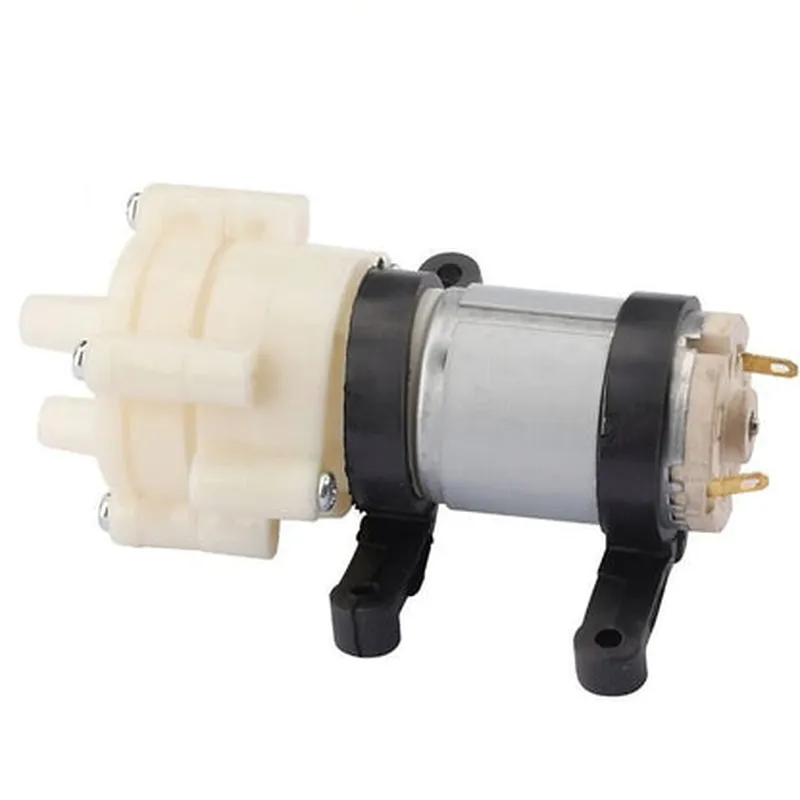
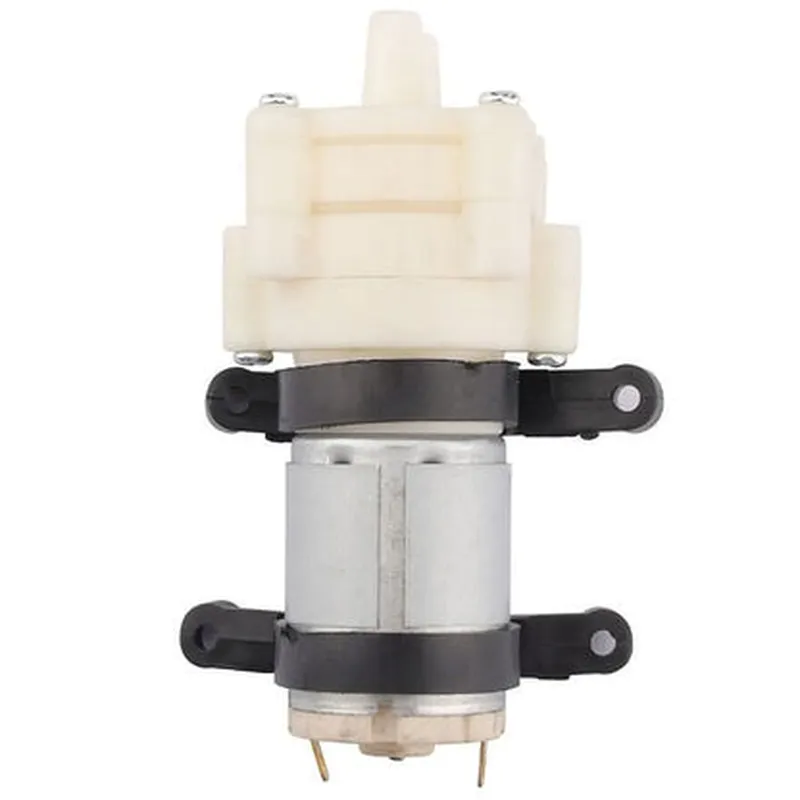
R385 DC PUMP

Buy Now on Stufin

Input Voltage

3.5V 12V DC

Maximum Current

1.5A

Flow Rate

0.5L/min 5L/min (adjustable)

Pressure Range

0 10 bar (0 145 psi)

Motor Type

Brushless DC Motor

Dimensions

38mm diameter, 14mm height

Weight

20g

Operating Temperature

-20C to 60C

Humidity

5% 95% RH

Applications

The R385 DC Pump is suitable for a wide range of applications, including

IoT devices (e.g., environmental monitoring, industrial automation)

Robotics (e.g., fluid dispensing, hydraulic systems)

Industrial automation (e.g., process control, fluid management)

Medical devices (e.g., infusion pumps, dialysis machines)

Aerospace and defense (e.g., fluid management systems, propulsion systems)

Ordering Information

To order the R385 DC Pump, please specify the following

Part Number

R385-DCP

Quantity

[Insert quantity]

Packaging

[Insert packaging option (e.g., bulk, individual)]

Warranty and Support

The R385 DC Pump is backed by a 2-year limited warranty. For technical support, documentation, and warranty information, please visit our website or contact our support team.

Pin Configuration

  • R385 DC PUMP Pinout Documentation
  • The R385 DC Pump is a compact, high-performance DC pump module designed for a wide range of IoT applications, including fluid control, automation, and robotic systems. This documentation provides a detailed explanation of the pinout configuration and connection guidelines for the R385 DC Pump module.
  • Pinout Structure:
  • The R385 DC Pump module has a total of 6 pins, arranged in a single row. The pinout structure is as follows:
  • | Pin Number | Pin Name | Function | Description |
  • | --- | --- | --- | --- |
  • | 1 | VCC | Power Supply | Positive power supply voltage ( Typically 3.3V to 12V) |
  • | 2 | GND | Ground | Negative power supply voltage (Ground) |
  • | 3 | IN1 | Control Input 1 | Digital control input for pump direction and speed control |
  • | 4 | IN2 | Control Input 2 | Digital control input for pump direction and speed control |
  • | 5 | EN | Enable Input | Digital enable input for pump operation |
  • | 6 | OUT | Pump Output | DC pump output |
  • Pin-by-Pin Connection Guidelines:
  • 1. VCC (Pin 1):
  • Connect a positive power supply voltage (3.3V to 12V) to this pin.
  • Ensure the power supply voltage is within the recommended operating range of the R385 DC Pump module.
  • Use a suitable voltage regulator or power supply module to provide a stable voltage.
  • 2. GND (Pin 2):
  • Connect the negative power supply voltage (Ground) to this pin.
  • Ensure a reliable ground connection to prevent electrical noise and interference.
  • 3. IN1 (Pin 3):
  • Connect a digital control signal to this pin to control the pump direction and speed.
  • A high logic level (e.g., 5V) on this pin sets the pump to forward direction and maximum speed.
  • A low logic level (e.g., 0V) on this pin sets the pump to reverse direction and minimum speed.
  • 4. IN2 (Pin 4):
  • Connect a digital control signal to this pin to control the pump direction and speed.
  • A high logic level (e.g., 5V) on this pin sets the pump to reverse direction and maximum speed.
  • A low logic level (e.g., 0V) on this pin sets the pump to forward direction and minimum speed.
  • 5. EN (Pin 5):
  • Connect a digital enable signal to this pin to control the pump operation.
  • A high logic level (e.g., 5V) on this pin enables the pump operation.
  • A low logic level (e.g., 0V) on this pin disables the pump operation.
  • 6. OUT (Pin 6):
  • Connect the DC pump output to this pin.
  • The pump output is a DC voltage signal that drives the connected load (e.g., a fluid control valve or a small motor).
  • Important Notes:
  • Ensure proper electrical connections to prevent damage to the R385 DC Pump module and connected components.
  • Use suitable connectors, wires, and cable lengths to minimize electrical noise and interference.
  • Follow the recommended power supply voltage and current ratings to avoid overheating or damage to the pump module.
  • Implement proper control logic and programming to ensure safe and efficient operation of the R385 DC Pump module.
  • By following this pinout documentation and connection guidelines, you can successfully integrate the R385 DC Pump module into your IoT project and achieve reliable fluid control and automation functionality.

Code Examples

R385 DC PUMP Documentation
Overview
The R385 DC PUMP is a compact, high-performance DC pump designed for use in IoT applications, such as liquid cooling systems, medical devices, and industrial automation. This pump features a high-pressure output, low power consumption, and a compact design, making it an ideal choice for space-constrained applications.
Specifications
Operating Voltage: 12V DC
 Maximum Pressure: 3.5 Bar
 Maximum Flow Rate: 1.2 L/min
 Power Consumption: 5W
 Connection: 1/4" tube fitting
 Dimensions: 38 x 38 x 63 mm
Code Examples
### Example 1: Basic Pump Control using Arduino
In this example, we will demonstrate how to control the R385 DC PUMP using an Arduino board.
```cpp
const int pumpPin = 9;  // Pin connected to pump's positive terminal
void setup() {
  pinMode(pumpPin, OUTPUT);
}
void loop() {
  // Turn the pump on
  digitalWrite(pumpPin, HIGH);
  delay(5000); // Run the pump for 5 seconds
// Turn the pump off
  digitalWrite(pumpPin, LOW);
  delay(5000); // Wait for 5 seconds before turning it back on
}
```
### Example 2: Pump Control with Raspberry Pi and Python
In this example, we will demonstrate how to control the R385 DC PUMP using a Raspberry Pi and Python.
```python
import RPi.GPIO as GPIO
import time
# Set up GPIO library
GPIO.setmode(GPIO.BCM)
pump_pin = 17  # Pin connected to pump's positive terminal
GPIO.setup(pump_pin, GPIO.OUT)
while True:
    # Turn the pump on
    GPIO.output(pump_pin, GPIO.HIGH)
    time.sleep(5)  # Run the pump for 5 seconds
# Turn the pump off
    GPIO.output(pump_pin, GPIO.LOW)
    time.sleep(5)  # Wait for 5 seconds before turning it back on
```
### Example 3: Pump Control with ESP32 and MicroPython
In this example, we will demonstrate how to control the R385 DC PUMP using an ESP32 board and MicroPython.
```python
import machine
import time
pump_pin = machine.Pin(15, machine.Pin.OUT)  # Pin connected to pump's positive terminal
while True:
    # Turn the pump on
    pump_pin.value(1)
    time.sleep(5)  # Run the pump for 5 seconds
# Turn the pump off
    pump_pin.value(0)
    time.sleep(5)  # Wait for 5 seconds before turning it back on
```
These examples demonstrate the basic control of the R385 DC PUMP using various microcontrollers and programming languages. The pump can be used in more complex applications by incorporating sensors, valves, and other components to create a more sophisticated liquid handling system.