Raspberry Pi 4 ABS Black Case with Fan


Raspberry Pi 4 ABS Black Case with Fan
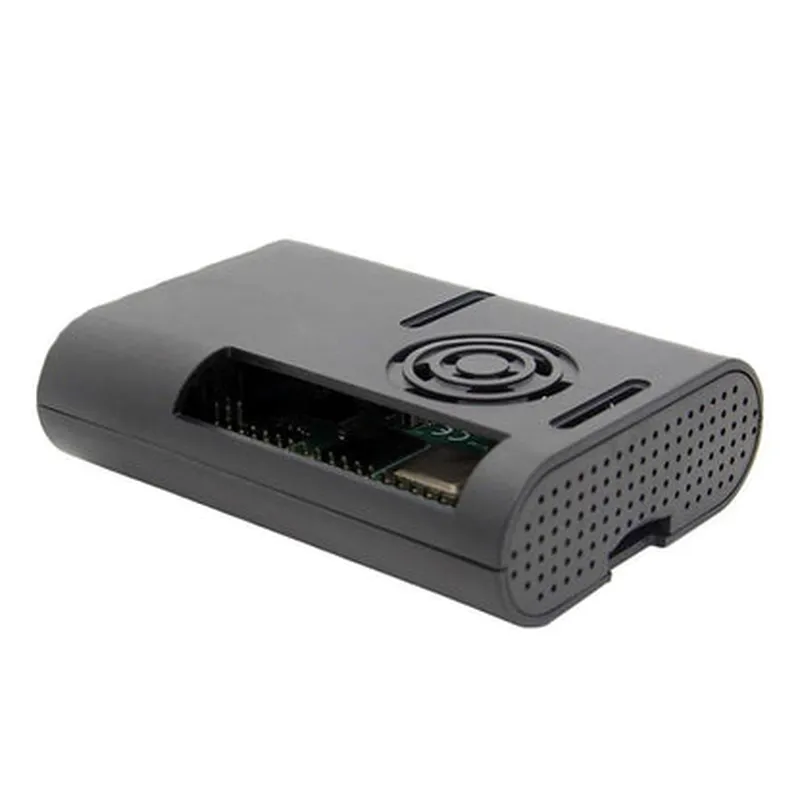
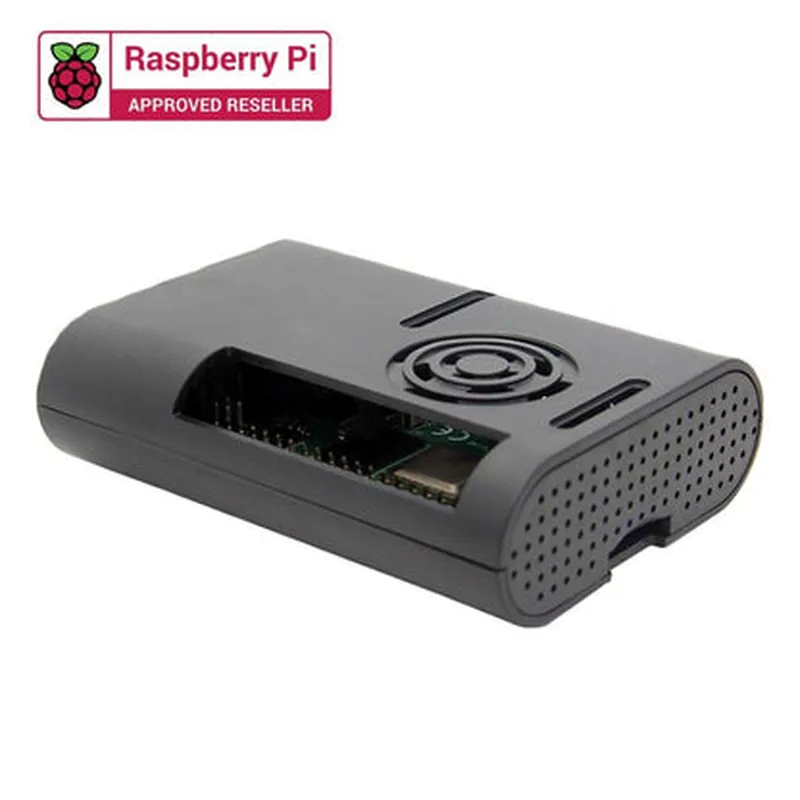
The Raspberry Pi 4 ABS Black Case with Fan is a comprehensive enclosure solution designed specifically for the Raspberry Pi 4 single-board computer. This case provides a protective and thermally efficient environment for the Raspberry Pi 4, ensuring optimal performance and reliability.
The primary function of this case is to house and protect the Raspberry Pi 4 board from environmental factors such as dust, moisture, and physical damage. The case also features a built-in fan that helps to dissipate heat generated by the Raspberry Pi 4, allowing it to operate within a stable temperature range.
| I. Physical Characteristics |
The case is made of high-quality ABS (Acrylonitrile Butadiene Styrene) plastic, which provides excellent durability and resistance to impact.
The case has a sleek black finish that complements the Raspberry Pi 4's design.
The case measures 92mm x 60mm x 40mm (L x W x H), making it compact and easy to integrate into various projects.
| II. Heat Management | |
| Built-in Fan | The case features a pre-installed fan that helps to dissipate heat generated by the Raspberry Pi 4. The fan is connected to the Raspberry Pi's GPIO header and can be controlled using software. |
The case has strategically placed ventilation holes to ensure efficient airflow and heat dissipation.
| III. Compatibility | |
| Raspberry Pi 4 Compatibility | The case is specifically designed for the Raspberry Pi 4 model B and is compatible with all its features and interfaces. |
| IV. Additional Features |
The case provides easy access to all Raspberry Pi 4 interfaces, including USB, HDMI, Ethernet, and GPIO headers.
The case has mounting holes on the bottom for securing it to a surface or integrating it into a larger project.
| V. Benefits |
The case helps to protect the Raspberry Pi 4 from environmental factors, ensuring reliable operation and reducing the risk of damage.
The built-in fan and ventilation system help to maintain a stable temperature, allowing the Raspberry Pi 4 to operate within its recommended specifications.
The case is easy to assemble and install, making it an ideal choice for both beginners and experienced users.
| VI. Packaging |
The case comes with all necessary screws, standoff pillars, and a thermal tape for mounting the Raspberry Pi 4 board.
A comprehensive user manual is included, providing step-by-step instructions for assembling and installing the case.
By combining a rugged ABS case with a built-in fan and ventilation system, this enclosure solution provides an ideal environment for the Raspberry Pi 4 to operate reliably and efficiently.
Raspberry Pi 4 ABS Black Case with Fan DocumentationOverviewThe Raspberry Pi 4 ABS Black Case with Fan is a compact and durable enclosure designed specifically for the Raspberry Pi 4 single-board computer. This case provides adequate cooling and protection for the Raspberry Pi 4, making it an ideal solution for a wide range of IoT projects.Technical SpecificationsCompatible with Raspberry Pi 4 Model B
ABS plastic construction for durability and impact resistance
Built-in fan for efficient cooling
Easy access to Raspberry Pi 4 ports and GPIO pins
Compact design for space-constrained applicationsCode Examples### Example 1: Temperature Monitoring with PythonIn this example, we will use the Raspberry Pi 4 ABS Black Case with Fan to create a temperature monitoring system using Python. We will utilize the built-in temperature sensor on the Raspberry Pi 4 to read the CPU temperature and display it on an LCD screen.Hardware Requirements:Raspberry Pi 4
Raspberry Pi 4 ABS Black Case with Fan
LCD Screen (e.g., 16x2 LCD)
Breadboard and jumper wiresSoftware Requirements:Raspbian OS
Python 3.xCode:
```python
import LCD
import time# Initialize LCD screen
lcd = LCD.LCD(18, 23, 24, 25, 4, 17, 15)while True:
# Read CPU temperature
temp = float(open('/sys/class/thermal/thermal_zone0/temp').read()) / 1000# Display temperature on LCD screen
lcd.setCursor(0, 0)
lcd.print("CPU Temp: {:.1f}C".format(temp))# Update every 1 second
time.sleep(1)
```
### Example 2: Home Automation with Node.jsIn this example, we will use the Raspberry Pi 4 ABS Black Case with Fan to create a home automation system using Node.js. We will utilize the Raspberry Pi 4's GPIO pins to control an LED strip and toggle it on/off remotely using a web interface.Hardware Requirements:Raspberry Pi 4
Raspberry Pi 4 ABS Black Case with Fan
LED Strip
Breadboard and jumper wiresSoftware Requirements:Raspbian OS
Node.js (with `express` and `onoff` libraries)Code:
```javascript
const express = require('express');
const app = express();
const Gpio = require('onoff').Gpio;const led = new Gpio(17, 'out'); // Use GPIO 17 to control LED stripapp.get('/toggle', (req, res) => {
led.writeSync(led.readSync() ^ 1); // Toggle LED on/off
res.send(`LED is now ${led.readSync() ? 'on' : 'off'}`);
});app.listen(3000, () => {
console.log('Server listening on port 3000');
});
```
### Example 3: IoT Project with MQTT using C++In this example, we will use the Raspberry Pi 4 ABS Black Case with Fan to create an IoT project that publishes sensor data to an MQTT broker using C++. We will utilize the Raspberry Pi 4's GPIO pins to read data from a temperature sensor and publish it to an MQTT topic.Hardware Requirements:Raspberry Pi 4
Raspberry Pi 4 ABS Black Case with Fan
Temperature Sensor (e.g., DS18B20)
Breadboard and jumper wiresSoftware Requirements:Raspbian OS
Mosquitto MQTT broker
C++ compiler (e.g., `g++`)Code:
```c
#include <iostream>
#include <cstring>
#include <mqtt/AsyncMqttClient.h>using namespace std;// Define MQTT client and topic
AsyncMqttClient mqttClient("mqtt://localhost:1883", "my_rpi_4");int main() {
// Initialize temperature sensor
int tempPin = 4; // Use GPIO 4 to read temperature sensor
wiringPiSetupGpio();
pinMode(tempPin, INPUT);while (true) {
// Read temperature sensor data
int tempValue = analogRead(tempPin);
float temperature = (tempValue 3.3 / 1024) 100;// Publish temperature data to MQTT topic
mqttClient.publish("home/temperature", temperature);// Update every 10 seconds
delay(10000);
}return 0;
}
```
These examples demonstrate the versatility of the Raspberry Pi 4 ABS Black Case with Fan in various IoT applications. From temperature monitoring to home automation and IoT projects, this case provides a reliable and efficient way to deploy your Raspberry Pi 4 projects.