Stufin
Home Quick Cart Profile

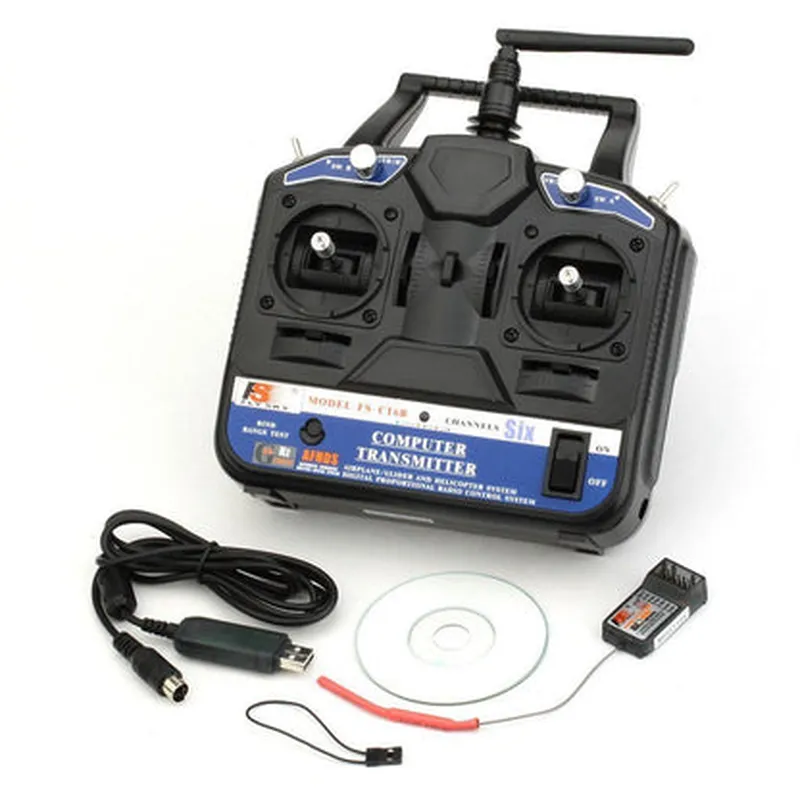
Fly Sky FS-CT6B 6ch 2.4GHz Transmitter & Receiver


Buy Now on Stufin

Component Name

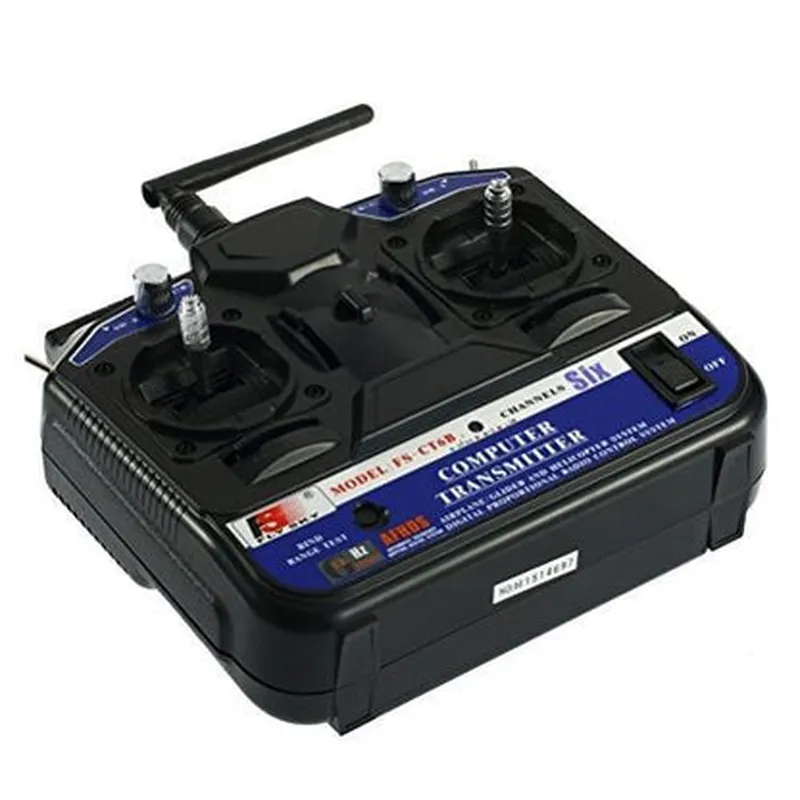
Fly Sky FS-CT6B 6ch 2.4GHz Transmitter & Receiver
Overview

The Fly Sky FS-CT6B is a 2.4GHz, 6-channel radio frequency (RF) transmitter and receiver system designed for wireless control and communication in various applications, including robotics, drones, and remote-controlled models. This component is a popular choice among hobbyists and professionals alike due to its reliability, range, and versatility.

Functionality

  • Transmitter (TX): The transmitter is a handheld device that converts user input from a controller (e.g., joysticks, buttons) into radio frequency signals, which are then transmitted over the air to the receiver.
  • Receiver (RX): The receiver is a device mounted on the remote device, which receives the radio frequency signals sent by the transmitter and decodes them into electrical signals that control the device's movements or actions.
The FS-CT6B transmitter and receiver system enables wireless communication between a controller and a remote device, allowing for real-time control and data transmission. The system consists of two primary components

Frequency

2.4GHz, with 80 channels and 160 frequencies for reduced interference

Range

Up to 500 meters (1640 feet) in ideal conditions

Power

4 x AA batteries (not included)

Dimensions

44 x 25 x 12 mm (1.7 x 1 x 0.5 in)

Weight

17g (0.6 oz)

Sensitivity

High-sensitivity receiver for reliable signal reception

Output

6-channel PWM signal output for connecting to servos, ESCs, or other devices

Spread Spectrum

Adaptive Frequency Hopping (AFH) technology minimizes interference and ensures reliable signal transmission

Low Power Consumption

Efficient power management for extended battery life

Easy Binding

Simple binding process for transmitter and receiver pairing

Applications

The Fly Sky FS-CT6B 6ch 2.4GHz Transmitter & Receiver is suitable for a variety of applications, including
Remote-controlled models (airplanes, helicopters, cars, boats)

Robotics and autonomous systems

Drones and UAVs

IoT projects and wireless sensor networks

Certifications and Compliance

The FS-CT6B system complies with relevant regulations and standards, including

FCC Part 15

CE

RoHS

Warranty and Support

The manufacturer provides a limited warranty and dedicated customer support for the FS-CT6B system.

Conclusion

The Fly Sky FS-CT6B 6ch 2.4GHz Transmitter & Receiver is a reliable and versatile wireless control system suitable for various applications. Its range, frequency, and features make it an ideal choice for hobbyists and professionals seeking a dependable and high-performance wireless communication solution.

Pin Configuration

  • Fly Sky FS-CT6B 6ch 2.4GHz Transmitter & Receiver Pinout Explanation
  • The Fly Sky FS-CT6B 6ch 2.4GHz Transmitter & Receiver is a popular IoT component used in remote control applications, such as drones, RC cars, and robots. The device consists of a transmitter unit and a receiver unit, each with its own set of pins. Below is a detailed explanation of the pins on both units:
  • Transmitter Unit (TX):
  • 1. VCC (Voltage Input): This pin provides power to the transmitter unit. It should be connected to a voltage source between 3.5V to 12V. Typical operating voltage is 4.5V to 6V.
  • 2. GND (Ground): This pin is the ground connection for the transmitter unit and should be connected to the negative leg of the power source.
  • 3. TH (Throttle): This pin is used to control the throttle channel of the receiver. It should be connected to a potentiometer or a variable resistor to adjust the throttle signal.
  • 4. RU (Rudder): This pin is used to control the rudder channel of the receiver. It should be connected to a potentiometer or a variable resistor to adjust the rudder signal.
  • 5. EI (Elevator): This pin is used to control the elevator channel of the receiver. It should be connected to a potentiometer or a variable resistor to adjust the elevator signal.
  • 6. AL (Aileron): This pin is used to control the aileron channel of the receiver. It should be connected to a potentiometer or a variable resistor to adjust the aileron signal.
  • 7. CH5 (Channel 5): This pin is used to control the fifth channel of the receiver. It can be connected to a switch, potentiometer, or any other device that requires a digital or analog signal.
  • 8. CH6 (Channel 6): This pin is used to control the sixth channel of the receiver. It can be connected to a switch, potentiometer, or any other device that requires a digital or analog signal.
  • 9. ANT (Antenna): This pin is connected to the antenna of the transmitter unit. It should be connected to a 2.4GHz antenna to ensure optimal transmission performance.
  • 10. TR (Training): This pin is used to enable the training mode of the transmitter. When connected to GND, the transmitter enters training mode, which allows the user to reset the transmitter and receiver bindings.
  • Receiver Unit (RX):
  • 1. VCC (Voltage Input): This pin provides power to the receiver unit. It should be connected to a voltage source between 3.5V to 12V. Typical operating voltage is 4.5V to 6V.
  • 2. GND (Ground): This pin is the ground connection for the receiver unit and should be connected to the negative leg of the power source.
  • 3. TH (Throttle): This pin outputs the throttle signal received from the transmitter. It should be connected to the throttle input of the connected device (e.g., ESC, servo).
  • 4. RU (Rudder): This pin outputs the rudder signal received from the transmitter. It should be connected to the rudder input of the connected device (e.g., servo).
  • 5. EI (Elevator): This pin outputs the elevator signal received from the transmitter. It should be connected to the elevator input of the connected device (e.g., servo).
  • 6. AL (Aileron): This pin outputs the aileron signal received from the transmitter. It should be connected to the aileron input of the connected device (e.g., servo).
  • 7. CH5 (Channel 5): This pin outputs the fifth channel signal received from the transmitter. It can be connected to a switch, LED, or any other device that requires a digital or analog signal.
  • 8. CH6 (Channel 6): This pin outputs the sixth channel signal received from the transmitter. It can be connected to a switch, LED, or any other device that requires a digital or analog signal.
  • 9. ANT (Antenna): This pin is connected to the antenna of the receiver unit. It should be connected to a 2.4GHz antenna to ensure optimal reception performance.
  • Connection Structure:
  • To connect the pins properly, follow this structure:
  • 1. Connect the VCC pin of the transmitter unit to a voltage source (e.g., battery) and the GND pin to the negative leg of the power source.
  • 2. Connect the TH, RU, EI, AL, CH5, and CH6 pins of the transmitter unit to the corresponding potentiometers, variable resistors, or switches.
  • 3. Connect the ANT pin of the transmitter unit to a 2.4GHz antenna.
  • 4. Connect the VCC pin of the receiver unit to a voltage source (e.g., battery) and the GND pin to the negative leg of the power source.
  • 5. Connect the TH, RU, EI, AL, CH5, and CH6 pins of the receiver unit to the corresponding inputs of the connected device (e.g., ESC, servo).
  • 6. Connect the ANT pin of the receiver unit to a 2.4GHz antenna.
  • Note: Ensure that the transmitter and receiver units are bound correctly before operating the system. Refer to the user manual or manufacturer's instructions for binding procedures.

Code Examples

Fly Sky FS-CT6B 6ch 2.4GHz Transmitter & Receiver Documentation
Overview
The Fly Sky FS-CT6B 6ch 2.4GHz Transmitter & Receiver is a popular Radio Frequency (RF) module widely used in various IoT applications, such as robotics, drone development, and remote control systems. This module operates at a frequency of 2.4GHz and features 6 channels, making it suitable for applications requiring multiple data transmission channels.
Technical Specifications
Frequency: 2.4GHz
 Number of channels: 6
 Modulation: GFSK (Gaussian Frequency Shift Keying)
 Data rate: 20kbps
 Operating voltage: 3.5-12V
 Current consumption: 100mA (Transmitter), 20mA (Receiver)
 Range: Up to 1km (line of sight)
Programming and Connection
The Fly Sky FS-CT6B module can be connected to a microcontroller or a single-board computer using a serial communication protocol such as UART or SPI. The module is typically used in pair, with one unit acting as the transmitter and the other as the receiver.
Code Examples
### Example 1: Basic Transmission and Reception using Arduino
In this example, we will demonstrate how to use the Fly Sky FS-CT6B module to transmit and receive data between two Arduino boards.
Transmitter Code (Arduino)
```c
#include <SoftwareSerial.h>
#define TX_PIN 2
#define RX_PIN 3
#define CHANNEL 1  // Choose a channel between 1 and 6
SoftwareSerial transmitter(TX_PIN, RX_PIN);
void setup() {
  transmitter.begin(9600);
}
void loop() {
  int data = analogRead(A0);  // Read data from an analog sensor
  transmitter.print("Channel ");
  transmitter.print(CHANNEL);
  transmitter.print(": ");
  transmitter.println(data);
  delay(50);
}
```
Receiver Code (Arduino)
```c
#include <SoftwareSerial.h>
#define RX_PIN 2
#define TX_PIN 3
#define CHANNEL 1  // Choose a channel between 1 and 6
SoftwareSerial receiver(RX_PIN, TX_PIN);
void setup() {
  receiver.begin(9600);
}
void loop() {
  if (receiver.available() > 0) {
    String incomingData = receiver.readStringUntil('
');
    Serial.println(incomingData);
  }
  delay(50);
}
```
### Example 2: Using the Fly Sky FS-CT6B with a Raspberry Pi (Python)
In this example, we will demonstrate how to use the Fly Sky FS-CT6B module with a Raspberry Pi to transmit and receive data using Python.
Transmitter Code (Python)
```python
import serial
import time
# Open the serial connection
ser = serial.Serial('/dev/ttyUSB0', 9600)
while True:
    # Read data from a sensor or generate data
    data = 123  # Replace with your sensor data
    message = f"Channel 1: {data}"
    ser.write(message.encode())
    time.sleep(0.05)
```
Receiver Code (Python)
```python
import serial
import time
# Open the serial connection
ser = serial.Serial('/dev/ttyUSB0', 9600)
while True:
    if ser.in_waiting > 0:
        incoming_data = ser.readline().decode().strip()
        print(incoming_data)
    time.sleep(0.05)
```
Note: In these examples, the transmitter and receiver codes are kept simple for illustration purposes. In a real-world scenario, you may want to add error handling, data validation, and other features depending on your specific application requirements.
I hope this documentation helps you get started with using the Fly Sky FS-CT6B 6ch 2.4GHz Transmitter & Receiver in your IoT projects!