Hook Up Wire Packet (1 meter each, 5 colors)


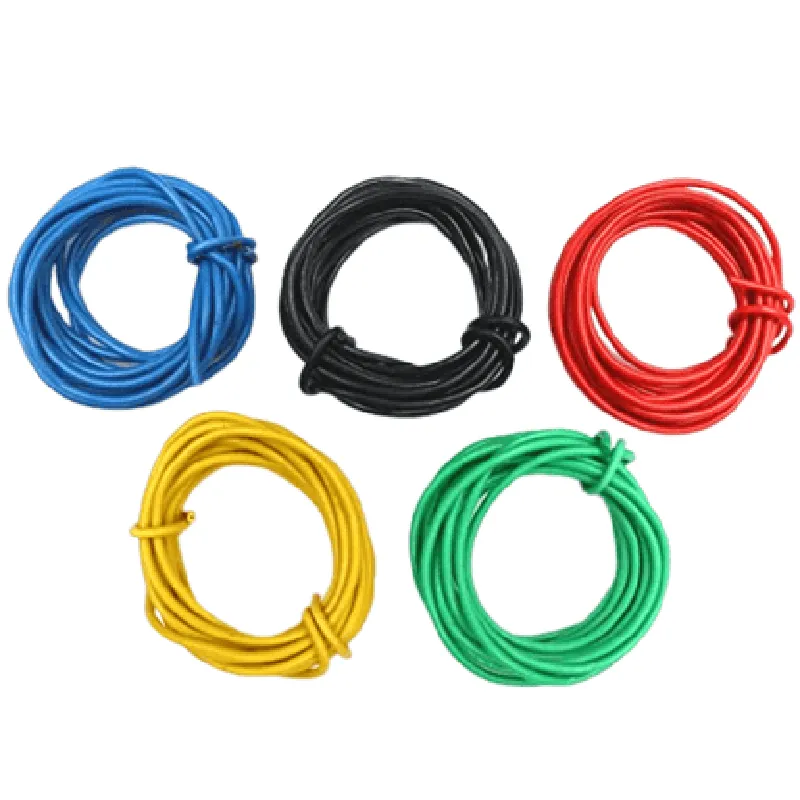
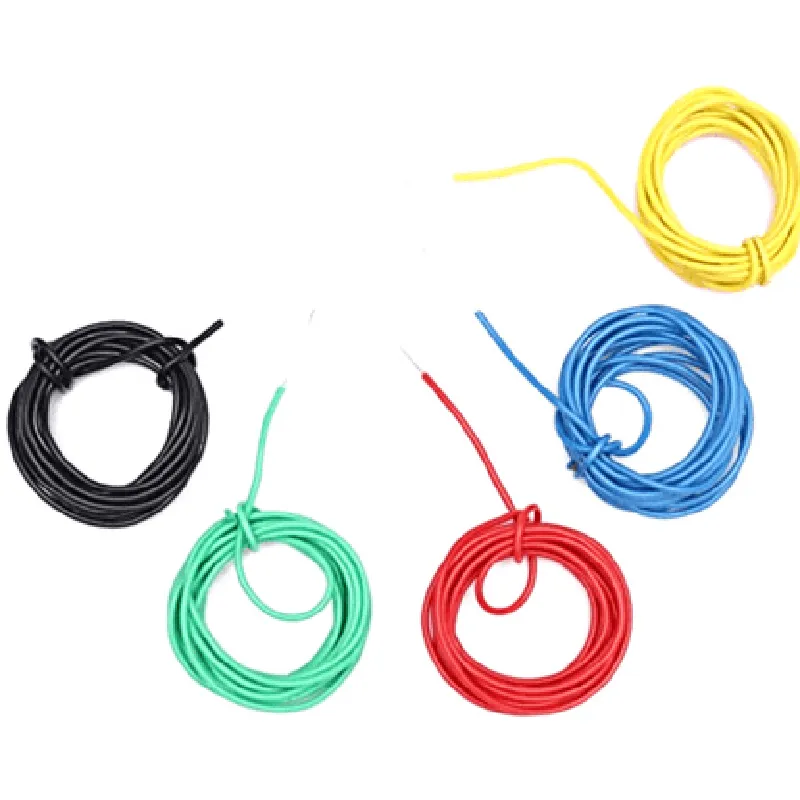
Hook Up Wire Packet (1 meter each, 5 colors)
The Hook Up Wire Packet is a set of five colored wires, each with a length of 1 meter, designed for easy and efficient connections in various IoT projects. This packet provides a convenient and organized way to manage wire connections, making it an essential component for professionals and hobbyists alike.
The primary function of the Hook Up Wire Packet is to provide a reliable and color-coded connection system for devices, modules, and sensors in IoT applications. The wires can be used for signal transmission, power supply, and data communication between components. The packet's five different colored wires enable users to easily identify and distinguish between different connections, reducing the risk of confusion and errors.
Red
Black
Yellow
Green
Blue
| The Hook Up Wire Packet is suitable for a wide range of IoT projects, including |
Robotics and automation
Sensor integration
Microcontroller-based projects
Wireless communication modules
IoT development boards
Prototyping and proof-of-concept development
1 meter (3.3 feet)
[Insert gauge size]
Copper
[Insert insulation material]
[Insert operating temperature range]
Yes
By using the Hook Up Wire Packet, IoT developers and enthusiasts can streamline their projects, reduce connection errors, and focus on building innovative and functional IoT solutions.
Hook Up Wire Packet (1 meter each, 5 colors)OverviewThe Hook Up Wire Packet is a set of 5 colored wires, each 1 meter in length, commonly used for prototyping and connecting various IoT components. These wires are designed for hooking up sensors, actuators, and other devices to microcontrollers, breadboards, or other electronic circuits.Technical SpecificationsWire length: 1 meter each
Wire colors: 5 colors (red, black, yellow, green, blue)
Wire gauge: 20 AWG
Insulation: PVC
Temperature range: -20C to 80CCode ExamplesHere are three examples demonstrating how to use the Hook Up Wire Packet in various contexts:Example 1: Connecting an LED to an Arduino UnoIn this example, we will use the Hook Up Wire Packet to connect an LED to an Arduino Uno board.Hardware RequirementsArduino Uno board
LED (any color)
220 resistor
Hook Up Wire Packet (1 meter each, 5 colors)Code
```c
const int ledPin = 13; // Choose a digital pin on the Arduino boardvoid setup() {
pinMode(ledPin, OUTPUT);
}void loop() {
digitalWrite(ledPin, HIGH); // Turn the LED on
delay(1000); // Wait for 1 second
digitalWrite(ledPin, LOW); // Turn the LED off
delay(1000); // Wait for 1 second
}
```
ConnectionsConnect the positive leg of the LED (anode) to digital pin 13 on the Arduino Uno using the red wire from the Hook Up Wire Packet.
Connect the negative leg of the LED (cathode) to the 220 resistor using the black wire from the Hook Up Wire Packet.
Connect the other end of the resistor to the GND pin on the Arduino Uno using the black wire from the Hook Up Wire Packet.Example 2: Connecting a Breadboard to a Raspberry PiIn this example, we will use the Hook Up Wire Packet to connect a breadboard to a Raspberry Pi.Hardware RequirementsRaspberry Pi board
Breadboard
Hook Up Wire Packet (1 meter each, 5 colors)Code
```python
import RPi.GPIO as GPIO# Set up GPIO mode
GPIO.setmode(GPIO.BCM)# Set up GPIO pin as an output
GPIO.setup(17, GPIO.OUT)try:
while True:
# Set the GPIO pin high (3.3V)
GPIO.output(17, GPIO.HIGH)
print("GPIO pin 17 is high")
time.sleep(1)
# Set the GPIO pin low (0V)
GPIO.output(17, GPIO.LOW)
print("GPIO pin 17 is low")
time.sleep(1)except KeyboardInterrupt:
# Clean up GPIO on exit
GPIO.cleanup()
```
ConnectionsConnect the GPIO pin 17 on the Raspberry Pi to the breadboard using the yellow wire from the Hook Up Wire Packet.
Connect the breadboard to a component of your choice (e.g., an LED, sensor, or actuator) using the Hook Up Wire Packet.Example 3: Connecting a Sensor to an ESP32 BoardIn this example, we will use the Hook Up Wire Packet to connect a temperature sensor (DS18B20) to an ESP32 board.Hardware RequirementsESP32 board
DS18B20 temperature sensor
Hook Up Wire Packet (1 meter each, 5 colors)Code
```c
#include <WiFi.h>
#include <OneWire.h>
#include <DallasTemperature.h>#define ONE_WIRE_BUS 4 // Choose a digital pin on the ESP32 boardOneWire oneWire(ONE_WIRE_BUS);
DallasTemperature sensors(&oneWire);void setup() {
Serial.begin(115200);// Start the temperature sensor
sensors.begin();
}void loop() {
sensors.requestTemperatures();
float tempC = sensors.getTempCByIndex(0);
Serial.print("Temperature: ");
Serial.print(tempC);
Serial.println("C");
delay(1000);
}
```
ConnectionsConnect the VCC pin of the DS18B20 temperature sensor to the 3.3V pin on the ESP32 board using the red wire from the Hook Up Wire Packet.
Connect the GND pin of the DS18B20 temperature sensor to the GND pin on the ESP32 board using the black wire from the Hook Up Wire Packet.
Connect the DQ pin of the DS18B20 temperature sensor to digital pin 4 on the ESP32 board using the green wire from the Hook Up Wire Packet.These examples demonstrate the versatility of the Hook Up Wire Packet in connecting various IoT components to microcontrollers, breadboards, or other electronic circuits.