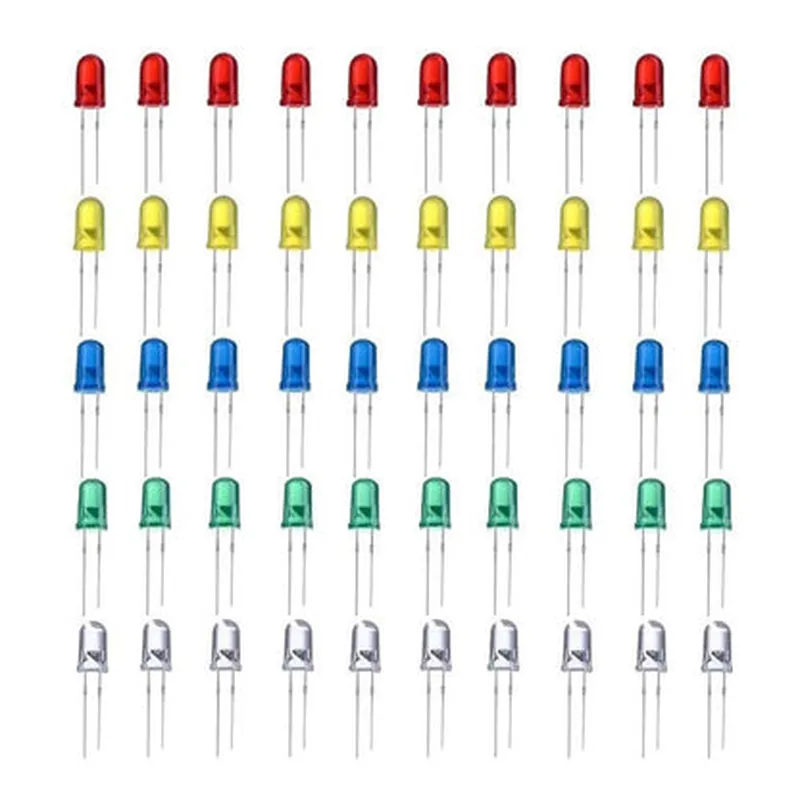
Led Combo (R-G-Y-B-W) 5mm 10pcs each


Led Combo (R-G-Y-B-W) 5mm 10pcs each
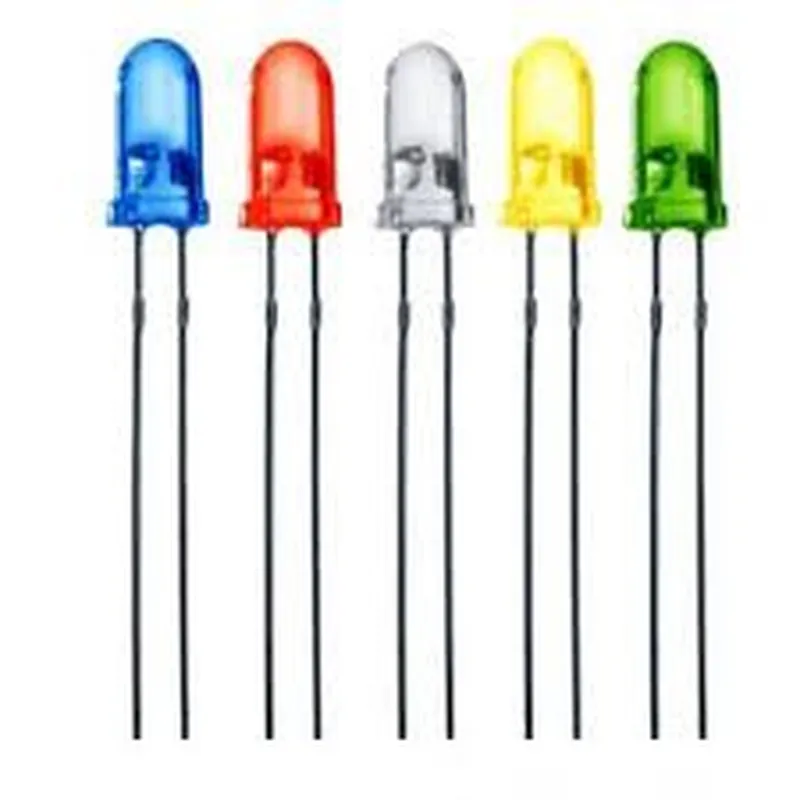
| The Led Combo (R-G-Y-B-W) 5mm is a package of 50 high-brightness LEDs, comprising 10 pieces each of 5 different colors | Red, Green, Yellow, Blue, and White. These LEDs are suitable for a wide range of applications, including IoT projects, robotics, and prototype development. |
Reel or tray packaging
Round with flat top
5mm (diameter) x 2.5mm (height)
Anode (positive) and Cathode (negative) radial leads
Approximately 25g per package
1.8-2.5V (dependent on color)
20mA (maximum)
| + Red | 1.8-2.0V |
| + Green | 2.0-2.2V |
| + Yellow | 2.0-2.2V |
| + Blue | 2.5-2.7V |
| + White | 2.8-3.0V |
| + Red | 100-150mcd |
| + Green | 150-200mcd |
| + Yellow | 120-150mcd |
| + Blue | 100-120mcd |
| + White | 120-150mcd |
High-brightness LEDs for optimal visibility
5 different colors available in a single package
Radial lead design for easy installation and handling
Suitable for a wide range of applications, including IoT projects, robotics, and prototype development
Low power consumption for energy-efficient designs
High-reliability and long lifespan (up to 50,000 hours)
IoT projects, such as smart home devices, wearables, and sensors
Robotics and automation systems
Prototype development and testing
LED displays and indicators
Backlighting for LCD displays
Handle the LEDs by the edges to prevent electrical shock or damage
Avoid exposing the LEDs to excessive heat, moisture, or mechanical stress
Use a current-limiting resistor to prevent overcurrent and damage
Store the LEDs in a cool, dry place to maintain their optical and electrical characteristics
50 LEDs (10 pieces each of 5 colors)
Led Combo (R-G-Y-B-W) 5mm 10pcs eachOverviewThe Led Combo (R-G-Y-B-W) 5mm 10pcs each is a versatile LED component that consists of five different colored LEDs (Red, Green, Yellow, Blue, and White) in a single package. Each color has 10 pieces of 5mm LEDs, making it a total of 50 LEDs in the package. This component is suitable for various IoT projects, such as indication, illumination, and decoration.Pinout and ConnectionThe Led Combo has five legs, each corresponding to a different color LED:Red LED: Anode (Long Leg) and Cathode (Short Leg)
Green LED: Anode (Long Leg) and Cathode (Short Leg)
Yellow LED: Anode (Long Leg) and Cathode (Short Leg)
Blue LED: Anode (Long Leg) and Cathode (Short Leg)
White LED: Anode (Long Leg) and Cathode (Short Leg)Code Examples### Example 1: Simple LED Control using ArduinoIn this example, we will control each LED color individually using an Arduino board.```cpp
const int redPin = 2; // Assign pin 2 for Red LED
const int greenPin = 3; // Assign pin 3 for Green LED
const int yellowPin = 4; // Assign pin 4 for Yellow LED
const int bluePin = 5; // Assign pin 5 for Blue LED
const int whitePin = 6; // Assign pin 6 for White LEDvoid setup() {
pinMode(redPin, OUTPUT);
pinMode(greenPin, OUTPUT);
pinMode(yellowPin, OUTPUT);
pinMode(bluePin, OUTPUT);
pinMode(whitePin, OUTPUT);
}void loop() {
digitalWrite(redPin, HIGH); // Turn on Red LED
delay(1000);
digitalWrite(redPin, LOW); // Turn off Red LED
delay(1000);digitalWrite(greenPin, HIGH); // Turn on Green LED
delay(1000);
digitalWrite(greenPin, LOW); // Turn off Green LED
delay(1000);// Repeat for Yellow, Blue, and White LEDs
}
```### Example 2: LED Color Mixing using Raspberry Pi (Python)In this example, we will mix different colors to create new colors using a Raspberry Pi and Python.```python
import RPi.GPIO as GPIO
import time# Set up GPIO pins for LEDs
redPin = 17
greenPin = 23
bluePin = 24GPIO.setmode(GPIO.BCM)
GPIO.setup(redPin, GPIO.OUT)
GPIO.setup(greenPin, GPIO.OUT)
GPIO.setup(bluePin, GPIO.OUT)try:
while True:
# Red
GPIO.output(redPin, GPIO.HIGH)
time.sleep(1)
GPIO.output(redPin, GPIO.LOW)
time.sleep(1)# Green
GPIO.output(greenPin, GPIO.HIGH)
time.sleep(1)
GPIO.output(greenPin, GPIO.LOW)
time.sleep(1)# Blue
GPIO.output(bluePin, GPIO.HIGH)
time.sleep(1)
GPIO.output(bluePin, GPIO.LOW)
time.sleep(1)# Yellow (Red + Green)
GPIO.output(redPin, GPIO.HIGH)
GPIO.output(greenPin, GPIO.HIGH)
time.sleep(1)
GPIO.output(redPin, GPIO.LOW)
GPIO.output(greenPin, GPIO.LOW)
time.sleep(1)# Cyan (Green + Blue)
GPIO.output(greenPin, GPIO.HIGH)
GPIO.output(bluePin, GPIO.HIGH)
time.sleep(1)
GPIO.output(greenPin, GPIO.LOW)
GPIO.output(bluePin, GPIO.LOW)
time.sleep(1)# White (Red + Green + Blue)
GPIO.output(redPin, GPIO.HIGH)
GPIO.output(greenPin, GPIO.HIGH)
GPIO.output(bluePin, GPIO.HIGH)
time.sleep(1)
GPIO.output(redPin, GPIO.LOW)
GPIO.output(greenPin, GPIO.LOW)
GPIO.output(bluePin, GPIO.LOW)
time.sleep(1)except KeyboardInterrupt:
GPIO.cleanup()
```Note: In the above examples, make sure to connect the anode (long leg) of each LED to the specified GPIO pin and the cathode (short leg) to a ground pin on the board. Also, ensure that the GPIO pins are configured as output and set to HIGH or LOW accordingly to control the LEDs.