2.4GHz


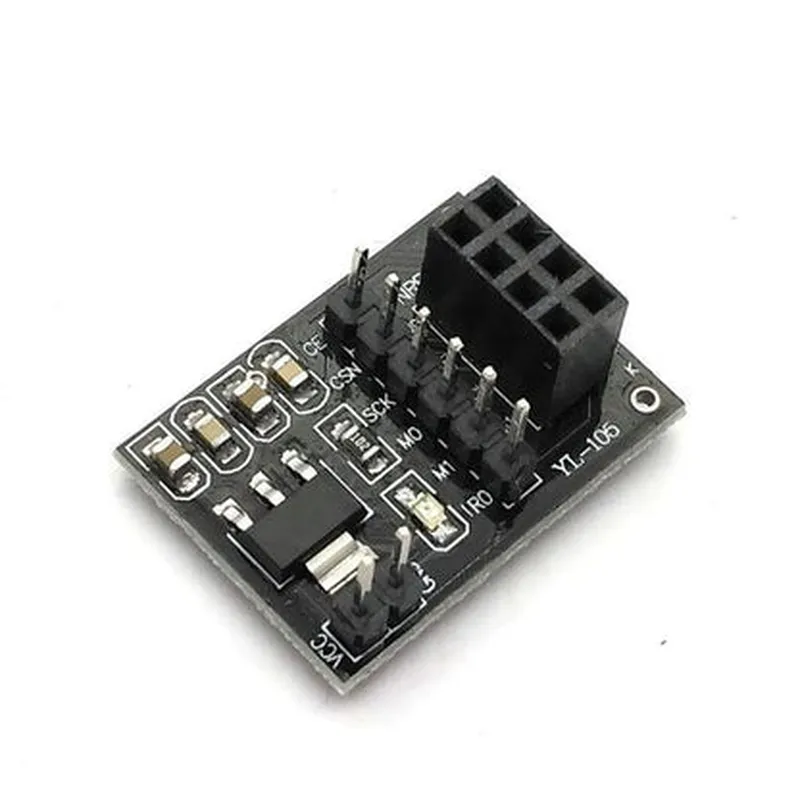
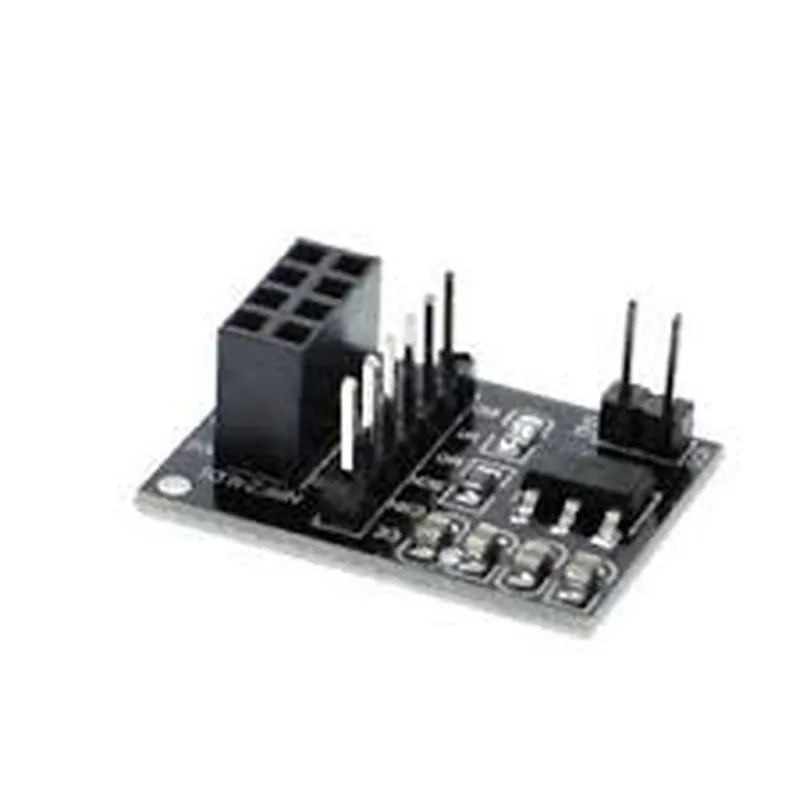
2.4GHz
Up to 2Mbps
Up to 100 meters (depending on environment and configuration)
Typically 12mA (transmit) and 22mA (receive)
1.9-3.6V (regulated on-board)
SPI (Serial Peripheral Interface)
20mm x 15mm (typical)
Applications
| The NRF24L01 Adapter Board is suitable for a wide range of IoT applications, including |
Wireless sensor networks
Remote control systems
Home automation devices
Wearable devices
Robotics and autonomous systems
Industrial automation and monitoring systems
Resources
Nordic Semiconductor NRF24L01+ datasheet
NRF24L01 Adapter Board user manual and application notes
Available for various microcontrollers and development platforms
NRF24L01 Adapter Board DocumentationOverviewThe NRF24L01 Adapter Board is a wireless communication module designed to facilitate wireless data transmission between devices. It is based on the popular NRF24L01+ chip, which operates at 2.4GHz frequency and has a data transfer rate of up to 2Mbps. This adapter board provides a convenient way to integrate the NRF24L01+ chip into various projects, offering a simple and cost-effective solution for wireless communication.Key Features2.4GHz frequency band
Up to 2Mbps data transfer rate
125 available channels
Up to 100m transmission range
Low power consumption (12mA in transmission mode, 30A in standby mode)
Compatible with 3.3V and 5V microcontrollersPinoutThe NRF24L01 Adapter Board has a standard 8-pin interface:| Pin | Function |
| --- | --- |
| VCC | Power supply (3.3V or 5V) |
| GND | Ground |
| CSN | Chip Select (active low) |
| CE | Chip Enable (active high) |
| SCK | Serial Clock |
| MOSI | Master Out Slave In (data transmission) |
| MISO | Master In Slave Out (data reception) |
| IRQ | Interrupt Request |Code Examples### Example 1: Simple Wireless Communication using ArduinoThis example demonstrates how to use the NRF24L01 Adapter Board to establish a simple wireless communication between two Arduino boards.Transmitter Code (Arduino)
```c
#include <RF24.h>#define CE_PIN 9 // Chip Enable pin
#define CSN_PIN 10 // Chip Select pinRF24 radio(CE_PIN, CSN_PIN);void setup() {
radio.begin();
radio.setChannel(0x60); // Set channel to 0x60
}void loop() {
char data[] = "Hello, world!";
radio.stopListening(); // Stop listening and start transmitting
radio.write(data, sizeof(data));
delay(1000);
}
```Receiver Code (Arduino)
```c
#include <RF24.h>#define CE_PIN 9 // Chip Enable pin
#define CSN_PIN 10 // Chip Select pinRF24 radio(CE_PIN, CSN_PIN);void setup() {
radio.begin();
radio.setChannel(0x60); // Set channel to 0x60
radio.startListening(); // Start listening for incoming data
}void loop() {
char data[32];
if (radio.available()) {
radio.read(data, sizeof(data));
Serial.println(data);
}
delay(1000);
}
```### Example 2: Bi-Directional Wireless Communication using Raspberry Pi (Python)This example demonstrates how to use the NRF24L01 Adapter Board to establish bi-directional wireless communication between a Raspberry Pi and another NRF24L01-equipped device.Raspberry Pi Code (Python)
```python
import RPi.GPIO as GPIO
import time
from nrf24 import NRF24GPIO.setmode(GPIO.BCM)# NRF24L01+ pin connections on Raspberry Pi
CE_PIN = 17
CSN_PIN = 24
SCK_PIN = 23
MOSI_PIN = 19
MISO_PIN = 21# Initialize NRF24L01+ module
nrf = NRF24(CE_PIN, CSN_PIN, SCK_PIN, MOSI_PIN, MISO_PIN)nrf.begin()# Set channel and data rate
nrf.set_channel(0x60)
nrf.set_data_rate(NRF24.BR_2MBPS)while True:
# Send and receive data
data = "Hello, world!"
nrf.stop_listening()
nrf.write(data.encode('utf-8'))
time.sleep(1)nrf.start_listening()
if nrf.available():
recv_data = nrf.read()
print(recv_data.decode('utf-8'))
time.sleep(1)
```These examples demonstrate the basic usage of the NRF24L01 Adapter Board for wireless communication. You can modify and expand upon these examples to suit your specific project requirements.