RGB LED (Common Anode) (Pack of 10)



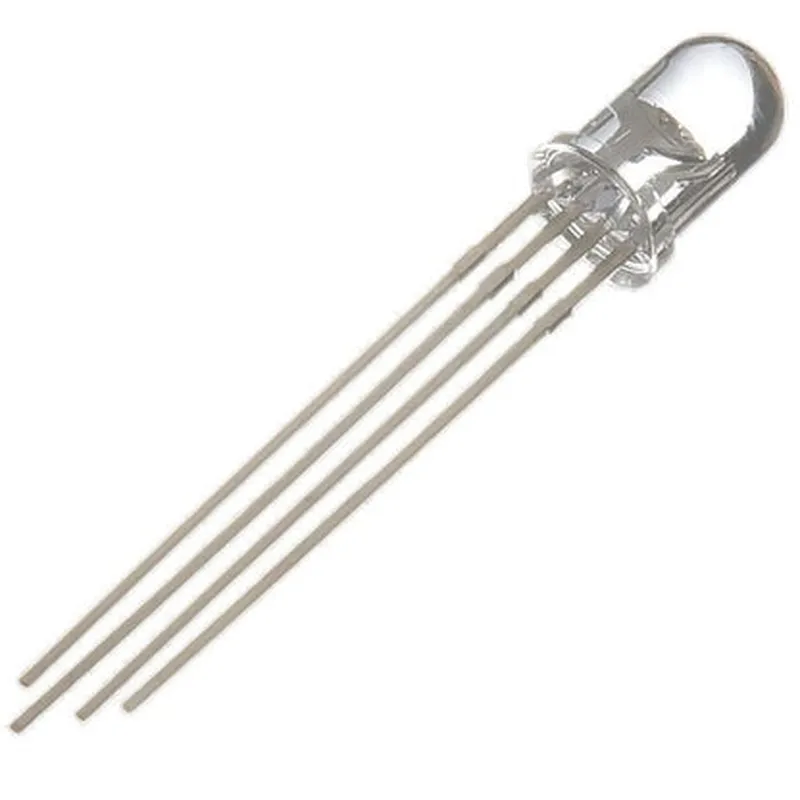
RGB LED (Common Anode) (Pack of 10)
The RGB LED (Common Anode) is a type of light-emitting diode (LED) that combines three primary color LEDs (Red, Green, and Blue) into a single package. This component is specifically designed with a common anode configuration, which means that all three LEDs share a common positive leg. This pack of 10 RGB LEDs provides a convenient and cost-effective solution for various IoT projects, prototyping, and electronic designs that require multiple RGB LEDs.
The RGB LED (Common Anode) is designed to produce a wide range of colors by mixing different intensities of red, green, and blue light. The LED can be controlled by adjusting the current flowing through each individual color LED, allowing for a vast spectrum of colors to be generated. The common anode configuration simplifies the control circuitry, making it easier to drive the LEDs.
2.0-3.5V (Red), 3.0-4.0V (Green), 3.0-4.0V (Blue)
20mA (Red), 20mA (Green), 20mA (Blue)
1000-2000 mcd (Red), 2000-4000 mcd (Green), 2000-4000 mcd (Blue)
120
-25C to +85C
-40C to +100C
PLCC-4 (Plastic Leadless Chip Carrier)
5.0mm x 5.0mm x 2.5mm
By following the guidelines and technical specifications outlined above, the RGB LED (Common Anode) can be effectively integrated into a wide range of IoT projects and applications, providing a reliable and efficient solution for color-based indications and displays.
Component Documentation: RGB LED (Common Anode) (Pack of 10)OverviewThe RGB LED (Common Anode) is a type of light-emitting diode that combines three primary colors (Red, Green, and Blue) in a single package. It has a common anode configuration, meaning that all three LEDs share a single anode (positive) terminal, and separate cathode (negative) terminals for each color. This component is commonly used in various IoT projects, such as indicators, decoration lights, and ambient lighting systems.Technical SpecificationsPackage: Pack of 10
Color: Red, Green, and Blue
Common Anode Configuration
Operating Voltage: 2.0-3.5V
Current Rating: 20mA per LED
Luminous Intensity: 1000-1500 mcd per LEDPinoutThe RGB LED has four pins:Anode (A): Common positive terminal for all three LEDs
Red Cathode (R): Negative terminal for the red LED
Green Cathode (G): Negative terminal for the green LED
Blue Cathode (B): Negative terminal for the blue LEDCode Examples### Example 1: Basic Color Control using ArduinoIn this example, we will demonstrate how to control the RGB LED using an Arduino board.```c
const int redPin = 9; // Pin for the red LED cathode
const int greenPin = 10; // Pin for the green LED cathode
const int bluePin = 11; // Pin for the blue LED cathodevoid setup() {
pinMode(redPin, OUTPUT);
pinMode(greenPin, OUTPUT);
pinMode(bluePin, OUTPUT);
}void loop() {
// Set the color to red
digitalWrite(redPin, HIGH);
digitalWrite(greenPin, LOW);
digitalWrite(bluePin, LOW);
delay(1000);// Set the color to green
digitalWrite(redPin, LOW);
digitalWrite(greenPin, HIGH);
digitalWrite(bluePin, LOW);
delay(1000);// Set the color to blue
digitalWrite(redPin, LOW);
digitalWrite(greenPin, LOW);
digitalWrite(bluePin, HIGH);
delay(1000);
}
```### Example 2: RGB Color Cycling using Raspberry Pi (Python)In this example, we will demonstrate how to cycle through different colors using a Raspberry Pi and Python.```python
import RPi.GPIO as GPIO
import time# Set up the GPIO pins
GPIO.setmode(GPIO.BCM)
redPin = 17
greenPin = 23
bluePin = 24
GPIO.setup(redPin, GPIO.OUT)
GPIO.setup(greenPin, GPIO.OUT)
GPIO.setup(bluePin, GPIO.OUT)def set_color(red, green, blue):
GPIO.output(redPin, red)
GPIO.output(greenPin, green)
GPIO.output(bluePin, blue)while True:
# Cycle through different colors
set_color(GPIO.HIGH, GPIO.LOW, GPIO.LOW) # Red
time.sleep(0.5)
set_color(GPIO.LOW, GPIO.HIGH, GPIO.LOW) # Green
time.sleep(0.5)
set_color(GPIO.LOW, GPIO.LOW, GPIO.HIGH) # Blue
time.sleep(0.5)
set_color(GPIO.HIGH, GPIO.HIGH, GPIO.LOW) # Yellow
time.sleep(0.5)
set_color(GPIO.LOW, GPIO.HIGH, GPIO.HIGH) # Cyan
time.sleep(0.5)
set_color(GPIO.HIGH, GPIO.LOW, GPIO.HIGH) # Magenta
time.sleep(0.5)
set_color(GPIO.HIGH, GPIO.HIGH, GPIO.HIGH) # White
time.sleep(0.5)
```These examples demonstrate how to control the RGB LED using different microcontrollers and programming languages. By modifying the code, you can create various color patterns and effects to suit your IoT project requirements.