Stufin
Home Quick Cart Profile

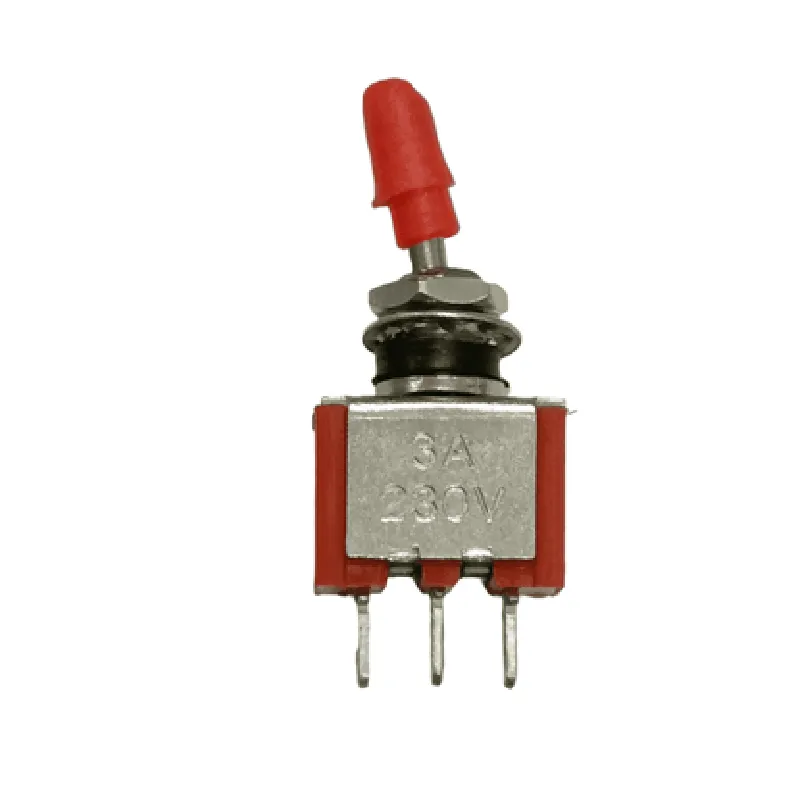
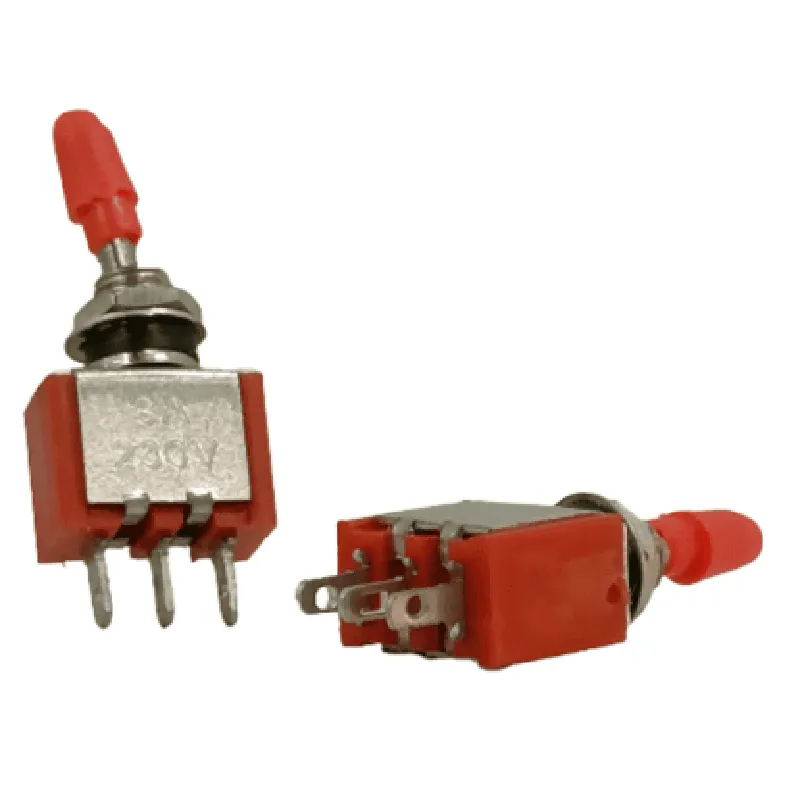
3 Pin Toggle Switch (3A 230V)

Buy Now on Stufin

Component Name

3 Pin Toggle Switch (3A 230V)

Overview

The 3 Pin Toggle Switch (3A 230V) is a type of electromechanical switch designed for controlling electrical circuits in various applications, including IoT devices, industrial control systems, and consumer electronics. This toggle switch is rated for 3A (amps) at 230V (volts), making it suitable for moderate-power switching applications.

Functionality

The 3 Pin Toggle Switch (3A 230V) is a simple ON/OFF switch that allows users to manually control the flow of electrical current in a circuit. The switch has three pinsCommon (COM), Normally Open (NO), and Normally Closed (NC). The functionality of the switch is as follows:
Normally Closed (NC) PinThis pin is connected to the COM pin when the switch is in the OFF position, allowing the circuit to be connected to the NC pin.
Normally Open (NO) PinThis pin is connected to the COM pin when the switch is in the ON position, allowing the circuit to be connected to the NO pin.
Common (COM) PinThis pin is the central pin that connects to either the NC or NO pin, depending on the switch position.

When the switch is toggled, the connection between the COM pin and either the NC or NO pin is broken, and a new connection is established. This allows the user to control the flow of electrical current in the circuit.

Key Features

The 3 Pin Toggle Switch (3A 230V) has the following key features

Rating

3A (amps) at 230V (volts)

Voltage Type

AC (alternating current)

Operating Temperature

-20C to +40C

Insulation Resistance

100 M (megohms)

Dielectric Strength

1500 V (volts)

Contact Material

Silver-plated copper alloy

Housing Material

Durable plastic or nylon

Termination

Solder terminals or PCB (printed circuit board) pins

Dimensions

Compact size, suitable for most electronic enclosures

Certifications

RoHS (Restriction of Hazardous Substances) and CE (Conformit Europene) compliant

Applications

The 3 Pin Toggle Switch (3A 230V) is suitable for a wide range of applications, including

IoT devices and sensors

Industrial control systems

Consumer electronics

Automation systems

Medical devices

Aerospace and defense systems

Notes and Precautions

Ensure the switch is used within its rated specifications to avoid damage or electrical shock.

Use proper wiring and connections to prevent electrical shorts or faults.

Avoid exposing the switch to extreme temperatures, moisture, or physical stress.

Follow proper safety guidelines when working with electrical circuits.

By providing a clear understanding of the 3 Pin Toggle Switch (3A 230V) component, this documentation aims to help technical professionals and informed hobbyists effectively integrate this switch into their projects and applications.

Pin Configuration

  • Component Name: 3 Pin Toggle Switch (3A 230V)
  • Overview:
  • The 3 Pin Toggle Switch (3A 230V) is a mechanical switch designed for use in IoT and other applications where a reliable, high-current switching mechanism is required. This switch is rated for 3A at 230V, making it suitable for a wide range of applications, including home automation, industrial control systems, and more.
  • Pin Description:
  • The 3 Pin Toggle Switch has three terminals, each with a specific function. Here is a detailed description of each pin:
  • Pin 1: Common (COM)
  • Function: Provides a common connection to the switch
  • Description: This pin serves as a common connection point for the switch, allowing it to toggle between the normally open (NO) and normally closed (NC) terminals.
  • Pin 2: Normally Open (NO)
  • Function: Connects to the load when the switch is in the "on" position
  • Description: When the switch is toggled to the "on" position, this pin connects to the common pin (Pin 1), allowing current to flow to the connected load.
  • Pin 3: Normally Closed (NC)
  • Function: Connects to the load when the switch is in the "off" position
  • Description: When the switch is toggled to the "off" position, this pin connects to the common pin (Pin 1), allowing current to flow to the connected load.
  • Connection Structure:
  • Here is a step-by-step guide to connecting the pins:
  • 1. Connect the load to the Normally Open (NO) pin (Pin 2)
  • Connect one end of the load (e.g., a light bulb) to Pin 2.
  • 2. Connect the power source to the Normally Closed (NC) pin (Pin 3)
  • Connect the power source (e.g., a 230V power supply) to Pin 3.
  • 3. Connect the common connection to the Common (COM) pin (Pin 1)
  • Connect the common connection (e.g., a wire) to Pin 1.
  • 4. Toggle the switch to "on" or "off"
  • When the switch is toggled to "on", Pin 1 connects to Pin 2, allowing current to flow to the load.
  • When the switch is toggled to "off", Pin 1 connects to Pin 3, allowing current to flow to the power source.
  • Important Notes:
  • Ensure the switch is rated for the required voltage and current in your application.
  • Use suitable wiring and connectors to connect the switch to the load and power source.
  • Follow proper safety guidelines when working with electrical components.
  • By following these guidelines, you can safely and effectively connect the 3 Pin Toggle Switch (3A 230V) to control your IoT or other applications.

Code Examples

3 Pin Toggle Switch (3A 230V) Documentation
Overview
The 3 Pin Toggle Switch is a electrical component designed for switching AC loads up to 3A and 230V. This switch is commonly used in IoT projects to control high-power devices such as lamps, motors, and pumps. The switch has three pins: one common pin and two output pins.
Pinout
Pin 1: Common (COM)
 Pin 2: Normally Open (NO)
 Pin 3: Normally Closed (NC)
How it Works
The 3 Pin Toggle Switch works by connecting the common pin (COM) to the power source, and the normally open (NO) and normally closed (NC) pins to the load. When the switch is toggled, the connection between the COM pin and the NO/NC pins is reversed, switching the load on or off.
Code Examples
### Example 1: Controlling a Lamp using Arduino
In this example, we will use an Arduino board to control a lamp using the 3 Pin Toggle Switch.
Components:
3 Pin Toggle Switch (3A 230V)
 Arduino Board (e.g. Arduino Uno)
 Lamp (up to 3A 230V)
 Jumper wires
Code:
```c++
const int switchPin = 2;  // pin connected to the switch
const int lampPin = 13;  // pin connected to the lamp
void setup() {
  pinMode(switchPin, INPUT);
  pinMode(lampPin, OUTPUT);
}
void loop() {
  int switchState = digitalRead(switchPin);
  if (switchState == HIGH) {
    digitalWrite(lampPin, HIGH);  // turn the lamp on
  } else {
    digitalWrite(lampPin, LOW);  // turn the lamp off
  }
  delay(50);
}
```
Explanation:
In this example, we connect the switch to digital pin 2 of the Arduino board. We then read the state of the switch using the `digitalRead()` function. If the switch is in the HIGH state (i.e. toggle is up), we set the lamp pin (connected to digital pin 13) to HIGH, turning the lamp on. Otherwise, we set the lamp pin to LOW, turning the lamp off.
### Example 2: Controlling a Motor using Raspberry Pi
In this example, we will use a Raspberry Pi to control a motor using the 3 Pin Toggle Switch.
Components:
3 Pin Toggle Switch (3A 230V)
 Raspberry Pi (e.g. Raspberry Pi 4)
 Motor (up to 3A 230V)
 Jumper wires
 Relay module (optional)
Code:
```python
import RPi.GPIO as GPIO
# Set up GPIO mode
GPIO.setmode(GPIO.BCM)
# Define the pin connected to the switch
switch_pin = 17
# Define the pin connected to the motor (or relay module)
motor_pin = 23
# Set up the pins as inputs and outputs
GPIO.setup(switch_pin, GPIO.IN, pull_up_down=GPIO.PUD_UP)
GPIO.setup(motor_pin, GPIO.OUT)
try:
    while True:
        switch_state = GPIO.input(switch_pin)
        if switch_state:
            GPIO.output(motor_pin, GPIO.HIGH)  # turn the motor on
        else:
            GPIO.output(motor_pin, GPIO.LOW)  # turn the motor off
        time.sleep(0.1)
except KeyboardInterrupt:
    GPIO.cleanup()
```
Explanation:
In this example, we connect the switch to GPIO pin 17 of the Raspberry Pi. We then read the state of the switch using the `GPIO.input()` function. If the switch is in the HIGH state (i.e. toggle is up), we set the motor pin (connected to GPIO pin 23) to HIGH, turning the motor on. Otherwise, we set the motor pin to LOW, turning the motor off. Note that if you're using a relay module, you'll need to connect the motor to the relay module and configure the relay module accordingly.