

Stufin
Home Quick Cart Profile

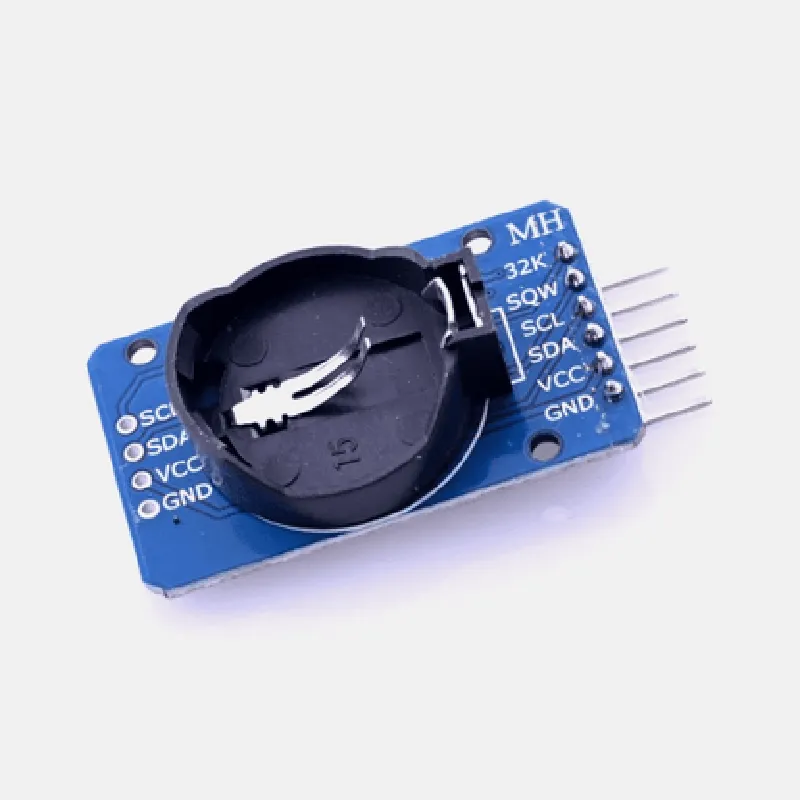
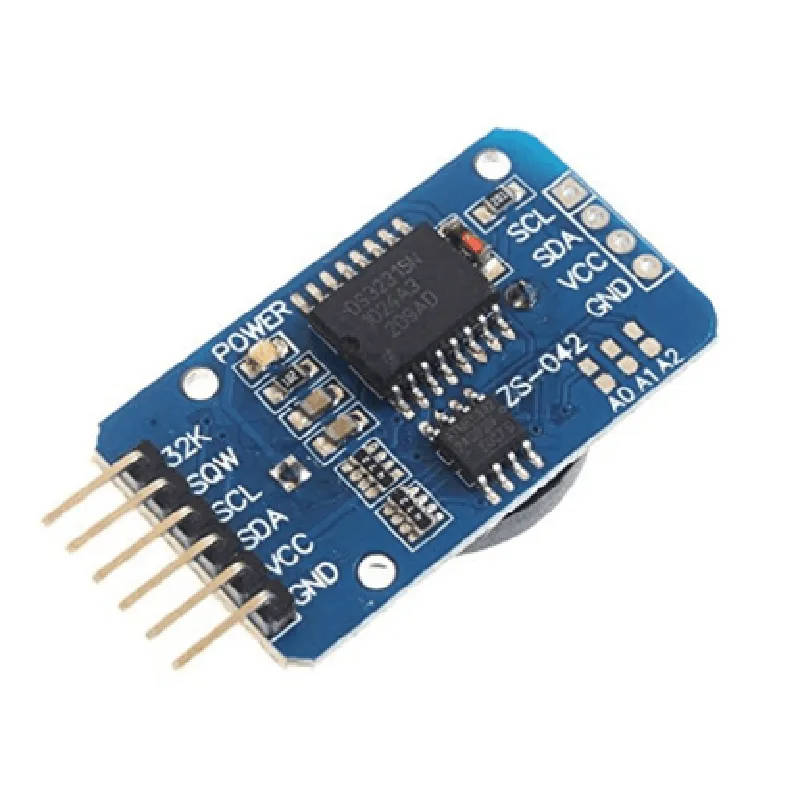
DS3231 Real Time Clock Memory Module with out Battery

Buy Now on Stufin

Calendar

Automatically updates the date and month, including leap year corrections.

236-Byte SRAMProvides battery-backed storage for critical data, ensuring it is retained even in the event of power loss.

Key Features

  • High Accuracy: The DS3231 IC is capable of maintaining an accuracy of 2 minutes per year, making it an ideal choice for applications requiring precise timing.
  • Low Power Consumption: The module operates at a low voltage range of 2.3V to 5.5V, making it suitable for battery-powered devices.
  • Battery-Free Operation: Although the module does not come with a battery, it can be connected to an external battery or power source, allowing it to maintain its timing and data even during power outages.
  • I2C Interface: The module communicates with microcontrollers and other devices through a standard I2C interface, making it easy to integrate into various applications.
  • Compact Size: The module's small footprint (19mm x 14mm) makes it ideal for compact designs and space-constrained applications.
  • Operating Temperature Range: The module operates over a wide temperature range of -40C to 85C, making it suitable for use in various environments.
  • RoHS Compliance: The module is RoHS compliant, ensuring it meets environmental and safety standards.

Pins and Connectors

The DS3231 RTC Memory Module features a 5-pin connector, with the following pinouts

VCC (Power Supply)

GND (Ground)

SCL (I2C Clock)

SDA (I2C Data)

NC (Not Connected)

Applications

The DS3231 RTC Memory Module is suitable for a wide range of applications, including

IoT devices and sensors

Wearable devices

Automotive systems

Medical devices

Industrial control systems

Smart home devices

Robotics and drones

Conclusion

The DS3231 Real Time Clock Memory Module with out Battery is a reliable and efficient timing system ideal for various IoT applications. Its high accuracy, low power consumption, and compact size make it an excellent choice for designers and developers requiring a precise timing system.

Pin Configuration

  • DS3231 Real Time Clock (RTC) Memory Module Documentation
  • The DS3231 is a highly accurate, low-power, real-time clock (RTC) module that maintains seconds, minutes, hours, day, date, month, and year information. It also has an internal oscillator and backup battery input for continuous operation.
  • Pinout Diagram:
  • Here is the pinout diagram of the DS3231 RTC module:
  • ```
  • +---------------+
  • | 1 VCC |
  • | 2 SCL |
  • | 3 SDA |
  • | 4 SQW |
  • | 5 INT |
  • | 6 RST |
  • | 7 BAT |
  • | 8 GND |
  • +---------------+
  • ```
  • Pin Descriptions:
  • Here are the detailed descriptions of each pin:
  • 1. VCC (Power Supply Voltage):
  • Function: Power supply voltage for the module
  • Type: Power
  • Voltage: 2.0V to 5.5V
  • Description: Connect to a stable power source, such as 3.3V or 5V.
  • 2. SCL (Serial Clock):
  • Function: Clock signal for I2C communication
  • Type: Input
  • Frequency: 100 kHz (standard mode), 400 kHz (fast mode)
  • Description: Connect to the SCL pin of the microcontroller or master device.
  • 3. SDA (Serial Data):
  • Function: Data signal for I2C communication
  • Type: Bidirectional
  • Description: Connect to the SDA pin of the microcontroller or master device.
  • 4. SQW (Square Wave Output):
  • Function: Output of a square wave signal (optional)
  • Type: Output
  • Frequency: 1 Hz, 4.096 kHz, 8.192 kHz, or 32.768 kHz (selectable)
  • Description: Can be connected to a microcontroller or other device to generate a square wave signal.
  • 5. INT (Interrupt Output):
  • Function: Output of an interrupt signal (optional)
  • Type: Output
  • Description: Can be connected to a microcontroller or other device to generate an interrupt signal.
  • 6. RST (Reset Input):
  • Function: Active-low reset input
  • Type: Input
  • Description: Connect to a push-button or other reset circuitry to reset the DS3231.
  • 7. BAT (Battery Input):
  • Function: Input for external battery backup (not applicable for this module, as it does not have a built-in battery)
  • Type: Input
  • Description: Not applicable for this module.
  • 8. GND (Ground):
  • Function: Ground connection
  • Type: Power
  • Description: Connect to a common ground point in the system.
  • Connection Structure:
  • To connect the DS3231 RTC module to a microcontroller or other device, follow this structure:
  • VCC to Power Supply (3.3V or 5V)
  • GND to Ground
  • SCL to Microcontroller/Master SCL Pin
  • SDA to Microcontroller/Master SDA Pin
  • SQW to Optional Square Wave Output Pin (if used)
  • INT to Optional Interrupt Output Pin (if used)
  • RST to Optional Reset Button or Circuitry (if used)
  • Note: Ensure proper voltage levels and signal integrity when connecting the DS3231 RTC module to your system.

Code Examples

DS3231 Real-Time Clock (RTC) Memory Module Documentation
The DS3231 is a highly accurate, low-power Real-Time Clock (RTC) module that provides an accurate clock and calendar function. This module does not come with a built-in battery, but it can be connected to an external battery or power source.
Pinout:
| Pin | Function |
| --- | --- |
| VCC | Power Supply (3.3V - 5V) |
| GND | Ground |
| SCL | I2C Clock |
| SDA | I2C Data |
| SQW | Square Wave Output (optional) |
Features:
High accuracy: 2 ppm from 0C to 40C
 Low power consumption: 1.5 A in battery-backed mode
 BCD coded year, month, day, hour, minute, and second
 Automatic leap year compensation
 12/24 hour format
 Temperature range: -40C to 85C
Arduino Code Examples:
### Example 1: Basic RTC Usage
This example demonstrates how to use the DS3231 RTC module to set and read the time and date.
```cpp
#include <Wire.h>
#include <DS3231.h>
DS3231  rtc;
void setup() {
  Serial.begin(9600);
  rtc.begin();
  
  // Set the time and date
  rtc.setDOW(MONDAY);  // Set day of the week (MONDAY, TUESDAY, ..., SUNDAY)
  rtc.setTime(12, 0, 0);  // Set the time (hour, minute, second)
  rtc.setDate(1, 1, 2022);  // Set the date (day, month, year)
}
void loop() {
  // Read the time and date
  Serial.print(rtc.getDOWStr());  // Print the day of the week
  Serial.print(" ");
  Serial.print(rtc.hour, DEC);  // Print the hour
  Serial.print(":");
  Serial.print(rtc.minute, DEC);  // Print the minute
  Serial.print(":");
  Serial.print(rtc.second, DEC);  // Print the second
  Serial.print(" ");
  Serial.print(rtc.month, DEC);  // Print the month
  Serial.print("/");
  Serial.print(rtc.day, DEC);  // Print the day
  Serial.print("/");
  Serial.println(rtc.year, DEC);  // Print the year
  
  delay(1000);  // Wait 1 second before updating again
}
```
### Example 2: Using the SQW Output
This example demonstrates how to use the SQW output pin to generate a 1 Hz square wave.
```cpp
#include <Wire.h>
#include <DS3231.h>
DS3231  rtc;
void setup() {
  Serial.begin(9600);
  rtc.begin();
  
  // Set the SQW output to 1 Hz
  rtc.setSQW(rtc.SQW_1Hz);
}
void loop() {
  // The SQW pin (pin 8) will output a 1 Hz square wave
  // You can connect a LED and resistor to pin 8 to visualize the output
  delay(1000);  // Wait 1 second before updating again
}
```
### Example 3: Using an External Battery
This example demonstrates how to use an external battery to power the DS3231 RTC module.
```cpp
#include <Wire.h>
#include <DS3231.h>
DS3231  rtc;
void setup() {
  Serial.begin(9600);
  rtc.begin();
  
  // Assuming an external battery is connected to VCC and GND
  // The RTC will use the external battery as its power source
}
void loop() {
  // The RTC will continue to keep time even when the main power is off
  delay(1000);  // Wait 1 second before updating again
}
```
Note: Make sure to connect the external battery correctly and follow proper safety precautions when working with batteries.