

Stufin
Home Quick Cart Profile

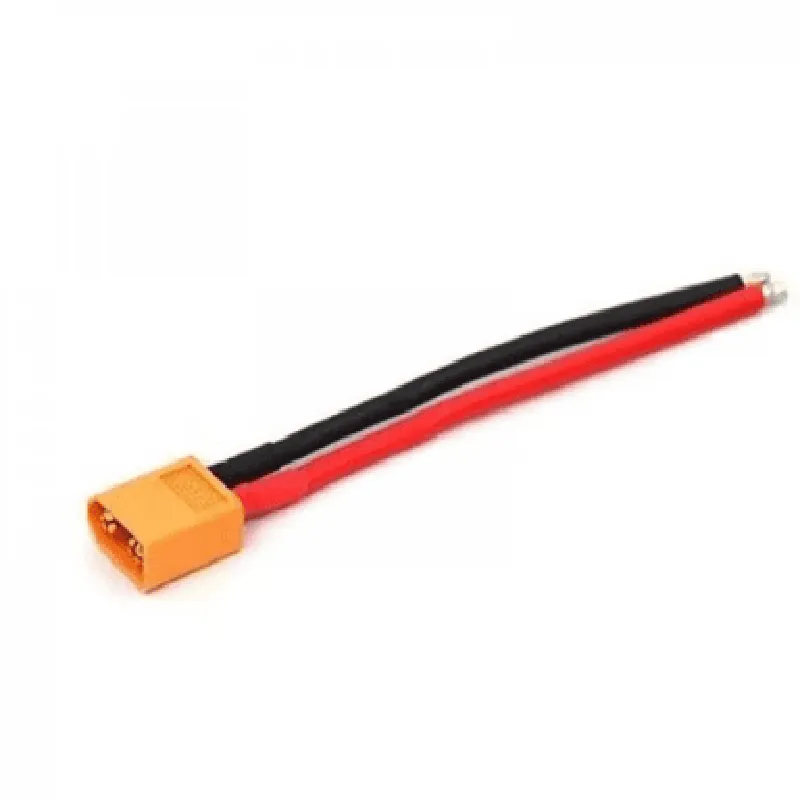
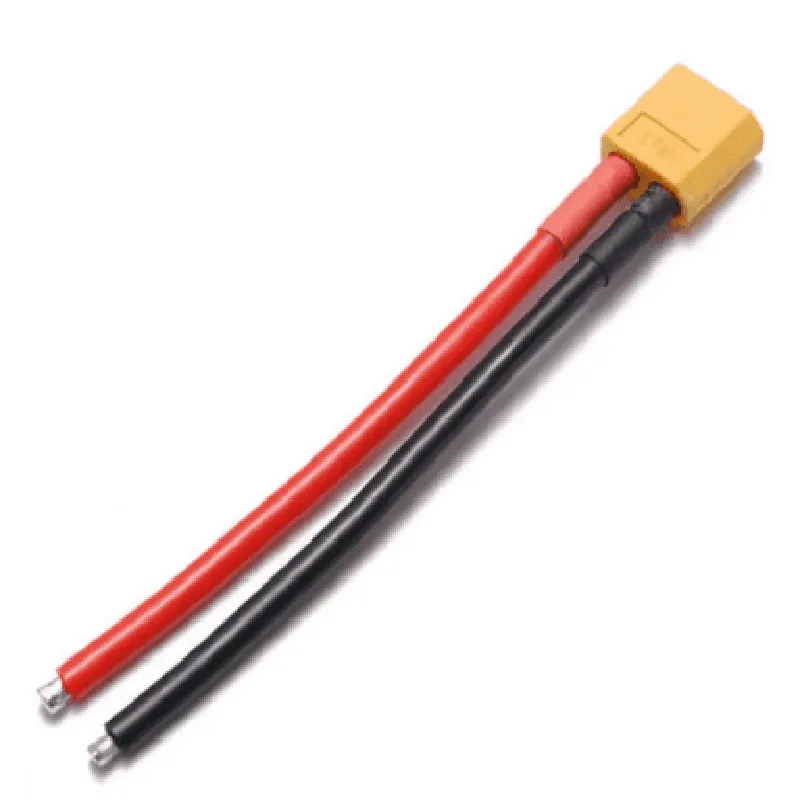
XT60 Male connector

Buy Now on Stufin

Component Name

XT60 Male Connector

Description

The XT60 Male Connector is a type of electrical connector commonly used in various IoT applications, such as drones, robotics, and other battery-powered devices. It is a high-current, compact, and reliable connector designed for connecting batteries, motors, and other high-power components.

Functionality

The XT60 Male Connector is designed to provide a secure and efficient connection between devices, enabling the transfer of power and signals. Its primary function is to connect a battery or power source to a device, such as a drone or a robot, allowing it to operate.

Key Features

  • High-Current Rating: The XT60 Male Connector has a high-current rating, making it suitable for applications that require high power transmission.
  • Compact Design: The connector has a compact design, making it ideal for use in space-constrained applications.
  • Reliability: The XT60 Male Connector is designed for reliability, with a secure connection mechanism that minimizes the risk of accidental disconnections.
  • Easy Installation: The connector is easy to install, with a simple plug-and-play design that reduces the risk of incorrect connections.
  • Compatibility: The XT60 Male Connector is compatible with a range of devices and systems, including drone racing, FPV (First-Person View), and other high-power applications.
  • Gold-Plated Contacts: The connector features gold-plated contacts, which provide excellent corrosion resistance and ensure reliable connections.
  • Wire Gauge Compatibility: The XT60 Male Connector is compatible with wire gauges ranging from 12AWG to 20AWG, making it suitable for a variety of applications.
  • Operating Temperature: The connector is designed to operate within a temperature range of -20C to 60C (-4F to 140F), making it suitable for use in a wide range of environments.
  • Insulation: The XT60 Male Connector features insulation that meets the requirements of UL (Underwriters Laboratories) and CE (Conformit Europene), ensuring safe and reliable operation.

Length

22mm (0.87in)

Width

12mm (0.47in)

Height

10mm (0.39in)

Material

The XT60 Male Connector is constructed from high-quality materials, including

Copper alloy (contacts)

Gold plating (contacts)

Thermoplastic (housing)

Applications

The XT60 Male Connector is commonly used in various IoT applications, including

Drone racing

FPV (First-Person View)

Robotics

Electric vehicles

High-power devices

Conclusion

The XT60 Male Connector is a reliable, compact, and high-current connector designed for use in high-power IoT applications. Its ease of installation, compatibility with a range of devices, and gold-plated contacts make it an ideal choice for designers and engineers.

Pin Configuration

  • XT60 Male Connector Documentation
  • The XT60 male connector is a popular and widely used connector in the IoT and robotics industries, particularly in battery-powered devices, drones, and other applications where high-current and high-reliability connections are crucial. This documentation provides a detailed explanation of the XT60 male connector's pins and how to connect them.
  • Pinout Structure:
  • The XT60 male connector has a total of 2 pins, arranged in a specific configuration to ensure secure and reliable connections.
  • Pin 1: Positive (+) Terminal
  • Pin Function: Positive voltage supply (V+)
  • Color Code: Red wire
  • Description: This pin is used to connect the positive terminal of a power source, such as a battery or a DC power supply, to the device or component being powered.
  • Connection: Connect the red wire from the power source to the Pin 1 of the XT60 male connector.
  • Pin 2: Negative (-) Terminal
  • Pin Function: Negative voltage supply (V-)
  • Color Code: Black wire
  • Description: This pin is used to connect the negative terminal of a power source, such as a battery or a DC power supply, to the device or component being powered.
  • Connection: Connect the black wire from the power source to the Pin 2 of the XT60 male connector.
  • Connection Procedure:
  • To ensure secure and reliable connections, follow these steps when connecting the XT60 male connector:
  • 1. Identify the pins: Verify that you have the correct XT60 male connector and identify Pin 1 (Positive) and Pin 2 (Negative) using the color codes (Red and Black, respectively).
  • 2. Connect the positive wire: Connect the red wire from the power source to Pin 1 of the XT60 male connector. Make sure the connection is secure and not loose.
  • 3. Connect the negative wire: Connect the black wire from the power source to Pin 2 of the XT60 male connector. Ensure the connection is secure and not loose.
  • 4. Verify the connections: Double-check that the connections are correct and secure before applying power to the device or component.
  • Important Safety Considerations:
  • Always ensure the power source is disconnected before connecting or disconnecting the XT60 male connector to avoid electrical shock or damage to the device.
  • Verify the correct polarity of the power source and XT60 male connector to prevent damage to the device or component.
  • Use appropriate gauge wires and insulation to prevent overheating and electrical shock.
  • By following this documentation, you should be able to correctly connect the XT60 male connector to your device or component, ensuring a reliable and secure power supply connection.

Code Examples

XT60 Male Connector Documentation
Overview
The XT60 male connector is a type of electrical connector commonly used in various IoT applications, such as drone building, robotics, and battery management systems. It is designed to provide a secure and reliable connection between batteries, motors, and other devices.
Specifications
Pitch: 6.5mm
 Voltage Rating: Up to 60V
 Current Rating: Up to 60A
 Material: Copper alloy with silver plating
 Operating Temperature: -20C to 80C
Interfaces and Pinouts
The XT60 male connector has two large terminals, one for positive (+) and one for negative (-). The pins are designed to mate with the corresponding XT60 female connector.
Code Examples
### Example 1: Arduino-Based Drone Project using XT60 Male Connector
In this example, we will demonstrate how to use the XT60 male connector to power an Arduino-based drone using a lithium-polymer battery.
Hardware Requirements
Arduino Board (e.g., Arduino Uno)
 XT60 Male Connector
 Lithium-Polymer Battery (e.g., 3S 11.1V 2200mAh)
 Drone Motor and ESC
Code
```c++
const int motorPin = 9;  // Pin for drone motor control
const int batteryPin = A0;  // Pin for battery voltage monitoring
void setup() {
  pinMode(motorPin, OUTPUT);
  pinMode(batteryPin, INPUT);
}
void loop() {
  int batteryVoltage = analogRead(batteryPin);
  float voltage = batteryVoltage  (11.1 / 1023.0); // Convert analog value to voltage
if (voltage > 10.5) { // Check battery voltage level
    digitalWrite(motorPin, HIGH); // Enable motor
  } else {
    digitalWrite(motorPin, LOW); // Disable motor
  }
  delay(50);
}
```
### Example 2: Raspberry Pi-Based Robot using XT60 Male Connector
In this example, we will demonstrate how to use the XT60 male connector to power a Raspberry Pi-based robot using a lithium-ion battery pack.
Hardware Requirements
Raspberry Pi Board (e.g., Raspberry Pi 4)
 XT60 Male Connector
 Lithium-Ion Battery Pack (e.g., 4S 14.8V 5000mAh)
 Robot Motors and Motor Drivers
Code
```python
import RPi.GPIO as GPIO
import time
GPIO.setmode(GPIO.BCM)
motor_pin = 17  # Pin for motor control
battery_pin = 18  # Pin for battery voltage monitoring
GPIO.setup(motor_pin, GPIO.OUT)
GPIO.setup(battery_pin, GPIO.IN)
while True:
    battery_voltage = GPIO.input(battery_pin)
    if battery_voltage:
        print("Battery voltage: OK")
        GPIO.output(motor_pin, GPIO.HIGH)  # Enable motor
    else:
        print("Battery voltage: LOW")
        GPIO.output(motor_pin, GPIO.LOW)  # Disable motor
    time.sleep(1)
```
Note: These code examples are for illustrative purposes only and may require modifications to suit specific project requirements.