Rocker Switch Mini On/Off SPST 2 Pin


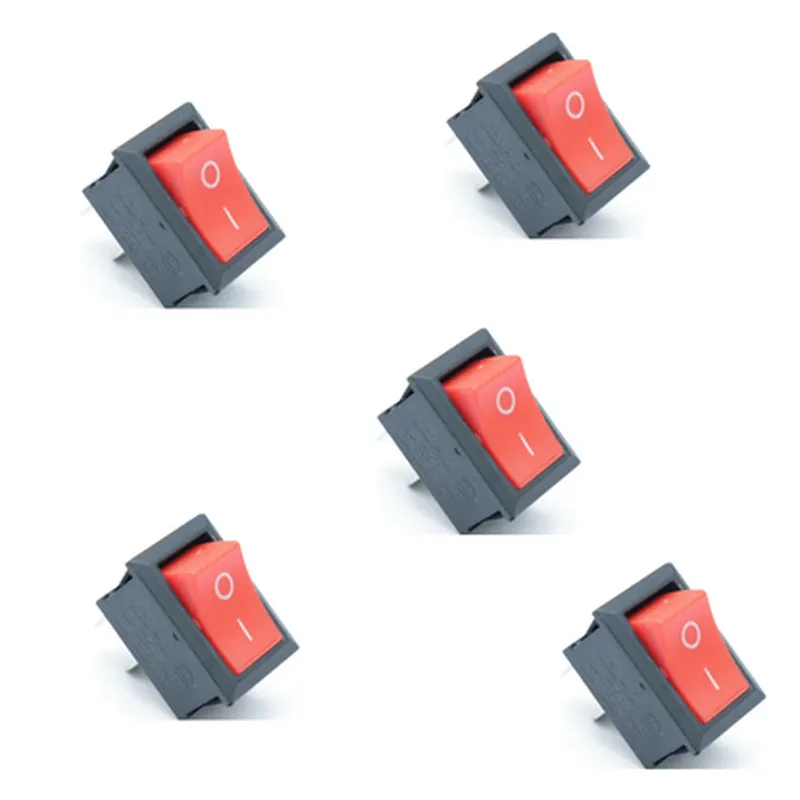
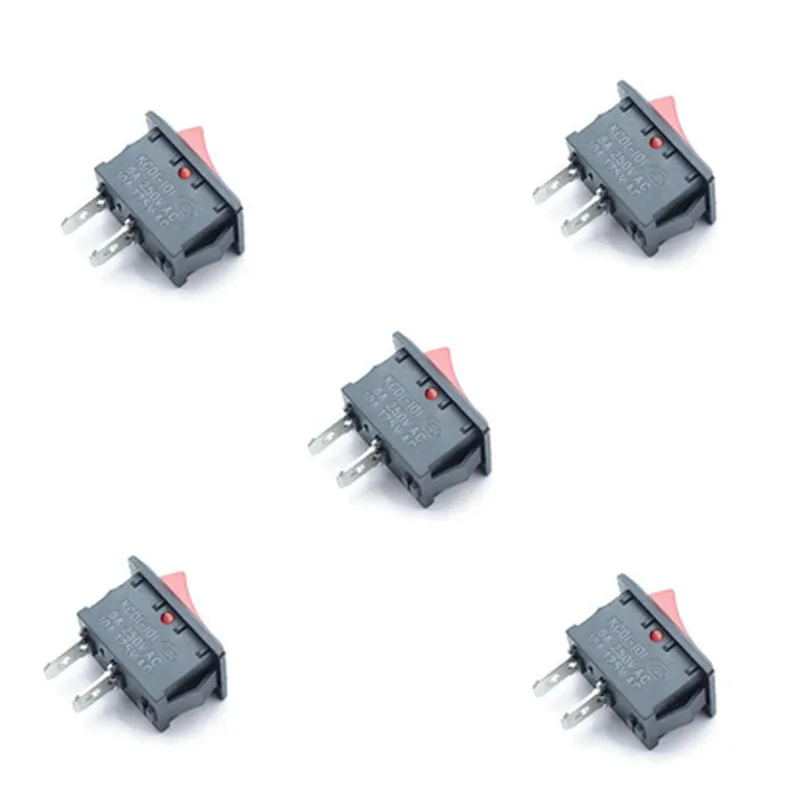
Rocker Switch Mini On/Off SPST 2 Pin
The Rocker Switch Mini On/Off SPST 2 Pin is a compact, single-pole single-throw (SPST) rocker switch designed for use in a variety of IoT applications. This component is a fundamental building block for controlling electronic circuits, allowing users to switch devices on or off with a simple, intuitive interface.
The Rocker Switch Mini On/Off SPST 2 Pin serves as a binary switch, providing a simple on/off function. When the rocker switch is in the "on" position, the circuit is closed, allowing electrical current to flow through the device. When the switch is in the "off" position, the circuit is opened, interrupting the flow of electrical current.
12V DC
5A
20m
100M
-20C to 70C
-40C to 80C
12mm x 9mm x 5mm (L x W x H)
| The Rocker Switch Mini On/Off SPST 2 Pin is suitable for a wide range of IoT applications, including |
Home automation systems
Industrial control systems
Consumer electronics
Robotics and drone projects
DIY IoT projects
Wearable devices
| The wiring diagram for the Rocker Switch Mini On/Off SPST 2 Pin is as follows | |
| Pin 1 | Input (device connection) |
| Pin 2 | Output (power connection) |
When the switch is in the "on" position, the circuit is closed, connecting Pin 1 to Pin 2. When the switch is in the "off" position, the circuit is opened, disconnecting Pin 1 from Pin 2.
By following the wiring diagram and specifications, users can easily integrate the Rocker Switch Mini On/Off SPST 2 Pin into their IoT projects, providing a reliable and intuitive on/off function.
Rocker Switch Mini On Off SPST 2 Pin DocumentationOverviewThe Rocker Switch Mini On Off SPST 2 Pin is a compact, single-pole single-throw (SPST) switch designed for use in a variety of IoT projects. This mini switch features a rugged construction, long lifespan, and high reliability, making it an ideal choice for applications requiring a simple on/off control.PinoutThe Rocker Switch Mini has two pins:Pin 1: Normally Open (NO)
Pin 2: Common (COM)Technical SpecificationsOperating Voltage: 12VDC
Current Rating: 2A
Contact Resistance: 10m
Insulation Resistance: 100M
Operating Temperature: -20C to 85C
Storage Temperature: -40C to 125CExample 1: Basic On/Off Control with ArduinoIn this example, we will use the Rocker Switch Mini to control an LED connected to an Arduino board.Circuit DiagramConnect the Rocker Switch Mini as follows:Pin 1 (NO) to Digital Pin 2 on the Arduino board
Pin 2 (COM) to GND on the Arduino board
Connect an LED to Digital Pin 13 on the Arduino board
Connect a 220 resistor in series with the LED to limit the currentCode
```c++
const int switchPin = 2; // Rocker Switch Mini pin connected to digital pin 2
const int ledPin = 13; // LED connected to digital pin 13void setup() {
pinMode(switchPin, INPUT);
pinMode(ledPin, OUTPUT);
}void loop() {
int switchState = digitalRead(switchPin);
if (switchState == HIGH) {
digitalWrite(ledPin, HIGH); // Turn on the LED
} else {
digitalWrite(ledPin, LOW); // Turn off the LED
}
delay(50);
}
```
Example 2: Home Automation with ESP32 and MicroPythonIn this example, we will use the Rocker Switch Mini to control a relay module connected to an ESP32 board running MicroPython.Circuit DiagramConnect the Rocker Switch Mini as follows:Pin 1 (NO) to GPIO18 on the ESP32 board
Pin 2 (COM) to GND on the ESP32 board
Connect a relay module to GPIO23 on the ESP32 board
Connect a load (e.g., a lamp) to the relay moduleCode
```python
import machine
import utimeswitch_pin = machine.Pin(18, machine.Pin.IN) # Rocker Switch Mini pin connected to GPIO18
relay_pin = machine.Pin(23, machine.Pin.OUT) # Relay module connected to GPIO23while True:
if switch_pin.value() == 1:
relay_pin.value(1) # Turn on the relay
else:
relay_pin.value(0) # Turn off the relay
utime.sleep(0.05)
```
These examples demonstrate the basic usage of the Rocker Switch Mini On Off SPST 2 Pin in various IoT projects. By connecting the switch to a microcontroller or a single-board computer, you can create a simple on/off control for any load.