USB Charger Doctor for Voltmeter and Ammeter


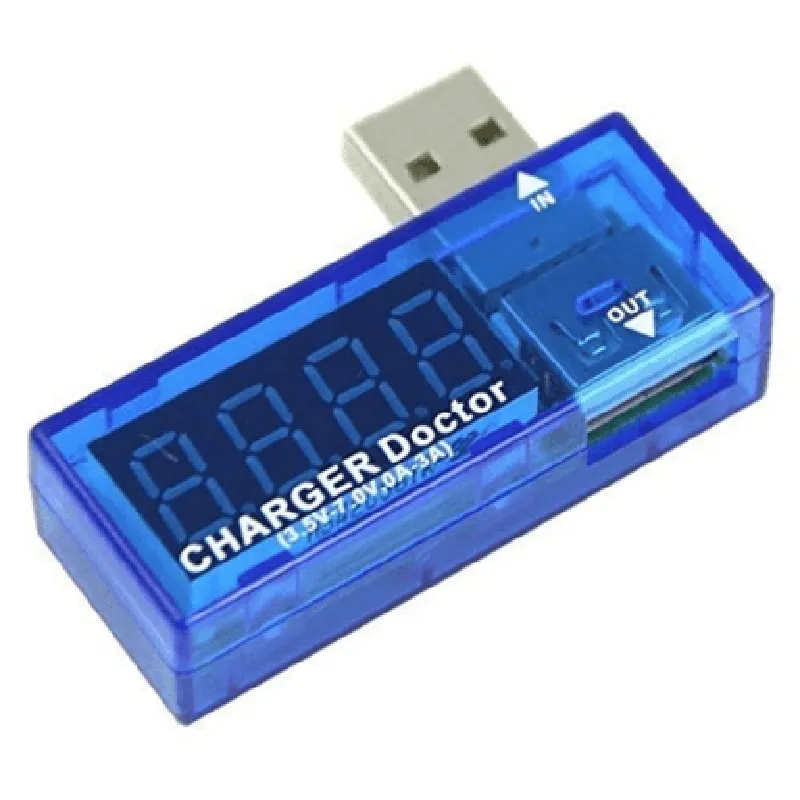
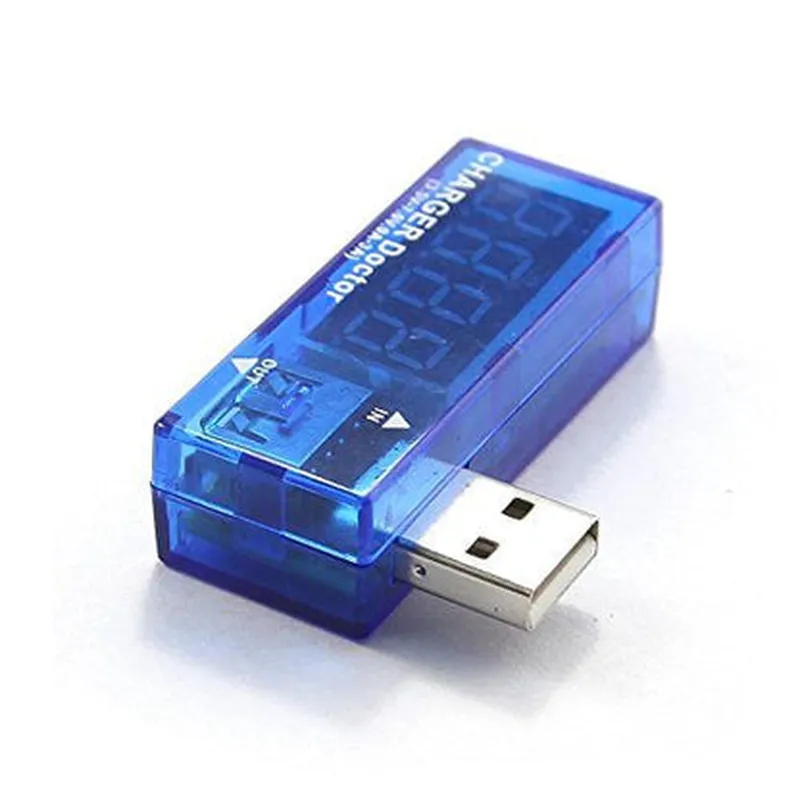
USB Charger Doctor for Voltmeter and Ammeter
The USB Charger Doctor for Voltmeter and Ammeter is a versatile and compact device that allows users to monitor and analyze the power delivery characteristics of USB chargers and power banks. This device combines the functions of a voltmeter and an ammeter to provide a comprehensive understanding of the electrical performance of USB chargers.
| The USB Charger Doctor is designed to measure the voltage and current output of USB chargers and power banks in real-time. It connects to a computer via USB and uses a dedicated software to display the measured values. The device can detect various electrical parameters, including |
Measures the output voltage of the USB charger or power bank.
Measures the output current of the USB charger or power bank.
Calculates the power consumption of the connected device.
Calculates the total energy transferred during the measurement period.
| + Voltage | 0-12V with 0.01V resolution |
| + Current | 0-5A with 0.01A resolution |
| + Voltage | 1% of reading 0.01V |
| + Current | 1% of reading 0.01A |
Up to 10 samples per second
USB 2.0
<100mA
0C to 40C (32F to 104F)
60mm x 35mm x 15mm (2.4" x 1.4" x 0.6")
| The USB Charger Doctor is ideal for a variety of applications, including |
Quality control and testing of USB chargers and power banks
Debugging and troubleshooting of USB-powered devices
Research and development of new USB-based products
Education and training in electronics and electrical engineering
The USB Charger Doctor for Voltmeter and Ammeter is available for purchase from authorized distributors and online retailers. Orders typically ship within 24-48 hours of receipt. For more information, please contact our sales team or visit our website.
USB Charger Doctor for Voltmeter and Ammeter DocumentationOverviewThe USB Charger Doctor is a multifunctional IoT component that combines a voltmeter and ammeter to measure the voltage and current of a USB charging port. This component is designed to provide accurate and real-time monitoring of USB charging parameters, making it an essential tool for debugging and optimizing USB-based devices.Hardware DescriptionThe USB Charger Doctor features a compact design with a USB-A male connector and a micro-USB female connector for easy connectivity. The component is equipped with a high-precision voltage sensor and a current sensor, allowing for accurate measurements of voltage (up to 32V) and current (up to 3A).Software DescriptionThe USB Charger Doctor is compatible with various microcontrollers and programming languages. The component communicates via a serial interface (UART) and supports baud rates up to 115200.Code Examples### Example 1: Arduino-Based Voltage and Current MeasurementIn this example, we will use an Arduino Uno board to connect to the USB Charger Doctor and measure the voltage and current of a USB charging port.Code:
```c++
#include <SoftwareSerial.h>#define RX_PIN 2
#define TX_PIN 3SoftwareSerial usbChargerDoctor(RX_PIN, TX_PIN);void setup() {
Serial.begin(9600);
usbChargerDoctor.begin(9600);
}void loop() {
String voltageStr = usbChargerDoctor.readStringUntil('
');
String currentStr = usbChargerDoctor.readStringUntil('
');
float voltage = voltageStr.toFloat();
float current = currentStr.toFloat();
Serial.print("Voltage: ");
Serial.print(voltage);
Serial.println(" V");
Serial.print("Current: ");
Serial.print(current);
Serial.println(" A");
delay(1000);
}
```
Explanation:We define the RX and TX pins for the SoftwareSerial library.
In the `setup()` function, we initialize the serial communication with the USB Charger Doctor at a baud rate of 9600.
In the `loop()` function, we read the voltage and current values from the USB Charger Doctor using the `readStringUntil()` function.
We convert the string values to float and print the results to the serial monitor using the `Serial.print()` function.### Example 2: Raspberry Pi-Based Data Logging with PythonIn this example, we will use a Raspberry Pi board to connect to the USB Charger Doctor and log the voltage and current data to a CSV file.Code:
```python
import serial
import csv
import time# Open the serial connection to the USB Charger Doctor
usb_charger_doctor = serial.Serial('/dev/ttyUSB0', 9600, timeout=1)# Open the CSV file for logging
csv_file = open('charger_data.csv', 'w', newline='')
csv_writer = csv.writer(csv_file)# Write the header row
csv_writer.writerow(['Timestamp', 'Voltage (V)', 'Current (A)'])while True:
# Read the voltage and current values from the USB Charger Doctor
voltage_str = usb_charger_doctor.readline().decode('utf-8').strip()
current_str = usb_charger_doctor.readline().decode('utf-8').strip()
# Convert the string values to float
voltage = float(voltage_str)
current = float(current_str)
# Get the current timestamp
timestamp = time.strftime('%Y-%m-%d %H:%M:%S')
# Write the data to the CSV file
csv_writer.writerow([timestamp, voltage, current])
# Flush the CSV file
csv_file.flush()
# Wait for 1 second before taking the next reading
time.sleep(1)
```
Explanation:We import the necessary libraries, including `serial` for serial communication, `csv` for logging to a CSV file, and `time` for getting the current timestamp.
We open the serial connection to the USB Charger Doctor using the `serial.Serial()` function.
We open the CSV file in write mode and create a `csv.writer` object to write to the file.
In the `while` loop, we read the voltage and current values from the USB Charger Doctor using the `readline()` function.
We convert the string values to float and get the current timestamp using the `time.strftime()` function.
We write the data to the CSV file using the `csv.writer.writerow()` function and flush the file to ensure data is written immediately.
We wait for 1 second before taking the next reading.