4.5V to 5.5V


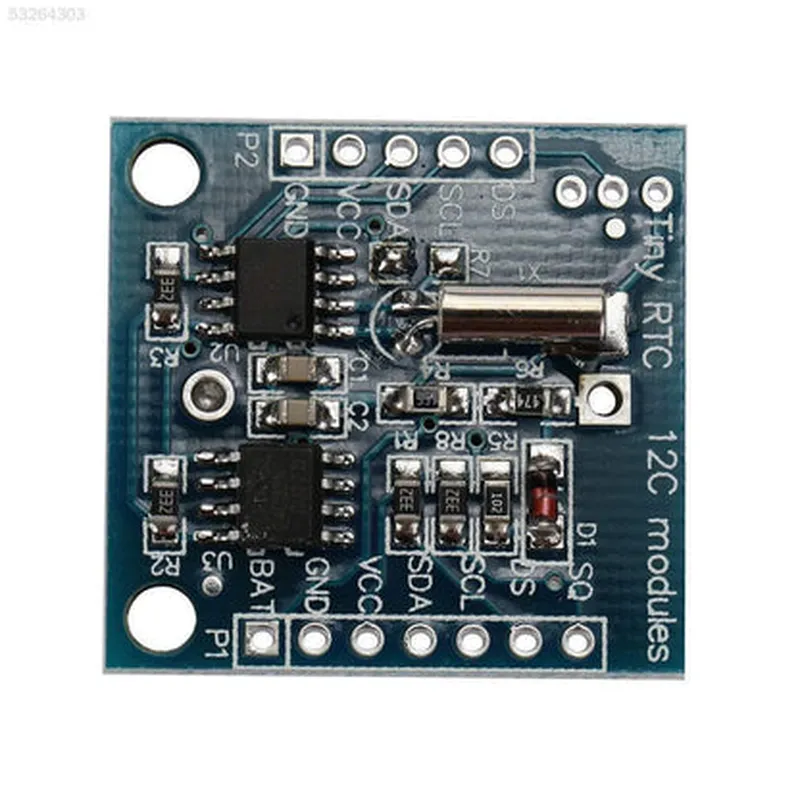
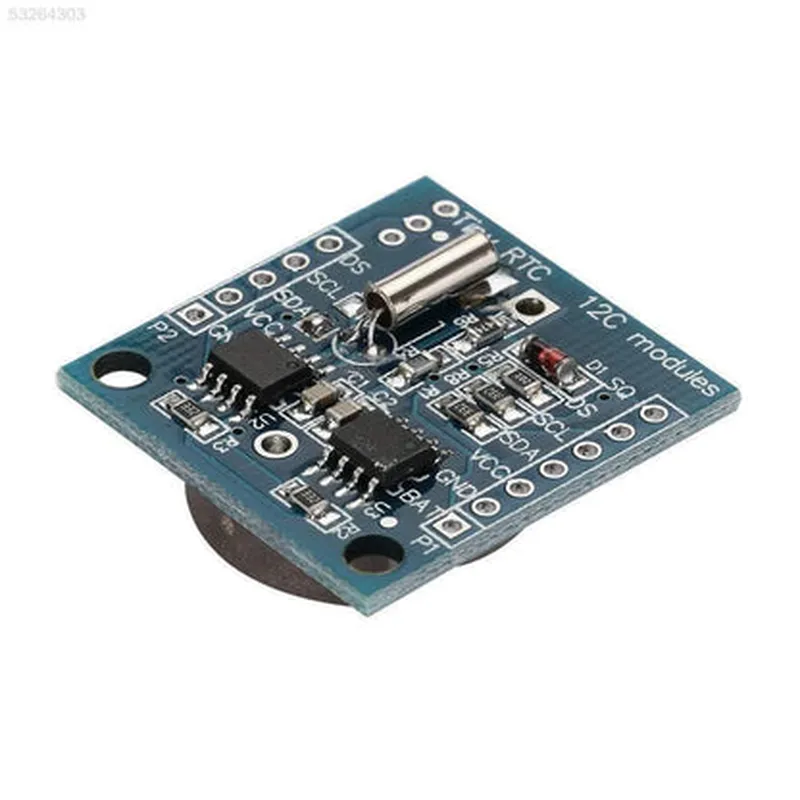
4.5V to 5.5V
2.0V to 3.5V
32.768 kHz (standard), programmable from 1Hz to 4096Hz
I2C (up to 400kHz) or SPI (up to 4MHz)
56 bytes of non-volatile memory for storing time, date, and other calendar information
Applications
| The DS1307 Real Time Clock Module is suitable for a wide range of IoT applications, including |
Fitness trackers, smartwatches, and other wearables that require accurate timekeeping and low power consumption.
Machine monitoring, process control, and automation systems that require precise time stamps and alarm functions.
Home automation systems, thermostats, and security systems that benefit from accurate timekeeping and calendar features.
Medical equipment, such as patient monitors and infusion pumps, that require reliable timekeeping and alarm functions.
Conclusion
The DS1307 Real Time Clock Module is a versatile, low-power, and highly accurate time-keeping component suitable for a wide range of IoT applications. Its compact form factor, low power consumption, and backup battery feature make it an ideal choice for battery-powered devices and systems that require precise timekeeping and calendar functionality.
DS1307 Real Time Clock Module DocumentationOverviewThe DS1307 Real Time Clock (RTC) module is a widely used component in IoT projects that require accurate timekeeping. It's a low-power, binary-coded decimal (BCD) clock/calendar chip with a built-in 56-byte RAM for data storage. This module provides a reliable and efficient way to keep track of time, date, and other parameters in various applications.Pinout and ConnectionThe DS1307 RTC module typically has the following pinout:VCC: Power supply (1.8V to 5V)
GND: Ground
SDA: I2C data line
SCL: I2C clock line
RST: Reset pin (active low)Connect the module to a microcontroller or other I2C-compatible devices using the SDA and SCL pins. Make sure to connect the RST pin to a suitable pull-up resistor and a reset button (if required).Code Examples### Example 1: Basic Timekeeping using ArduinoIn this example, we'll use an Arduino Uno board to interact with the DS1307 RTC module.
```c
#include <Wire.h>
#include <DS1307.h>DS1307 RTC;void setup() {
Wire.begin();
RTC.begin();// Set the time (optional)
RTC.set(DS1307seconds, 0);
RTC.set(DS1307minutes, 30);
RTC.set(DS1307hours, 12);
RTC.set(DS1307day, 1);
RTC.set(DS1307month, 1);
RTC.set(DS1307year, 2023);
}void loop() {
// Get the current time
int seconds = RTC.get(DS1307seconds);
int minutes = RTC.get(DS1307minutes);
int hours = RTC.get(DS1307hours);
int day = RTC.get(DS1307day);
int month = RTC.get(DS1307month);
int year = RTC.get(DS1307year);Serial.print("Time: ");
Serial.print(hours);
Serial.print(":");
Serial.print(minutes);
Serial.print(":");
Serial.println(seconds);Serial.print("Date: ");
Serial.print(day);
Serial.print("/");
Serial.print(month);
Serial.print("/");
Serial.println(year);delay(1000);
}
```
### Example 2: Time-Based Automation using Raspberry Pi (Python)In this example, we'll use a Raspberry Pi to read the time from the DS1307 RTC module and control an LED based on a schedule.
```python
import I2C
import time
import RPi.GPIO as GPIO# Set up the I2C bus
i2c = I2C.I2C(bus=1)# Set up the DS1307 RTC module
rtc = i2c.add_slave(0x68, 0)# Set up the GPIO pin for the LED
GPIO.setmode(GPIO.BCM)
GPIO.setup(17, GPIO.OUT)while True:
# Read the current time
seconds = rtc.read(0x00)
minutes = rtc.read(0x01)
hours = rtc.read(0x02)# Check if it's 8:00 AM
if hours == 8 and minutes == 0:
GPIO.output(17, GPIO.HIGH)
else:
GPIO.output(17, GPIO.LOW)# Wait for 1 second
time.sleep(1)
```
### Example 3: Power-Fail Detection and Backup using ESP32 (C++)In this example, we'll use an ESP32 board to detect power failures and maintain the RTC module's timekeeping functionality using an external battery.
```c
#include <WiFi.h>
#include <DS1307.h>DS1307 rtc;void setup() {
Serial.begin(115200);// Initialize the RTC module
rtc.begin();// Set up the external battery for power-fail detection
pinMode(32, INPUT); // VBAT pin// Initialize the ESP32's internal RTC
rtc.set(0, 0, 0, 1, 1, 2023);
}void loop() {
// Check for power-fail detection
if (digitalRead(32) == LOW) {
Serial.println("Power failure detected!");
// Use the external battery to maintain timekeeping
rtc.setBattery(true);
} else {
Serial.println("Power OK!");
// Use the internal power source
rtc.setBattery(false);
}// Get the current time
int seconds = rtc.get(DS1307seconds);
int minutes = rtc.get(DS1307minutes);
int hours = rtc.get(DS1307hours);Serial.print("Time: ");
Serial.print(hours);
Serial.print(":");
Serial.print(minutes);
Serial.print(":");
Serial.println(seconds);delay(1000);
}
```
These examples demonstrate the basic usage of the DS1307 Real Time Clock module in various contexts. You can modify and expand upon these examples to suit your specific IoT project requirements.