

Stufin
Home Quick Cart Profile

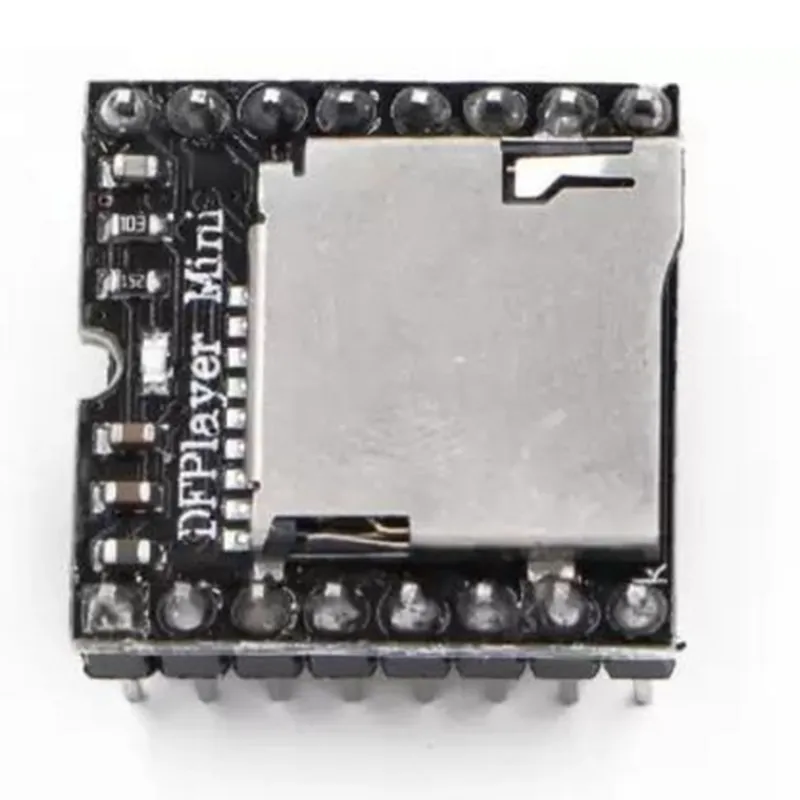
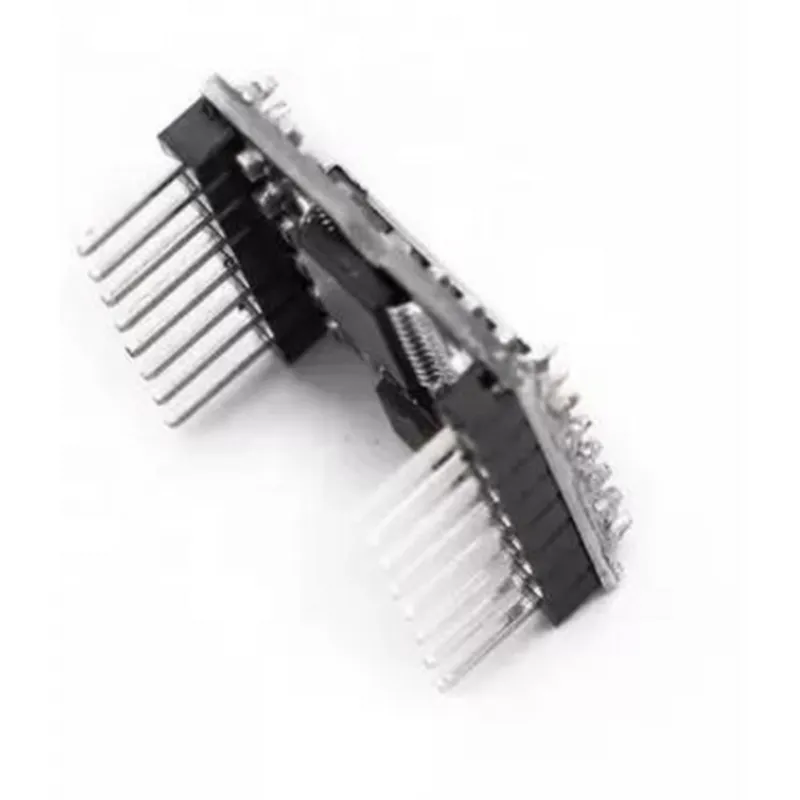
Mini DF Player

Buy Now on Stufin

Audio Formats

MP3

Bit Rates

Up to 320 kbps

Sample Rates

8 kHz to 48 kHz

microSD Card Capacity

Up to 32 GB

Operating Voltage

3.3V to 5V

Power Consumption

Typically <50mA

Dimensions

35mm x 25mm

Weight

Approximately 5 grams

Applications

The Mini DF Player is suitable for a wide range of IoT applications, including

Smart home devices (e.g., voice assistants, audio alarm systems)

Wearable electronics (e.g., smart watches, fitness trackers)

Automation systems (e.g., industrial automation, robotics)

Consumer electronics (e.g., portable audio players, speakers)

Documentation and Resources

Datasheet

A detailed datasheet is available for the Mini DF Player, providing technical specifications, pinouts, and application notes.

User Manual

A comprehensive user manual is available, covering assembly, configuration, and programming of the module.

Sample Code

Example code is provided for popular microcontrollers, such as Arduino and Raspberry Pi, to help users get started with their projects.

Ordering Information

The Mini DF Player is available for purchase from various online retailers and electronics suppliers. Be sure to check the product description and datasheet for specific ordering information, including package quantity, pricing, and lead time.

Pin Configuration

  • Mini DF Player Documentation
  • The Mini DF Player is a compact, low-power MP3 player module that can be easily integrated into various IoT projects. It features a simple interface and supports microSD cards up to 32GB. Here's a breakdown of the pins and their functions:
  • Pinout:
  • 1. VCC:
  • Function: Power supply pin
  • Description: Connect to a 3.3V or 5V power source
  • Notes: Make sure to use a voltage regulator or a voltage divider circuit if your project requires a specific voltage
  • 2. GND:
  • Function: Ground pin
  • Description: Connect to the ground of your circuit or breadboard
  • Notes: Ensure a solid ground connection for stable operation
  • 3. RX:
  • Function: Receive pin for serial communication
  • Description: Connect to the TX (transmit) pin of your microcontroller or serial device
  • Notes: Use a serial communication protocol like UART or TTL to control the DF Player
  • 4. TX:
  • Function: Transmit pin for serial communication
  • Description: Connect to the RX (receive) pin of your microcontroller or serial device
  • Notes: Use a serial communication protocol like UART or TTL to control the DF Player
  • 5. IO1:
  • Function: Control pin for button 1 (Play/Pause)
  • Description: Connect to a digital input of your microcontroller or a button
  • Notes: This pin is used to control the playback of the DF Player
  • 6. IO2:
  • Function: Control pin for button 2 (Next Track)
  • Description: Connect to a digital input of your microcontroller or a button
  • Notes: This pin is used to navigate to the next track in the playlist
  • 7. IO3:
  • Function: Control pin for button 3 (Previous Track)
  • Description: Connect to a digital input of your microcontroller or a button
  • Notes: This pin is used to navigate to the previous track in the playlist
  • 8. BUSY:
  • Function: Busy indicator pin
  • Description: Connect to a digital input of your microcontroller to monitor the DF Player's status
  • Notes: This pin is HIGH when the DF Player is busy playing or processing a track
  • 9. SD Card Slot:
  • Function: MicroSD card slot
  • Description: Insert a microSD card containing your MP3 files
  • Notes: Ensure the microSD card is formatted in FAT16 or FAT32
  • Connecting the Pins:
  • To connect the Mini DF Player to your project, follow these steps:
  • 1. Connect VCC to a 3.3V or 5V power source.
  • 2. Connect GND to the ground of your circuit or breadboard.
  • 3. Connect RX to the TX pin of your microcontroller or serial device.
  • 4. Connect TX to the RX pin of your microcontroller or serial device.
  • 5. Connect IO1, IO2, and IO3 to digital inputs of your microcontroller or buttons to control the playback.
  • 6. Connect BUSY to a digital input of your microcontroller to monitor the DF Player's status.
  • 7. Insert a microSD card into the SD Card Slot.
  • 8. Ensure all connections are secure and meet the voltage requirements of the Mini DF Player.
  • Notes:
  • Use a logic level converter if your microcontroller operates at a different voltage than the Mini DF Player (e.g., 5V to 3.3V).
  • Refer to the datasheet and documentation of your microcontroller or serial device for specific connection requirements.
  • Use a serial terminal or a dedicated library to control the Mini DF Player using serial communication protocols like UART or TTL.

Code Examples

Mini DF Player Documentation
The Mini DF Player is a compact, low-cost MP3 player module designed for use in IoT projects. It supports microSD cards and can play MP3 files stored on the card. This module is ideal for applications such as audio guidance systems, toys, and interactive exhibits.
Pinout:
VCC: 3.3V to 5V power supply
 GND: Ground
 RX: Serial data input (3.3V logic level)
 TX: Serial data output (3.3V logic level)
 DAC_R: Right channel audio output
 DAC_L: Left channel audio output
 SPK_+: Speaker positive terminal
 SPK_-
Speaker negative terminal
Communication Protocol:
The Mini DF Player communicates using a serial protocol at a baud rate of 9600. The module responds to a set of commands sent through the serial interface.
Commands:
`0x01`: Play the next track
 `0x02`: Play the previous track
 `0x03`: Play the first track
 `0x04`: Play the last track
 `0x05`: Pause playback
 `0x06`: Resume playback
 `0x07`: Volume up
 `0x08`: Volume down
 `0x09`: Play a specific track (followed by a 2-byte track number)
Code Examples:
### Example 1: Basic MP3 Playback using Arduino
This example demonstrates how to play an MP3 file on the Mini DF Player using an Arduino board.
```c
#include <SoftwareSerial.h>
#define RX_PIN 2  // Serial receive pin
#define TX_PIN 3  // Serial transmit pin
SoftwareSerial dfPlayerSerial(RX_PIN, TX_PIN);
void setup() {
  Serial.begin(9600);
  dfPlayerSerial.begin(9600);
}
void loop() {
  // Play the first track on the microSD card
  dfPlayerSerial.write(0x03);
  delay(1000);
}
```
### Example 2: Controlling the Mini DF Player using Python and Raspberry Pi
This example demonstrates how to control the Mini DF Player using a Raspberry Pi and Python.
```python
import serial
# Open the serial connection
ser = serial.Serial('/dev/ttyUSB0', 9600)
# Play the next track
ser.write(b'x01')
ser.flush()
# Pause playback
ser.write(b'x05')
ser.flush()
# Resume playback
ser.write(b'x06')
ser.flush()
```
### Example 3: Playing a Specific Track using ESP32 and MicroPython
This example demonstrates how to play a specific track on the Mini DF Player using an ESP32 board and MicroPython.
```python
import machine
import utime
# Define the serial pins
RX_PIN = 16
TX_PIN = 17
# Initialize the serial connection
uart = machine.UART(0, 9600, tx=TX_PIN, rx=RX_PIN)
# Play track 5
uart.write(b'x09x05x00')
utime.sleep_ms(1000)
```
These examples demonstrate the basic usage of the Mini DF Player module. You can use these examples as a starting point to develop more complex applications that integrate audio playback with other IoT components.