Kento G 12V 2A Adapter - DC Jack


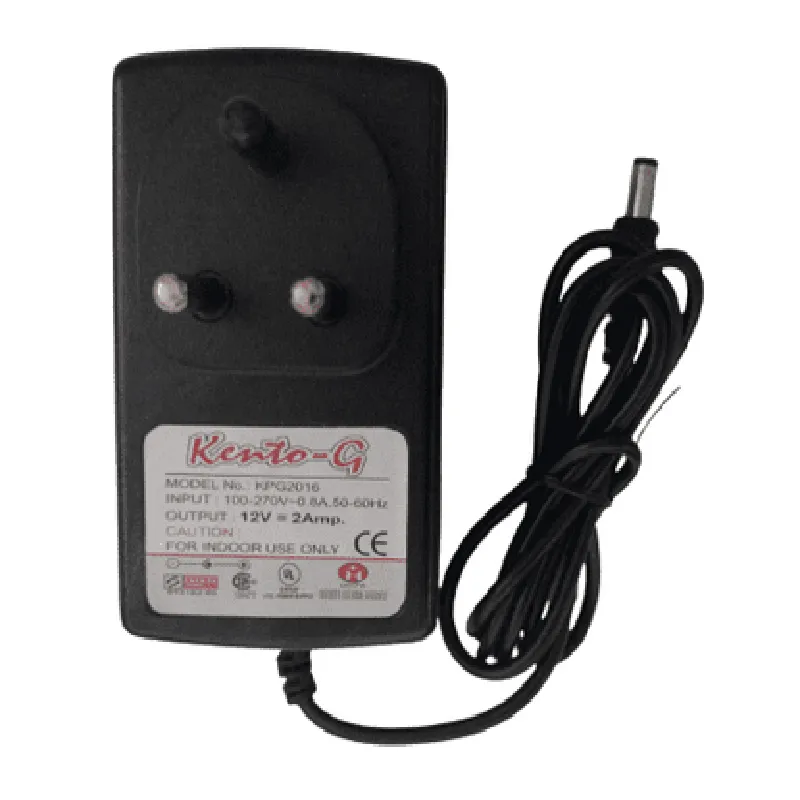
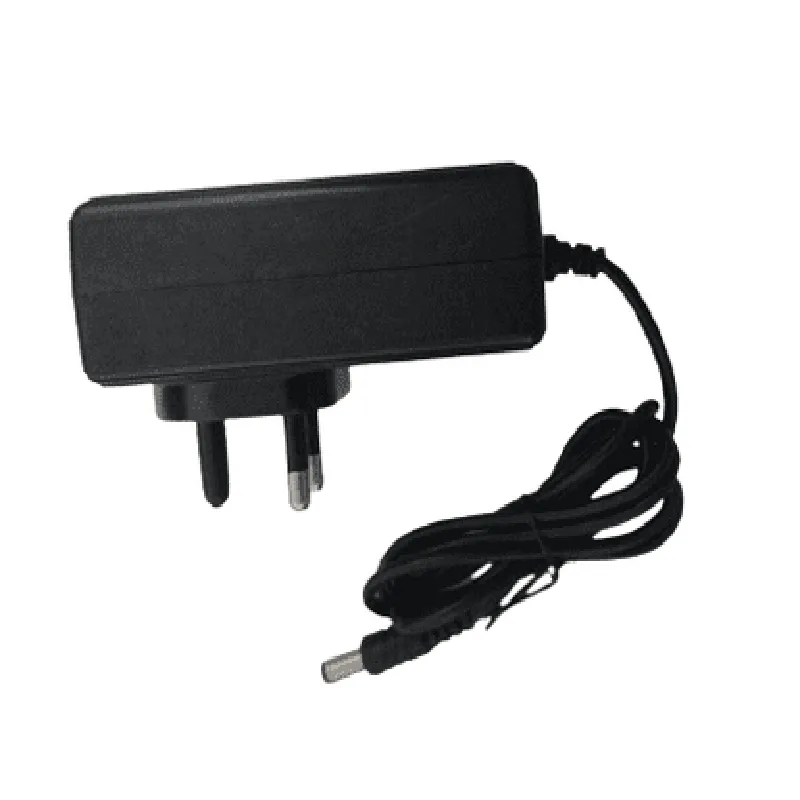
Kento G 12V 2A Adapter - DC Jack
The Kento G 12V 2A Adapter - DC Jack is a compact and efficient power supply component designed for use in various IoT applications. This adapter provides a stable 12V DC output at a maximum current of 2A, making it suitable for powering small to medium-sized devices. The DC Jack connector allows for easy connection and disconnection of devices, ensuring convenient and reliable power supply.
The primary function of the Kento G 12V 2A Adapter - DC Jack is to convert AC power from a wall outlet to a stable 12V DC output. This adapter is designed to power devices that require a 12V DC input, such as IoT modules, sensors, microcontrollers, and other small electronic devices.
12V DC
2A (maximum)
24W (maximum)
100-240V AC (universal input)
50-60Hz
2.1mm DC Jack (center positive)
5.5mm
| Overcurrent Protection (OCP) | Protects the device from excessive current draws |
| Short Circuit Protection (SCP) | Protects the device from short circuits |
| Overvoltage Protection (OVP) | Protects the device from voltage surges |
CE, FCC, and RoHS certified
Meets safety standards for electromagnetic compatibility (EMC) and electromagnetic interference (EMI)
52mm x 30mm x 25mm (L x W x H)
60g
Flame retardant ABS plastic
0C to 40C
-20C to 80C
20% to 80% RH (non-condensing)
| The Kento G 12V 2A Adapter - DC Jack is suitable for use in various IoT applications, including |
IoT sensor modules
Microcontroller-based projects
Small robots and robotic systems
Automation and control systems
Security systems
LED lighting systems
The Kento G 12V 2A Adapter - DC Jack is a reliable and efficient power supply component designed for use in IoT applications. Its compact size, stable output, and protection features make it an ideal choice for powering small to medium-sized devices.
Kento G 12V 2A Adapter - DC Jack DocumentationOverviewThe Kento G 12V 2A Adapter - DC Jack is a compact and reliable power adapter designed for various IoT applications. This adapter provides a stable 12V DC output with a maximum current rating of 2A, making it suitable for powering small to medium-sized devices. The DC Jack connector ensures secure and convenient connectivity.FeaturesInput: 100-240V AC, 50-60Hz
Output: 12V DC, 2A
DC Jack connector
Compact design
Reliable and efficient power conversionCode Examples### Example 1: Powering an ESP32 Development BoardIn this example, we will demonstrate how to use the Kento G 12V 2A Adapter to power an ESP32 development board. The ESP32 board will be used to connect to a Wi-Fi network and send data to a remote server.Hardware RequirementsKento G 12V 2A Adapter - DC Jack
ESP32 Development Board
Micro-USB cable
Breadboard and jumper wires (optional)Code
```c
#include <WiFi.h>const char ssid = "your_wifi_ssid";
const char password = "your_wifi_password";void setup() {
Serial.begin(115200);
WiFi.begin(ssid, password);
while (WiFi.status() != WL_CONNECTED) {
delay(1000);
Serial.println("Connecting to WiFi...");
}
Serial.println("Connected to WiFi");
Serial.println("Initializing board...");
delay(2000);
}void loop() {
// Send data to remote server
WiFiClient client;
client.setServer("your_remote_server_ip", 80);
client.println("GET /data HTTP/1.1");
client.println("Host: your_remote_server_ip");
client.println("Connection: close");
client.println();
while (client.available() == 0) {
if (millis() - client.getLastRead() > 2000) {
Serial.println("Timeout");
break;
}
}
client.stop();
delay(5000);
}
```
Connect the Kento G 12V 2A Adapter to the ESP32 development board using a micro-USB cable. Power on the adapter and ensure the ESP32 board is properly connected to the Wi-Fi network.### Example 2: Powering a Small Robot using an Arduino BoardIn this example, we will demonstrate how to use the Kento G 12V 2A Adapter to power a small robot using an Arduino board. The robot will be equipped with DC motors and sensors to navigate through a maze.Hardware RequirementsKento G 12V 2A Adapter - DC Jack
Arduino Board (e.g., Arduino Uno)
DC Motor Driver (e.g., L298N)
DC Motors
Sensors (e.g., ultrasonic sensor, infrared sensor)
Breadboard and jumper wiresCode
```c
#include <Arduino.h>const int leftMotorForward = 2;
const int leftMotorBackward = 3;
const int rightMotorForward = 4;
const int rightMotorBackward = 5;void setup() {
pinMode(leftMotorForward, OUTPUT);
pinMode(leftMotorBackward, OUTPUT);
pinMode(rightMotorForward, OUTPUT);
pinMode(rightMotorBackward, OUTPUT);
}void loop() {
// Read sensor data and control motor speeds
int distance = readUltrasonicSensor();
if (distance < 20) {
// Obstacle detected, reverse and turn
digitalWrite(leftMotorForward, LOW);
digitalWrite(leftMotorBackward, HIGH);
digitalWrite(rightMotorForward, LOW);
digitalWrite(rightMotorBackward, HIGH);
delay(500);
digitalWrite(leftMotorForward, HIGH);
digitalWrite(leftMotorBackward, LOW);
digitalWrite(rightMotorForward, HIGH);
digitalWrite(rightMotorBackward, LOW);
delay(500);
} else {
// Move forward
digitalWrite(leftMotorForward, HIGH);
digitalWrite(leftMotorBackward, LOW);
digitalWrite(rightMotorForward, HIGH);
digitalWrite(rightMotorBackward, LOW);
}
delay(50);
}int readUltrasonicSensor() {
// Implement ultrasonic sensor reading function
return 0; // Replace with actual sensor reading
}
```
Connect the Kento G 12V 2A Adapter to the Arduino board using a DC Jack connector. Power on the adapter and ensure the robot is properly assembled and configured.Remember to adjust the code according to your specific IoT application and device requirements. Ensure proper voltage and current ratings are matched between the power adapter and your IoT device to avoid damage or safety hazards.