4 AA Battery Holder


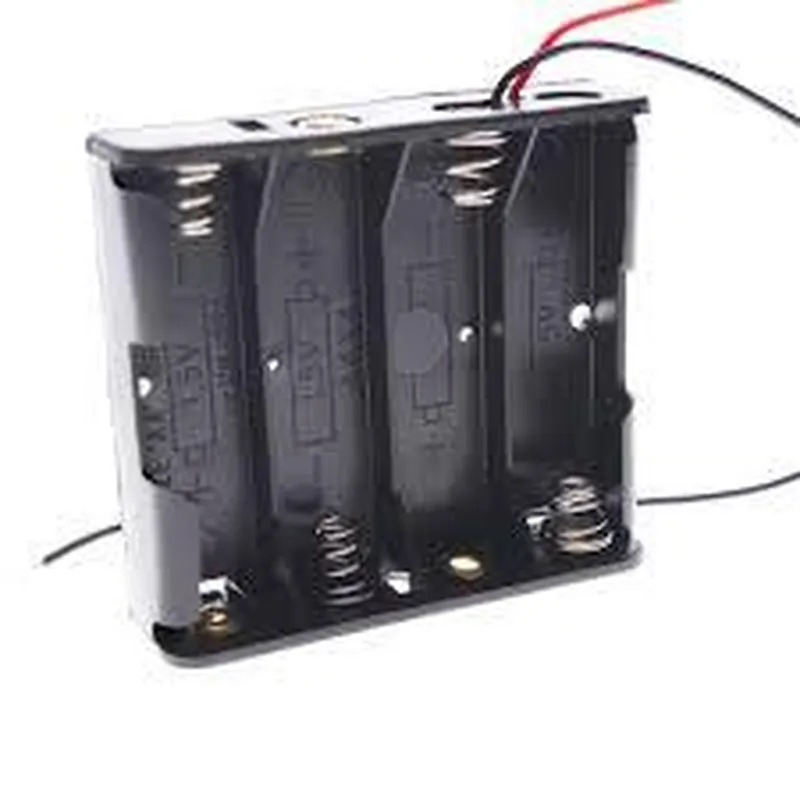
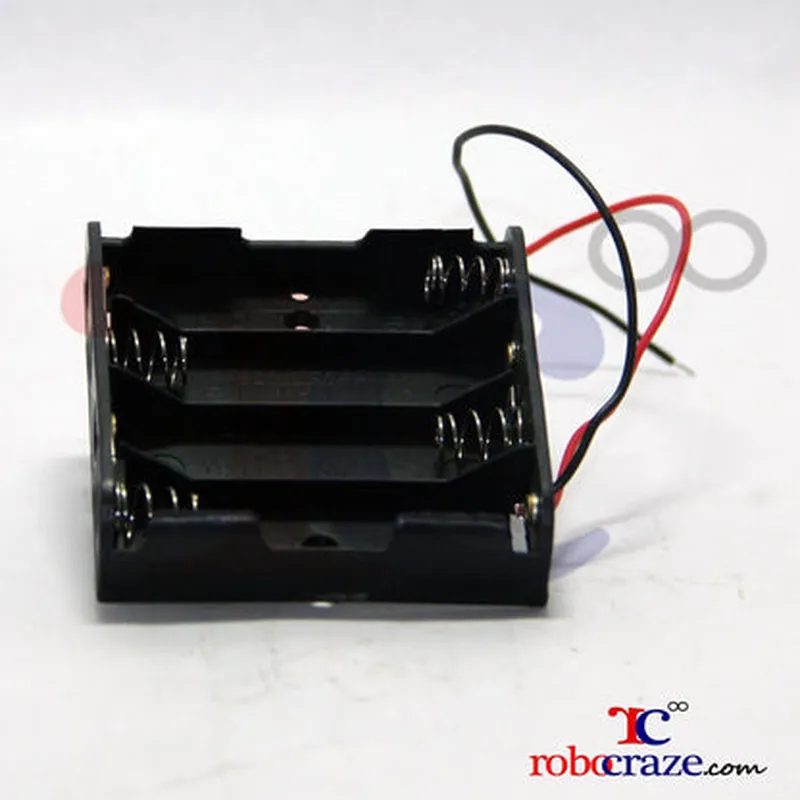
4 AA Battery Holder
The 4 AA Battery Holder is a plastic or metal enclosure designed to securely hold four AA-sized batteries, providing a convenient and organized way to power small electronic devices, gadgets, or projects. This component is an essential part of many IoT and electronics projects, offering a reliable and efficient way to manage power supply.
| The primary function of the 4 AA Battery Holder is to |
| The 4 AA Battery Holder is commonly used in a variety of IoT and electronics projects, including |
Plastic or metal
Varies depending on design, typically compact and space-efficient
Standard AA batteries (may be compatible with other types)
Wire leads, tabs, screw terminals, or other
Typically -20C to 80C (-4F to 176F)
Varies depending on design, typically around 50mm x 30mm x 20mm (2 inches x 1.2 inches x 0.8 inches)
4 AA Battery Holder DocumentationOverviewThe 4 AA Battery Holder is a convenient and compact component designed to hold four AA batteries, providing a reliable power source for various IoT projects. This component is ideal for powering small to medium-sized devices, such as microcontrollers, sensors, and wireless modules.Pinout and SpecificationsHolds 4 AA batteries
Total voltage output: 6V (4 x 1.5V)
Maximum current output: 2A (dependent on battery type and quality)
Dimensions: 60mm x 30mm x 15mm
Weight: 20g
Material: PlasticExamples and Code Snippets### Example 1: Powering an Arduino BoardIn this example, we'll use the 4 AA Battery Holder to power an Arduino Uno board, which will blink an LED connected to digital pin 13.Hardware Requirements4 AA batteries
4 AA Battery Holder
Arduino Uno board
LED
220 resistor
Breadboard
Jumper wiresCode
```c
const int ledPin = 13; // choose the pin for the LEDvoid setup() {
pinMode(ledPin, OUTPUT);
}void loop() {
digitalWrite(ledPin, HIGH); // turn the LED on
delay(1000); // wait for a second
digitalWrite(ledPin, LOW); // turn the LED off
delay(1000); // wait for a second
}
```
Connect the 4 AA Battery Holder to the Arduino Uno board's power pins (VIN and GND), and the LED circuit to digital pin 13.### Example 2: Powering a Wireless Sensor NodeIn this example, we'll use the 4 AA Battery Holder to power a wireless sensor node built around an ESP8266 microcontroller. The node will send temperature and humidity data to a remote server using Wi-Fi.Hardware Requirements4 AA batteries
4 AA Battery Holder
ESP8266 microcontroller (e.g., ESP-12E)
DHT11 temperature and humidity sensor
Breadboard
Jumper wiresCode
```python
import machine
import dht
import urequests
import ujson# DHT11 sensor pin connections
dht_pin = 4# Wi-Fi configuration
wifi_ssid = 'your_wifi_ssid'
wifi_password = 'your_wifi_password'# Set up the DHT11 sensor
d = dht.DHT11(machine.Pin(dht_pin))# Connect to Wi-Fi
wifi = machine.WLAN(machine.WLAN.STA_IF)
wifi.active(True)
wifi.connect(wifi_ssid, wifi_password)while True:
# Read temperature and humidity data
temp, hum = d.read()# Create a JSON payload
data = {'temperature': temp, 'humidity': hum}# Send data to the remote server
response = urequests.post('https://example.com/data', json=data)# Sleep for 10 minutes
machine.sleep(600000)
```
Connect the 4 AA Battery Holder to the ESP8266 microcontroller's power pins (VIN and GND), and the DHT11 sensor to the designated pin.Note: Make sure to modify the Wi-Fi configuration and remote server URL according to your specific setup.Remember to always follow proper safety precautions when working with batteries and electronics. Ensure the 4 AA Battery Holder is securely fastened to your project's enclosure to prevent accidental disconnections or short circuits.