12V


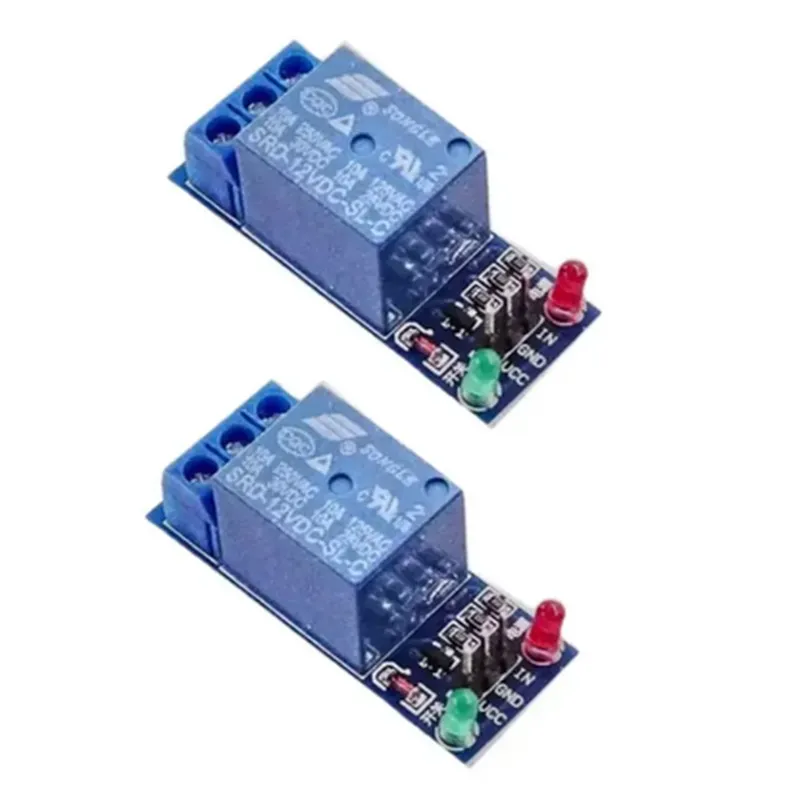
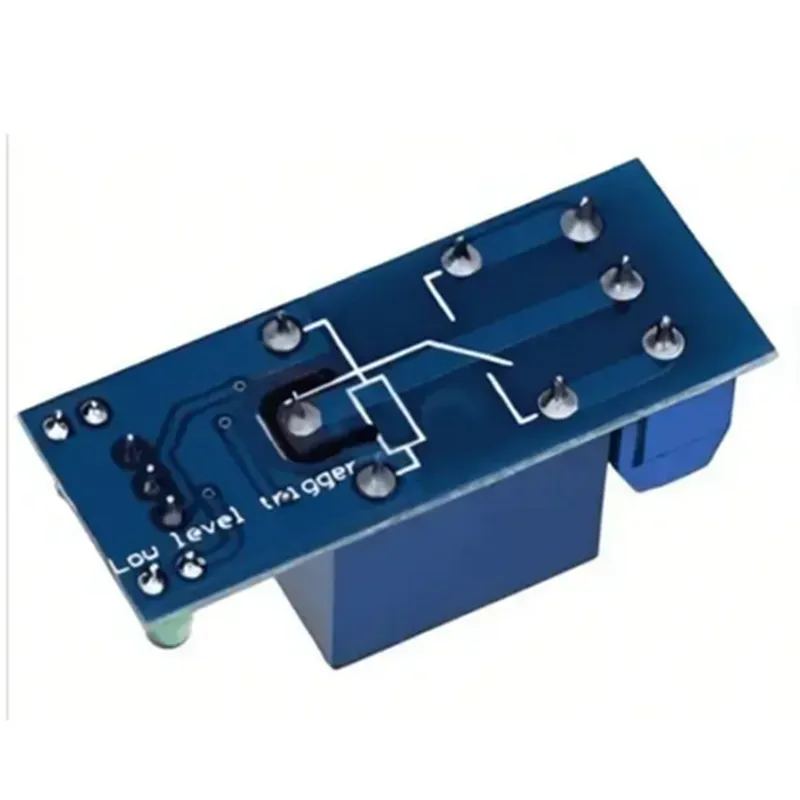
12V
10A
Electromagnetic (EM) Relay
12V (from a power supply or battery)
1 x SPDT (Single Pole Double Throw) Relay Contact
3.3V-5V TTL Compatible (from a microcontroller or other control device)
-40C to 85C
-40C to 125C
5% to 95% RH (Relative Humidity)
45mm x 35mm x 20mm (L x W x H)
PCB Mount, Breadboard Friendly, or Screw Terminal Block
Power-on Indication
Easy Connection for Load Wiring
| Short-Circuit Protection | Built-in protection against short-circuits and overloads |
| Over-Voltage Protection | Protection against voltage surges and spikes |
Typical Applications
| The 12V 1 Channel Relay Module (10Amp) is suitable for a variety of IoT applications, including |
Home Automation Systems
Industrial Control Systems
Robotics and Automation
LED Lighting Control
Motor Control and Speed Regulation
Security and Surveillance Systems
Important Notes
Always ensure that the relay module is properly powered and controlled to avoid damage or malfunction.
The relay module should be used within its specified operating temperature and humidity range to ensure reliable performance.
When using the relay module, ensure that the connected load does not exceed the rated current and voltage specifications.
By following the guidelines and specifications outlined in this documentation, users can successfully integrate the 12V 1 Channel Relay Module (10Amp) into their IoT projects, ensuring efficient and reliable control of high-power devices.
12V 1 Channel Relay Module (10Amp) DocumentationOverviewThe 12V 1 Channel Relay Module (10Amp) is a versatile and widely used IoT component that allows you to control high-power devices, such as lights, motors, and appliances, using a low-power signal from a microcontroller or other IoT device. This module features a single relay channel with a maximum switching current of 10A and a voltage rating of 12V.PinoutThe module has the following pins:VCC: 12V power supply
GND: Ground
IN: Input signal (typically from a microcontroller)
NO (Normally Open): Relay output pin
NC (Normally Closed): Relay output pin
COM (Common): Relay output pinHow it WorksThe relay module works by using a low-power signal from the IN pin to control the high-power relay. When the IN pin is set high (typically 5V), the relay is energized, and the COM pin is connected to the NO pin. When the IN pin is set low (0V), the relay is de-energized, and the COM pin is connected to the NC pin.Code Examples### Example 1: Controlling a Light Bulb with ArduinoThis example demonstrates how to use the 12V 1 Channel Relay Module to control a light bulb using an Arduino board.
```cpp
const int relayPin = 2; // Pin 2 is connected to the IN pin of the relay modulevoid setup() {
pinMode(relayPin, OUTPUT);
}void loop() {
digitalWrite(relayPin, HIGH); // Turn the light bulb ON
delay(1000);
digitalWrite(relayPin, LOW); // Turn the light bulb OFF
delay(1000);
}
```
Hardware ConnectionConnect the VCC pin of the relay module to the 12V power supply.
Connect the GND pin of the relay module to the ground of the power supply.
Connect the IN pin of the relay module to digital pin 2 of the Arduino board.
Connect the COM pin of the relay module to one terminal of the light bulb.
Connect the other terminal of the light bulb to the 12V power supply.### Example 2: Controlling a Motor with Raspberry PiThis example demonstrates how to use the 12V 1 Channel Relay Module to control a DC motor using a Raspberry Pi.
```python
import RPi.GPIO as GPIOGPIO.setmode(GPIO.BCM)
relay_pin = 17
GPIO.setup(relay_pin, GPIO.OUT)while True:
GPIO.output(relay_pin, GPIO.HIGH) # Turn the motor ON
time.sleep(1)
GPIO.output(relay_pin, GPIO.LOW) # Turn the motor OFF
time.sleep(1)
```
Hardware ConnectionConnect the VCC pin of the relay module to the 12V power supply.
Connect the GND pin of the relay module to the ground of the power supply.
Connect the IN pin of the relay module to GPIO pin 17 of the Raspberry Pi.
Connect the COM pin of the relay module to one terminal of the DC motor.
Connect the other terminal of the DC motor to the 12V power supply.Note: Make sure to use a suitable power supply and wiring to handle the high current requirements of the relay module and the connected device.I hope this documentation helps! Let me know if you have any further questions.