Acrylic


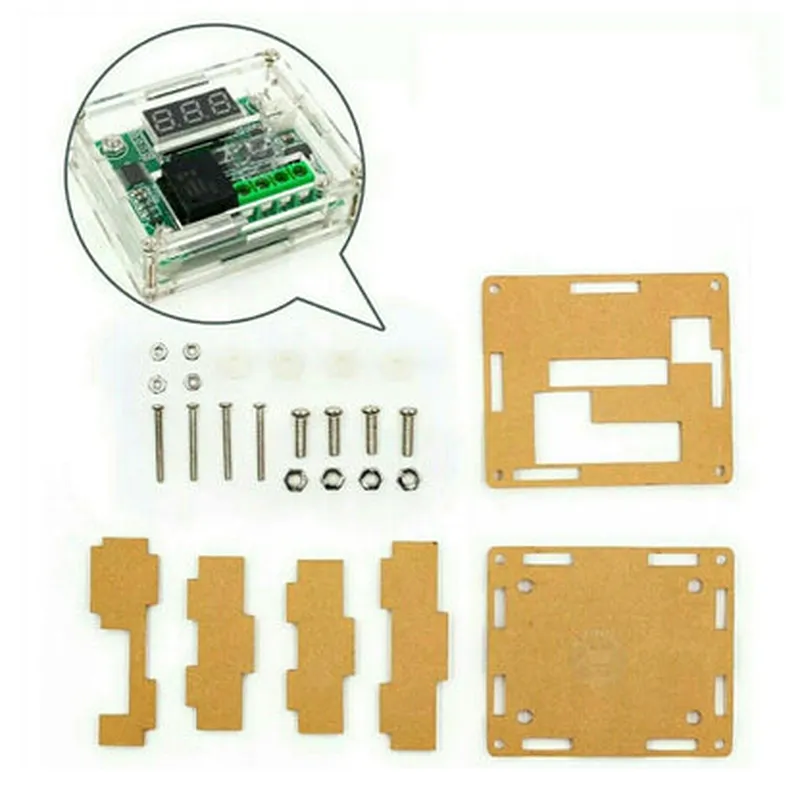
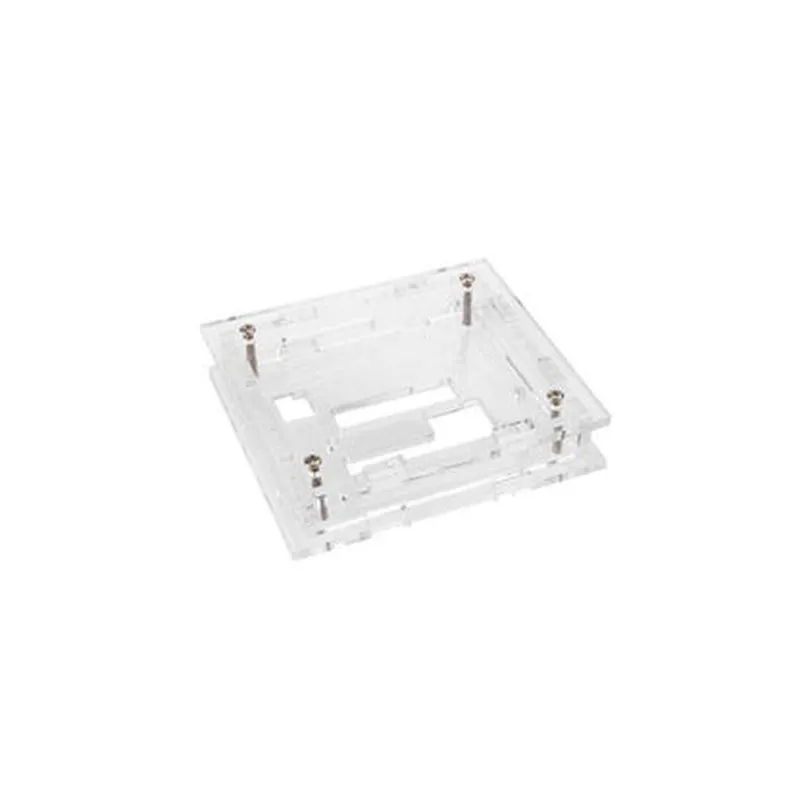
Acrylic
75 x 55 x 25 mm (L x W x H)
50 g
XH-W1209 Temperature Controller
Secure snap-in design
4 x ventilation holes (2 mm diameter)
Application Areas
| The Acrylic Case for XH-W1209 Temperature Controller is suitable for a wide range of applications, including |
Temperature control and monitoring systems
Industrial automation
HVAC systems
Laboratory equipment
Environmental monitoring systems
Conclusion
The Acrylic Case for XH-W1209 Temperature Controller is a high-quality, durable, and compact enclosure designed to protect and secure the XH-W1209 temperature controller. Its transparent design, easy installation, and ventilation features make it an ideal choice for various applications where temperature control and monitoring are critical.
Acrylic Case for XH-W1209 Temperature Controller DocumentationOverviewThe Acrylic Case for XH-W1209 Temperature Controller is a protective enclosure designed specifically for the XH-W1209 temperature controller module. This case provides a durable and compact housing for the temperature controller, ensuring safe and reliable operation in various environments. The case is made of high-quality acrylic material, providing excellent transparency and durability.FeaturesCompact design for easy installation and mounting
Durable acrylic material for protection against environmental factors
Clear transparency for easy viewing of the temperature controller's LCD display
Compatibility with XH-W1209 temperature controller moduledimensionsLength: 75mm
Width: 55mm
Height: 30mmMounting OptionsThe case has four mounting holes, each with a diameter of 3mm, allowing for easy screw mounting or adhesive attachment to a surface.Code Examples### Example 1: Basic Temperature Monitoring with XH-W1209 and Acrylic CaseIn this example, we will demonstrate how to use the XH-W1209 temperature controller with the acrylic case to monitor temperature readings.Connections:XH-W1209 temperature controller module
Acrylic Case for XH-W1209 Temperature Controller
Arduino Board (e.g., Arduino Uno)
Breadboard and jumper wiresArduino Code:
```c
#include <Wire.h>// Define the I2C address of the XH-W1209 temperature controller
#define TEMP_CTRL_ADDRESS 0x20void setup() {
Serial.begin(9600);
Wire.begin();
}void loop() {
// Read temperature data from XH-W1209
int tempData = Wire.readRegister(TEMP_CTRL_ADDRESS, 0x00);
float temperature = (tempData 0.1) - 40.0;// Print temperature reading to serial monitor
Serial.print("Temperature: ");
Serial.print(temperature);
Serial.println(" C");delay(1000);
}
```
Example 2: Temperature Control with XH-W1209, Acrylic Case, and Relay ModuleIn this example, we will demonstrate how to use the XH-W1209 temperature controller with the acrylic case and a relay module to control a heater or fan based on temperature readings.Connections:XH-W1209 temperature controller module
Acrylic Case for XH-W1209 Temperature Controller
Arduino Board (e.g., Arduino Uno)
Relay Module (e.g., SRD-05VDC-SL-C)
Heater or fan connected to relay module
Breadboard and jumper wiresArduino Code:
```c
#include <Wire.h>// Define the I2C address of the XH-W1209 temperature controller
#define TEMP_CTRL_ADDRESS 0x20// Define the relay pin
#define RELAY_PIN 2void setup() {
Serial.begin(9600);
Wire.begin();
pinMode(RELAY_PIN, OUTPUT);
}void loop() {
// Read temperature data from XH-W1209
int tempData = Wire.readRegister(TEMP_CTRL_ADDRESS, 0x00);
float temperature = (tempData 0.1) - 40.0;// Control relay based on temperature threshold
if (temperature > 25.0) {
digitalWrite(RELAY_PIN, HIGH); // Turn on heater or fan
} else {
digitalWrite(RELAY_PIN, LOW); // Turn off heater or fan
}delay(1000);
}
```
These examples demonstrate the basic usage of the XH-W1209 temperature controller module with the acrylic case in various contexts. The acrylic case provides a protective and compact housing for the temperature controller, ensuring reliable operation and easy viewing of the LCD display.