2A 125V AC Microswitch KW10-Z1P Limit Switch


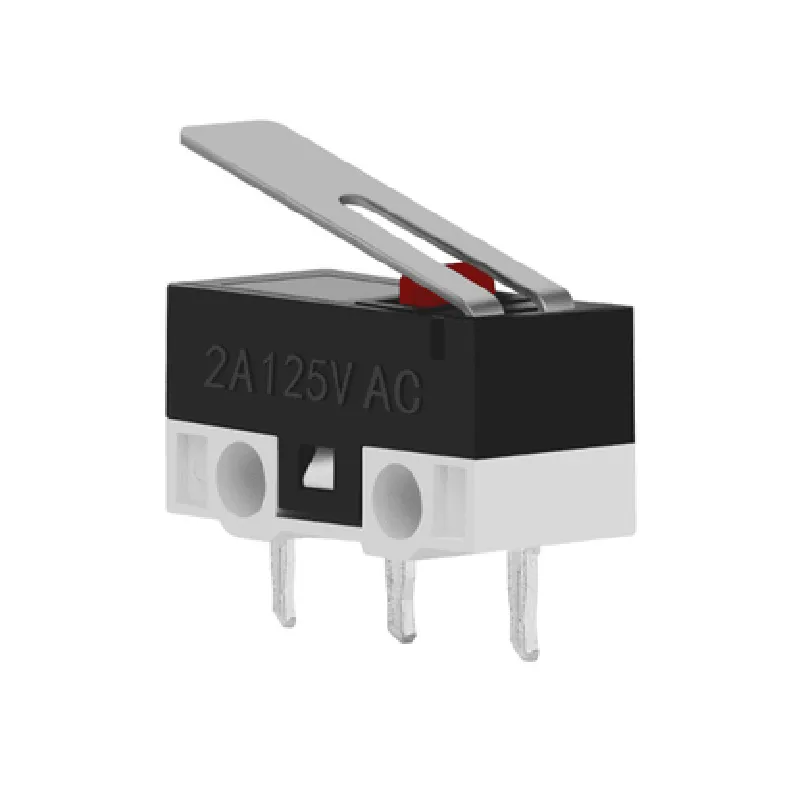
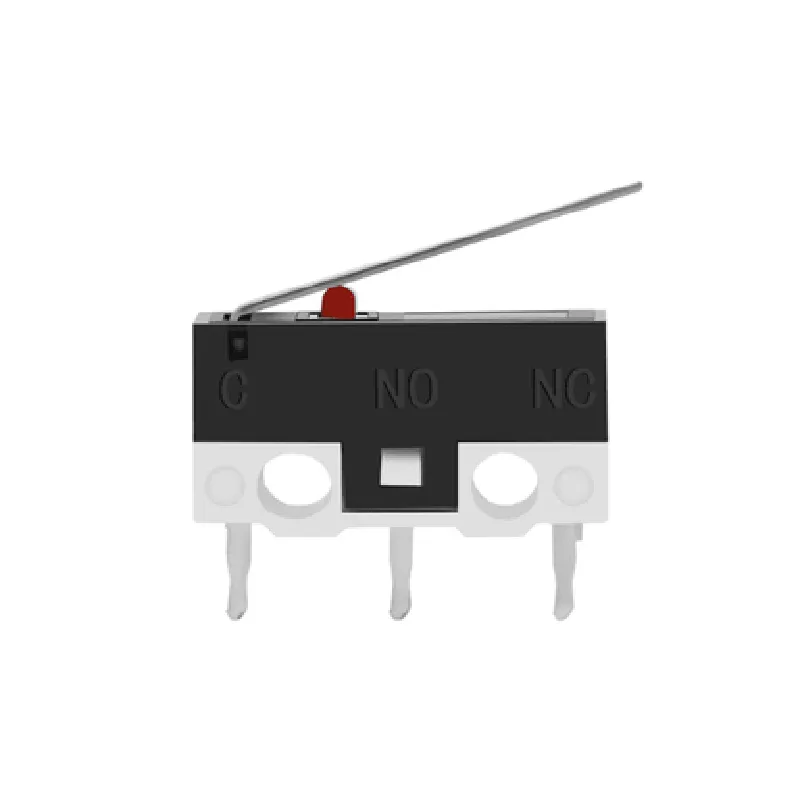
2A 125V AC Microswitch KW10-Z1P Limit Switch
The 2A 125V AC Microswitch KW10-Z1P Limit Switch is a type of electromagnetic switch designed for use in a wide range of applications, including industrial automation, robotics, and IoT devices. This microswitch is specifically designed to detect physical changes in its environment, such as movement, pressure, or vibration, and respond by switching an electrical circuit on or off.
The 2A 125V AC Microswitch KW10-Z1P Limit Switch is a normally open (NO) single-pole single-throw (SPST) switch, meaning it has one input terminal and one output terminal. When the switch is in its normal state, the circuit is open, and no current flows between the input and output terminals. When the switch is activated by an external force, such as a mechanical arm or lever, the circuit closes, and current flows between the input and output terminals.
| The 2A 125V AC Microswitch KW10-Z1P Limit Switch is suitable for use in a wide range of applications, including |
Industrial automation systems
Robotics and robotic arms
IoT devices and sensors
Home appliances and white goods
Medical devices and equipment
Aerospace and defense systems
| Parameter | Value |
| --- | --- |
| Rating | 2A at 125V AC |
| Actuation Force | 2-5 N |
| Operating Temperature | -20C to 85C |
| Contact Resistance | < 10 m |
| Insulation Resistance | > 100 M |
| Mechanical Life Expectancy | up to 100,000 cycles |
| Mounting Options | PCB, screw terminals, wire leads |
| Certifications | UL, CE, RoHS |
12.7 mm x 7.62 mm x 5.08 mm (L x W x H)
approximately 10 grams
Plastic housing with metal contacts
Black or beige (depending on the manufacturer)
| one input terminal (COM), one output terminal (NO), and one grounding terminal (GND). The wiring diagram is as follows | |
| COM (input terminal) | Connect to the power source or input signal. |
| NO (output terminal) | Connect to the load or output device. |
| GND (grounding terminal) | Connect to the grounding point or chassis. |
Ensure the switch is properly installed and secured to prevent mechanical damage or electrical shock.
Do not exceed the maximum rated current or voltage to prevent overheating or electrical failure.
Follow proper wiring and termination procedures to ensure reliable operation and prevent electrical shock or fire.
By following the guidelines and specifications outlined in this documentation, designers and engineers can effectively integrate the 2A 125V AC Microswitch KW10-Z1P Limit Switch into their IoT devices and systems, ensuring reliable and efficient operation.
Component Documentation: 2A 125V AC Microswitch KW10-Z1P Limit SwitchOverviewThe 2A 125V AC Microswitch KW10-Z1P Limit Switch is a compact, high-reliability microswitch designed for use in a wide range of applications, including industrial control, automation, and IoT devices. This component features a SPDT (Single Pole Double Throw) configuration, allowing it to switch between two circuits or signal paths. Its compact size, low power consumption, and high sensitivity make it an ideal choice for space-constrained and low-power IoT devices.Key FeaturesRated voltage: 125V AC
Rated current: 2A
Switch type: SPDT (Single Pole Double Throw)
Operating force: 1.5N
Total travel: 2.5mm
Pre-travel: 1.5mm
Over-travel: 1mm
Electrical life: 10,000 cycles
Operating temperature: -20C to 60CPinoutThe KW10-Z1P Limit Switch has three terminals:Common (C) - connect to the circuit or signal path
Normally Open (NO) - connect to the normally open circuit or signal path
Normally Closed (NC) - connect to the normally closed circuit or signal pathCode Examples### Example 1: Basic Switching with an ESP32 Microcontroller (Arduino Framework)In this example, we'll use the KW10-Z1P Limit Switch to control an LED connected to an ESP32 microcontroller.```c++
const int switchPin = 2; // Connect switch to digital pin 2
const int ledPin = 15; // Connect LED to digital pin 15void setup() {
pinMode(switchPin, INPUT);
pinMode(ledPin, OUTPUT);
}void loop() {
int switchState = digitalRead(switchPin);
if (switchState == HIGH) {
digitalWrite(ledPin, HIGH); // Turn on LED when switch is pressed
} else {
digitalWrite(ledPin, LOW); // Turn off LED when switch is not pressed
}
}
```### Example 2: Debouncing with a Raspberry Pi (Python)In this example, we'll use the KW10-Z1P Limit Switch to trigger an event on a Raspberry Pi, with debouncing to prevent multiple triggers.```python
import RPi.GPIO as GPIO
import timeGPIO.setmode(GPIO.BCM)
switch_pin = 17 # Connect switch to GPIO 17
GPIO.setup(switch_pin, GPIO.IN, pull_up_down=GPIO.PUD_UP)def handle_switch_event(channel):
print("Switch pressed!")GPIO.add_event_detect(switch_pin, GPIO.RISING, callback=handle_switch_event, bouncetime=200)try:
while True:
time.sleep(0.1)
except KeyboardInterrupt:
GPIO.cleanup()
```### Example 3: Home Automation with an NodeMCU Board (MicroPython)In this example, we'll use the KW10-Z1P Limit Switch to control a relay module connected to a NodeMCU board, which in turn controls a light bulb.```python
import machine
import timeswitch_pin = machine.Pin(2, machine.Pin.IN) # Connect switch to D4
relay_pin = machine.Pin(5, machine.Pin.OUT) # Connect relay module to D1while True:
if switch_pin.value() == 1:
relay_pin.value(1) # Turn on relay when switch is pressed
else:
relay_pin.value(0) # Turn off relay when switch is not pressed
time.sleep(0.1)
```Important NotesMake sure to handle the switch carefully to avoid damage or electrical shock.
Use the correct voltage and current ratings for your application to ensure safe and reliable operation.
Debouncing techniques may be necessary to prevent multiple triggers or false readings, depending on the specific application and requirements.