JST 2-pin


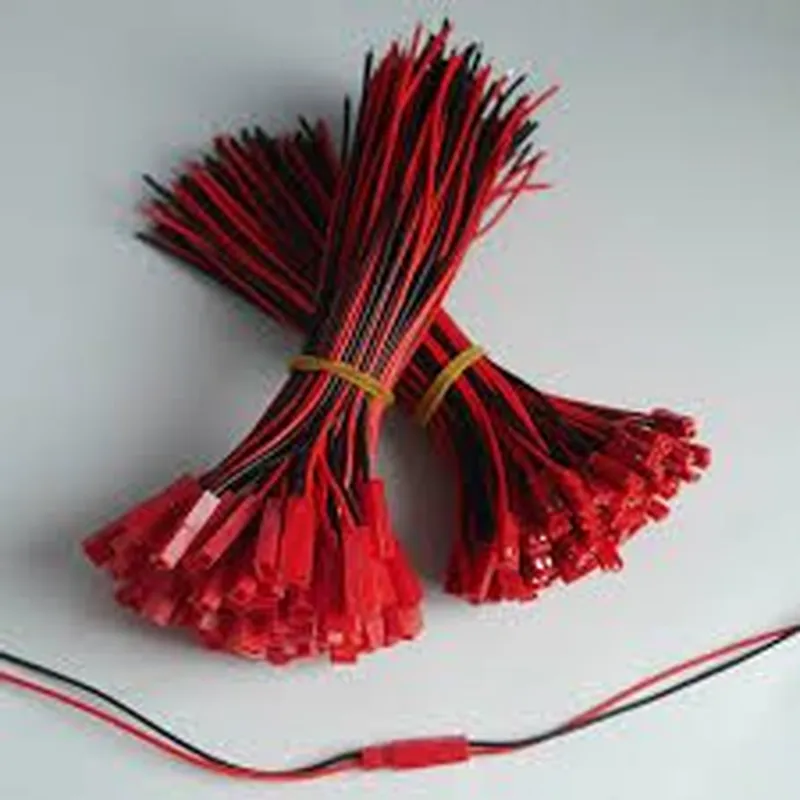
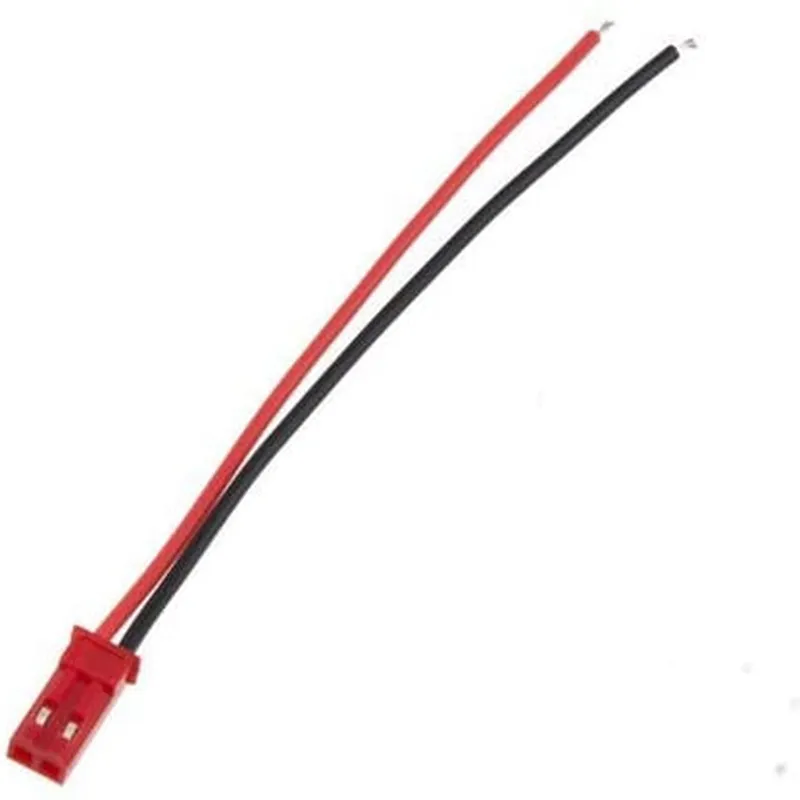
JST 2-pin
80mm
20 AWG (0.5mm)
-20C to 80C
50V DC
1A
PVC (Polyvinyl Chloride)
| Wire color-coding | Red (positive), Black (negative) |
Applications
| The VIMVIP 80mm JST 2 Pin Connector Plug Lead Wire - 10pairs is suitable for a wide range of IoT and electronics projects, including |
Robotics and drones
Automation systems
Sensor connections
LED lighting systems
Small appliances and devices
Arduino and Raspberry Pi projects
In summary, the VIMVIP 80mm JST 2 Pin Connector Plug Lead Wire - 10pairs is a versatile and reliable connector solution for IoT and electronics projects, offering easy connection and disconnection, compact size, and reliable performance.
VIMVIP 80mm JST 2 Pin Connector Plug Lead Wire - 10pairsOverviewThe VIMVIP 80mm JST 2 Pin Connector Plug Lead Wire is a high-quality, compact connector suitable for various IoT applications. This component features a 2-pin JST connector with 80mm long wires, ideal for connecting sensors, modules, and other devices in IoT projects. The package includes 10 pairs of connectors, making it an excellent value for prototyping and production.Technical SpecificationsConnector Type: JST 2 Pin
Wire Length: 80mm
Wire Gauge: 20 AWG
Operating Temperature: -20C to 80C
Voltage Rating: 50V
Current Rating: 1ACode Examples### Example 1: Basic Connection with ArduinoThis example demonstrates how to use the VIMVIP 80mm JST 2 Pin Connector Plug Lead Wire to connect a temperature sensor (e.g., DS18B20) to an Arduino board.Hardware RequirementsArduino Board (e.g., Arduino Uno)
DS18B20 Temperature Sensor
VIMVIP 80mm JST 2 Pin Connector Plug Lead Wire (1 pair)Code
```c
#include <OneWire.h>// Define the pin for the temperature sensor
#define TEMP_PIN 2void setup() {
Serial.begin(9600);
}void loop() {
// Initialize the OneWire library
OneWire ds(TEMP_PIN);// Read temperature data from the sensor
byte data[12];
ds.reset();
ds.write(0xCC, 0x44);
ds.reset();
ds.write(0xCC, 0xBE);
for (int i = 0; i < 9; i++) {
data[i] = ds.read();
}// Print temperature data to the serial console
float tempC = (data[1] << 8) | data[0];
tempC = tempC / 16.0;
Serial.print("Temperature: ");
Serial.print(tempC);
Serial.println(" C");delay(1000);
}
```
Connection1. Connect the JST connector to the DS18B20 temperature sensor.
2. Connect the other end of the wire to digital pin 2 on the Arduino board.### Example 2: I2C Communication with Raspberry PiThis example demonstrates how to use the VIMVIP 80mm JST 2 Pin Connector Plug Lead Wire to connect an I2C sensor (e.g., BH1750 light sensor) to a Raspberry Pi.Hardware RequirementsRaspberry Pi (e.g., Raspberry Pi 3)
BH1750 Light Sensor
VIMVIP 80mm JST 2 Pin Connector Plug Lead Wire (1 pair)Code
```python
import smbus# Define the I2C bus and address for the light sensor
bus = smbus.SMBus(1)
address = 0x23while True:
# Read light data from the sensor
data = bus.read_i2c_block_data(address, 0x00, 2)# Convert data to lux
lux = (data[0] << 8) | data[1]
lux = lux / 1.2# Print light data to the console
print("Light intensity: {:.2f} lux".format(lux))# Sleep for 1 second
time.sleep(1)
```
Connection1. Connect the JST connector to the BH1750 light sensor.
2. Connect the other end of the wire to the I2C pins on the Raspberry Pi (SDA to pin 3, SCL to pin 5).Note: These examples are for illustrative purposes only. Please ensure you have the necessary knowledge and expertise to use these components safely and correctly in your IoT projects.