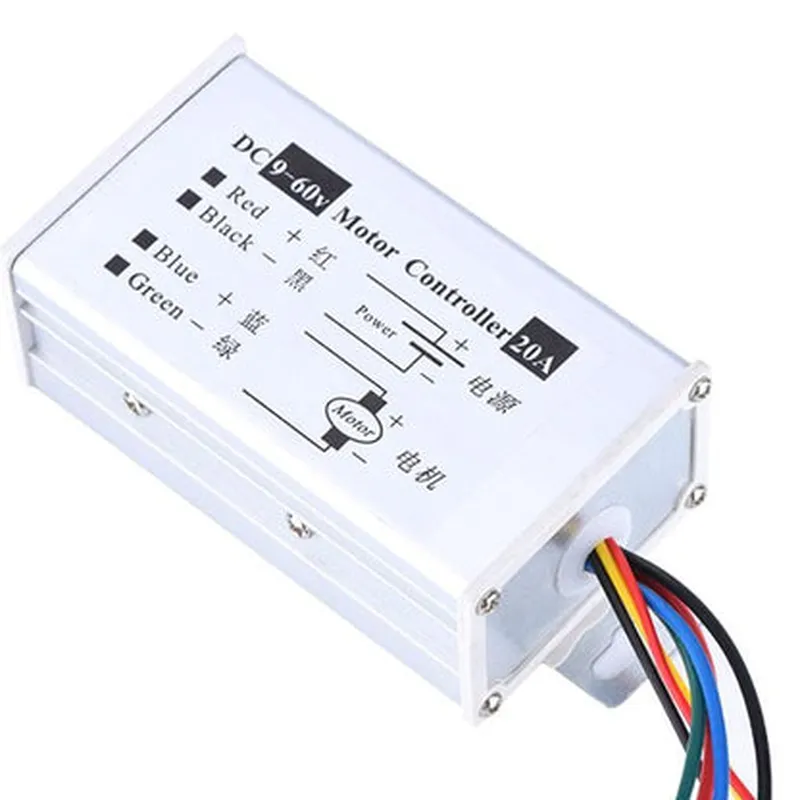
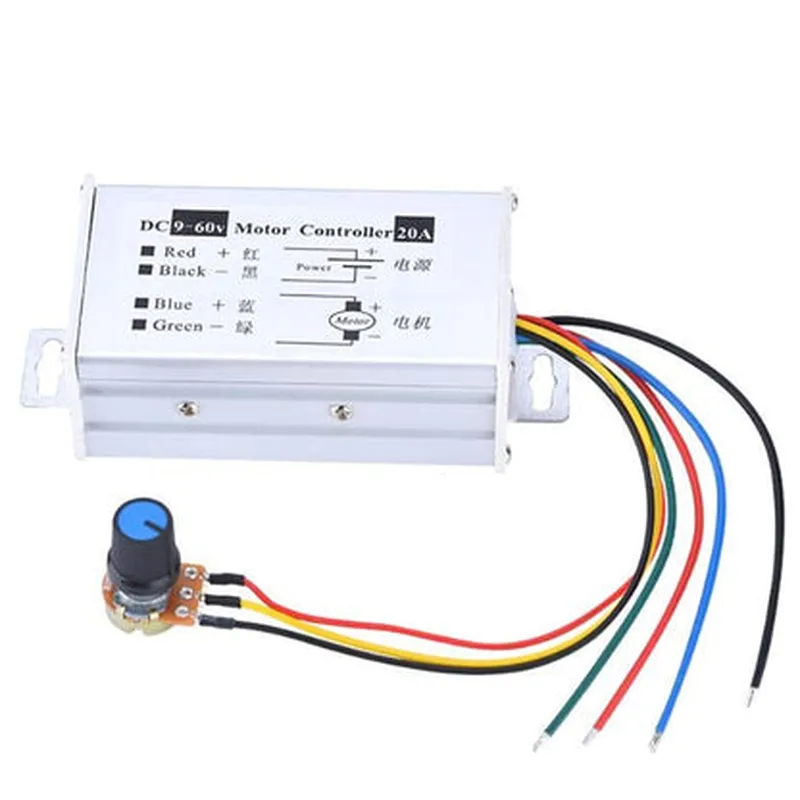
9-60V 20A DC Motor Speed Controller Documentation
The 9-60V 20A DC Motor Speed Controller is a high-performance motor controller designed to control the speed of DC motors operating at voltages between 9V and 60V, with a maximum current rating of 20A. This controller is suitable for a wide range of applications, including robotics, automation, and industrial control systems.
Input voltage range: 9V to 60V
 Maximum current rating: 20A
 PWM frequency: 20kHz
 Built-in overcurrent protection
 Built-in overheat protection
 Support for forward and reverse motor operation
 Support for braking and coasting modes
| Pin | Function |
| --- | --- |
| VCC | Power input (9V to 60V) |
| GND | Ground |
| IN1 | Input for motor direction control |
| IN2 | Input for motor speed control |
| OUT+ | Motor output positive terminal |
| OUT- | Motor output negative terminal |
| EN | Enable input (active high) |
### Example 1: Arduino Sketch for Basic Motor Speed Control
This example demonstrates how to use the 9-60V 20A DC Motor Speed Controller with an Arduino board to control the speed of a DC motor.
```cpp
const int motorDirPin = 2;   // Motor direction control pin
const int motorSpeedPin = 3; // Motor speed control pin
const int enablePin = 4;    // Enable pin
void setup() {
  pinMode(motorDirPin, OUTPUT);
  pinMode(motorSpeedPin, OUTPUT);
  pinMode(enablePin, OUTPUT);
  digitalWrite(enablePin, HIGH); // Enable the motor controller
}
void loop() {
  // Set motor direction to forward
  digitalWrite(motorDirPin, HIGH);

  // Set motor speed to 50% duty cycle
  analogWrite(motorSpeedPin, 128);

  delay(1000);

  // Set motor speed to 100% duty cycle
  analogWrite(motorSpeedPin, 255);

  delay(1000);
}
```
### Example 2: Raspberry Pi Python Script for Motor Control with PWM
This example demonstrates how to use the 9-60V 20A DC Motor Speed Controller with a Raspberry Pi board to control the speed of a DC motor using PWM.
```python
import RPi.GPIO as GPIO
import time
motor_dir_pin = 17
motor_speed_pin = 18
enable_pin = 23
GPIO.setup(motor_dir_pin, GPIO.OUT)
GPIO.setup(motor_speed_pin, GPIO.OUT)
GPIO.setup(enable_pin, GPIO.OUT)
GPIO.output(enable_pin, GPIO.HIGH)
try:
    while True:
        # Set motor direction to forward
        GPIO.output(motor_dir_pin, GPIO.HIGH)

        # Set motor speed to 50% duty cycle
        pwm = GPIO.PWM(motor_speed_pin, 1000)
        pwm.start(50)

        time.sleep(1)

        # Set motor speed to 100% duty cycle
        pwm.ChangeDutyCycle(100)

        time.sleep(1)
except KeyboardInterrupt:
    pass
Note: These examples are for illustrative purposes only and may require modification to suit specific application requirements. Ensure proper safety precautions and circuit protection when working with high-power motor control systems.