Stufin
Home Quick Cart Profile

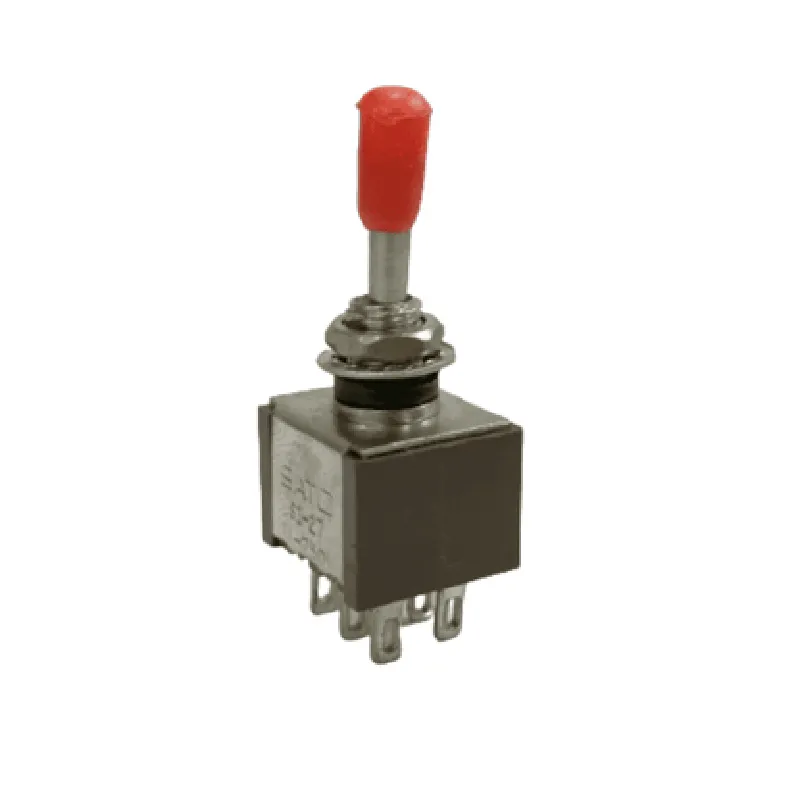
6 Pin Toggle Switch (3A 250V)


Buy Now on Stufin

Component Name

6 Pin Toggle Switch (3A 250V)
Description

The 6 Pin Toggle Switch (3A 250V) is a type of electromechanical switch designed for use in various Internet of Things (IoT) applications, providing a reliable and efficient way to control electrical circuits. This toggle switch features six pins and is rated for 3A at 250V, making it suitable for a wide range of low-to-medium power devices.
Functionality

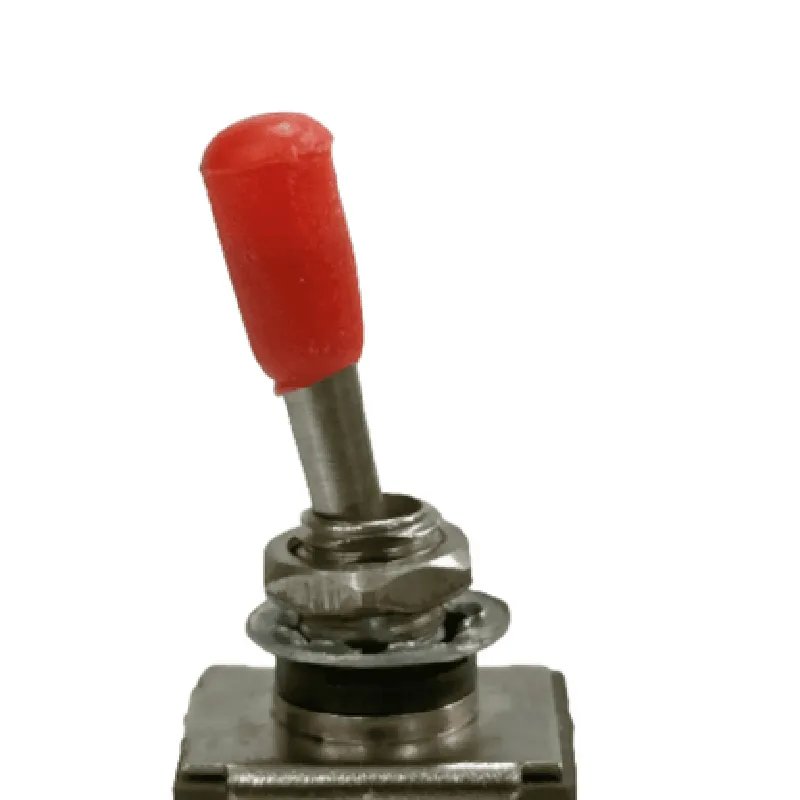
The 6 Pin Toggle Switch (3A 250V) is a bi-stable device, meaning it has two stable statesON and OFF. When the switch is toggled, it connects or disconnects the circuit, allowing the flow of electrical current. This switch is commonly used to control devices such as LEDs, relays, solenoids, and small motors.

Key Features

  • Six Pins: The switch has six pins, providing a secure and reliable connection to the circuit. The pinout typically includes:

Two pins for the input voltage (e.g., VCC and GND)

Two pins for the output terminals (e.g., NO and NC)

Two pins for the toggle mechanism (e.g., COM and ACT)

  • Rating: The switch is rated for 3A at 250V, making it suitable for applications that require a moderate amount of current.
  • Toggle Mechanism: The switch features a toggle mechanism that allows for easy switching between the ON and OFF states. The toggle is typically actuated by a physical toggle or button.
  • SPDT (Single Pole Double Throw) Configuration: The switch has an SPDT configuration, which means it has one input terminal (COM) and two output terminals (NO and NC). When the switch is in the ON state, the COM terminal is connected to the NO terminal, and when it's in the OFF state, the COM terminal is connected to the NC terminal.
  • Durable Construction: The switch is built with durable materials and is designed to withstand repeated use and environmental factors such as vibration, shock, and moisture.
  • Compact Size: The switch has a compact design, making it ideal for use in confined spaces or applications where space is limited.

Applications

  • Home Automation: Controlling lights, fans, and other appliances
  • Industrial Control: Operating motors, pumps, and other industrial equipment
  • Robotics: Controlling robotic movements and actions
  • Smart Devices: Controlling the power supply to various smart devices, such as sensors and actuators
The 6 Pin Toggle Switch (3A 250V) is suitable for a wide range of IoT applications, including

Voltage Rating

250V

Current Rating

3A

Contact Resistance

10m

Insulation Resistance

100M

Operating Temperature

-20C to 85C

Storage Temperature

-30C to 100C

Mechanical Life

10,000 cycles

Electrical Life

5,000 cycles

Safety Precautions

Ensure the switch is used within its specified voltage and current ratings to avoid damage or electrical shock.

Use the switch in a well-ventilated area, away from flammable materials and explosive environments.

Avoid touching the switch's electrical terminals or internal components to prevent electrical shock or injury.

By providing a clear understanding of the 6 Pin Toggle Switch (3A 250V)'s functionality, key features, and technical specifications, this documentation aims to assist both technical professionals and informed hobbyists in selecting and utilizing this component effectively in their IoT projects.

Pin Configuration

  • 6 Pin Toggle Switch (3A 250V) Documentation
  • Overview
  • The 6 Pin Toggle Switch (3A 250V) is a widely used IoT component that allows users to manually switch on/off or change the state of a circuit. This switch is rated for 3A at 250V, making it suitable for a variety of applications, including IoT projects, robotics, and automation systems.
  • Pinout Description
  • The 6 Pin Toggle Switch has the following pinout configuration:
  • Pin 1: COM (Common)
  • Function: Common terminal, connecting to the power source or load
  • Description: This pin is the common terminal of the switch, which connects to the power source or load. It is the central pin that connects to the input voltage or the device being controlled.
  • Pin 2: NC (Normally Closed)
  • Function: Normally closed terminal, connects to COM when the switch is in the off position
  • Description: This pin is normally connected to the COM pin when the switch is in the off position. When the switch is toggled, the connection between NC and COM is broken.
  • Pin 3: NO (Normally Open)
  • Function: Normally open terminal, connects to COM when the switch is in the on position
  • Description: This pin is normally disconnected from the COM pin when the switch is in the off position. When the switch is toggled, the connection between NO and COM is established.
  • Pin 4: COM (Common)
  • Function: Common terminal, connecting to the power source or load ( duplicates Pin 1)
  • Description: This pin is a duplicate of Pin 1 and serves the same purpose. It can be used to connect multiple loads or devices.
  • Pin 5: NC (Normally Closed)
  • Function: Normally closed terminal, connects to COM when the switch is in the off position (duplicates Pin 2)
  • Description: This pin is a duplicate of Pin 2 and serves the same purpose.
  • Pin 6: NO (Normally Open)
  • Function: Normally open terminal, connects to COM when the switch is in the on position (duplicates Pin 3)
  • Description: This pin is a duplicate of Pin 3 and serves the same purpose.
  • Connection Structure
  • Here's a step-by-step guide to connecting the pins:
  • 1. Connect the power source (VCC) to Pin 1 (COM) or Pin 4 (COM).
  • 2. Connect the load or device being controlled to Pin 2 (NC) or Pin 5 (NC). This will ensure the load is in the off state when the switch is toggled off.
  • 3. Connect the load or device being controlled to Pin 3 (NO) or Pin 6 (NO). This will ensure the load is in the on state when the switch is toggled on.
  • Example Connection Diagram
  • ```
  • VCC --> Pin 1 (COM) --> Load/Device
  • VCC --> Pin 4 (COM) --> Load/Device
  • Load/Device --> Pin 2 (NC) --> COM (off state)
  • Load/Device --> Pin 5 (NC) --> COM (off state)
  • Load/Device --> Pin 3 (NO) --> COM (on state)
  • Load/Device --> Pin 6 (NO) --> COM (on state)
  • ```
  • Important Notes
  • Ensure the switch is rated for the maximum voltage and current of the load or device being controlled.
  • Use proper wiring and insulation to prevent electrical shock or short circuits.
  • Follow proper safety guidelines when working with electrical components.
  • By following this documentation, you can properly connect and use the 6 Pin Toggle Switch (3A 250V) in your IoT projects.

Code Examples

6 Pin Toggle Switch (3A 250V) Component Documentation
Overview
The 6 Pin Toggle Switch (3A 250V) is a versatile and reliable component designed for controlling AC or DC circuits. It features six terminals, allowing for multiple connections and configurations, and can handle up to 3A of current at 250V. This switch is ideal for various IoT applications, including smart home automation, industrial control systems, and robotics.
Pinout and Functionality
The 6 Pin Toggle Switch has the following pinout:
| Pin Number | Function |
| --- | --- |
| 1 | Common (COM) |
| 2 | Normally Open (NO) |
| 3 | Normally Closed (NC) |
| 4 | COM |
| 5 | NO |
| 6 | NC |
The switch has two positions: ON and OFF. In the ON position, the COM pin is connected to the NO pins (2 and 5), and in the OFF position, the COM pin is connected to the NC pins (3 and 6).
Example 1: Basic Toggle Switch Control in Arduino
In this example, we'll use the 6 Pin Toggle Switch to control an LED connected to an Arduino board.
```c++
const int ledPin = 13;  // Choose any digital pin for the LED
const int switchPin = 2;  // Connect the switch to any digital pin
void setup() {
  pinMode(ledPin, OUTPUT);
  pinMode(switchPin, INPUT);
}
void loop() {
  int switchState = digitalRead(switchPin);
  if (switchState == HIGH) {
    digitalWrite(ledPin, HIGH);  // Turn the LED on
  } else {
    digitalWrite(ledPin, LOW);  // Turn the LED off
  }
  delay(1);
}
```
Example 2: Home Automation with Raspberry Pi and Python
In this example, we'll use the 6 Pin Toggle Switch to control a relay module connected to a Raspberry Pi, which will then control a household appliance.
```python
import RPi.GPIO as GPIO
import time
# Set up GPIO mode
GPIO.setmode(GPIO.BCM)
# Define switch and relay pins
switch_pin = 17
relay_pin = 23
# Set up switch and relay as inputs and outputs
GPIO.setup(switch_pin, GPIO.IN, pull_up_down=GPIO.PUD_UP)
GPIO.setup(relay_pin, GPIO.OUT)
try:
    while True:
        switch_state = GPIO.input(switch_pin)
        if switch_state == GPIO.HIGH:
            GPIO.output(relay_pin, GPIO.HIGH)  # Turn the relay on
        else:
            GPIO.output(relay_pin, GPIO.LOW)  # Turn the relay off
        time.sleep(0.1)
except KeyboardInterrupt:
    GPIO.cleanup()
```
Example 3: Industrial Control with ESP32 and MicroPython
In this example, we'll use the 6 Pin Toggle Switch to control a motor connected to an ESP32 board using MicroPython.
```python
import machine
# Define switch and motor pins
switch_pin = machine.Pin(15, machine.Pin.IN, machine.Pin.PULL_UP)
motor_pin = machine.Pin(32, machine.Pin.OUT)
while True:
    switch_state = switch_pin.value()
    if switch_state == 1:
        motor_pin.value(1)  # Turn the motor on
    else:
        motor_pin.value(0)  # Turn the motor off
```
These examples demonstrate how to use the 6 Pin Toggle Switch (3A 250V) in various contexts, including Arduino, Raspberry Pi, and ESP32 platforms. The switch's versatility and reliability make it an ideal component for a wide range of IoT applications.