8 Way Slide Switch 2.54mm Pitch (Pack of 2)


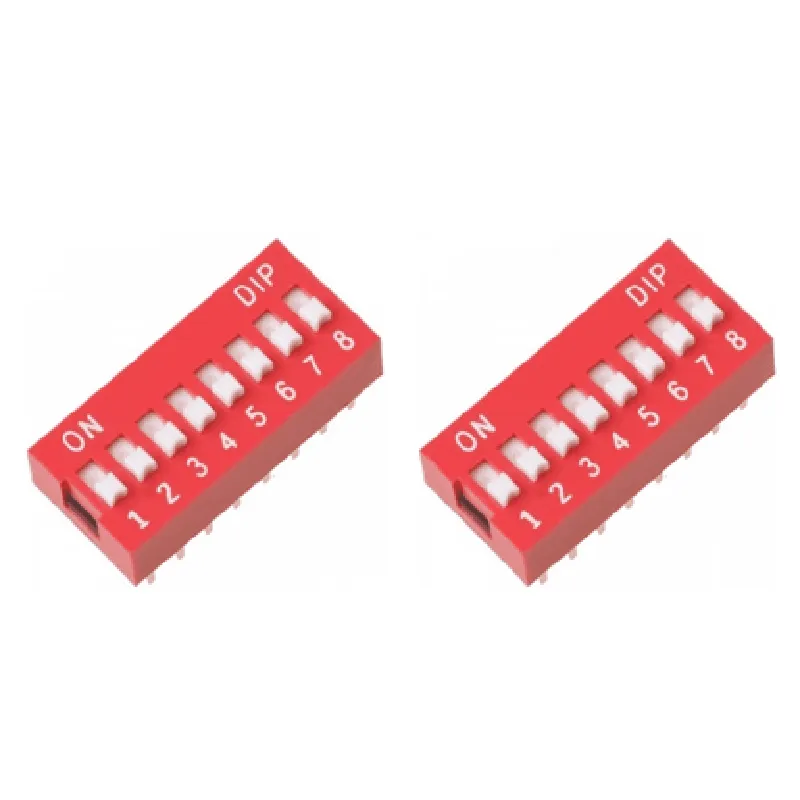
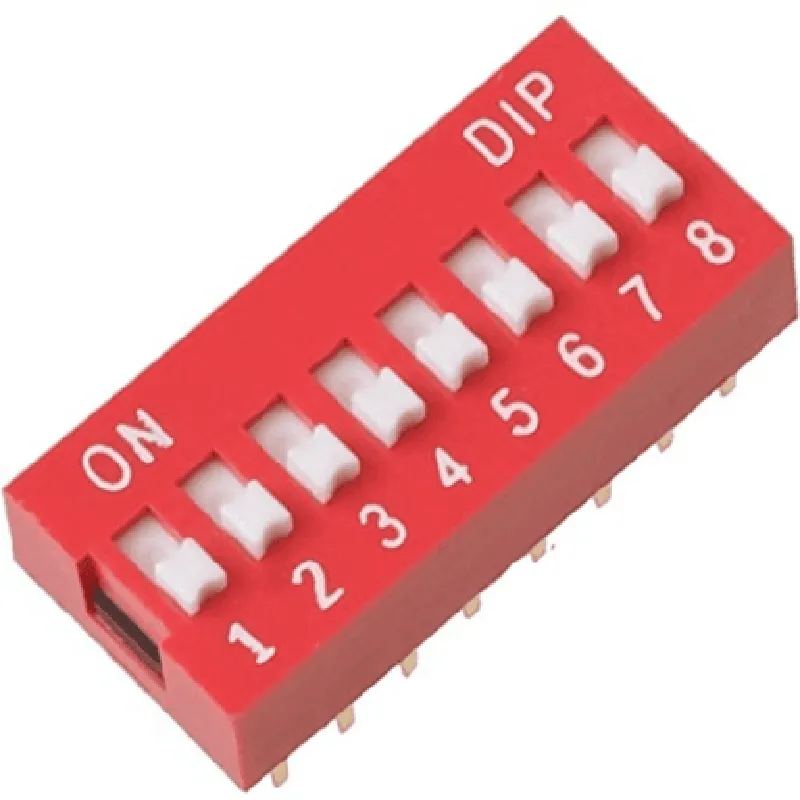
8 Way Slide Switch 2.54mm Pitch (Pack of 2)
The 8 Way Slide Switch 2.54mm Pitch is a type of electrical switch component designed for use in various electronic circuits and devices. This component is part of a pack of two identical switches, making it a cost-effective solution for projects requiring multiple switches. The switch features a compact design with a 2.54mm pitch, making it suitable for breadboarding, prototyping, and integration into compact devices.
The 8 Way Slide Switch is a manual switch that allows the user to toggle between eight different connections or states. The switch features a sliding mechanism that moves between eight distinct positions, each corresponding to a specific connection or circuit path. This enables the switch to control multiple components, circuits, or devices, making it an ideal component for a wide range of applications.
8
2.54mm
Manual
2
[Insert dimensions]
[Insert weight]
[Insert material]
| The 8 Way Slide Switch 2.54mm Pitch is suitable for a wide range of applications, including |
Electronic prototyping and development
Breadboarding and circuit testing
Robotics and automation
Industrial control systems
Medical devices
Consumer electronics
IoT devices and projects
When handling the switch, ensure that the sliding mechanism is clean and free from debris to ensure smooth operation.
Avoid over-tightening or applying excessive force to the switch, as this can cause damage to the internal mechanisms.
When soldering connections, ensure that the soldering iron is set to the correct temperature and that the connections are secure to prevent damage or electrical shock.
By following the guidelines and specifications outlined in this documentation, developers and engineers can effectively integrate the 8 Way Slide Switch 2.54mm Pitch into their projects, leveraging its versatility and functionality to achieve their desired outcomes.
8 Way Slide Switch 2.54mm Pitch (Pack of 2) DocumentationOverviewThe 8 Way Slide Switch 2.54mm Pitch is a compact, surface-mount slide switch with 8 independent channels, each with a typical ON/OFF operation. This component is ideal for IoT projects that require multiple switch inputs, such as robotics, automation, and interactive installations. The switch features a 2.54mm pitch, making it compatible with standard breadboards and PCBs.PinoutThe 8 Way Slide Switch has 16 pins, arranged in two rows of 8 pins each. The pinout is as follows:| Pin | Function |
| --- | --- |
| 1-8 | Switch 1-8 Common Pins (CONNECTED to pin 9-16 when switch is ON) |
| 9-16 | Switch 1-8 Normally Open Pins (DISCONNECTED from pin 1-8 when switch is OFF) |Example 1: Basic Switch Control with ArduinoIn this example, we'll use the 8 Way Slide Switch to control 8 individual LEDs connected to an Arduino board.Hardware Requirements:8 Way Slide Switch 2.54mm Pitch
Arduino Board (e.g., Arduino Uno)
8 LEDs
8 Resistors (220)
Breadboard
Jumper WiresSoftware Requirements:Arduino IDE (version 1.8.x or later)Code:
```c++
const int switchPins[] = {2, 3, 4, 5, 6, 7, 8, 9}; // Pin connections for each switch
const int ledPins[] = {10, 11, 12, 13, 14, 15, 16, 17}; // Pin connections for each LEDvoid setup() {
for (int i = 0; i < 8; i++) {
pinMode(switchPins[i], INPUT);
pinMode(ledPins[i], OUTPUT);
}
}void loop() {
for (int i = 0; i < 8; i++) {
if (digitalRead(switchPins[i]) == HIGH) {
digitalWrite(ledPins[i], HIGH);
} else {
digitalWrite(ledPins[i], LOW);
}
}
delay(50);
}
```
Example 2: Debouncing with Raspberry PiIn this example, we'll use the 8 Way Slide Switch to control a Python script running on a Raspberry Pi, with debouncing implemented to prevent switch bounces from causing unwanted events.Hardware Requirements:8 Way Slide Switch 2.54mm Pitch
Raspberry Pi (e.g., Raspberry Pi 3 or later)
Breadboard
Jumper WiresSoftware Requirements:Raspbian OS (version 10 or later)
Python 3.xCode:
```python
import RPi.GPIO as GPIO
import time# Set up GPIO mode and pin numbering
GPIO.setmode(GPIO.BCM)# Define switch and debounce constants
SWITCH_PIN = 17
DEBOUNCE_TIME = 50 # milliseconds# Initialize switch pin as input
GPIO.setup(SWITCH_PIN, GPIO.IN, pull_up_down=GPIO.PUD_UP)while True:
# Read switch state
switch_state = GPIO.input(SWITCH_PIN)
# Debounce logic
if switch_state == GPIO.HIGH:
start_time = time.time()
while GPIO.input(SWITCH_PIN) == GPIO.HIGH:
if time.time() - start_time > DEBOUNCE_TIME / 1000:
print("Switch has been turned ON")
break
time.sleep(0.01)
else:
print("Switch has been turned OFF")
# Wait for a short period to avoid excessive polling
time.sleep(0.01)
```
Note: In this example, we're using GPIO 17 as the switch pin, but you can choose any available GPIO pin on your Raspberry Pi.Example 3: Reading Switch States with ESP32In this example, we'll use the 8 Way Slide Switch to read the switch states using an ESP32 microcontroller board.Hardware Requirements:8 Way Slide Switch 2.54mm Pitch
ESP32 Board (e.g., ESP32 DevKitC)
Breadboard
Jumper WiresSoftware Requirements:ESP32 Arduino Core (version 1.0.4 or later)Code:
```c++
const int switchPins[] = {32, 33, 34, 35, 36, 37, 38, 39}; // Pin connections for each switchvoid setup() {
Serial.begin(115200);
for (int i = 0; i < 8; i++) {
pinMode(switchPins[i], INPUT);
}
}void loop() {
for (int i = 0; i < 8; i++) {
int switchState = digitalRead(switchPins[i]);
Serial.print("Switch ");
Serial.print(i + 1);
Serial.print(": ");
Serial.println(switchState == HIGH ? "ON" : "OFF");
}
delay(50);
}
```
These examples demonstrate how to use the 8 Way Slide Switch with popular microcontrollers and single-board computers. You can adapt these examples to fit your specific project requirements and integrate the switch with other IoT components.