8 in 1 25W Soldering Iron Kit


8 in 1 25W Soldering Iron Kit
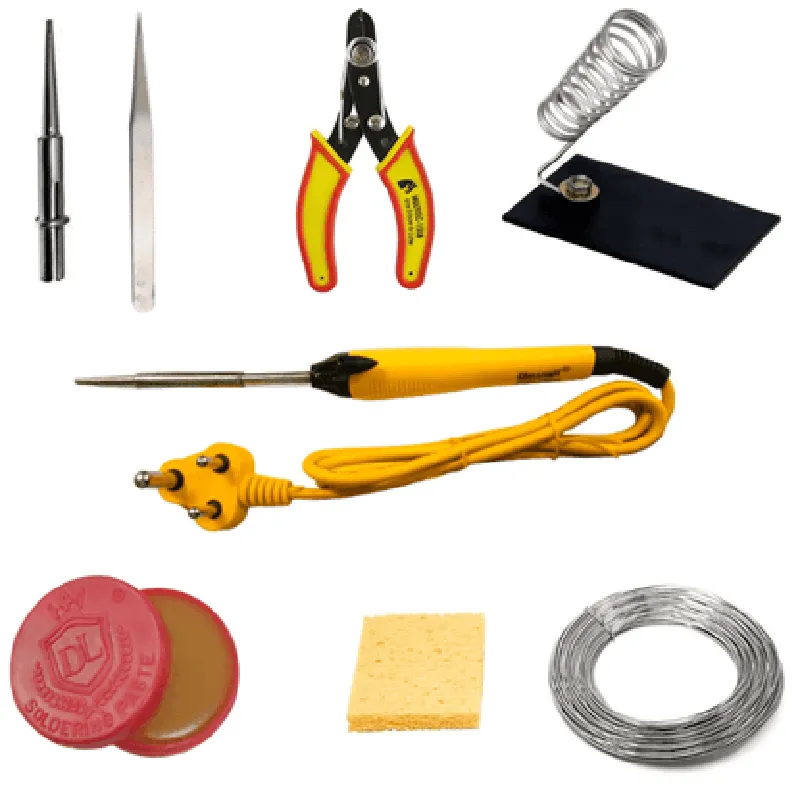
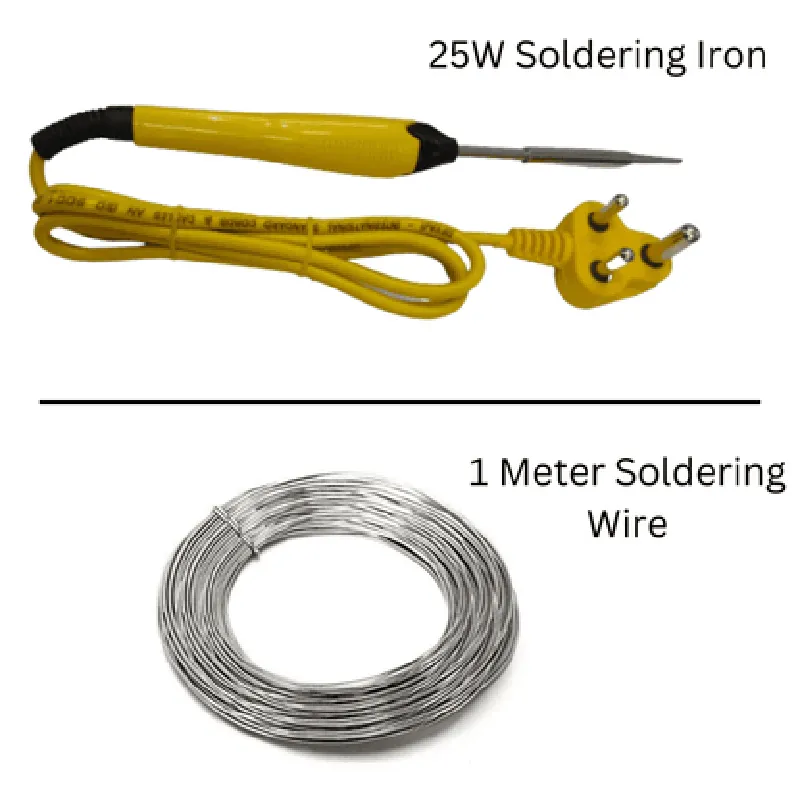
The 8 in 1 25W Soldering Iron Kit is a comprehensive and versatile soldering solution designed for various electronic applications, including IoT development, repairs, and prototyping. This kit includes a high-quality soldering iron, multiple interchangeable tips, and additional accessories to cater to diverse soldering needs.
The primary function of the 8 in 1 25W Soldering Iron Kit is to provide a reliable and precise soldering experience for a wide range of electronic components, including surface-mount devices (SMDs), through-hole components, and wires. The kit's versatility allows users to tackle various soldering tasks with ease, from delicate SMD rework to heavy-duty wire soldering.
High-power 25W soldering iron with a durable heating element and adjustable temperature control (200C - 450C / 392F - 842F)
Ergonomic handle design for comfortable grip and reduced fatigue
T-I (0.5mm) for general-purpose soldering and rework
T-B (1.0mm) for larger components and wires
T-K (1.5mm) for heavy-duty wire soldering
T-L (2.0mm) for extra-large components and connectors
S-I (0.5mm conical) for precision SMD soldering
S-B (1.0mm conical) for smaller SMDs and components
S-K (1.5mm conical) for medium-sized SMDs and components
R-Type (2.0mm curved) for precision soldering in tight spaces
Solder sucker (desoldering pump) for efficient solder removal
Wire stripper for easy wire stripping
Tweezers for handling small components
Solder spool holder for convenient solder storage
Fuse protection for overheat and short-circuit protection
Heat-resistant design for safe and reliable operation
ESD (Electrostatic Discharge) protection for sensitive components
110V - 220V AC (dependent on regional version)
25W
200C - 450C (392F - 842F)
10C (18F)
High-quality nichrome wire
Alloy steel with nickel plating
170mm (6.7 in) x 25mm (0.98 in) x 25mm (0.98 in), 150g (5.3 oz)
230mm (9.1 in) x 140mm (5.5 in) x 50mm (1.97 in), 400g (14.1 oz)
CE, RoHS, and FCC compliant
Meets or exceeds international safety standards for soldering irons
1-year limited warranty for manufacturing defects
Comprehensive documentation and online support resources available
Component: 8 in 1 25W Soldering Iron KitOverviewThe 8 in 1 25W Soldering Iron Kit is a versatile and compact soldering iron kit that includes 8 interchangeable tips, making it suitable for a wide range of soldering applications. The kit is powered by a 25W iron, making it ideal for hobbyists, DIY enthusiasts, and professional engineers.Technical SpecificationsPower: 25W
Temperature range: 200C - 450C (392F - 842F)
Tips: 8 interchangeable tips ( included in the kit)
Cable length: 1.5 meters (4.9 feet)Code Examples### Example 1: Basic Soldering Iron Control using ArduinoThis example demonstrates how to control the soldering iron using an Arduino board. We will use the Arduino to regulate the temperature of the iron.Hardware RequirementsArduino Board (e.g., Arduino Uno)
8 in 1 25W Soldering Iron Kit
Thermocouple (optional)Software RequirementsArduino IDECode
```c++
const int ironPin = 9; // Pin connected to the soldering iron
int temperature = 350; // Desired temperature in Celsiusvoid setup() {
pinMode(ironPin, OUTPUT);
}void loop() {
// Set the soldering iron to the desired temperature
analogWrite(ironPin, map(temperature, 200, 450, 0, 255));
delay(1000); // Wait 1 second before checking the temperature again
}
```
ExplanationIn this example, we use the Arduino to control the soldering iron by setting the desired temperature using the `analogWrite()` function. The `map()` function is used to convert the desired temperature (in Celsius) to a PWM value that can be sent to the iron. The `delay()` function is used to wait 1 second before checking the temperature again.### Example 2: Soldering Iron Automation using Raspberry Pi and PythonThis example demonstrates how to automate the soldering iron using a Raspberry Pi and Python. We will use the Raspberry Pi to control the iron and perform tasks such as temperature monitoring and automatic shutdown.Hardware RequirementsRaspberry Pi (e.g., Raspberry Pi 4)
8 in 1 25W Soldering Iron Kit
Thermocouple (optional)Software RequirementsRaspbian OS
Python 3.xCode
```python
import RPi.GPIO as GPIO
import time# Set up the GPIO pin for the soldering iron
iron_pin = 17
GPIO.setmode(GPIO.BCM)
GPIO.setup(iron_pin, GPIO.OUT)def set_temperature(temperature):
# Set the soldering iron to the desired temperature
GPIO.output(iron_pin, GPIO.HIGH)
time.sleep(1) # Wait 1 second for the iron to heat up
GPIO.output(iron_pin, GPIO.LOW)def monitor_temperature():
# Monitor the temperature of the soldering iron using a thermocouple
# (This code assumes you have a thermocouple connected to the Raspberry Pi)
temperature = read_thermocouple()
print(f"Temperature: {temperature}C")def main():
while True:
# Set the temperature to 350C
set_temperature(350)
monitor_temperature()
time.sleep(10) # Wait 10 seconds before checking againif __name__ == "__main__":
main()
```
ExplanationIn this example, we use the Raspberry Pi to control the soldering iron using Python. We define two functions: `set_temperature()` to set the desired temperature, and `monitor_temperature()` to monitor the temperature using a thermocouple. The `main()` function sets the temperature to 350C and monitors the temperature every 10 seconds.Note: These examples are meant to be used as a starting point and may require modifications to suit your specific use case. Additionally, please ensure you follow proper safety precautions when working with electrical components and soldering irons.