ESP8266EX SoC


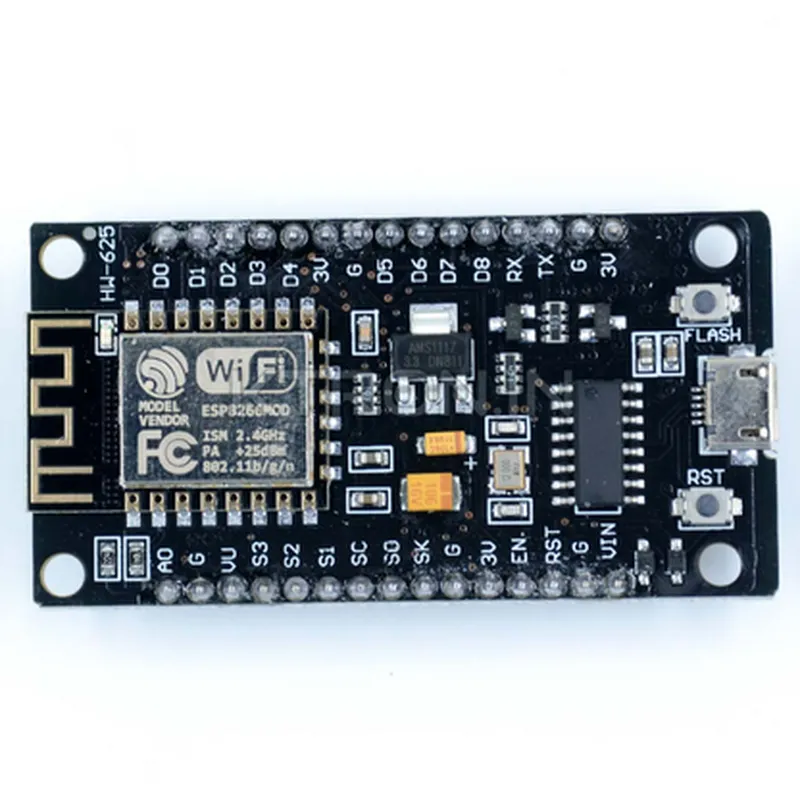
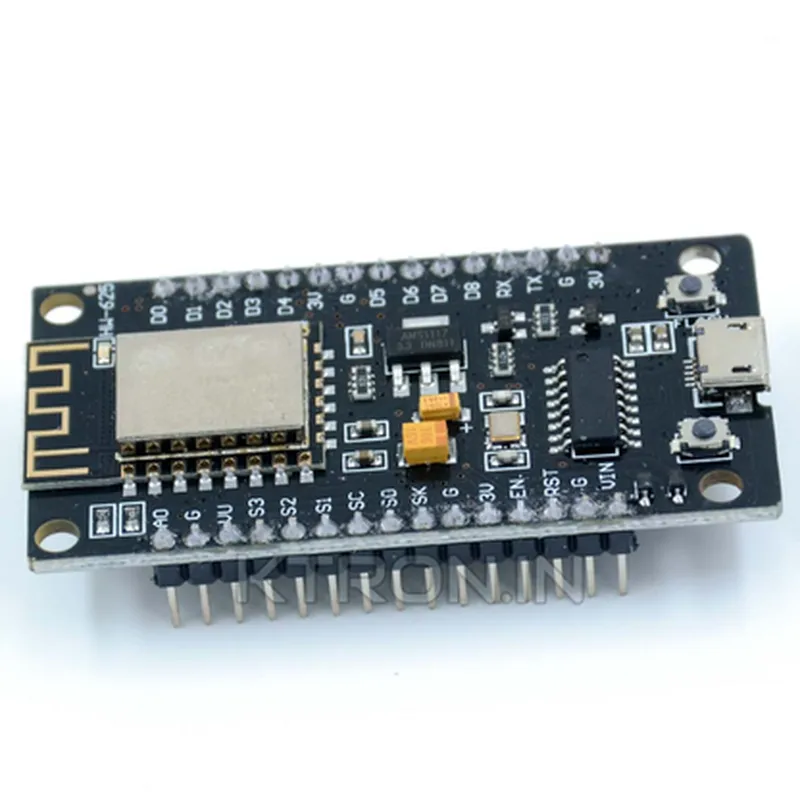
ESP8266EX SoC
4MB
96KB
| Wi-Fi | 802.11 b/g/n |
2.4GHz
On-board PCB antenna
3.3V
100mA (typical)
48mm x 26mm x 13mm
10g
Overall, the ESP12F ESP8266 Amica NodeMCU Wifi Module is a versatile and powerful tool for building IoT projects, offering a unique combination of Wi-Fi connectivity, microcontroller functionality, and NodeMCU firmware support.
ESP12F ESP8266 Amica NodeMCU Wifi Module DocumentationOverviewThe ESP12F ESP8266 Amica NodeMCU Wifi Module is a popular low-cost microcontroller board with built-in Wi-Fi capabilities. It's based on the ESP8266 system-on-a-chip (SoC) and is compatible with the Arduino IDE. This module is ideal for IoT projects, robotics, and automation applications.PinoutThe ESP12F ESP8266 Amica NodeMCU Wifi Module has a total of 30 GPIO pins, including:17 digital pins (D0-D16)
3 analog input pins (A0-A2)
2 analog output pins (DAC1 and DAC2)
1 UART interface (TX and RX)
1 I2C interface (SCL and SDA)
1 SPI interface (SCK, MOSI, and MISO)
1 I2S interface (BCK, WS, and SD)
1 reset pin (RST)
1 enable pin (EN)Code ExamplesHere are three code examples that demonstrate how to use the ESP12F ESP8266 Amica NodeMCU Wifi Module in various contexts:Example 1: Wi-Fi Connectivity and HTTP RequestIn this example, we'll connect to a Wi-Fi network and make an HTTP request to a server.```cpp
#include <WiFi.h>// Wi-Fi network credentials
const char ssid = "your_wifi_ssid";
const char password = "your_wifi_password";// HTTP server address
const char server = "http://example.com";WiFiClient client;void setup() {
Serial.begin(115200);// Connect to Wi-Fi
WiFi.begin(ssid, password);
while (WiFi.status() != WL_CONNECTED) {
delay(1000);
Serial.println("Connecting to Wi-Fi...");
}Serial.println("Connected to Wi-Fi");
Serial.println("Initializing HTTP request...");// Make an HTTP GET request
if (client.connect(server, 80)) {
client.println("GET / HTTP/1.1");
client.println("Host: example.com");
client.println("Connection: close");
client.println();
} else {
Serial.println("Failed to connect to server");
}
}void loop() {
// Read and print the server response
while (client.available()) {
String line = client.readStringUntil('
');
Serial.println(line);
}delay(1000);
}
```Example 2: Analog Input and Serial OutputIn this example, we'll read the value of an analog input pin (A0) and print it to the serial console.```cpp
void setup() {
  Serial.begin(115200);
}void loop() {
int analogValue = analogRead(A0);
float voltage = analogValue (3.3 / 1023.0);Serial.print("Analog Value: ");
Serial.print(analogValue);
Serial.print(" | Voltage: ");
Serial.println(voltage, 2);delay(1000);
}
```Example 3: I2C Communication with an External DeviceIn this example, we'll use the I2C interface to communicate with an external device, such as an LCD display or a temperature sensor.```cpp
#include <Wire.h>#define I2C_ADDRESS 0x27 // Address of the external devicevoid setup() {
Wire.begin();
Serial.begin(115200);
}void loop() {
Wire.beginTransmission(I2C_ADDRESS);
Wire.write("Hello, world!");
Wire.endTransmission();delay(1000);Wire.requestFrom(I2C_ADDRESS, 1);
if (Wire.available()) {
char data = Wire.read();
Serial.print("Received data: ");
Serial.println(data);
}delay(1000);
}
```These examples demonstrate the basic functionality of the ESP12F ESP8266 Amica NodeMCU Wifi Module. You can use this module as a starting point for your IoT projects, and expand its capabilities using external libraries and frameworks.