

Stufin
Home Quick Cart Profile

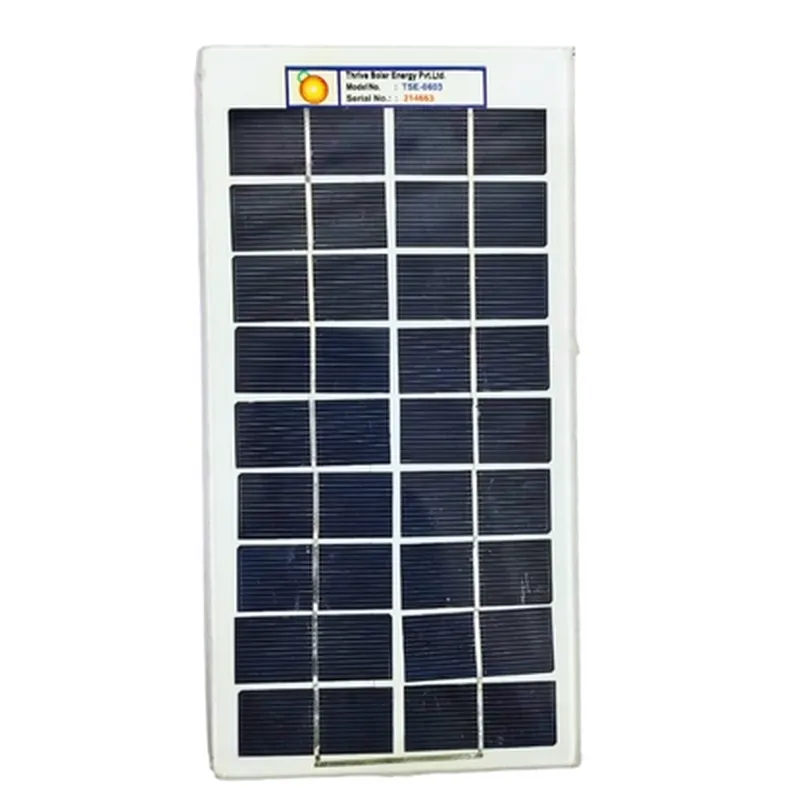
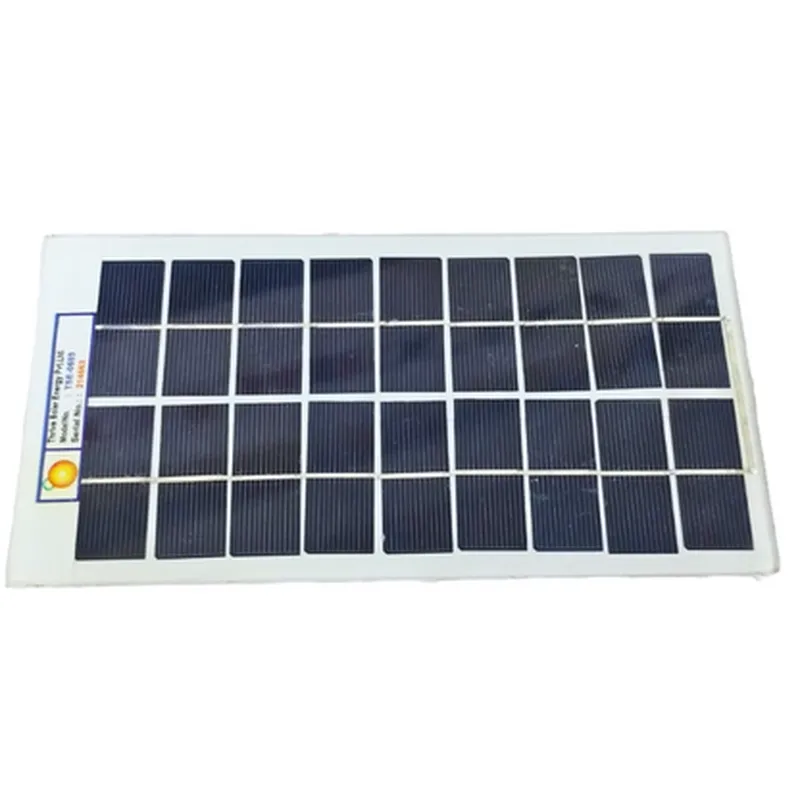
7.5V/1.3W (BPL) Solar Panel

Buy Now on Stufin

Component Name

7.5V/1.3W (BPL) Solar Panel

Overview

The 7.5V/1.3W (BPL) Solar Panel is a photovoltaic component designed to convert sunlight into electrical energy. This solar panel is a compact and efficient solution for powering small-scale IoT devices, sensors, and systems.

Functionality

The primary function of the 7.5V/1.3W (BPL) Solar Panel is to harness solar energy and convert it into electrical energy. The solar panel consists of photovoltaic cells, which generate an electrical current when exposed to sunlight. The panel's output is a direct current (DC) voltage, which can be used to power devices, charge batteries, or connected to a power management system.

Key Features

  • Nominal Output Voltage: 7.5V

The solar panel's nominal output voltage is 7.5V, making it suitable for powering devices that require a low voltage supply.

  • Maximum Power: 1.3W

The solar panel is capable of delivering a maximum power output of 1.3W, making it an ideal solution for small-scale IoT applications.

  • Efficiency: High-efficiency photovoltaic cells ensure maximum energy harvesting from the sun.
  • Compact Size: The solar panel's compact size ( dimensions: [] ) makes it perfect for integrating into small devices, IoT modules, or wearable technology.
  • Weather Resistance: The solar panel is designed to withstand outdoor environments, with a weather-resistant construction that protects against rain, snow, and extreme temperatures.
  • RoHS Compliance: The component meets RoHS (Restriction of Hazardous Substances) standards, ensuring it is environmentally friendly and safe for use in various applications.
  • Connection: The solar panel features a built-in connector or solder pads for easy connection to devices, PCBs, or terminals.

operating Conditions

  • Operating Temperature: -20C to 60C
  • Humidity: Up to 95% relative humidity
  • Illumination: 1000 W/m (standard test condition)

Applications

  • IoT Devices: Ideal for powering IoT devices, such as sensors, nodes, and gateways.
  • Wearable Technology: Suitable for powering wearable devices, such as smartwatches, fitness trackers, and hearing aids.
  • Small-Scale Systems: Can be used to power small-scale systems, including security cameras, environmental monitoring systems, and wireless sensor networks.

Safety Precautions

  • Avoid Overheating: Ensure the solar panel is installed in a well-ventilated area to prevent overheating.
  • Avoid Shading: Ensure the solar panel is installed in a location with minimal shading to maximize energy harvesting.
  • Handle with Care: Handle the solar panel with care to avoid damaging the photovoltaic cells or electrical connections.

Warranty and Certification

  • Warranty: The solar panel is backed by a [insert warranty period] warranty.
  • Certifications: The component meets [insert relevant certifications, such as CE, FCC, or UL] standards.

By providing a reliable and efficient source of solar power, the 7.5V/1.3W (BPL) Solar Panel is an ideal solution for powering IoT devices and small-scale systems in various applications.

Pin Configuration

  • 7.5V/1.3W (BPL) Solar Panel Documentation
  • Overview
  • The 7.5V/1.3W (BPL) Solar Panel is a photovoltaic component designed to convert sunlight into electrical energy. This documentation provides a detailed explanation of the solar panel's pins and their connections.
  • Pin Layout and Description
  • The 7.5V/1.3W (BPL) Solar Panel has two terminals:
  • ### Positive Terminal (+)
  • Pin 1: Positive Wire
  • + Function: Carries the positive DC voltage generated by the solar panel
  • + Wire Color: Typically Red or Yellow
  • + Connection: Connect to the positive input of a charge controller, battery, or other DC-compatible device
  • ### Negative Terminal (-)
  • Pin 2: Negative Wire
  • + Function: Carries the negative DC voltage generated by the solar panel
  • + Wire Color: Typically Black or Blue
  • + Connection: Connect to the negative input of a charge controller, battery, or other DC-compatible device
  • Connection Structure
  • To connect the 7.5V/1.3W (BPL) Solar Panel to a device, follow these steps:
  • 1. Connect the Positive Wire (Pin 1)
  • Take the positive wire from the solar panel and connect it to the positive input of the device (e.g., charge controller, battery, or DC-compatible module).
  • Ensure a secure connection using a suitable connector or wire nut.
  • 2. Connect the Negative Wire (Pin 2)
  • Take the negative wire from the solar panel and connect it to the negative input of the device (e.g., charge controller, battery, or DC-compatible module).
  • Ensure a secure connection using a suitable connector or wire nut.
  • Important Notes
  • Make sure to handle the solar panel and connections with care to avoid damage or electrical shock.
  • Always follow proper safety protocols when working with electrical systems.
  • The 7.5V/1.3W (BPL) Solar Panel is designed for outdoor use, and its performance may vary depending on environmental conditions such as sunlight, temperature, and humidity.
  • To ensure optimal performance, connect the solar panel to a suitable charge controller or regulator to regulate the output voltage and prevent overcharging or damage to connected devices.
  • By following this documentation, you should be able to properly connect the 7.5V/1.3W (BPL) Solar Panel to your device and harness the power of solar energy.

Code Examples

Component Documentation: 7.5V/1.3W (BPL) Solar Panel
Overview
The 7.5V/1.3W (BPL) Solar Panel is a small, efficient solar panel designed for powering low-voltage devices in various IoT applications. With its compact size and waterproof design, this solar panel is ideal for outdoor use, such as in wireless sensor networks, environmental monitoring, and remote monitoring systems.
Technical Specifications
Maximum Power: 1.3W
 Maximum Voltage: 7.5V
 Maximum Current: 173mA
 Open Circuit Voltage: 8.5V
 Short Circuit Current: 190mA
 Efficiency: 15%
 Dimensions: 85mm x 54mm x 3.5mm
 Weight: 60g
Connecting the Solar Panel
To connect the solar panel to your IoT device, you'll need to solder the positive (VCC) and negative (GND) wires to the corresponding pins on your device. Make sure to use a suitable connector or wire gauge to handle the maximum current output of the solar panel.
Code Examples
### Example 1: Solar-Powered Arduino Weather Station
In this example, we'll use the 7.5V/1.3W solar panel to power an Arduino-based weather station that measures temperature, humidity, and light intensity.
```c++
#include <DHT.h>
#include <Wire.h>
#define SOLAR_PIN A0 // Connect solar panel VCC to A0
#define BATTERY_PIN A1 // Connect battery voltage to A1
#define DHT_PIN 2 // Connect DHT sensor to digital pin 2
DHT dht(DHT_PIN, DHT11);
void setup() {
  Serial.begin(9600);
  pinMode(SOLAR_PIN, INPUT);
  pinMode(BATTERY_PIN, INPUT);
}
void loop() {
  int solarVoltage = analogRead(SOLAR_PIN);
  float batteryVoltage = (analogRead(BATTERY_PIN)  5.0) / 1024.0;
  float temperature = dht.readTemperature();
  float humidity = dht.readHumidity();
  
  Serial.print("Solar Voltage: ");
  Serial.print(solarVoltage);
  Serial.print(" mV, ");
  Serial.print("Battery Voltage: ");
  Serial.print(batteryVoltage);
  Serial.print(" V, ");
  Serial.print("Temperature: ");
  Serial.print(temperature);
  Serial.print(" C, ");
  Serial.print("Humidity: ");
  Serial.print(humidity);
  Serial.println(" %");
  
  delay(1000);
}
```
### Example 2: Solar-Powered ESP32 IoT Node
In this example, we'll use the 7.5V/1.3W solar panel to power an ESP32-based IoT node that sends temperature and humidity data to a cloud-based server using Wi-Fi.
```c++
#include <WiFi.h>
#include <HTTPClient.h>
#define SOLAR_PIN 32 // Connect solar panel VCC to GPIO 32
#define BATTERY_PIN 33 // Connect battery voltage to GPIO 33
#define DHT_PIN 14 // Connect DHT sensor to GPIO 14
WiFiClient client;
HTTPClient http;
const char ssid = "your_ssid";
const char password = "your_password";
const char serverUrl = "http://your_server_url.com/api/data";
void setup() {
  Serial.begin(115200);
  pinMode(SOLAR_PIN, INPUT);
  pinMode(BATTERY_PIN, INPUT);
  WiFi.begin(ssid, password);
  while (WiFi.status() != WL_CONNECTED) {
    delay(1000);
    Serial.println("Connecting to WiFi...");
  }
  Serial.println("Connected to WiFi");
}
void loop() {
  int solarVoltage = analogRead(SOLAR_PIN);
  float batteryVoltage = (analogRead(BATTERY_PIN)  5.0) / 1024.0;
  float temperature = dht.readTemperature();
  float humidity = dht.readHumidity();
  
  http.begin(client, serverUrl);
  http.addHeader("Content-Type", "application/json");
  
  String jsonData = "{""temperature"": """;
  jsonData += temperature;
  jsonData += ""