

Stufin
Home Quick Cart Profile

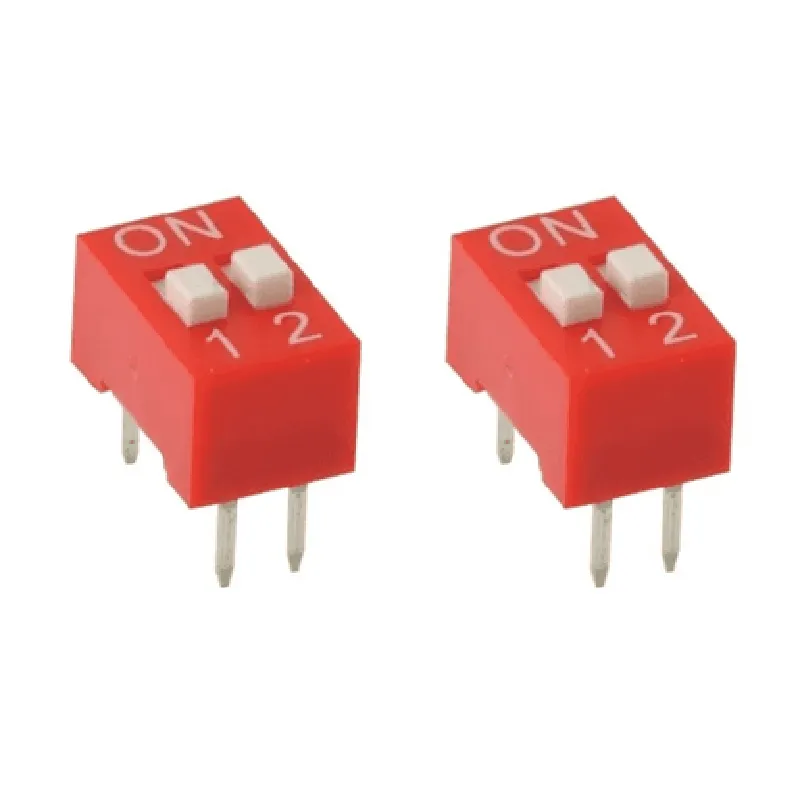
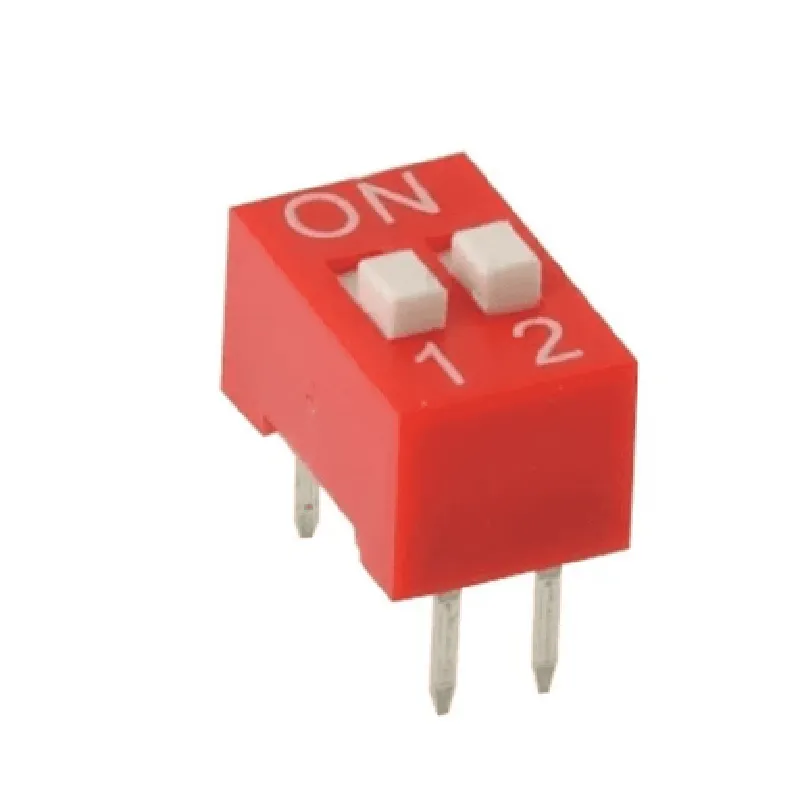
2 Way Slide Switch 2.54mm Pitch (Pack of 2)

Buy Now on Stufin

Component Description

2 Way Slide Switch 2.54mm Pitch (Pack of 2)

Overview

The 2 Way Slide Switch 2.54mm Pitch is a compact, surface-mount switch component designed for use in a variety of electronic projects and applications. This component is available in a pack of two and is ideal for prototyping, proof-of-concept development, and production-ready designs.

Functionality

The 2 Way Slide Switch is a basic on/off switch that allows users to toggle between two states, typically used to control the flow of electrical current in a circuit. The switch operates by sliding the actuator between two positions, connecting or disconnecting the internal contacts to enable or disable the circuit.

Key Features

  • 2-Way Operation: The switch has two positions, ON and OFF, allowing users to toggle between two states.
  • Slide Actuator: The switch features a smooth, sliding actuator that provides a tactile feedback when operated.
  • 2.54mm Pitch: The switch has a compact footprint with a pitch of 2.54mm, making it suitable for use in dense PCB designs and breadboarding applications.
  • Surface-Mount: The switch is designed for surface-mount assembly, allowing for easy installation on PCBs and minimizing the risk of mechanical damage.
  • Low Profile: The switch has a low profile design, making it ideal for use in compact, space-constrained applications.
  • Pack of 2: The component is available in a pack of two, providing users with a spare or allowing for use in multi-switch applications.

Electrical Characteristics

Voltage Rating

12V DC

Current Rating

0.5A

Contact Resistance

10m (max)

Insulation Resistance

100M (min)

Dielectric Strength

500V AC (min)

Mechanical Characteristics

Operating Temperature

-20C to 70C

Storage Temperature

-30C to 80C

Durability

10,000 cycles (min)

Mounting

Surface-mount

Dimensions

10.5mm (L) x 4.5mm (W) x 2.5mm (H)

Applications

The 2 Way Slide Switch 2.54mm Pitch is suitable for use in a wide range of applications, including

Prototyping and proof-of-concept development

IoT and robotics projects

Industrial control systems

Medical devices

Consumer electronics

Ordering Information

Packaging

Pack of 2

Part Number

[Insert Part Number]

MOQ (Minimum Order Quantity)[Insert MOQ]

Warranty and Support

Warranty

[Insert Warranty Information]

Support

[Insert Support Information, including documentation, datasheets, and technical support contact details]

Safety Precautions

Handle with care

The switch is a sensitive electronic component and should be handled with care to avoid damage.

Follow proper assembly procedures

Ensure that the switch is assembled correctly to avoid damage or electrical shock.

Use in accordance with ratings

Operate the switch within the specified voltage, current, and environmental ratings to avoid damage or electrical shock.

Pin Configuration

  • 2 Way Slide Switch 2.54mm Pitch (Pack of 2) Component Documentation
  • Overview
  • The 2 Way Slide Switch 2.54mm Pitch is a mechanical switch component used to control the flow of electrical signals in IoT and other electronic projects. This component is a pack of two identical switches, each with a 2.54mm pitch and a sliding actuator that can be moved between two positions to open or close a circuit.
  • Pinout Diagram
  • The 2 Way Slide Switch has three pins, labeled as follows:
  • Pinout Description
  • Here is a detailed description of each pin:
  • 1. Common (C) Pin
  • Function: Connects to the common terminal of the switch
  • Description: This pin is connected to the moving contact of the switch and acts as the output of the switch
  • Connection: Connect to the circuit element that needs to be controlled (e.g., an LED, a motor, or a sensor)
  • 2. Normally Open (NO) Pin
  • Function: Connects to the normally open terminal of the switch
  • Description: This pin is connected to one of the fixed contacts of the switch and is open when the switch is in its default position
  • Connection: Connect to the power source or a signal line that needs to be connected to the common pin when the switch is activated
  • 3. Normally Closed (NC) Pin
  • Function: Connects to the normally closed terminal of the switch
  • Description: This pin is connected to the other fixed contact of the switch and is closed when the switch is in its default position
  • Connection: Connect to the ground or a signal line that needs to be disconnected from the common pin when the switch is activated
  • Connection Structure
  • Here is a step-by-step guide to connect the pins:
  • Connect the Common (C) Pin to the circuit element that needs to be controlled (e.g., an LED, a motor, or a sensor)
  • Connect the Normally Open (NO) Pin to the power source or a signal line that needs to be connected to the common pin when the switch is activated
  • Connect the Normally Closed (NC) Pin to the ground or a signal line that needs to be disconnected from the common pin when the switch is activated
  • Example Connection Diagram
  • Here is an example connection diagram:
  • Common (C) Pin -> LED Anode
  • Normally Open (NO) Pin -> Power Source (VCC)
  • Normally Closed (NC) Pin -> Ground (GND)
  • When the switch is in its default position, the LED is off because the Common Pin is connected to the Normally Closed Pin, which is connected to Ground. When the switch is slid to the other position, the Common Pin is connected to the Normally Open Pin, which is connected to the Power Source, turning the LED on.
  • Note: The above example is just a demonstration of the connection structure and may vary depending on the specific application and requirements.

Code Examples

Component Documentation: 2 Way Slide Switch 2.54mm Pitch (Pack of 2)
Overview
The 2 Way Slide Switch 2.54mm Pitch is a compact, bifurcated slide switch designed for-use in a variety of IoT and electronic projects. This switch features a 2.54mm pitch and comes in a pack of two, making it an ideal component for prototyping and development. The switch has two positions, allowing it to be used as a simple on/off switch or as a toggle switch in more complex applications.
Pinout
The 2 Way Slide Switch has three pins, labeled as follows:
Pin 1 (Common): Connects to the center terminal of the switch
 Pin 2 ( Normally Open (NO)): Connects to one end of the switch
 Pin 3 ( Normally Closed (NC)): Connects to the other end of the switch
Operating Characteristics
Operating Voltage: 30V DC
 Operating Current: 0.5A per pin
 Contact Resistance: 10m max
 Insulation Resistance: 100M min
 Durability: 10,000 cycles min
Code Examples
### Example 1: Basic On/Off Switch using Arduino
In this example, we'll use the 2 Way Slide Switch to control an LED connected to an Arduino board.
```c++
const int ledPin = 13;  // Choose a digital pin for the LED
const int switchPin = 2;  // Choose a digital pin for the switch
void setup() {
  pinMode(ledPin, OUTPUT);
  pinMode(switchPin, INPUT);
}
void loop() {
  int switchState = digitalRead(switchPin);
  if (switchState == HIGH) {
    digitalWrite(ledPin, HIGH);  // Turn the LED on
  } else {
    digitalWrite(ledPin, LOW);  // Turn the LED off
  }
  delay(50);
}
```
### Example 2: Toggle Switch using Raspberry Pi (Python)
In this example, we'll use the 2 Way Slide Switch to toggle a GPIO pin on a Raspberry Pi.
```python
import RPi.GPIO as GPIO
import time
# Set up GPIO mode
GPIO.setmode(GPIO.BCM)
# Define the GPIO pins
switch_pin = 17
gpio_pin = 23
# Set up the GPIO pins
GPIO.setup(switch_pin, GPIO.IN, pull_up_down=GPIO.PUD_UP)
GPIO.setup(gpio_pin, GPIO.OUT)
while True:
    switch_state = GPIO.input(switch_pin)
    if switch_state == GPIO.HIGH:
        GPIO.output(gpio_pin, GPIO.HIGH)  # Set the GPIO pin high
    else:
        GPIO.output(gpio_pin, GPIO.LOW)  # Set the GPIO pin low
    time.sleep(0.05)
```
### Example 3: Debounced Toggle Switch using ESP32 (C++)
In this example, we'll use the 2 Way Slide Switch to toggle a GPIO pin on an ESP32 board, with debouncing to prevent switch bouncing.
```c++
#include <WiFi.h>
const int switchPin = 32;
const int gpioPin = 33;
int switchState = 0;
int lastSwitchState = 0;
int gpioState = 0;
void setup() {
  pinMode(switchPin, INPUT);
  pinMode(gpioPin, OUTPUT);
}
void loop() {
  int reading = digitalRead(switchPin);
  if (reading != lastSwitchState) {
    lastSwitchState = reading;
    if (reading == HIGH) {
      gpioState = !gpioState;
      digitalWrite(gpioPin, gpioState);
    }
    delay(50);  // Debounce time (50ms)
  }
}
```
Note: In the examples above, the pin numbers and GPIO configurations may vary depending on the specific board and setup used. Ensure to adjust the code accordingly to match your specific application.