3mm White Green LED (Pack of 10)


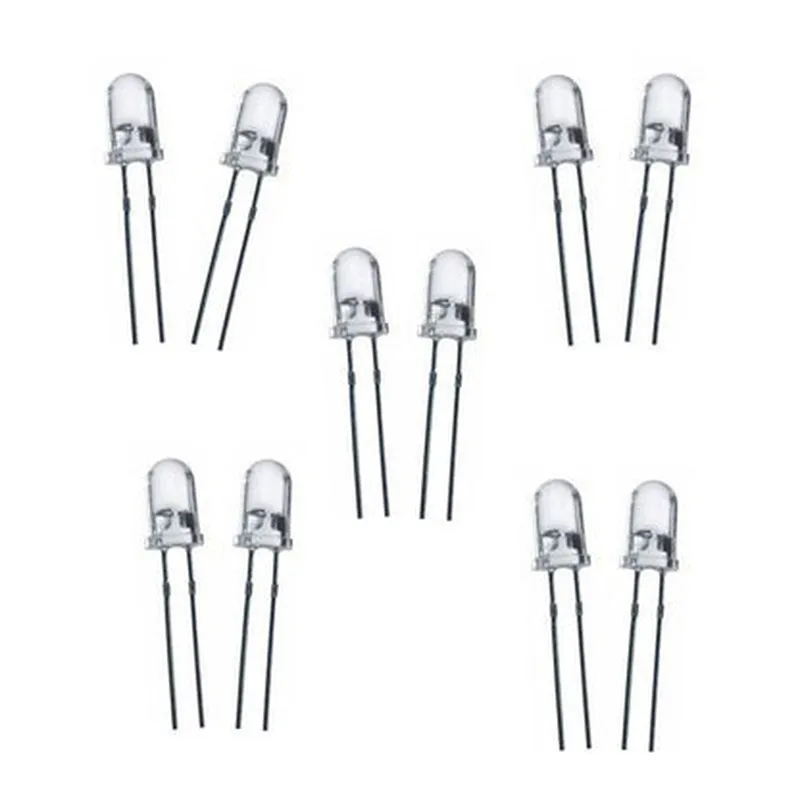
3mm White Green LED (Pack of 10)
The 3mm White Green LED is a light-emitting diode (LED) component that emits a bright, white-green light when an electric current is passed through it. This LED is designed for use in a variety of applications, including electronic circuits, robotics, and IoT projects. The pack of 10 LEDs provides a convenient and cost-effective solution for prototyping and development.
The primary function of the 3mm White Green LED is to emit light when an electric current is applied. The LED is designed to be forward-biased, meaning that it conducts electricity in one direction and blocks it in the other. When a sufficient voltage is applied across the LED's leads, the electrons recombine with holes, releasing energy in the form of light.
The LED emits a bright, white-green light with a wavelength that falls between the white and green spectrum.
The LED has a diameter of 3mm, making it suitable for use in compact electronic circuits and devices.
The LED is sold in a pack of 10, providing a convenient and cost-effective solution for prototyping and development.
The LED requires a forward voltage of 2.0V to 2.5V to operate efficiently.
The LED is designed to handle a forward current of up to 20mA.
The LED has a luminous intensity of 10,000 to 15,000 millicandelas, making it suitable for use in a variety of applications.
The LED has a viewing angle of 30-40 degrees, providing a wide angle of visibility.
The LED is designed to operate within a temperature range of -20C to 80C, making it suitable for use in a variety of environmental conditions.
The LED's leads are made of copper, providing excellent conductivity and durability.
| The 3mm White Green LED is suitable for use in a variety of applications, including |
Electronic circuits
Robotics
IoT projects
LED indicators
Backlighting
Advertising displays
Decorative lighting
| When handling the 3mm White Green LED, it is essential to follow proper precautions to avoid damage or injury |
Handle the LED by the edges to avoid touching the leads or the lens.
Avoid applying excessive force or pressure to the LED.
Use the LED within the recommended operating temperature and voltage ranges.
Use a suitable resistor to limit the current and protect the LED from overheating.
By following the guidelines and precautions outlined above, the 3mm White Green LED can be used to create innovative and effective lighting solutions for a wide range of applications.
3mm White Green LED (Pack of 10)Component OverviewThe 3mm White Green LED is a high-brightness light-emitting diode (LED) that emits a white-green color. This component is suitable for various IoT projects, such as indicator lights, status displays, and ambient lighting. The pack of 10 LEDs provides flexibility and convenience for prototyping and development.Technical SpecificationsPackage: 3mm diameter, 1.5mm height
Color: White-Green
Luminous Intensity: 1000-1500 mcd
Viewing Angle: 30-40 degrees
Operating Voltage: 1.8-3.5V
Operating Current: 10-20mA
Peak Wavelength: 520-550nm
Reverse Voltage: 5VCode Examples### Example 1: Basic LED Blinking using ArduinoThis example demonstrates how to use the 3mm White Green LED to create a simple blinking effect using an Arduino board.```cpp
const int ledPin = 13; // Select a digital pin on your Arduino boardvoid setup() {
pinMode(ledPin, OUTPUT); // Set the pin as an output
}void loop() {
digitalWrite(ledPin, HIGH); // Turn the LED on
delay(500); // Wait for 500ms
digitalWrite(ledPin, LOW); // Turn the LED off
delay(500); // Wait for 500ms
}
```Hardware ConnectionConnect the anode (positive leg) of the LED to digital pin 13 on your Arduino board.
Connect the cathode (negative leg) of the LED to a 220 resistor.
Connect the other end of the resistor to GND on your Arduino board.### Example 2: PWM Dimming using Raspberry Pi (Python)This example demonstrates how to use the 3mm White Green LED with a Raspberry Pi to create a PWM (Pulse-Width Modulation) dimming effect.```python
import RPi.GPIO as GPIO
import timeGPIO.setmode(GPIO.BCM) # Set the GPIO mode to Broadcom
led_pin = 17 # Select a GPIO pin on your Raspberry PiGPIO.setup(led_pin, GPIO.OUT) # Set the pin as an output
pwm = GPIO.PWM(led_pin, 50) # Create a PWM object with a frequency of 50Hzwhile True:
for dc in range(0, 101, 5): # Loop through different duty cycles
pwm.start(dc) # Set the duty cycle
time.sleep(0.1) # Wait for 100ms
```Hardware ConnectionConnect the anode (positive leg) of the LED to GPIO pin 17 on your Raspberry Pi.
Connect the cathode (negative leg) of the LED to a 220 resistor.
Connect the other end of the resistor to GND on your Raspberry Pi.Note: In both examples, make sure to use a suitable resistor to limit the current and prevent damage to the LED. The recommended resistor value is 220, but you may need to adjust it based on your specific circuit and power supply.