Stufin
Home Quick Cart Profile

DIY Blue Electric 4-wheel Drive Car Model


Buy Now on Stufin

Component Name

DIY Blue Electric 4-wheel Drive Car Model
Overview

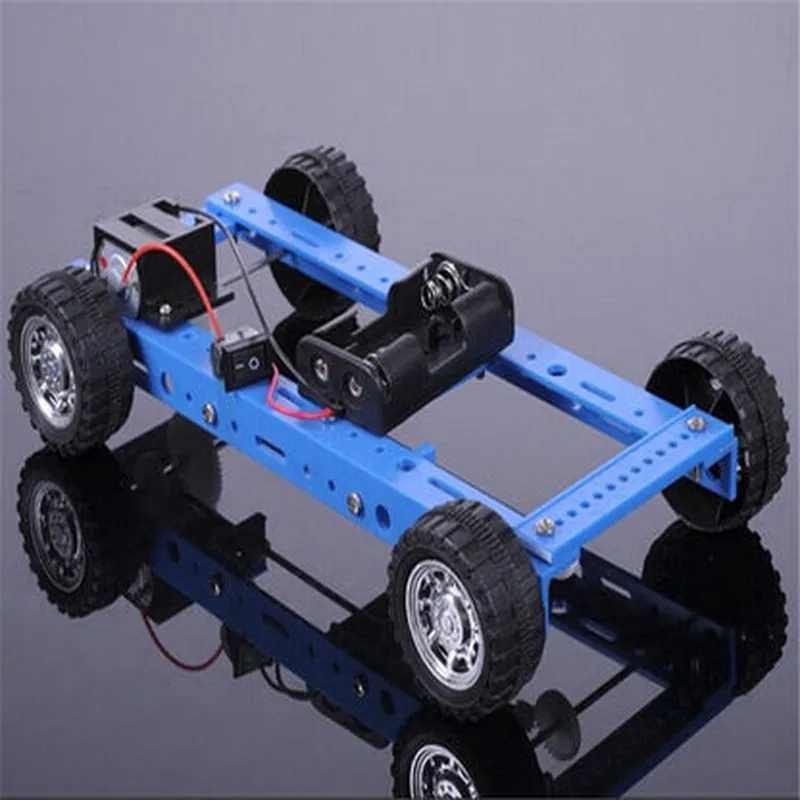
The DIY Blue Electric 4-wheel Drive Car Model is a cutting-edge IoT component designed for enthusiasts and hobbyists to build and customize their own electric vehicle. This component is an interactive, remote-controlled car model that leverages advanced IoT technologies to provide a unique and engaging user experience.
Functionality

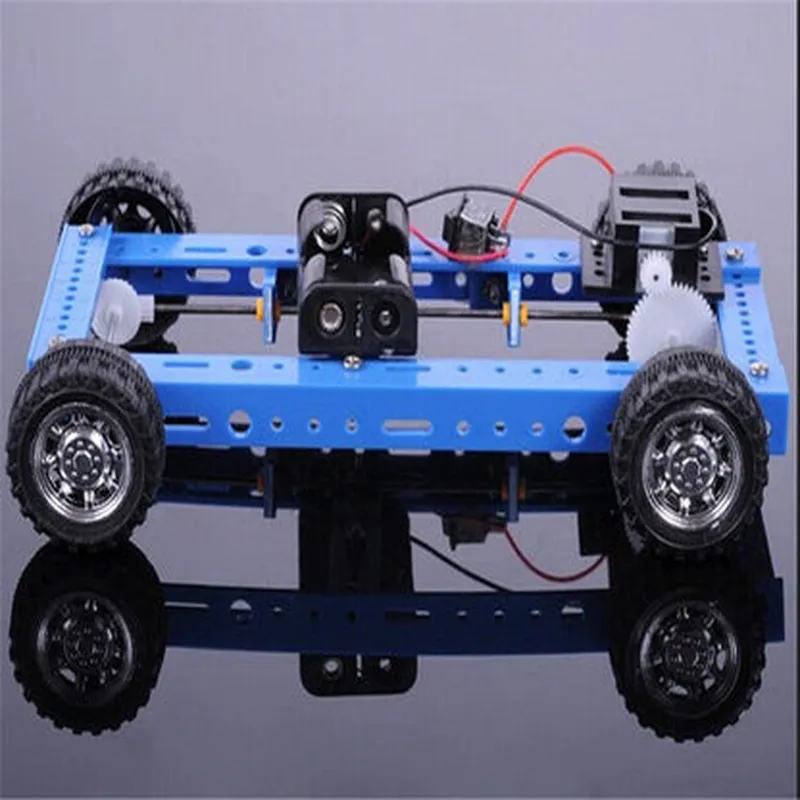
The DIY Blue Electric 4-wheel Drive Car Model is equipped with a range of features that enable users to build, program, and control their car model remotely using a smartphone or tablet. The component's primary function is to provide a hands-on learning experience for users to understand the fundamentals of IoT, robotics, and programming.

Key Features

  • 4-Wheel Drive: The car model features four-wheel drive capability, allowing it to navigate varied terrains and surfaces with ease.
  • Electric Motors: The component is powered by four high-performance electric motors, providing a smooth and quiet operation.
  • Remote Control: Users can control the car model remotely using a smartphone or tablet via Bluetooth or Wi-Fi connectivity.
  • Programmable: The car model can be programmed using popular programming languages such as Python, C++, or Java, enabling users to customize its behavior and performance.
  • Sensor Integration: The component is equipped with various sensors, including IR sensors, ultrasonic sensors, and GPS, which enable it to detect obstacles, navigate, and track its location.
  • Modular Design: The DIY Blue Electric 4-wheel Drive Car Model features a modular design, allowing users to easily upgrade or replace components as needed.
  • Real-time Data Monitoring: Users can monitor the car model's performance and sensor data in real-time, using the accompanying mobile app or web interface.
  • Rechargeable Battery: The component features a rechargeable battery, ensuring a long-lasting and eco-friendly operation.

Dimensions

25 cm (L) x 18 cm (W) x 12 cm (H)

Weight

1.5 kg

Power Supply

7.2V 1200mAh rechargeable battery

Motor

4 x high-performance electric motors

Communication

Bluetooth 4.0 and Wi-Fi connectivity

Sensor Suite

IR sensors, ultrasonic sensors, GPS

Programming

Compatible with Python, C++, and Java

Applications

The DIY Blue Electric 4-wheel Drive Car Model is an ideal component for

STEM education and robotics training

IoT and robotics enthusiasts

Hobbyists and makers

Research and development projects

Prototyping and proof-of-concept designs

Notes

The DIY Blue Electric 4-wheel Drive Car Model requires assembly and programming by the user.

Users are responsible for ensuring the component is used in accordance with local laws and regulations.

Regular software updates may be required to maintain optimal performance and functionality.

Pin Configuration

  • DIY Blue Electric 4-wheel Drive Car Model Pinout Guide
  • The DIY Blue Electric 4-wheel Drive Car Model is a comprehensive IoT component designed for enthusiasts and hobbyists. This module is equipped with various pins that enable connections to different sensors, actuators, and microcontrollers. In this documentation, we will explore each pin in detail, explaining their functions and how to connect them.
  • Pinout Structure:
  • The DIY Blue Electric 4-wheel Drive Car Model has a total of 20 pins, divided into two rows of 10 pins each. The pins are labeled from 1 to 20, with odd-numbered pins on one row and even-numbered pins on the other.
  • Pin Functionality:
  • Here's a breakdown of each pin, along with their functions and connection guidelines:
  • Row 1 (Odd-numbered pins):
  • 1. VIN (Voltage Input): This pin is used to supply power to the car model. Connect a positive voltage source (3.7V-12V) to this pin.
  • 3. GND (Ground): This pin serves as the ground reference point for the car model. Connect it to the negative terminal of the power source or any other ground point in your circuit.
  • 5. S1 (Sensor 1 Input): This pin is reserved for connecting external sensors, such as ultrasonic or infrared sensors, to detect obstacles.
  • 7. M1_DIR (Motor 1 Direction Control): This pin controls the direction of Motor 1 (front left wheel). Connect it to a digital output pin on your microcontroller to control the motor's direction.
  • 9. M1_PWM (Motor 1 Speed Control): This pin regulates the speed of Motor 1 (front left wheel). Connect it to a PWM (Pulse Width Modulation) output pin on your microcontroller to control the motor's speed.
  • 11. S2 (Sensor 2 Input): This pin is reserved for connecting external sensors, such as ultrasonic or infrared sensors, to detect obstacles.
  • 13. M2_DIR (Motor 2 Direction Control): This pin controls the direction of Motor 2 (front right wheel). Connect it to a digital output pin on your microcontroller to control the motor's direction.
  • 15. M2_PWM (Motor 2 Speed Control): This pin regulates the speed of Motor 2 (front right wheel). Connect it to a PWM output pin on your microcontroller to control the motor's speed.
  • 17. S3 (Sensor 3 Input): This pin is reserved for connecting external sensors, such as ultrasonic or infrared sensors, to detect obstacles.
  • 19. BUZ (Buzzer Control): This pin controls the onboard buzzer. Connect it to a digital output pin on your microcontroller to produce sounds or alarms.
  • Row 2 (Even-numbered pins):
  • 2. VCC (Regulated 5V Output): This pin provides a regulated 5V output, suitable for powering microcontrollers or other 5V devices.
  • 4. GND (Ground): This pin serves as an additional ground reference point for the car model. Connect it to the negative terminal of the power source or any other ground point in your circuit.
  • 6. M3_DIR (Motor 3 Direction Control): This pin controls the direction of Motor 3 (rear left wheel). Connect it to a digital output pin on your microcontroller to control the motor's direction.
  • 8. M3_PWM (Motor 3 Speed Control): This pin regulates the speed of Motor 3 (rear left wheel). Connect it to a PWM output pin on your microcontroller to control the motor's speed.
  • 10. M4_DIR (Motor 4 Direction Control): This pin controls the direction of Motor 4 (rear right wheel). Connect it to a digital output pin on your microcontroller to control the motor's direction.
  • 12. M4_PWM (Motor 4 Speed Control): This pin regulates the speed of Motor 4 (rear right wheel). Connect it to a PWM output pin on your microcontroller to control the motor's speed.
  • 14. LED1 (LED Indicator 1): This pin controls the onboard LED 1. Connect it to a digital output pin on your microcontroller to turn the LED on or off.
  • 16. LED2 (LED Indicator 2): This pin controls the onboard LED 2. Connect it to a digital output pin on your microcontroller to turn the LED on or off.
  • 18. JP1 (Jumpers for Motor Connection): These pins are reserved for connecting the motor wires. Ensure proper connection to the motor terminals to avoid damage or malfunction.
  • 20. JP2 (Jumpers for Sensor Connection): These pins are reserved for connecting external sensors. Ensure proper connection to the sensor terminals to avoid damage or malfunction.
  • Connection Guidelines:
  • When connecting sensors, ensure proper polarity and voltage ratings are matched.
  • When connecting motors, ensure proper polarity and voltage ratings are matched.
  • Use appropriate connectors, wires, and pin headers to ensure secure connections.
  • Ensure the power source is capable of supplying the required current for the car model.
  • Consult the datasheet or documentation for your microcontroller to determine the correct pin configurations and connections.
  • By following this pinout guide, you should be able to successfully connect and utilize the DIY Blue Electric 4-wheel Drive Car Model in your IoT projects.

Code Examples

DIY Blue Electric 4-wheel Drive Car Model Documentation
Overview
The DIY Blue Electric 4-wheel Drive Car Model is a versatile and interactive Internet of Things (IoT) component designed for robotics and automation enthusiasts. This car model is equipped with four wheel drive capabilities, making it suitable for various terrain types. The component is programmable, allowing users to customize its behavior and integrate it with other IoT devices.
Technical Specifications
Microcontroller: Arduino-compatible
 Motor: 4x DC Motors ( Electric )
 Power Supply: 7.2V Rechargeable Battery
 Communication Protocol: Bluetooth 4.0
 Dimensions: 25cm x 15cm x 10cm
Example 1: Basic Control using Arduino
In this example, we will demonstrate how to control the DIY Blue Electric 4-wheel Drive Car Model using an Arduino board.
Hardware Requirements
Arduino Board (e.g., Arduino Uno)
 DIY Blue Electric 4-wheel Drive Car Model
 Jumper Wires
Software Requirements
Arduino IDE
Code
```cpp
// Define motor control pins
const int leftMotorForward = 2;
const int leftMotorBackward = 3;
const int rightMotorForward = 4;
const int rightMotorBackward = 5;
void setup() {
  // Initialize motor control pins as output
  pinMode(leftMotorForward, OUTPUT);
  pinMode(leftMotorBackward, OUTPUT);
  pinMode(rightMotorForward, OUTPUT);
  pinMode(rightMotorBackward, OUTPUT);
}
void loop() {
  // Move forward
  digitalWrite(leftMotorForward, HIGH);
  digitalWrite(rightMotorForward, HIGH);
  delay(1000);
// Stop
  digitalWrite(leftMotorForward, LOW);
  digitalWrite(rightMotorForward, LOW);
  delay(1000);
// Move backward
  digitalWrite(leftMotorBackward, HIGH);
  digitalWrite(rightMotorBackward, HIGH);
  delay(1000);
// Stop
  digitalWrite(leftMotorBackward, LOW);
  digitalWrite(rightMotorBackward, LOW);
  delay(1000);
}
```
Example 2: Bluetooth Remote Control using Android App
In this example, we will demonstrate how to control the DIY Blue Electric 4-wheel Drive Car Model using an Android app via Bluetooth.
Hardware Requirements
DIY Blue Electric 4-wheel Drive Car Model
 Android Device with Bluetooth capability
 Bluetooth Module (e.g., HC-05 or HC-06)
Software Requirements
Android Studio
 Bluetooth Serial Terminal App (e.g., Serial Bluetooth Terminal)
Code
(On the Android side)
```java
import android.bluetooth.BluetoothAdapter;
import android.bluetooth.BluetoothDevice;
import android.bluetooth.BluetoothSocket;
import android.os.Bundle;
import android.app.Activity;
import android.view.View;
import android.widget.Button;
import android.widget.EditText;
public class BluetoothRemoteControlActivity extends Activity {
  private BluetoothAdapter mAdapter;
  private BluetoothSocket mmSocket;
  private EditText etCommand;
@Override
  protected void onCreate(Bundle savedInstanceState) {
    super.onCreate(savedInstanceState);
    setContentView(R.layout.activity_remote_control);
mAdapter = BluetoothAdapter.getDefaultAdapter();
    mmSocket = mAdapter.getRemoteDevice("DIY_Blue_Car_Model").createRfcommSocketToServiceRecord(UUID.fromString("00001101-0000-1000-8000-00805F9B34FB"));
    mmSocket.connect();
Button btForward = findViewById(R.id.btForward);
    Button btBackward = findViewById(R.id.btBackward);
    Button btLeft = findViewById(R.id.btLeft);
    Button btRight = findViewById(R.id.btRight);
btForward.setOnClickListener(new View.OnClickListener() {
      @Override
      public void onClick(View v) {
        sendData("F");
      }
    });
btBackward.setOnClickListener(new View.OnClickListener() {
      @Override
      public void onClick(View v) {
        sendData("B");
      }
    });
btLeft.setOnClickListener(new View.OnClickListener() {
      @Override
      public void onClick(View v) {
        sendData("L");
      }
    });
btRight.setOnClickListener(new View.OnClickListener() {
      @Override
      public void onClick(View v) {
        sendData("R");
      }
    });
  }
private void sendData(String command) {
    try {
      mmSocket.getOutputStream().write(command.getBytes());
    } catch (IOException e) {
      e.printStackTrace();
    }
  }
}
```
(On the Car Model side - using Arduino)
```cpp
#include <SoftwareSerial.h>
const int bluetoothRx = 2;
const int bluetoothTx = 3;
SoftwareSerial bluetooth(bluetoothRx, bluetoothTx);
void setup() {
  bluetooth.begin(9600);
}
void loop() {
  if (bluetooth.available() > 0) {
    char command = bluetooth.read();
    if (command == 'F') {
      // Move forward
      digitalWrite(leftMotorForward, HIGH);
      digitalWrite(rightMotorForward, HIGH);
    } else if (command == 'B') {
      // Move backward
      digitalWrite(leftMotorBackward, HIGH);
      digitalWrite(rightMotorBackward, HIGH);
    } else if (command == 'L') {
      // Turn left
      digitalWrite(leftMotorBackward, HIGH);
      digitalWrite(rightMotorForward, HIGH);
    } else if (command == 'R') {
      // Turn right
      digitalWrite(leftMotorForward, HIGH);
      digitalWrite(rightMotorBackward, HIGH);
    }
  }
  delay(50);
}
```
These examples demonstrate the flexibility and programmability of the DIY Blue Electric 4-wheel Drive Car Model. By combining it with other IoT components and devices, you can create complex and interactive projects.