7 x 4 cm Gear Motor Robot Wheel, Tyres for 6 mm Shaft Geared DC Motor - 4 Pieces Robotics Science Project


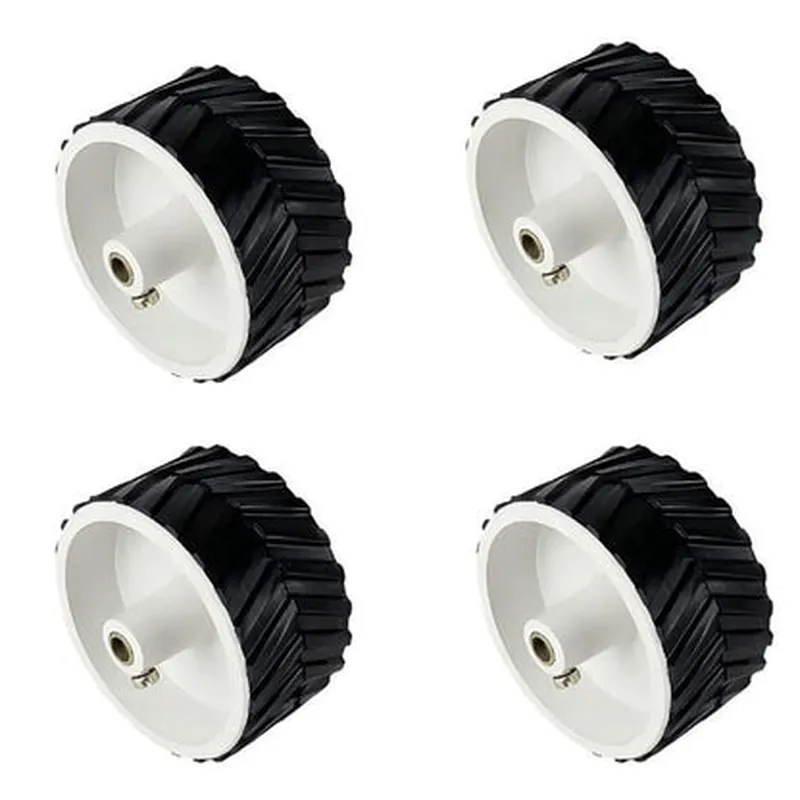
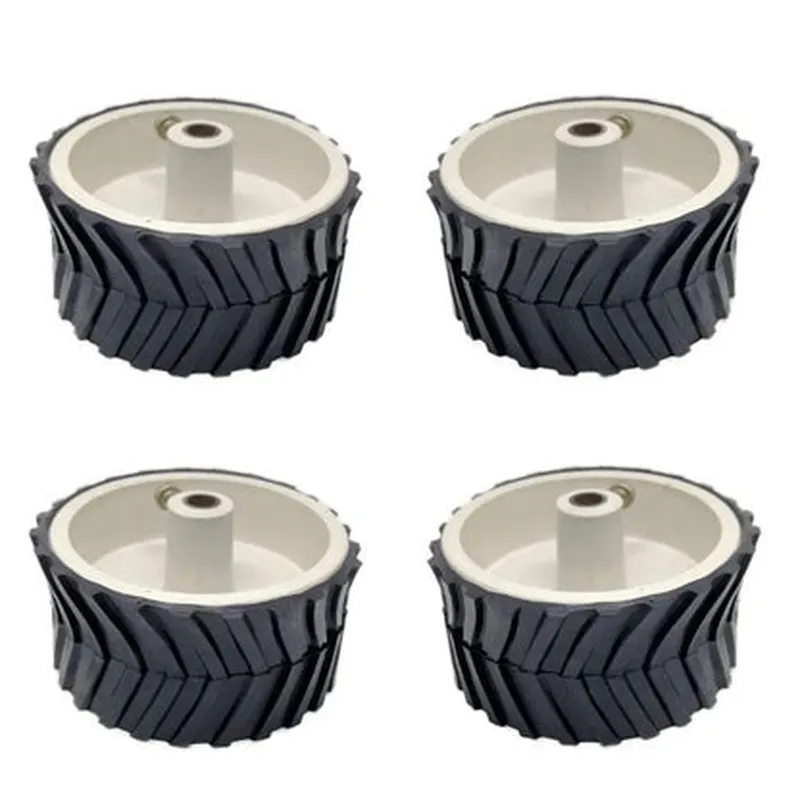
7 x 4 cm Gear Motor Robot Wheel, Tyres for 6 mm Shaft Geared DC Motor - 4 Pieces Robotics Science Project
The 7 x 4 cm Gear Motor Robot Wheel is a set of four robotic wheels designed for use with 6 mm shaft geared DC motors in robotics and science projects. These wheels are specifically engineered to provide a sturdy and efficient mechanism for robotic movement, making them an ideal choice for prototyping, educational projects, and DIY robotics applications.
The primary function of these wheels is to convert the rotational motion of a geared DC motor into linear motion, enabling robots to move efficiently and accurately. The wheels are designed to work in conjunction with a 6 mm shaft geared DC motor, which provides the necessary power and torque for the robot's movement.
7 cm
4 cm
6 mm
High-quality plastic
Specially designed for excellent grip and traction
4 wheels
Approximately 120 grams (per wheel)
-20C to 80C
| The 7 x 4 cm Gear Motor Robot Wheel is suitable for a wide range of robotics and science projects, including |
Robotics prototypes
DIY robot builds
Science projects and experiments
Educational projects
Robotics competitions
Autonomous vehicles
The 7 x 4 cm Gear Motor Robot Wheel is a reliable and efficient component for building robots and prototypes. Its durable construction, specially designed tyre pattern, and compatibility with 6 mm shaft geared DC motors make it an ideal choice for a variety of applications.
Component Documentation: 7 X 4 Cm Gear Motor Robot Wheel, Tyres for 6 mm Shaft Geared DC MotorOverviewThe 7 X 4 Cm Gear Motor Robot Wheel is a set of four wheels designed for robotics and science projects. These wheels are specifically tailored for 6 mm shaft geared DC motors, providing a reliable and efficient solution for building robots and other mobile devices.Technical SpecificationsWheel size: 7 cm (diameter) x 4 cm (width)
Shaft size: 6 mm
Material: Rubber (tyres) and plastic (wheel hub)
Quantity: 4 piecesPinout and ConnectionsThe wheels do not have any electronic connections. They are designed to be mechanically attached to a 6 mm shaft geared DC motor.Example Code### Example 1: Arduino Robot using L298N Motor DriverIn this example, we will use the 7 X 4 Cm Gear Motor Robot Wheel with an Arduino board and an L298N motor driver IC to control the movement of a robot.Hardware RequirementsArduino board (e.g., Arduino Uno)
L298N motor driver IC
6 mm shaft geared DC motor
7 X 4 Cm Gear Motor Robot Wheel (4 pieces)
Jumper wires
BreadboardSoftware RequirementsArduino IDECode
```c++
const int leftMotorForward = 2; // Pin for left motor forward
const int leftMotorBackward = 3; // Pin for left motor backward
const int rightMotorForward = 4; // Pin for right motor forward
const int rightMotorBackward = 5; // Pin for right motor backwardvoid setup() {
pinMode(leftMotorForward, OUTPUT);
pinMode(leftMotorBackward, OUTPUT);
pinMode(rightMotorForward, OUTPUT);
pinMode(rightMotorBackward, OUTPUT);
}void loop() {
// Move forward
digitalWrite(leftMotorForward, HIGH);
digitalWrite(rightMotorForward, HIGH);
delay(1000);// Move backward
digitalWrite(leftMotorForward, LOW);
digitalWrite(rightMotorForward, LOW);
digitalWrite(leftMotorBackward, HIGH);
digitalWrite(rightMotorBackward, HIGH);
delay(1000);// Stop
digitalWrite(leftMotorBackward, LOW);
digitalWrite(rightMotorBackward, LOW);
delay(1000);
}
```
### Example 2: Raspberry Pi Robot using PythonIn this example, we will use the 7 X 4 Cm Gear Motor Robot Wheel with a Raspberry Pi board and a Python script to control the movement of a robot using a 6 mm shaft geared DC motor.Hardware RequirementsRaspberry Pi board (e.g., Raspberry Pi 4)
6 mm shaft geared DC motor
7 X 4 Cm Gear Motor Robot Wheel (4 pieces)
Jumper wires
BreadboardSoftware RequirementsRaspbian OS
Python 3.xCode
```python
import RPi.GPIO as GPIO
import time# Set up GPIO pins for motor control
GPIO.setmode(GPIO.BCM)
left_motor_forward = 17
left_motor_backward = 23
right_motor_forward = 24
right_motor_backward = 25GPIO.setup(left_motor_forward, GPIO.OUT)
GPIO.setup(left_motor_backward, GPIO.OUT)
GPIO.setup(right_motor_forward, GPIO.OUT)
GPIO.setup(right_motor_backward, GPIO.OUT)def move_forward():
GPIO.output(left_motor_forward, GPIO.HIGH)
GPIO.output(right_motor_forward, GPIO.HIGH)
time.sleep(1)def move_backward():
GPIO.output(left_motor_backward, GPIO.HIGH)
GPIO.output(right_motor_backward, GPIO.HIGH)
time.sleep(1)def stop():
GPIO.output(left_motor_backward, GPIO.LOW)
GPIO.output(right_motor_backward, GPIO.LOW)
time.sleep(1)while True:
move_forward()
move_backward()
stop()
```
Note: In both examples, make sure to connect the motor to the wheel and the motor driver IC or Raspberry Pi board according to the manufacturer's instructions. Additionally, adjust the code to suit your specific robot project requirements.