Stufin
Home Quick Cart Profile

2 x AAA Battery Holder with cover and On/Off Switch

Buy Now on Stufin

Component Name

2 x AAA Battery Holder with Cover and On/Off Switch


Overview

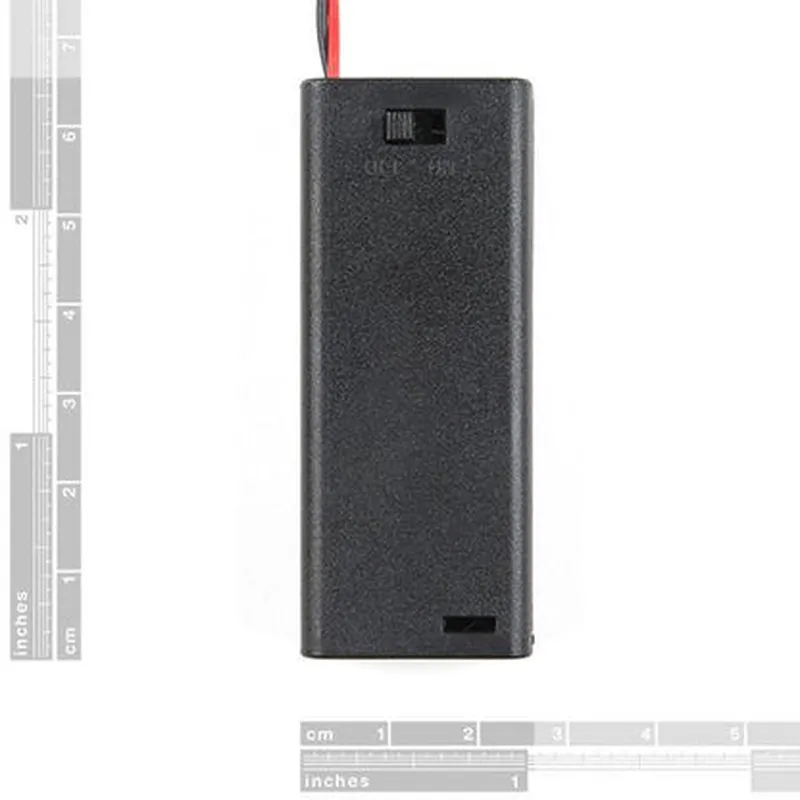
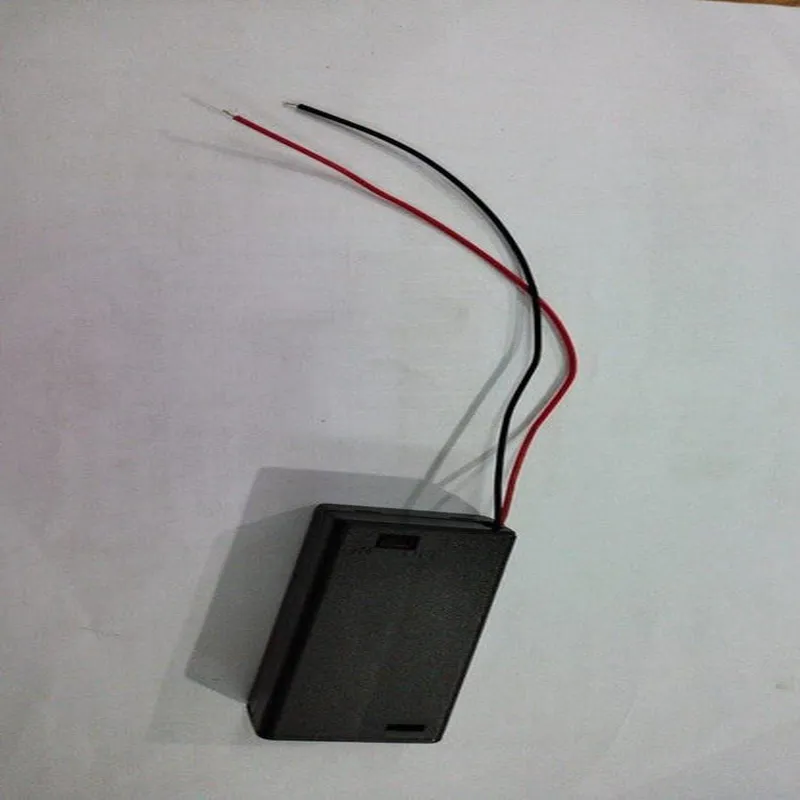
The 2 x AAA Battery Holder with Cover and On/Off Switch is a compact and versatile component designed to securely hold two AAA batteries and provide a convenient on/off switching mechanism. This component is ideal for use in a wide range of IoT projects, prototyping, and proof-of-concept designs.
Functionality

The primary function of this component is to provide a reliable and efficient way to power small electronic devices using two AAA batteries. The battery holder ensures stable connections and protects the batteries from accidental short-circuits. The integrated on/off switch allows users to easily control the power supply to their device, making it an essential feature for many applications.

Key Features

  • Battery Holder: The component features a compact and sturdy holder for two AAA batteries, ensuring secure connections and preventing battery movement or vibration.
  • On/Off Switch: The integrated on/off switch provides a convenient way to control the power supply to the connected device. The switch is designed for reliable and efficient switching, with minimal power loss.
  • Cover: The battery holder comes with a protective cover that prevents accidental battery contact and reduces the risk of electrical shock.
  • Compact Design: The component is designed to be compact and lightweight, making it ideal for use in space-constrained IoT projects and prototypes.
  • Easy Assembly: The battery holder and on/off switch are easy to assemble and integrate into a wide range of devices and projects.
  • Reliability: The component is built with high-quality materials and designed for reliable performance, ensuring consistent power supply to the connected device.
  • Versatility: The 2 x AAA Battery Holder with Cover and On/Off Switch is suitable for use in a wide range of IoT projects, including robotics, automation, sensing, and monitoring applications.
Battery Type

2 x AAA

Voltage

3V (nominal)

Current Rating

1A (max)

Switch Type

SPST (Single Pole Single Throw)

Switch Rating

1A @ 3V

Dimensions

30 x 20 x 15 mm (approx.)

Weight

10 grams (approx.)

Material

ABS (Acrylonitrile Butadiene Styrene)

Operating Temperature

-20C to 80C

Applications

The 2 x AAA Battery Holder with Cover and On/Off Switch is suitable for use in a wide range of IoT projects, including

Robotics and automation

Sensing and monitoring applications

Wearable devices

IoT prototyping and proof-of-concept designs

Battery-powered devices and gadgets

Certifications and Compliance

The component complies with relevant safety and regulatory standards, including CE, RoHS, and FCC.

Pin Configuration

  • 2 x AAA Battery Holder with Cover and On/Off Switch Documentation
  • Overview
  • The 2 x AAA Battery Holder with Cover and On/Off Switch is a compact module designed to provide a convenient and efficient way to power IoT projects. This module features a battery holder that can accommodate two AAA batteries, a protective cover, and an integrated On/Off switch. The module has four pins that provide a straightforward way to connect the battery pack to your IoT device.
  • Pinout Description
  • The 2 x AAA Battery Holder with Cover and On/Off Switch has four pins, each with a specific function. Below is a detailed description of each pin:
  • Pin 1: VCC (Positive Voltage Output)
  • Pin 1 is the positive voltage output pin, which provides the power output from the battery pack.
  • When the On/Off switch is turned ON, this pin will output the voltage level of the batteries (typically 3V or 4.5V depending on the battery type).
  • Connect this pin to the positive power input of your IoT device.
  • Pin 2: GND (Ground)
  • Pin 2 is the ground pin, which provides a common ground reference for your IoT device.
  • Connect this pin to the ground pin of your IoT device.
  • Pin 3: SW (Switch Input)
  • Pin 3 is the switch input pin, which is connected to the On/Off switch.
  • When the switch is turned ON, this pin will be connected to Pin 1 (VCC), allowing the battery power to flow to your IoT device.
  • When the switch is turned OFF, this pin will be disconnected from Pin 1 (VCC), cutting off the power supply to your IoT device.
  • Pin 4: No Connection
  • Pin 4 is not connected to any internal component and should be left unconnected.
  • Connection Structure
  • To connect the 2 x AAA Battery Holder with Cover and On/Off Switch to your IoT device, follow this structure:
  • 1. VCC (Pin 1): Connect to the positive power input of your IoT device.
  • 2. GND (Pin 2): Connect to the ground pin of your IoT device.
  • 3. SW (Pin 3): Leave unconnected, as it is only used to control the internal switch.
  • 4. No Connection (Pin 4): Leave unconnected, as it is not used.
  • Example Connection Diagram
  • Here is an example connection diagram:
  • ```
  • +---------------+
  • | IoT Device |
  • +---------------+
  • |
  • |
  • v
  • +---------------+
  • | 2 x AAA |
  • | Battery Holder |
  • | with Cover and |
  • | On/Off Switch |
  • +---------------+
  • |
  • |
  • v
  • +---------------+
  • | Pin 1 (VCC) |
  • | Pin 2 (GND) |
  • | Pin 3 (SW) |
  • | Pin 4 (NC) |
  • +---------------+
  • ```
  • By following this structure and connecting the pins correctly, you can power your IoT device using the 2 x AAA Battery Holder with Cover and On/Off Switch.

Code Examples

2 x AAA Battery Holder with Cover and On/Off Switch
Overview
The 2 x AAA Battery Holder with Cover and On/Off Switch is a convenient and compact component designed to hold two AAA batteries and provide a simple on/off switching mechanism. This component is ideal for IoT projects that require a reliable and easy-to-use power supply.
Features
Holds two AAA batteries
 Includes an on/off switch for easy power control
 Cover protects batteries from accidental contact or exposure
 Compact design for easy integration into IoT projects
Pinout
The 2 x AAA Battery Holder with Cover and On/Off Switch does not have any pins. The power output is provided through two terminals, marked as `VCC` and `GND`, which can be connected to the positive and negative terminals of a microcontroller or other electronic components.
Examples
### Example 1: Using with Arduino Uno
In this example, we will connect the 2 x AAA Battery Holder with Cover and On/Off Switch to an Arduino Uno board and use it to power an LED.
Hardware Requirements
2 x AAA Battery Holder with Cover and On/Off Switch
 Arduino Uno board
 LED
 Resistor (220)
 Breadboard and jumper wires
Code
```c
const int ledPin = 13;  // LED connected to digital pin 13
void setup() {
  pinMode(ledPin, OUTPUT);
}
void loop() {
  if (digitalRead(SWITCH_PIN) == HIGH) {  // Read the switch state
    digitalWrite(ledPin, HIGH);  // Turn on the LED
  } else {
    digitalWrite(ledPin, LOW);  // Turn off the LED
  }
  delay(50);
}
```
Notes
`SWITCH_PIN` is not a physical pin on the battery holder, but rather a digital pin on the Arduino Uno board that is connected to the on/off switch.
 The `digitalRead()` function reads the state of the switch, and the `digitalWrite()` function sets the state of the LED.
### Example 2: Using with ESP32 DevKitC
In this example, we will connect the 2 x AAA Battery Holder with Cover and On/Off Switch to an ESP32 DevKitC board and use it to power a simple Wi-Fi enabled device.
Hardware Requirements
2 x AAA Battery Holder with Cover and On/Off Switch
 ESP32 DevKitC board
 Breadboard and jumper wires
Code
```c
#include <WiFi.h>
const char ssid = "your_wifi_ssid";
const char password = "your_wifi_password";
void setup() {
  Serial.begin(115200);
  WiFi.begin(ssid, password);
while (WiFi.status() != WL_CONNECTED) {
    delay(1000);
    Serial.println("Connecting to WiFi...");
  }
Serial.println("Connected to WiFi");
  Serial.println("Starting device...");
}
void loop() {
  if (digitalRead(GPIO_NUM_0) == HIGH) {  // Read the switch state
    Serial.println("Switch is ON");
  } else {
    Serial.println("Switch is OFF");
  }
  delay(500);
}
```
Notes
`GPIO_NUM_0` is a digital pin on the ESP32 DevKitC board that is connected to the on/off switch.
 The `digitalRead()` function reads the state of the switch, and the `Serial.println()` function prints messages to the serial console.
By using the 2 x AAA Battery Holder with Cover and On/Off Switch, you can easily power your IoT projects and add a convenient on/off switching mechanism.