Stufin
Home Quick Cart Profile

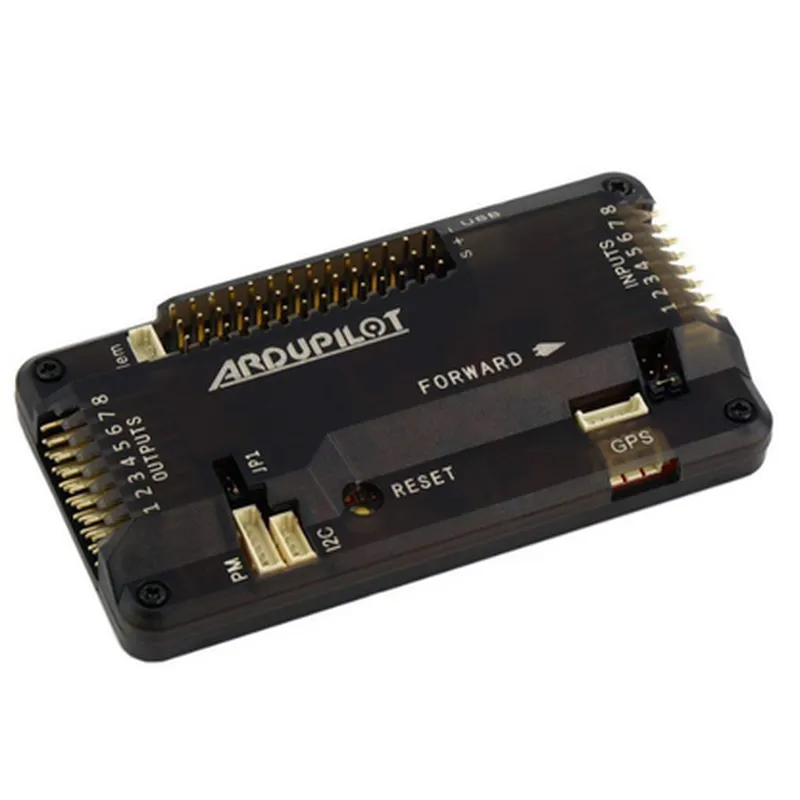
APM 2.8 Flight Controller (Without Compass)

Buy Now on Stufin

Processor

32-bit ARM Cortex-M4


Clock Speed

400 MHz

Memory

2048 KB Flash, 256 KB RAM

Operating System

Open-source, based on C and C++

Sensor Interface

I2C, SPI, UART

Connectivity

USB, UART, I2C, SPI

Dimensions

36.5 mm x 36.5 mm x 10 mm

Weight

12 grams

Power Supply

5V, 3.3V

Compatibility

Quadcopters, hexacopters, octocopters, and more

Conclusion

The APM 2.8 Flight Controller (Without Compass) is a powerful and versatile autopilot system designed for a wide range of UAV and drone applications. Its open-source nature, high-performance processing, and flexible connectivity options make it an ideal choice for both amateur and professional users.

Pin Configuration

  • APM 2.8 Flight Controller (Without Compass) Pinout Explanation
  • The APM 2.8 Flight Controller is a popular open-source autopilot system designed for drones and other unmanned aerial vehicles (UAVs). This documentation will provide a detailed explanation of the pins on the APM 2.8 Flight Controller without a compass.
  • Pinout Structure:
  • The APM 2.8 Flight Controller has a total of 46 pins, arranged in three rows of 16, 15, and 15 pins, respectively. The pins are labeled with a combination of letters and numbers, indicating their function.
  • Pin Explanation:
  • Here is a point-by-point explanation of each pin on the APM 2.8 Flight Controller:
  • Row 1 (16 pins):
  • 1. VCC (3.3V): Power supply pin for the flight controller, providing 3.3V voltage.
  • 2. GND: Ground pin, connected to the negative terminal of the power supply.
  • 3. TX1: UART1 transmit pin, used for serial communication with peripherals.
  • 4. RX1: UART1 receive pin, used for serial communication with peripherals.
  • 5. TX2: UART2 transmit pin, used for serial communication with peripherals.
  • 6. RX2: UART2 receive pin, used for serial communication with peripherals.
  • 7. SCL: I2C clock pin, used for communication with I2C devices.
  • 8. SDA: I2C data pin, used for communication with I2C devices.
  • 9. PPM: Pulse Position Modulation input pin, used for receiving PPM signals from the radio transmitter.
  • 10. RSSI: RSSI (Received Signal Strength Indication) input pin, used for monitoring the signal strength of the radio transmitter.
  • 11. AUX1: Auxiliary input pin, used for connecting custom sensors or devices.
  • 12. AUX2: Auxiliary input pin, used for connecting custom sensors or devices.
  • 13. AUX3: Auxiliary input pin, used for connecting custom sensors or devices.
  • 14. AUX4: Auxiliary input pin, used for connecting custom sensors or devices.
  • 15. STEM: STEM (Sensor Trigger and Event Management) pin, used for connecting sensors or devices that require trigger signals.
  • 16. Buzzer: Buzzer output pin, used for generating audible alerts and warnings.
  • Row 2 (15 pins):
  • 1. M1: Motor 1 control pin, used for controlling the speed of Motor 1.
  • 2. M2: Motor 2 control pin, used for controlling the speed of Motor 2.
  • 3. M3: Motor 3 control pin, used for controlling the speed of Motor 3.
  • 4. M4: Motor 4 control pin, used for controlling the speed of Motor 4.
  • 5. M5: Motor 5 control pin, used for controlling the speed of Motor 5.
  • 6. M6: Motor 6 control pin, used for controlling the speed of Motor 6.
  • 7. CAM: Camera control pin, used for controlling the camera's shutter or other functions.
  • 8. RELAY: Relay control pin, used for controlling external relays or devices.
  • 9. SERVO1: Servo 1 control pin, used for controlling servo motors.
  • 10. SERVO2: Servo 2 control pin, used for controlling servo motors.
  • 11. SERVO3: Servo 3 control pin, used for controlling servo motors.
  • 12. SERVO4: Servo 4 control pin, used for controlling servo motors.
  • 13. SERVO5: Servo 5 control pin, used for controlling servo motors.
  • 14. SERVO6: Servo 6 control pin, used for controlling servo motors.
  • 15. VBUS: USB bus power pin, used for providing power to USB devices.
  • Row 3 (15 pins):
  • 1. ADC1: Analog-to-Digital Converter 1 input pin, used for reading analog voltage levels.
  • 2. ADC2: Analog-to-Digital Converter 2 input pin, used for reading analog voltage levels.
  • 3. ADC3: Analog-to-Digital Converter 3 input pin, used for reading analog voltage levels.
  • 4. ADC4: Analog-to-Digital Converter 4 input pin, used for reading analog voltage levels.
  • 5. ADC5: Analog-to-Digital Converter 5 input pin, used for reading analog voltage levels.
  • 6. ADC6: Analog-to-Digital Converter 6 input pin, used for reading analog voltage levels.
  • 7. GPIO1: General Purpose Input/Output 1 pin, used for custom applications.
  • 8. GPIO2: General Purpose Input/Output 2 pin, used for custom applications.
  • 9. GPIO3: General Purpose Input/Output 3 pin, used for custom applications.
  • 10. GPIO4: General Purpose Input/Output 4 pin, used for custom applications.
  • 11. GPIO5: General Purpose Input/Output 5 pin, used for custom applications.
  • 12. GPIO6: General Purpose Input/Output 6 pin, used for custom applications.
  • 13. EXT_INT: External Interrupt pin, used for triggering interrupts from external sources.
  • 14. Boot: Bootloader mode selection pin, used for entering bootloader mode.
  • 15. Reset: Reset pin, used for resetting the flight controller.
  • Connecting the Pins:
  • When connecting the pins on the APM 2.8 Flight Controller, ensure you follow proper soldering and wiring techniques to prevent damage to the board or connected components. Here are some general guidelines:
  • Use a well-regulated power supply to avoid voltage fluctuations.
  • Connect motors, servos, and relays according to their specific requirements and pinouts.
  • Use twisted pair cables for serial communication (UART) and I2C connections to minimize electromagnetic interference (EMI).
  • Connect sensors and devices according to their specific pinouts and voltage requirements.
  • Avoid overloading the flight controller's power supply with excessive current draws.
  • By following this pinout explanation and connection guidelines, you can successfully integrate the APM 2.8 Flight Controller into your UAV or robotics project.

Code Examples

APM 2.8 Flight Controller (Without Compass) Documentation
Overview
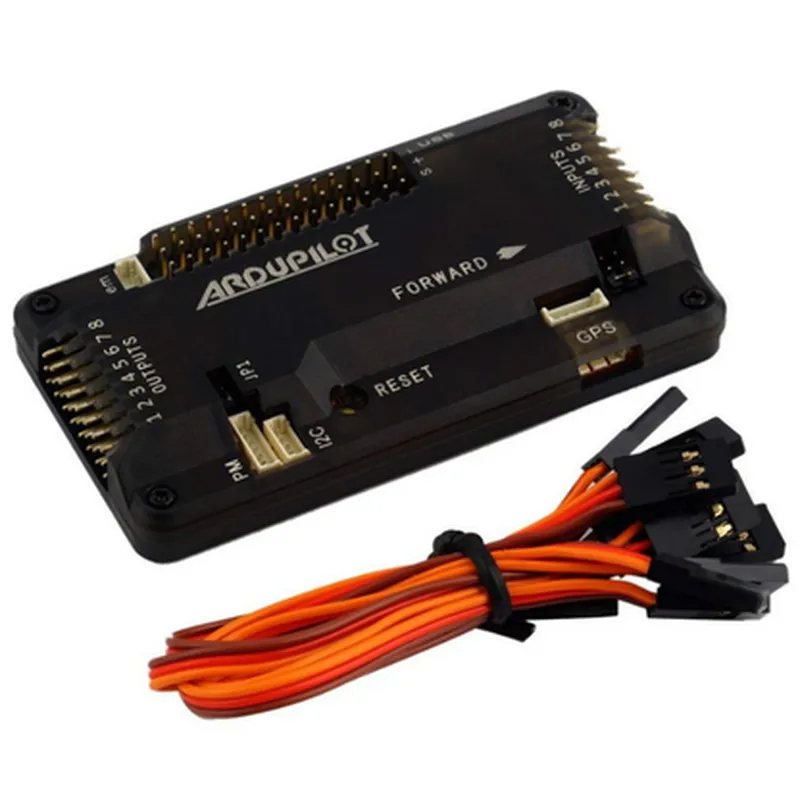
The APM 2.8 Flight Controller (Without Compass) is a popular open-source autopilot system designed for quadcopters, planes, and helicopters. It is a compact, lightweight, and highly capable flight controller that provides precise navigation and control capabilities. This documentation provides an overview of the APM 2.8 Flight Controller, its features, and code examples to demonstrate its usage in various contexts.
Features
32-bit ARM Cortex-M4 processor with FPU
 3-axis accelerometer and 3-axis gyroscopic sensors
 1 MB of flash memory and 128 KB of SRAM
 Supports multiple sensors, including GPS, airspeed, and barometric pressure
 Compatible with various flight modes, including Acro, Stabilize, and Loiter
 Supports multiple communication protocols, including USB, UART, and I2C
Hardware Connections
The APM 2.8 Flight Controller has the following hardware connections:
USB port for programming and debugging
 6-pin ISP header for programming
 4-pin serial port for telemetry and console output
 3-pin I2C port for connecting sensors and peripherals
 4-pin GPS port for connecting GPS modules
 Multiple analog and digital input pins for connecting sensors and other devices
Software
The APM 2.8 Flight Controller uses the ArduPilot firmware, which is an open-source autopilot system. The firmware provides a range of features, including navigation, control, and sensor integration.
Code Examples
### Example 1: Basic Flight Control using APM 2.8 and GPS
This example demonstrates how to use the APM 2.8 Flight Controller with a GPS module to control a quadcopter's flight.
```c
#include <AP_Common.h>
#include <AP_GPS.h>
#include <AP_Nav.h>
void setup() {
  // Initialize GPS module
  AP_GPS::init();
  
  // Set flight mode to Stabilize
  nav_set_mode(NAV_MODE_STABILIZE);
}
void loop() {
  // Read GPS data
  GPS::read();
  
  // Get current location
  Location loc = gps.location();
  
  // Set waypoints for navigation
  nav_set_wp(loc, 10.0, 20.0);
  
  // Update navigation
  nav_update();
  
  // Control motors
  motor_control();
  
  // Delay for next iteration
  delay(50);
}
```
### Example 2: Autonomous Takeoff and Landing using APM 2.8 and Barometric Pressure Sensor
This example demonstrates how to use the APM 2.8 Flight Controller with a barometric pressure sensor to autonomously take off and land a quadcopter.
```c
#include <AP_Common.h>
#include <AP_Baro.h>
#include <AP_Nav.h>
void setup() {
  // Initialize barometric pressure sensor
  AP_Baro::init();
  
  // Set flight mode to Auto
  nav_set_mode(NAV_MODE_AUTO);
}
void loop() {
  // Read barometric pressure data
  Baro::read();
  
  // Get current altitude
  float altitude = baro.get_altitude();
  
  // Check for takeoff condition
  if (altitude < 2.0) {
    // Takeoff sequence
    nav_takeoff(10.0);
  }
  
  // Check for landing condition
  if (altitude < 1.0) {
    // Landing sequence
    nav_land();
  }
  
  // Update navigation
  nav_update();
  
  // Delay for next iteration
  delay(50);
}
```
These code examples demonstrate the basic usage of the APM 2.8 Flight Controller in various contexts. Please note that this is not an exhaustive list, and the APM 2.8 Flight Controller is capable of many more features and configurations.