220k Ohm Resistor (Pack of 10)


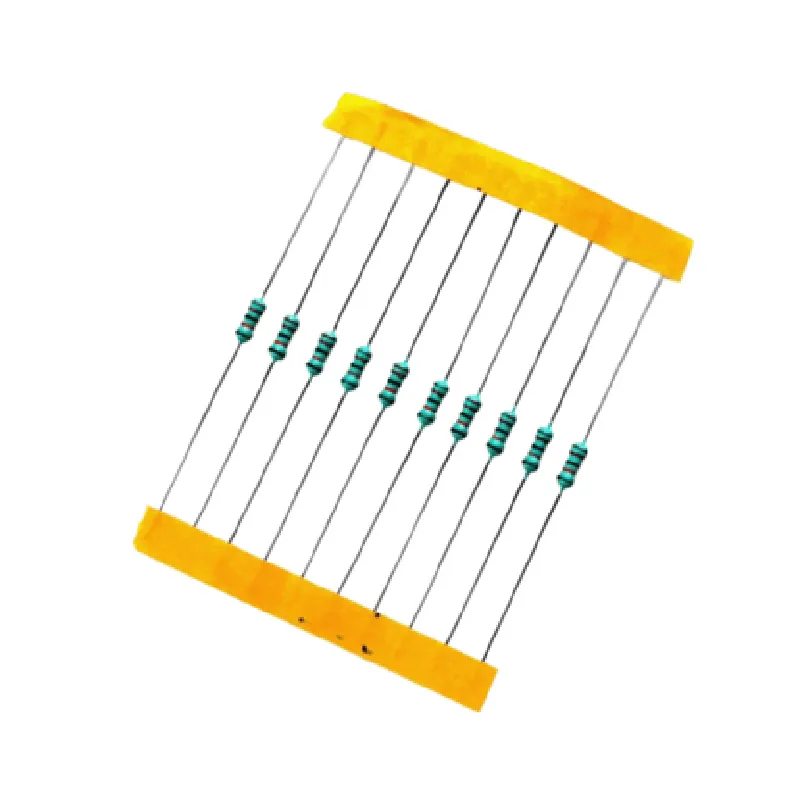

220k Ohm Resistor (Pack of 10)
The 220k Ohm Resistor (Pack of 10) is a set of 10 resistors with a rated resistance value of 220 kilohms (220,000 ohms). These resistors are designed to control the flow of electrical current in various electronic circuits, providing a precise and stable resistance to ensure reliable performance.
| A resistor is a passive electronic component that opposes the flow of electric current. The 220k Ohm Resistor reduces the voltage across a circuit, divides voltage levels, and limits current flow to prevent damage to other components. It is an essential component in a wide range of electronic circuits, including |
Voltage dividers
Signal attenuators
Current limiters
Audio circuits
Power supplies
Digital circuits
| The 220k Ohm Resistor (Pack of 10) is suitable for a wide range of applications, including |
Prototyping and development of electronic circuits
Repair and maintenance of existing electronic devices
Audio equipment, such as amplifiers and filters
Digital circuits, including microcontrollers and Arduino projects
Power supplies and voltage regulators
IoT projects, including sensor networks and automation systems
| When working with resistors, ensure proper handling and storage to prevent damage or degradation |
Avoid overheating or excessive power dissipation
Handle resistors by the body, not the leads, to prevent mechanical stress
Store resistors in a cool, dry place, away from direct sunlight
Follow proper soldering techniques to prevent damage or oxidation
By understanding the features and functionality of the 220k Ohm Resistor (Pack of 10), designers and engineers can create efficient, reliable, and accurate electronic circuits for various applications.
220k Resistor (Pack of 10) DocumentationOverviewThe 220k Resistor is a type of fixed resistor used in electronic circuits to regulate the flow of electric current. This pack of 10 resistors offers flexibility and convenience for prototyping and development of IoT projects. The 220k resistor is commonly used in applications such as voltage dividers, signal attenuation, and current limiting.SpecificationsResistance: 220k 1%
Power Rating: 1/4 Watt
Tolerance: 1%
Operating Temperature: -55C to +155C
Package: Through-Hole, Radial LeadCode Examples### Example 1: Voltage Divider with ArduinoIn this example, we will use the 220k resistor as part of a voltage divider circuit to measure the voltage level of a sensor output.Circuit Diagram```
+---------------+
| Vin |
| (from sensor) |
+---------------+
|
|
v
+---------------+
| R1 (220k) |
| +-----------+ |
| | |
| +-----------+ |
| R2 (10k) |
| +-----------+ |
|
|
v
+---------------+
| Arduino |
| Analog Pin |
+---------------+
```Arduino Code```c++
const int sensorPin = A0; // select the analog input pin for the sensor
int sensorValue = 0; // variable to store the sensor valuevoid setup() {
Serial.begin(9600);
}void loop() {
sensorValue = analogRead(sensorPin);
float voltage = (sensorValue 5.0) / 1023.0; // calculate voltage
Serial.print("Voltage: ");
Serial.print(voltage);
Serial.println(" V");
delay(1000);
}
```In this example, the 220k resistor (R1) is used in conjunction with a 10k resistor (R2) to form a voltage divider circuit. The Arduino reads the voltage level at the junction of the two resistors and calculates the original voltage using the analogRead() function.### Example 2: Signal Attenuation with Raspberry PiIn this example, we will use the 220k resistor to attenuate a signal from a sensor before feeding it into the Raspberry Pi's analog input.Circuit Diagram```
+---------------+
| Sensor Output |
| (e.g., microphone) |
+---------------+
|
|
v
+---------------+
| R1 (220k) |
| +-----------+ |
| | |
| +-----------+ |
| R2 (1k) |
| +-----------+ |
|
|
v
+---------------+
| Raspberry Pi |
| Analog Input |
+---------------+
```Python Code (Raspberry Pi)```python
import RPi.GPIO as GPIO
import time# set up the GPIO library
GPIO.setmode(GPIO.BCM)# define the analog input pin
analog_pin = 18while True:
# read the attenuated signal
signal_value = GPIO.input(analog_pin)
print("Signal Value:", signal_value)
time.sleep(0.1)
```In this example, the 220k resistor (R1) is used to attenuate the signal from the sensor, reducing its amplitude to a level suitable for the Raspberry Pi's analog input. The attenuated signal is then read by the Raspberry Pi using the GPIO library.