

Stufin
Home Quick Cart Profile

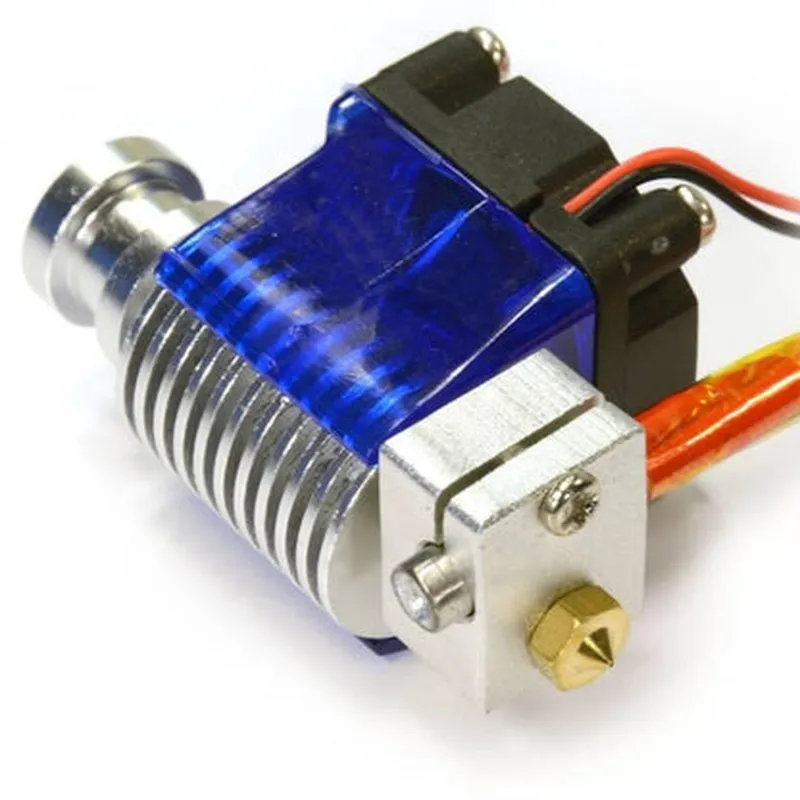
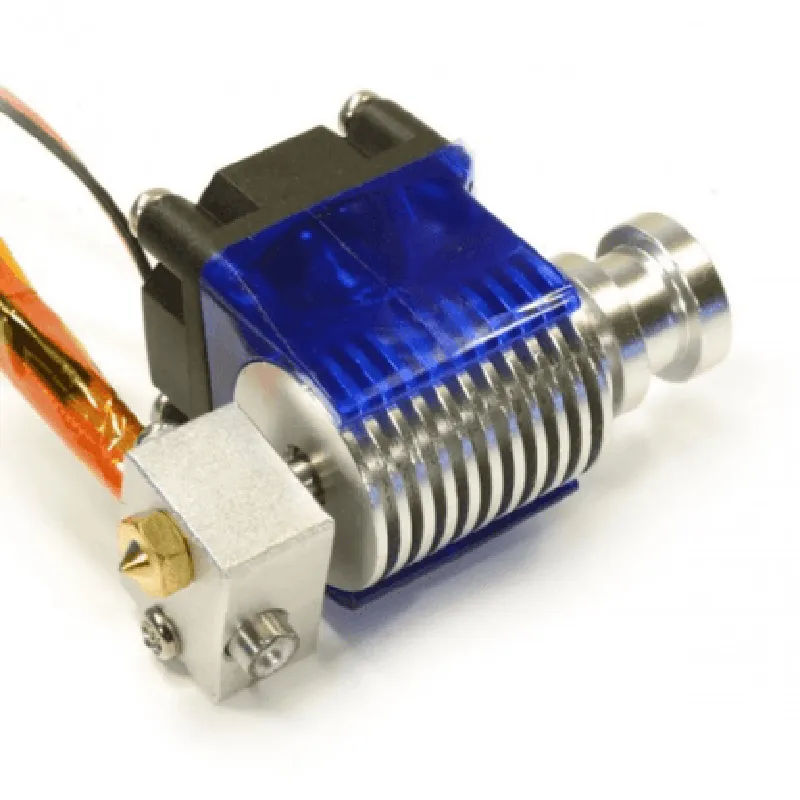
E3D V6 All Metal J-head with Fan for 1.75 mm filament 0.2 mm Nozzle Extruder for 3D Printers

Buy Now on Stufin

Component Description

E3D V6 All Metal J-head with Fan for 1.75 mm filament 0.2 mm Nozzle Extruder for 3D Printers

Overview

The E3D V6 All Metal J-head with Fan is a high-performance extruder component designed specifically for 3D printing applications. This component is compatible with 1.75 mm filament and features a 0.2 mm nozzle diameter, making it an ideal solution for precise and reliable 3D printing.

Functionality

The E3D V6 All Metal J-head with Fan is responsible for melting and extruding filament in a 3D printing process. Its primary function is to heat the filament to a precise temperature, allowing it to flow smoothly through the nozzle and create a consistent, high-quality print. The component's design ensures efficient heat transfer, minimizing thermal losses and enabling optimal performance.

Key Features

  • All-Metal Construction: The J-head is built with a robust all-metal design, which provides exceptional durability and heat dissipation. This construction enables the component to withstand high temperatures and withstand demanding printing conditions.
  • 1.75 mm Filament Compatibility: The E3D V6 is designed to work seamlessly with 1.75 mm diameter filaments, making it suitable for a wide range of 3D printing applications.
  • 0.2 mm Nozzle Diameter: The 0.2 mm nozzle diameter allows for precise control over the extruded filament, enabling the creation of intricate details and fine features in 3D printed objects.
  • Integrated Cooling Fan: The component features a built-in cooling fan, which helps to dissipate heat generated during the printing process. This ensures that the extruder remains at a stable temperature, preventing overheating and jamming issues.
  • High-Temperature Resistance: The E3D V6 is capable of withstanding extremely high temperatures (up to 300C), making it suitable for printing with a wide range of thermoplastic materials.
  • Easy Installation and Maintenance: The component is designed for easy installation and maintenance, featuring a simple, tool-free design that allows for straightforward assembly and disassembly.
  • Compatibility with Various 3D Printers: The E3D V6 All Metal J-head with Fan is compatible with a wide range of 3D printers, making it a versatile solution for various printing applications.

Technical Specifications

Filament diameter

1.75 mm

Nozzle diameter

0.2 mm

Temperature range

up to 300C

Heat sink material

Aluminum

Fan type

Axial fan

Power consumption

30W (max)

Dimensions

45 x 30 x 20 mm (approx.)

Weight

120g (approx.)

Recommended Usage

The E3D V6 All Metal J-head with Fan is recommended for use in 3D printing applications that require high precision, accuracy, and reliability. It is particularly suited for printing with PLA, ABS, and other thermoplastic materials.

Pin Configuration

  • E3D V6 All Metal J-head with Fan for 1.75 mm filament 0.2 mm Nozzle Extruder for 3D Printers Pinout Documentation
  • The E3D V6 All Metal J-head with Fan for 1.75 mm filament 0.2 mm Nozzle Extruder is a popular hotend component for 3D printers. This documentation explains the pinout and connection details for the extruder.
  • Pinout:
  • The E3D V6 All Metal J-head has a total of 4 pins:
  • | Pin # | Pin Function | Pin Type |
  • | --- | --- | --- |
  • | 1 | Thermistor Signal | Analog |
  • | 2 | Heater Power (+) | Power |
  • | 3 | Heater Power (-) | Power |
  • | 4 | Fan Power (+) | Power |
  • Pin Connection Details:
  • Below is a point-by-point explanation of how to connect the pins:
  • Pin 1: Thermistor Signal
  • Function: Connects to the thermistor, which measures the temperature of the hotend.
  • Connection: Connect the thermistor signal wire to this pin. Typically, this wire is yellow or white.
  • Note: Ensure the thermistor is properly connected to the hotend and the signal wire is securely attached to the printer's mainboard or temperature controller.
  • Pin 2: Heater Power (+)
  • Function: Provides power to the heating element (e.g., a heater cartridge or heating coil) to heat the hotend.
  • Connection: Connect the positive leg of the heater power supply to this pin. Typically, this wire is red or orange.
  • Note: Ensure the power supply is sufficient for the heater's power requirements, and that the connections are secure to avoid electrical shorts or overheating.
  • Pin 3: Heater Power (-)
  • Function: Provides the ground reference for the heating element.
  • Connection: Connect the negative leg of the heater power supply to this pin. Typically, this wire is black or brown.
  • Note: Ensure the power supply is sufficient for the heater's power requirements, and that the connections are secure to avoid electrical shorts or overheating.
  • Pin 4: Fan Power (+)
  • Function: Provides power to the cooling fan, which helps to dissipate heat from the hotend.
  • Connection: Connect the positive leg of the fan power supply to this pin. Typically, this wire is blue or white.
  • Note: Ensure the fan is properly connected and mounted to the hotend, and that the power supply is sufficient for the fan's power requirements.
  • Additional Connection Considerations:
  • Ensure all connections are secure and meet the recommended electrical standards for your region.
  • Use heat-resistant wires and connectors to avoid damage from high temperatures.
  • Verify the power supply and wiring are rated for the heater and fan's power requirements to avoid electrical shorts or overheating.
  • Consult the printer's mainboard or temperature controller documentation for specific connection instructions, as they may vary.
  • By following these pin connection guidelines, you can successfully integrate the E3D V6 All Metal J-head with Fan for 1.75 mm filament 0.2 mm Nozzle Extruder into your 3D printer setup.

Code Examples

E3D V6 All Metal J-head with Fan for 1.75 mm filament 0.2 mm Nozzle Extruder for 3D Printers
Overview
The E3D V6 All Metal J-head with Fan is a high-performance extruder designed for 3D printers, specifically optimized for 1.75 mm filament and 0.2 mm nozzle sizes. This component features an all-metal construction, providing improved heat dissipation and durability. The integrated fan ensures efficient cooling, allowing for faster print speeds and reduced warping.
Technical Specifications
Compatible filament size: 1.75 mm
 Nozzle size: 0.2 mm
 Material: All-metal construction
 Cooling system: Integrated fan
 Compatible 3D printer platforms: Supports various 3D printer boards and firmware (e.g., Marlin, Repetier, Sprinter)
Code Examples
### Example 1: Marlin Firmware Configuration
To use the E3D V6 All Metal J-head with Fan in a Marlin-based 3D printer, you need to configure the firmware accordingly. Here's an example configuration:
```c
// Marlin firmware configuration for E3D V6 All Metal J-head with Fan
// Set the extruder type to "E3D_V6"
#define EXTRUDER_TYPE E3D_V6
// Set the heatsink fan pin ( adjust according to your board's pinout )
#define HEATSINK_FAN_PIN 4
// Set the extruder temperature and fan speed
#define EXTRUDER_TEMP 215
#define EXTRUDER_FAN_SPEED 50
// Define the extruder's min and max temperatures
#define EXTRUDER_MIN_TEMP 150
#define EXTRUDER_MAX_TEMP 250
```
### Example 2: Python Script for Temperature Control (using PySerial)
In this example, we'll use a Python script to control the extruder temperature using PySerial library. This script is suitable for users who want to automate temperature control or create custom temperature profiles.
```python
import serial
import time
# Open the serial connection to the 3D printer
ser = serial.Serial('COM3', 115200, timeout=1)  # Adjust the COM port and baudrate according to your setup
# Set the extruder temperature to 210C
ser.write(b"M104 T0 S210
")  # T0 is the extruder index, S210 sets the temperature
time.sleep(2)  # Wait for the temperature to stabilize
# Read the current extruder temperature
ser.write(b"M105
")
response = ser.readline().decode().strip()
print("Current extruder temperature:", response)
# Set the heatsink fan speed to 50%
ser.write(b"M106 T0 S50
")  # T0 is the extruder index, S50 sets the fan speed
time.sleep(1)  # Wait for the fan to adjust
```
### Example 3: G-code Command for Extruder Calibration (using OctoPrint)
To calibrate the E3D V6 All Metal J-head with Fan using OctoPrint, you can use the following G-code command:
```
; Send the M503 command to the 3D printer to retrieve the current calibration data
M503
; Set the extruder steps per millimeter (adjust according to your printer's calibration)
M92 E400
; Save the new calibration data to the EEPROM
M500
```
Note: The above examples are provided for illustrative purposes only. Please ensure you understand the specific requirements and configurations for your 3D printer and firmware before implementing these examples.