Stufin
Home Quick Cart Profile

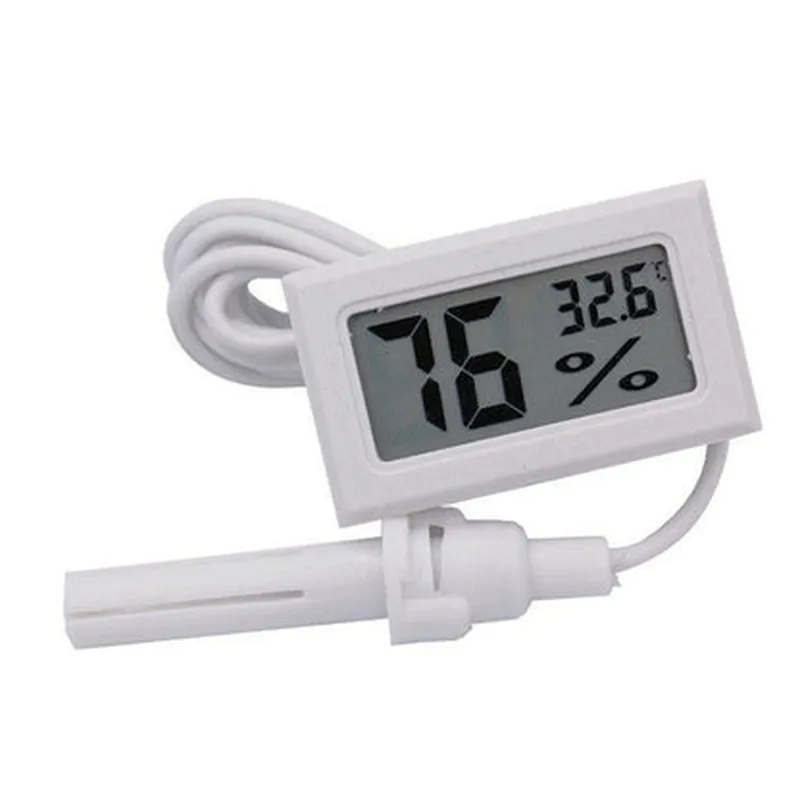
Mini Digital Thermometer Humidity Hygrometer (Colour may vary)

Buy Now on Stufin

Component Name

Mini Digital Thermometer Humidity Hygrometer


Overview

The Mini Digital Thermometer Humidity Hygrometer is a compact, low-cost, and highly accurate environmental sensing device designed to measure temperature and humidity levels in various environments. This device is perfect for a wide range of applications, including industrial automation, embedded systems, robotics, weather stations, and DIY projects.
Description

The Mini Digital Thermometer Humidity Hygrometer is a small, rectangular module that integrates a temperature sensor, humidity sensor, and a microcontroller to provide accurate and reliable readings. The device features a compact design, making it ideal for applications where space is limited.
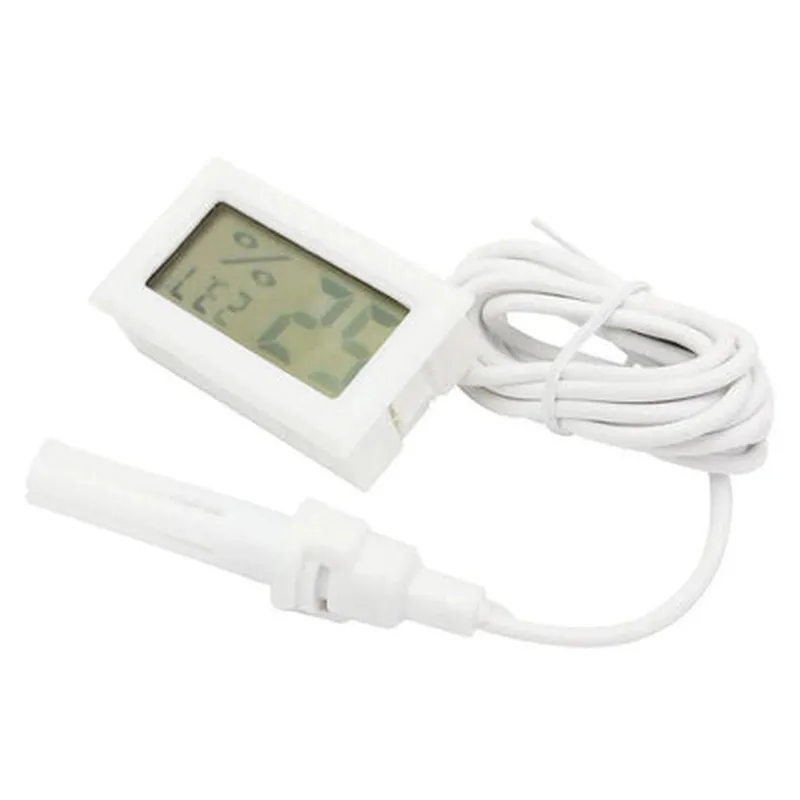
The Mini Digital Thermometer Humidity Hygrometer measures the following environmental parameters

  • Temperature: The device measures temperature in the range of -40C to 125C with an accuracy of 1C.
  • Humidity: The device measures relative humidity (RH) in the range of 20% to 95% with an accuracy of 5%.

Key Features

  • High Accuracy: The device provides accurate temperature and humidity readings, making it suitable for applications that require precise environmental monitoring.
  • Compact Design: The miniature design of the device makes it ideal for applications where space is limited.
  • Low Power Consumption: The device operates on a low power supply, making it suitable for battery-powered devices and extending battery life.
  • Digital Output: The device provides a digital output, making it easy to interface with microcontrollers, Arduino, Raspberry Pi, and other digital systems.
  • Wide Operating Range: The device operates in a wide temperature range, making it suitable for various applications, including industrial automation, outdoor monitoring, and more.
  • Simple to Use: The device is easy to use and requires no complex calibration or setup.
  • Colour May Vary: The device colour may vary, but this does not affect its performance or functionality.

Technical Specifications

  • Operating Voltage: 3.3V to 5V DC
  • Current Consumption: < 10mA
  • Communication Protocol: Digital (I2C or UART)
  • Measurement Accuracy:

Temperature

1C (-40C to 125C)

Humidity

5% (20% to 95% RH)

  • Response Time: < 1 second
  • Operating Temperature: -40C to 125C
  • Storage Temperature: -50C to 150C
  • Humidity Range: 20% to 95% RH
  • Dimensions: 25mm x 15mm x 5mm (L x W x H)

Applications

  • Industrial Automation: Monitor temperature and humidity levels in industrial environments to optimize process control and reduce energy consumption.
  • Weather Stations: Use the device to build accurate and reliable weather stations for outdoor monitoring.
  • Robotics: Integrate the device into robotics projects to enable environmental sensing and monitoring.
  • DIY Projects: Use the device in DIY projects, such as home automation, temperature monitoring, and more.
  • Embedded Systems: Integrate the device into embedded systems for applications such as medical devices, agricultural monitoring, and more.

Pin Configuration

  • Mini Digital Thermometer Humidity Hygrometer Component Documentation
  • Pinout Explanation:
  • The Mini Digital Thermometer Humidity Hygrometer module has a total of 4 pins, which are used to interface with a microcontroller or other electronic devices. Here's a detailed explanation of each pin:
  • Pin 1: VCC
  • Function: Power Supply Pin
  • Description: This pin is used to supply power to the module. Typically, a voltage of 3.3V or 5V is recommended, depending on the microcontroller or device being used.
  • Connection: Connect to the positive terminal of the power supply or the VCC pin of the microcontroller.
  • Pin 2: GND
  • Function: Ground Pin
  • Description: This pin is used to provide a ground reference for the module.
  • Connection: Connect to the negative terminal of the power supply or the GND pin of the microcontroller.
  • Pin 3: DOUT (Data Out)
  • Function: Digital Output Pin
  • Description: This pin is used to transmit digital data from the module to a microcontroller or other devices. The data transmitted includes temperature and humidity readings.
  • Connection: Connect to a digital input pin of the microcontroller or a compatible digital input of another device.
  • Pin 4: NC (Not Connected)
  • Function: No Connection Pin
  • Description: This pin is not used and should be left unconnected.
  • Connection Structure:
  • Here's a step-by-step guide to connecting the pins:
  • 1. Power Supply Connection:
  • Connect Pin 1 (VCC) to the positive terminal of the power supply or the VCC pin of the microcontroller.
  • Connect Pin 2 (GND) to the negative terminal of the power supply or the GND pin of the microcontroller.
  • 2. Data Transmission Connection:
  • Connect Pin 3 (DOUT) to a digital input pin of the microcontroller or a compatible digital input of another device.
  • 3. Leave Pin 4 (NC) Unconnected:
  • Pin 4 should not be connected to anything, as it is not used by the module.
  • Important Notes:
  • Make sure to use a suitable power supply voltage for the module, as excessive voltage can damage the component.
  • Use a compatible communication protocol (e.g., I2C, SPI, or UART) to read data from the module, depending on the microcontroller or device being used.
  • Ensure proper connections and avoid short circuits to prevent damage to the module or other components.
  • By following these guidelines, you can successfully connect and use the Mini Digital Thermometer Humidity Hygrometer module in your IoT projects.

Code Examples

Component Documentation: Mini Digital Thermometer Humidity Hygrometer
Overview
The Mini Digital Thermometer Humidity Hygrometer is a compact, low-cost IoT component that measures both temperature and humidity levels in the surrounding environment. This component is ideal for various applications, including weather stations, home automation, and environmental monitoring systems.
Technical Specifications
Temperature measurement range: -40C to 80C (-40F to 176F)
 Humidity measurement range: 20% to 90% RH (Relative Humidity)
 Accuracy: 1C (1.8F) for temperature, 5% RH for humidity
 Communication protocol: I2C, 3-wire interface
 Power supply: 3V to 5V DC
 Dimensions: 23.5 mm x 15.5 mm x 7.5 mm (0.93 in x 0.61 in x 0.30 in)
Pinout
| Pin | Function |
| --- | --- |
| VCC | Power supply (3V to 5V DC) |
| GND | Ground |
| SCL | I2C clock line |
| SDA | I2C data line |
Example Code
The following code examples demonstrate how to use the Mini Digital Thermometer Humidity Hygrometer with various microcontrollers.
Example 1: Arduino Uno
In this example, we will use the Arduino Uno board to read temperature and humidity data from the Mini Digital Thermometer Humidity Hygrometer.
```c++
#include <Wire.h>
#define THERMOMETER_ADDRESS 0x40 // I2C address of the thermometer
void setup() {
  Wire.begin(); // Initialize I2C communication
  Serial.begin(9600); // Initialize serial communication
}
void loop() {
  byte temperatureHIGH, temperatureLOW, humidityHIGH, humidityLOW;
  
  // Read temperature data
  Wire.beginTransmission(THERMOMETER_ADDRESS);
  Wire.write(0x00); // Register address for temperature data
  Wire.endTransmission();
  Wire.requestFrom(THERMOMETER_ADDRESS, 2);
  temperatureHIGH = Wire.read();
  temperatureLOW = Wire.read();
  
  float temperature = (temperatureHIGH  256 + temperatureLOW) / 10.0;
  
  // Read humidity data
  Wire.beginTransmission(THERMOMETER_ADDRESS);
  Wire.write(0x01); // Register address for humidity data
  Wire.endTransmission();
  Wire.requestFrom(THERMOMETER_ADDRESS, 2);
  humidityHIGH = Wire.read();
  humidityLOW = Wire.read();
  
  float humidity = (humidityHIGH  256 + humidityLOW) / 10.0;
  
  Serial.print("Temperature: ");
  Serial.print(temperature);
  Serial.print("C, Humidity: ");
  Serial.print(humidity);
  Serial.println("% RH");
  
  delay(1000); // Wait 1 second before taking the next reading
}
```
Example 2: Raspberry Pi (Python)
In this example, we will use the Raspberry Pi board to read temperature and humidity data from the Mini Digital Thermometer Humidity Hygrometer using Python and the `smbus` library.
```python
import smbus
import time
# I2C address of the thermometer
THERMOMETER_ADDRESS = 0x40
# Initialize I2C communication
bus = smbus.SMBus(1)
def read_temperature():
  # Read temperature data
  bus.write_byte(THERMOMETER_ADDRESS, 0x00) # Register address for temperature data
  temperatureHIGH = bus.read_byte(THERMOMETER_ADDRESS)
  temperatureLOW = bus.read_byte(THERMOMETER_ADDRESS)
  
  return (temperatureHIGH  256 + temperatureLOW) / 10.0
def read_humidity():
  # Read humidity data
  bus.write_byte(THERMOMETER_ADDRESS, 0x01) # Register address for humidity data
  humidityHIGH = bus.read_byte(THERMOMETER_ADDRESS)
  humidityLOW = bus.read_byte(THERMOMETER_ADDRESS)
  
  return (humidityHIGH  256 + humidityLOW) / 10.0
while True:
  temperature = read_temperature()
  humidity = read_humidity()
  
  print("Temperature: {:.1f}C, Humidity: {:.1f}% RH".format(temperature, humidity))
  
  time.sleep(1) # Wait 1 second before taking the next reading
```
Note: The I2C address of the thermometer may vary, so be sure to check the datasheet or user manual for the specific device you are using.