Stufin
Home Quick Cart Profile

Red BO Motor Wheel - Set of 4 | Robotics Science Project


Buy Now on Stufin

Component Name

Red BO Motor Wheel - Set of 4 | Robotics Science Project
Description

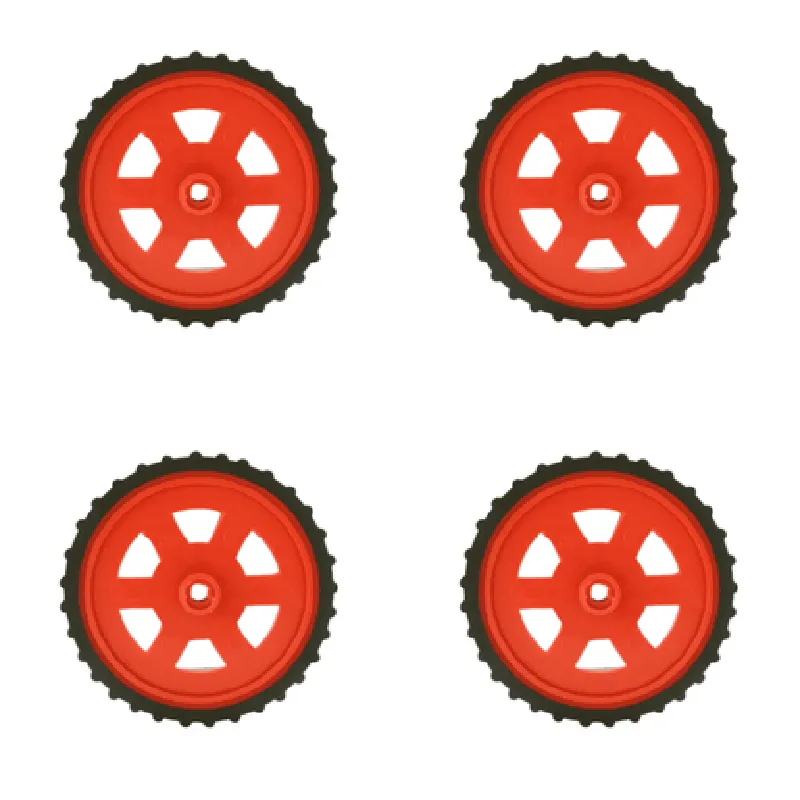
The Red BO Motor Wheel is a set of four wheel units designed for robotics and science projects. Each wheel is specifically engineered to provide a robust and efficient mobility solution for various robotic applications. This set of four wheels is ideal for building robots, robotic platforms, and autonomous vehicles that require reliable movement and navigation.

Functionality

The primary function of the Red BO Motor Wheel is to provide a mechanical interface between the motor and the surface, allowing the robot or platform to move smoothly and efficiently. The wheel's design enables it to rotate freely, while the motor (sold separately) provides the necessary torque to propel the robot forward.

Key Features

  • Material: The wheel hub is made of durable plastic, ensuring a lightweight yet robust structure that can withstand moderate loads and impacts.
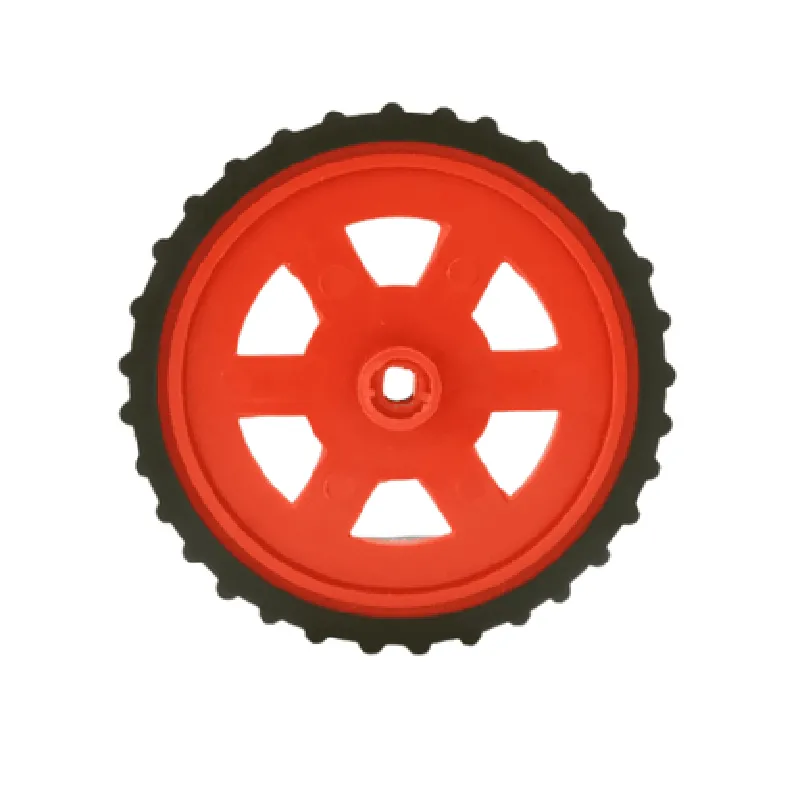
  • Wheel Diameter and Width: The wheel has a diameter of 65mm and a width of 25mm, providing a stable and balanced movement.
  • Rubber Tire: The wheel features a high-quality rubber tire with a textured surface, ensuring excellent grip and traction on various surfaces.
  • Motor Interface: The wheel hub has a standard 3mm diameter motor shaft interface, compatible with most DC motors commonly used in robotics projects.
  • Bearings: The wheel is equipped with high-quality ball bearings, reducing friction and allowing for smooth rotation and efficient power transmission.
  • Mounting Options: The wheel has multiple mounting holes (M3) on the hub, providing flexibility for attachment to various robotic platforms and chassis designs.
  • Color: The wheel's hub and motor interface are finished in a bright red anodized aluminum, adding a touch of aesthetic appeal to the robot's design.
  • Set of 4: The package includes four identical wheels, allowing for easy assembly and construction of a complete robotic platform or vehicle.
  • Compatibility: The Red BO Motor Wheel is compatible with a wide range of robotics projects, including line followers, obstacle avoiders, and autonomous vehicles.

Wheel Diameter

65mm

Wheel Width

25mm

Material

Plastic (hub) and Rubber (tire)

Motor Shaft Interface

3mm diameter

Bearing Type

Ball bearings

Mounting Holes

M3

Color

Red anodized aluminum

Package Quantity

4 wheels

Applications

The Red BO Motor Wheel is ideal for various robotics and science projects, including

Autonomous vehicles

Robot platforms

Line followers

Obstacle avoiders

Sumo robots

Robot battles

Educational projects

Hobbyist robotics

Pin Configuration

  • Red BO Motor Wheel - Set of 4 | Robotics Science Project
  • Motor Pinout Explanation
  • The Red BO Motor Wheel Set of 4 is a popular robotics component used in various robotic projects. Each motor wheel has a set of pins that need to be connected properly to control the motor's rotation and direction. Below is a detailed explanation of each pin and how to connect them:
  • Motor Pinouts:
  • The motor has 6 pins, labeled as follows:
  • 1. VCC (Red Wire)
  • Function: Power supply (Positive voltage)
  • Connection: Connect to the positive terminal of the power source (e.g., battery or voltage regulator output)
  • 2. GND (Black Wire)
  • Function: Power supply (Negative voltage)
  • Connection: Connect to the negative terminal of the power source (e.g., battery or voltage regulator output)
  • 3. IN1 (Blue Wire)
  • Function: Input 1 for motor direction control
  • Connection: Connect to a digital output pin of a microcontroller (e.g., Arduino, Raspberry Pi) or a motor driver IC
  • 4. IN2 (Yellow Wire)
  • Function: Input 2 for motor direction control
  • Connection: Connect to a digital output pin of a microcontroller (e.g., Arduino, Raspberry Pi) or a motor driver IC
  • 5. EN (Green Wire)
  • Function: Enable pin for motor control
  • Connection: Connect to a digital output pin of a microcontroller (e.g., Arduino, Raspberry Pi) or a motor driver IC
  • 6. Feedback (White Wire)
  • Function: Feedback pin for motor speed and direction monitoring (optional)
  • Connection: Connect to an analog input pin of a microcontroller (e.g., Arduino, Raspberry Pi) or a speed controller IC (if required)
  • Connecting the Pins:
  • To connect the motor wheel pins, follow these steps:
  • 1. Power Supply Connection:
  • Connect the VCC (Red Wire) to the positive terminal of the power source (e.g., battery or voltage regulator output).
  • Connect the GND (Black Wire) to the negative terminal of the power source (e.g., battery or voltage regulator output).
  • 2. Motor Control Connection:
  • Connect IN1 (Blue Wire) to a digital output pin of a microcontroller (e.g., Arduino, Raspberry Pi) or a motor driver IC.
  • Connect IN2 (Yellow Wire) to a digital output pin of a microcontroller (e.g., Arduino, Raspberry Pi) or a motor driver IC.
  • Connect EN (Green Wire) to a digital output pin of a microcontroller (e.g., Arduino, Raspberry Pi) or a motor driver IC.
  • 3. Optional Feedback Connection:
  • If you want to monitor the motor speed and direction, connect the Feedback (White Wire) to an analog input pin of a microcontroller (e.g., Arduino, Raspberry Pi) or a speed controller IC.
  • Notes:
  • Make sure to use a suitable motor driver IC or a microcontroller with built-in motor control capabilities to control the motor.
  • Use a power source with a suitable voltage and current rating for the motor.
  • Ensure proper heat dissipation and electrical isolation when connecting the motor to prevent damage or electrical shock.
  • By following these instructions, you can properly connect the Red BO Motor Wheel - Set of 4 to your robotics project and control the motor's rotation and direction.

Code Examples

Red BO Motor Wheel - Set of 4 | Robotics Science Project
Overview
The Red BO Motor Wheel is a set of four wheels designed for robotics and science projects. Each wheel is equipped with a built-in DC motor and is ideal for building robots, robotic platforms, and other mechanized systems. The motor wheels are suitable for a wide range of applications, from simple robotics projects to complex autonomous vehicles.
Technical Specifications
Motor Type: DC Motor
 Motor Speed: 100 RPM
 Voltage: 6V
 Current: 1A
 Wheel Diameter: 65mm
 Wheel Width: 20mm
 Material: Plastic
 Encoder: None
 Interface: 3-Pin JST Connector
Arduino Code Example: Robot Movement
This example demonstrates how to control the Red BO Motor Wheel using an Arduino board to create a simple robot that moves forward and backward.
```cpp
const int leftMotorForward = 2;  // Pin for left motor forward direction
const int leftMotorBackward = 3; // Pin for left motor backward direction
const int rightMotorForward = 4; // Pin for right motor forward direction
const int rightMotorBackward = 5; // Pin for right motor backward direction
void setup() {
  pinMode(leftMotorForward, OUTPUT);
  pinMode(leftMotorBackward, OUTPUT);
  pinMode(rightMotorForward, OUTPUT);
  pinMode(rightMotorBackward, OUTPUT);
}
void loop() {
  // Move forward
  digitalWrite(leftMotorForward, HIGH);
  digitalWrite(rightMotorForward, HIGH);
  delay(2000);
  
  // Stop
  digitalWrite(leftMotorForward, LOW);
  digitalWrite(rightMotorForward, LOW);
  delay(1000);
  
  // Move backward
  digitalWrite(leftMotorBackward, HIGH);
  digitalWrite(rightMotorBackward, HIGH);
  delay(2000);
  
  // Stop
  digitalWrite(leftMotorBackward, LOW);
  digitalWrite(rightMotorBackward, LOW);
  delay(1000);
}
```
Raspberry Pi Code Example: Motor Control using Python
This example demonstrates how to control the Red BO Motor Wheel using a Raspberry Pi and the Python programming language.
```python
import RPi.GPIO as GPIO
import time
GPIO.setmode(GPIO.BCM)
left_motor_forward = 17
left_motor_backward = 23
right_motor_forward = 24
right_motor_backward = 25
GPIO.setup(left_motor_forward, GPIO.OUT)
GPIO.setup(left_motor_backward, GPIO.OUT)
GPIO.setup(right_motor_forward, GPIO.OUT)
GPIO.setup(right_motor_backward, GPIO.OUT)
try:
    while True:
        # Move forward
        GPIO.output(left_motor_forward, GPIO.HIGH)
        GPIO.output(right_motor_forward, GPIO.HIGH)
        time.sleep(2)
        
        # Stop
        GPIO.output(left_motor_forward, GPIO.LOW)
        GPIO.output(right_motor_forward, GPIO.LOW)
        time.sleep(1)
        
        # Move backward
        GPIO.output(left_motor_backward, GPIO.HIGH)
        GPIO.output(right_motor_backward, GPIO.HIGH)
        time.sleep(2)
        
        # Stop
        GPIO.output(left_motor_backward, GPIO.LOW)
        GPIO.output(right_motor_backward, GPIO.LOW)
        time.sleep(1)
        
except KeyboardInterrupt:
    GPIO.cleanup()
```
Note: These code examples assume that the motor wheels are connected to the respective pins on the Arduino or Raspberry Pi board. Make sure to modify the pin connections according to your specific setup.