| + Material | High-strength steel alloy |
| + Thread type | Trapezoidal 4 start thread |
| + Thread diameter | 8mm |
| + Pitch | 2mm |
| + Length | 150mm |


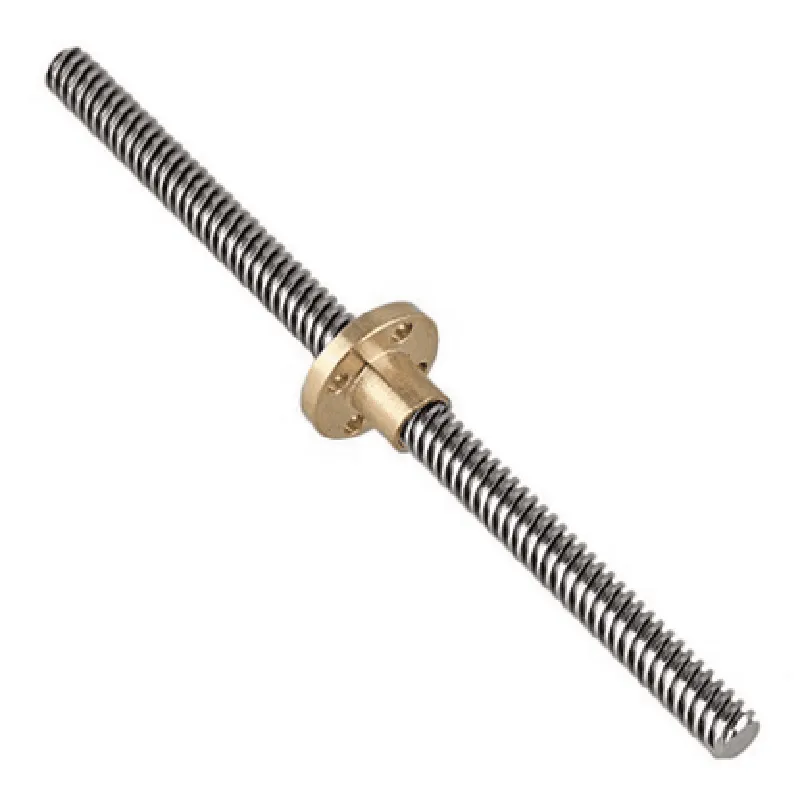
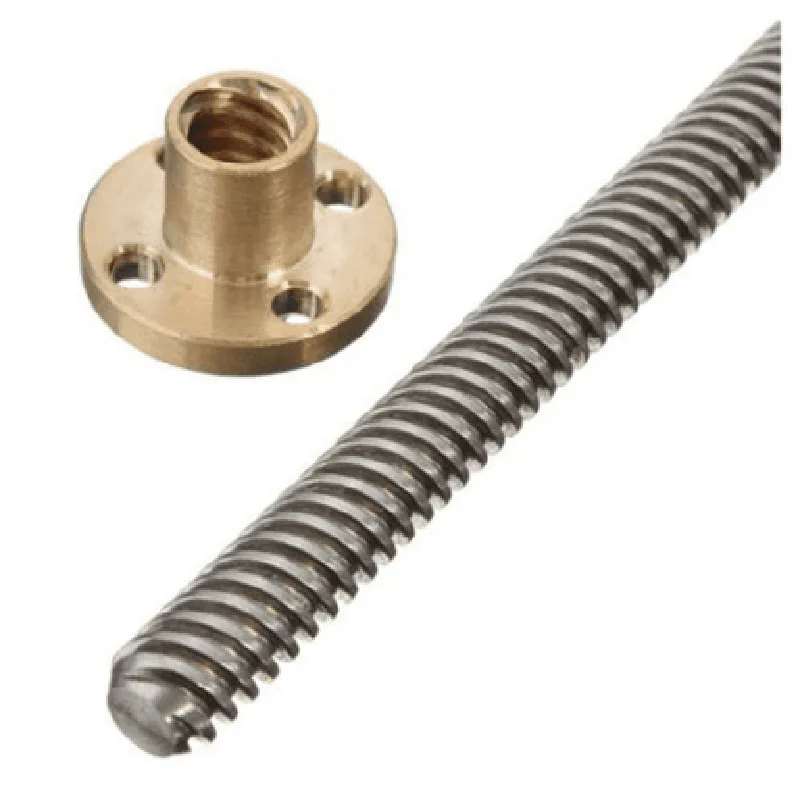
| + Material | High-strength steel alloy |
| + Thread type | Trapezoidal 4 start thread |
| + Thread diameter | 8mm |
| + Pitch | 2mm |
| + Length | 150mm |
| + Material | Copper alloy |
| + Inner diameter | 8mm |
| + Length | 10mm |
| + Overall length | 150mm |
| + Weight | 120g (approx.) |
Mounting and Installation
| The lead screw assembly can be mounted using various methods, including |
Clamping the lead screw to a fixed surface using screws or clamps
Mounting the copper nut to a moving component using screws or adhesives
It is essential to follow proper mounting and installation procedures to ensure precise and reliable linear motion performance.
Conclusion
The 150mm Trapezoidal 4 Start Lead Screw 8mm Thread 2mm Pitch Lead Screw with Copper Nut is a high-quality linear motion component designed for demanding applications. Its high-precision thread, low-friction copper nut, and compact design make it an ideal solution for a wide range of industrial, robotic, and automation applications.
Component Documentation: 150mm Trapezoidal 4 Start Lead Screw 8mm Thread 2mm Pitch Lead Screw with Copper NutOverviewThe 150mm Trapezoidal 4 Start Lead Screw 8mm Thread 2mm Pitch Lead Screw with Copper Nut is a high-precision linear motion component designed for various IoT applications, including robotics, CNC machines, and precision automation systems. This component features a trapezoidal thread profile, which provides a high level of accuracy and repeatability, making it ideal for applications requiring precise linear motion.SpecificationsLead screw length: 150mm
Thread diameter: 8mm
Pitch: 2mm
Starts: 4
Material: Copper nut, steel lead screw
Thread profile: Trapezoidal
Accuracy: 0.1mm per 300mmCode Examples### Example 1: Arduino Stepper Motor Control using the Lead ScrewIn this example, we will demonstrate how to use the 150mm Trapezoidal 4 Start Lead Screw with Copper Nut in conjunction with an Arduino board and a stepper motor to control linear motion.```cpp
#include <Stepper.h>// Define the stepper motor pins
const int dirPin = 2;
const int stepPin = 3;// Define the lead screw parameters
const float leadScrewPitch = 2; // mm
const float microsteps = 16; // microsteps per revolutionStepper stepper(microsteps, dirPin, stepPin);void setup() {
Serial.begin(9600);
stepper.setSpeed(100); // set the motor speed to 100 rpm
}void loop() {
// Move the lead screw 10mm forward
stepper.move(500 leadScrewPitch / microsteps);
delay(1000);
// Move the lead screw 5mm backward
stepper.move(-250 leadScrewPitch / microsteps);
delay(1000);
}
```### Example 2: Python Code for Linear Actuator Control using the Lead ScrewIn this example, we will demonstrate how to use the 150mm Trapezoidal 4 Start Lead Screw with Copper Nut in conjunction with a Python script to control a linear actuator.```python
import time
import RPi.GPIO as GPIO# Define the GPIO pins for the motor control
DIR_PIN = 17
STEP_PIN = 23# Define the lead screw parameters
LEAD_SCREW_PITCH = 2 # mm
MICROSTEPS = 16 # microsteps per revolution# Set up the GPIO pins
GPIO.setmode(GPIO.BCM)
GPIO.setup(DIR_PIN, GPIO.OUT)
GPIO.setup(STEP_PIN, GPIO.OUT)try:
while True:
# Move the lead screw 15mm forward
for i in range(750 LEAD_SCREW_PITCH / MICROSTEPS):
GPIO.output(DIR_PIN, GPIO.HIGH)
GPIO.output(STEP_PIN, GPIO.HIGH)
time.sleep(0.001)
GPIO.output(STEP_PIN, GPIO.LOW)
time.sleep(0.001)
# Move the lead screw 10mm backward
for i in range(-500 LEAD_SCREW_PITCH / MICROSTEPS):
GPIO.output(DIR_PIN, GPIO.LOW)
GPIO.output(STEP_PIN, GPIO.HIGH)
time.sleep(0.001)
GPIO.output(STEP_PIN, GPIO.LOW)
time.sleep(0.001)
time.sleep(1)
except KeyboardInterrupt:
GPIO.cleanup()
```Note: These code examples are for illustrative purposes only and may require modifications to suit specific application requirements. Additionally, the user is responsible for ensuring the correct assembly and integration of the lead screw component with the motor and controller.