4 Channel 12V Relay Board Documentation
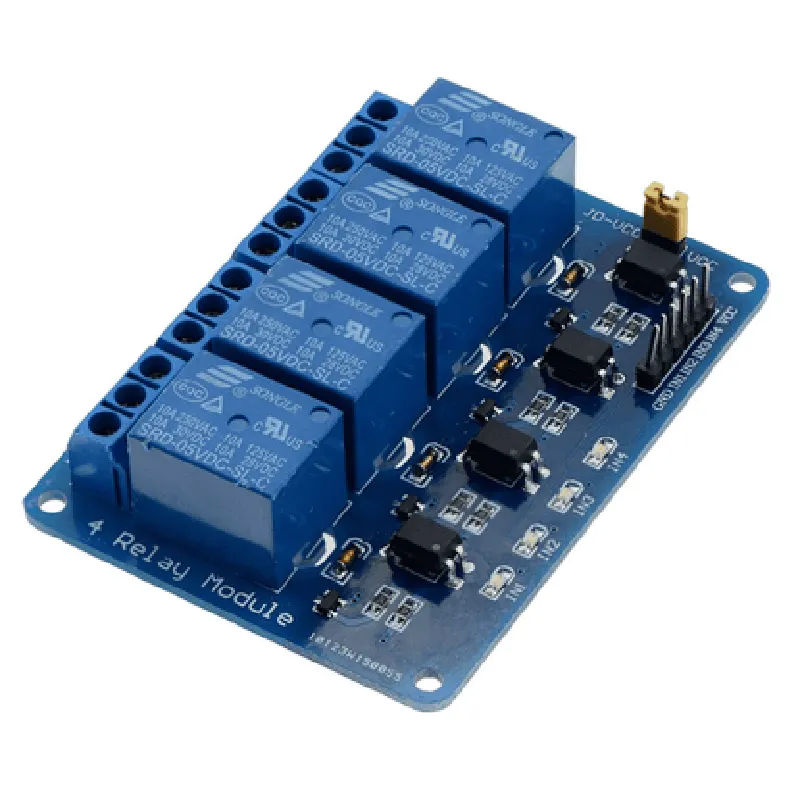
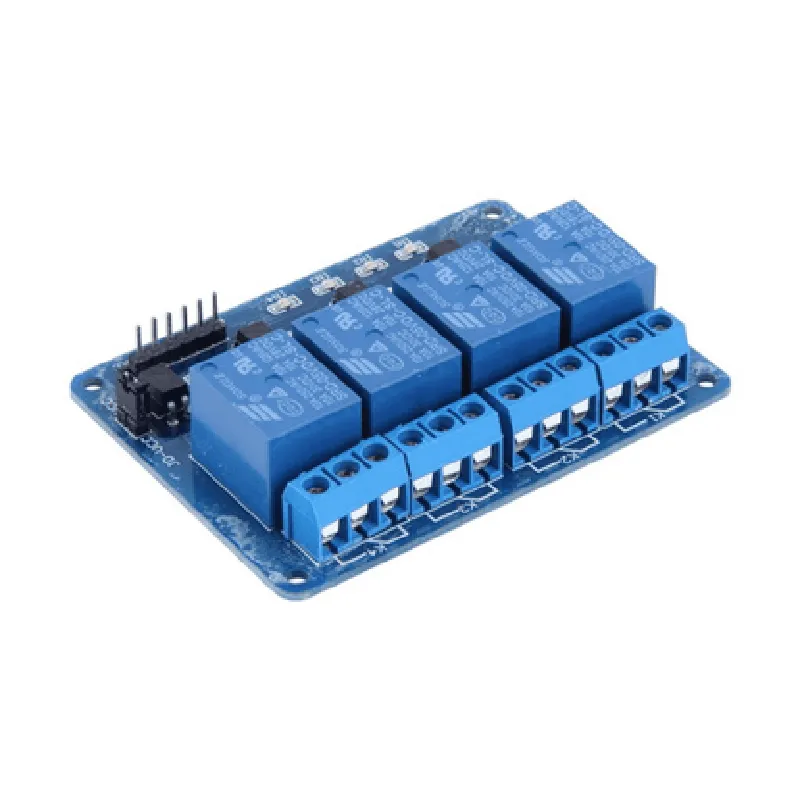
The 4 Channel 12V Relay Board is a widely used IoT component that allows you to control four independent relays using a microcontroller or a single-board computer. This module is suitable for a wide range of applications, including home automation, industrial control, and robotics. Each relay is capable of switching a load up to 10A, 250VAC or 30VDC.
The module has the following pins and connectors:
VCC: Power supply input (12V)
 GND: Ground
 IN1, IN2, IN3, IN4: Digital input pins for relay control (TTL level)
 Relay output terminals (NC, COM, NO)
The relay board works by using digital input signals to control the four relays. When a digital input pin (IN1-IN4) is set high (5V), the corresponding relay is activated, connecting the COM terminal to the NO terminal. When the digital input pin is set low (0V), the relay is deactivated, and the COM terminal is connected to the NC terminal.
### Example 1: Controlling Relays using Arduino
In this example, we will use an Arduino Uno to control the 4 Channel 12V Relay Board.
```cpp
// Define the relay control pins
const int relay1 = 2;  // Pin 2 for relay 1
const int relay2 = 3;  // Pin 3 for relay 2
const int relay3 = 4;  // Pin 4 for relay 3
const int relay4 = 5;  // Pin 5 for relay 4
void setup() {
  // Initialize relay control pins as outputs
  pinMode(relay1, OUTPUT);
  pinMode(relay2, OUTPUT);
  pinMode(relay3, OUTPUT);
  pinMode(relay4, OUTPUT);
}
void loop() {
  // Turn on relay 1
  digitalWrite(relay1, HIGH);
  delay(1000);
// Turn off relay 1 and turn on relay 2
  digitalWrite(relay1, LOW);
  digitalWrite(relay2, HIGH);
  delay(1000);
// Turn off relay 2 and turn on relay 3
  digitalWrite(relay2, LOW);
  digitalWrite(relay3, HIGH);
  delay(1000);
// Turn off relay 3 and turn on relay 4
  digitalWrite(relay3, LOW);
  digitalWrite(relay4, HIGH);
  delay(1000);
// Turn off all relays
  digitalWrite(relay1, LOW);
  digitalWrite(relay2, LOW);
  digitalWrite(relay3, LOW);
  digitalWrite(relay4, LOW);
  delay(1000);
}
```
### Example 2: Controlling Relays using Raspberry Pi (Python)
In this example, we will use a Raspberry Pi to control the 4 Channel 12V Relay Board using Python.
```python
import RPi.GPIO as GPIO
import time
# Set up GPIO mode
GPIO.setmode(GPIO.BCM)
# Define the relay control pins
relay1 = 17
relay2 = 23
relay3 = 24
relay4 = 25
# Set up relay control pins as outputs
GPIO.setup(relay1, GPIO.OUT)
GPIO.setup(relay2, GPIO.OUT)
GPIO.setup(relay3, GPIO.OUT)
GPIO.setup(relay4, GPIO.OUT)
try:
    while True:
        # Turn on relay 1
        GPIO.output(relay1, GPIO.HIGH)
        time.sleep(1)
# Turn off relay 1 and turn on relay 2
        GPIO.output(relay1, GPIO.LOW)
        GPIO.output(relay2, GPIO.HIGH)
        time.sleep(1)
# Turn off relay 2 and turn on relay 3
        GPIO.output(relay2, GPIO.LOW)
        GPIO.output(relay3, GPIO.HIGH)
        time.sleep(1)
# Turn off relay 3 and turn on relay 4
        GPIO.output(relay3, GPIO.LOW)
        GPIO.output(relay4, GPIO.HIGH)
        time.sleep(1)
# Turn off all relays
        GPIO.output(relay1, GPIO.LOW)
        GPIO.output(relay2, GPIO.LOW)
        GPIO.output(relay3, GPIO.LOW)
        GPIO.output(relay4, GPIO.LOW)
        time.sleep(1)
except KeyboardInterrupt:
    # Clean up GPIO on exit
    GPIO.cleanup()
```
These examples demonstrate how to control the 4 Channel 12V Relay Board using both Arduino and Raspberry Pi. You can modify the code to suit your specific application requirements.