Stufin
Home Quick Cart Profile

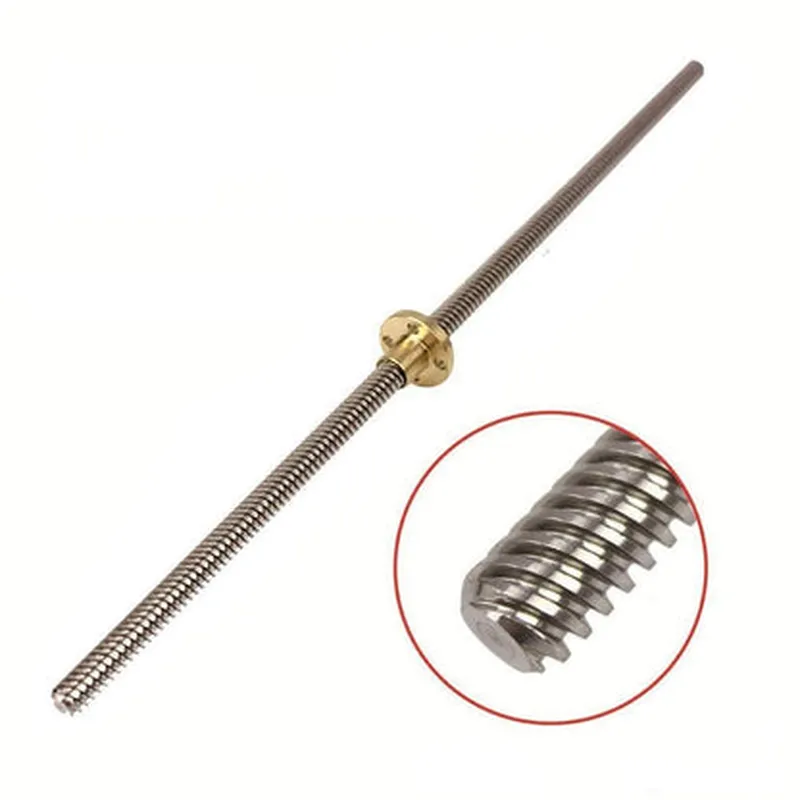
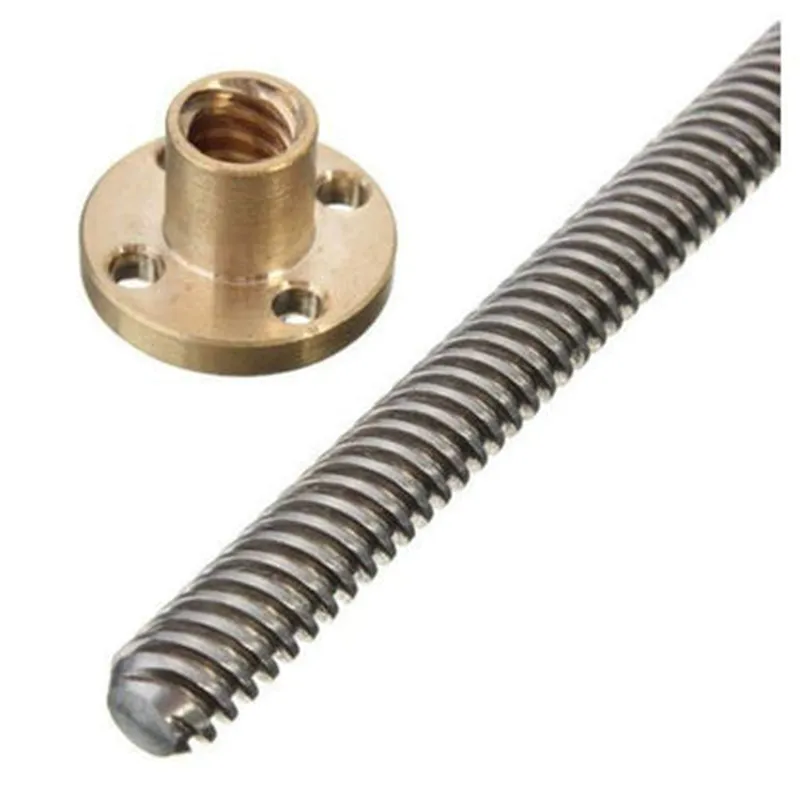
Trapezoidal Screw 400mm rod with Copper Nut

Buy Now on Stufin

Screw Thread

Trapezoidal, 4mm x 1mm pitch


Rod Material

High-strength stainless steel

Rod Length

400mm

Nut Material

Copper

Nut Size

10mm x 15mm

Corrosion-Resistant CoatingZinc-nickel plating

Operating Temperature

-20C to 80C

Maximum Load

500 N

Repeatability

0.01 mm

Backlash

< 0.01 mm

Applications

The Trapezoidal Screw 400mm Rod with Copper Nut is suitable for various IoT applications, including

Robotics and automation systems

Linear actuation systems

CNC machines and milling equipment

Medical devices and equipment

Aerospace and defense systems

Installation and Maintenance

For proper installation and maintenance, please follow the manufacturer's guidelines and recommendations. Ensure proper alignment, lubrication, and tightening of the component to prevent damage and ensure optimal performance.

Warranty and Support

The Trapezoidal Screw 400mm Rod with Copper Nut is backed by a limited warranty against defects in materials and workmanship. For technical support, please contact the manufacturer's support team.

Pin Configuration

  • Trapezoidal Screw 400mm rod with Copper Nut Component Documentation
  • Overview
  • The Trapezoidal Screw 400mm rod with Copper Nut is a linear motion component designed for precise and reliable movement in IoT applications. This component consists of a trapezoidal screw rod with a copper nut that provides smooth and efficient linear motion.
  • Pinout Structure
  • The Trapezoidal Screw 400mm rod with Copper Nut has a total of 5 pins. The pin structure is as follows:
  • Pin 1: GND (Ground)
  • Function: Ground connection for the copper nut
  • Description: This pin provides a ground connection for the copper nut, ensuring a stable and secure electrical connection.
  • Connection: Connect to a ground point on your IoT device or circuit board.
  • Pin 2: VCC (Power)
  • Function: Power supply for the copper nut
  • Description: This pin supplies power to the copper nut, enabling its operation.
  • Connection: Connect to a power source (e.g., VCC on your IoT device or circuit board) that matches the recommended voltage rating for the component.
  • Pin 3: DIR (Direction Control)
  • Function: Direction control for the linear motion
  • Description: This pin controls the direction of the linear motion. A high signal (logical 1) on this pin moves the nut in one direction, while a low signal (logical 0) moves it in the opposite direction.
  • Connection: Connect to a digital output on your IoT device or microcontroller that controls the direction of the linear motion.
  • Pin 4: PWM (Speed Control)
  • Function: Speed control for the linear motion
  • Description: This pin controls the speed of the linear motion. The PWM (Pulse-Width Modulation) signal on this pin regulates the speed of the nut's movement.
  • Connection: Connect to a PWM output on your IoT device or microcontroller that controls the speed of the linear motion.
  • Pin 5: EN (Enable)
  • Function: Enable/disable the linear motion
  • Description: This pin enables or disables the linear motion. A high signal (logical 1) on this pin enables the motion, while a low signal (logical 0) disables it.
  • Connection: Connect to a digital output on your IoT device or microcontroller that controls the enable/disable status of the linear motion.
  • Connection Diagram
  • Here is a sample connection diagram for the Trapezoidal Screw 400mm rod with Copper Nut:
  • ```
  • +---------------+
  • | IoT Device |
  • | (or Micro- |
  • | controller) |
  • +---------------+
  • |
  • |
  • v
  • +---------------+ +---------------+
  • | GND (Pin 1) | | GND (Ground) |
  • +---------------+ +---------------+
  • |
  • |
  • v
  • +---------------+ +---------------+
  • | VCC (Pin 2) | | VCC (Power) |
  • +---------------+ +---------------+
  • |
  • |
  • v
  • +---------------+ +---------------+
  • | DIR (Pin 3) | | Digital Output |
  • | | | (Direction Ctrl) |
  • +---------------+ +---------------+
  • |
  • |
  • v
  • +---------------+ +---------------+
  • | PWM (Pin 4) | | PWM Output |
  • | | | (Speed Ctrl) |
  • +---------------+ +---------------+
  • |
  • |
  • v
  • +---------------+ +---------------+
  • | EN (Pin 5) | | Digital Output |
  • | | | (Enable/Disable) |
  • +---------------+ +---------------+
  • ```
  • Important Notes
  • Ensure proper voltage and current ratings for the power supply to the copper nut.
  • Use a suitable power source and voltage regulator to prevent damage to the component.
  • Follow the recommended connection and wiring guidelines to avoid electrical noise and interference.
  • By following this documentation, you can successfully integrate the Trapezoidal Screw 400mm rod with Copper Nut into your IoT application and achieve precise and reliable linear motion.

Code Examples

Trapezoidal Screw 400mm Rod with Copper Nut
Overview
The Trapezoidal Screw 400mm rod with Copper Nut is a linear motion component designed for precise and smooth movement in various IoT applications. This component consists of a 400mm long trapezoidal screw rod with a copper nut that provides a high level of accuracy and repeatability.
Technical Specifications
Screw length: 400mm
 Screw type: Trapezoidal
 Nut material: Copper
 Thread pitch: 2mm
 Maximum load capacity: 10kg
Code Examples
### Example 1: Linear Actuator Control using Arduino
This example demonstrates how to use the Trapezoidal Screw 400mm rod with Copper Nut as a linear actuator in an IoT project using an Arduino board.
```c++
#include <Stepper.h>
#define STEPS_PER_REVOLUTION 200
#define MICROSTEPS 16
Stepper myStepper(STEPS_PER_REVOLUTION, 8, 9, 10, 11);
void setup() {
  // Set the maximum speed of the stepper motor
  myStepper.setSpeed(100);
}
void loop() {
  // Move the linear actuator forward by 100mm
  myStepper.moveTo(100);
  delay(1000);
// Move the linear actuator backward by 50mm
  myStepper.moveTo(-50);
  delay(1000);
}
```
In this example, the Arduino board controls the stepper motor connected to the Trapezoidal Screw 400mm rod with Copper Nut. The `Stepper` library is used to set the maximum speed and move the linear actuator to specific positions.
### Example 2: Automation using Python and Raspberry Pi
This example demonstrates how to use the Trapezoidal Screw 400mm rod with Copper Nut in an IoT automation project using a Raspberry Pi and Python.
```python
import RPi.GPIO as GPIO
import time
# Set up the GPIO pins for the stepper motor
GPIO.setmode(GPIO.BCM)
GPIO.setup(17, GPIO.OUT)
GPIO.setup(23, GPIO.OUT)
GPIO.setup(24, GPIO.OUT)
GPIO.setup(25, GPIO.OUT)
def move_linear_actuator(position):
  # Calculate the number of steps required to move to the desired position
  steps = int(position  200 / 400)
  for i in range(steps):
    # Step the motor forward
    GPIO.output(17, GPIO.HIGH)
    GPIO.output(23, GPIO.LOW)
    GPIO.output(24, GPIO.LOW)
    GPIO.output(25, GPIO.LOW)
    time.sleep(0.01)
    GPIO.output(17, GPIO.LOW)
    time.sleep(0.01)
# Move the linear actuator to 200mm and hold for 5 seconds
move_linear_actuator(200)
time.sleep(5)
# Move the linear actuator back to 0mm
move_linear_actuator(0)
```
In this example, the Raspberry Pi controls the stepper motor connected to the Trapezoidal Screw 400mm rod with Copper Nut using Python. The `RPi.GPIO` library is used to set up the GPIO pins and step the motor to specific positions.
Note: These examples assume that the user has already set up the necessary hardware connections and has a basic understanding of programming and IoT development.