The board comes with 1 GB of LPDDR2 RAM and a microSD card slot for storing the operating system and data.


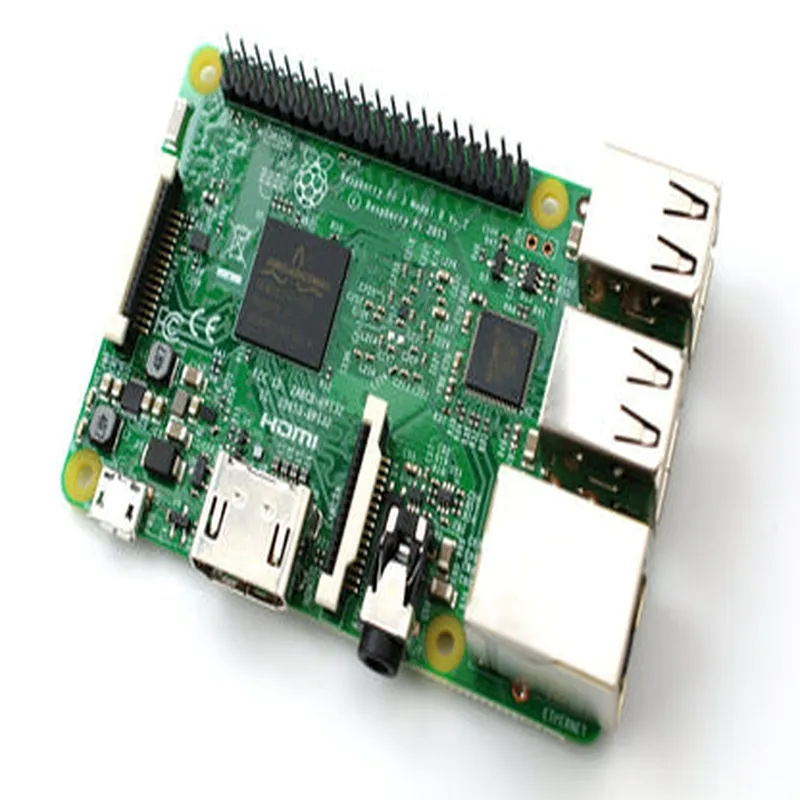
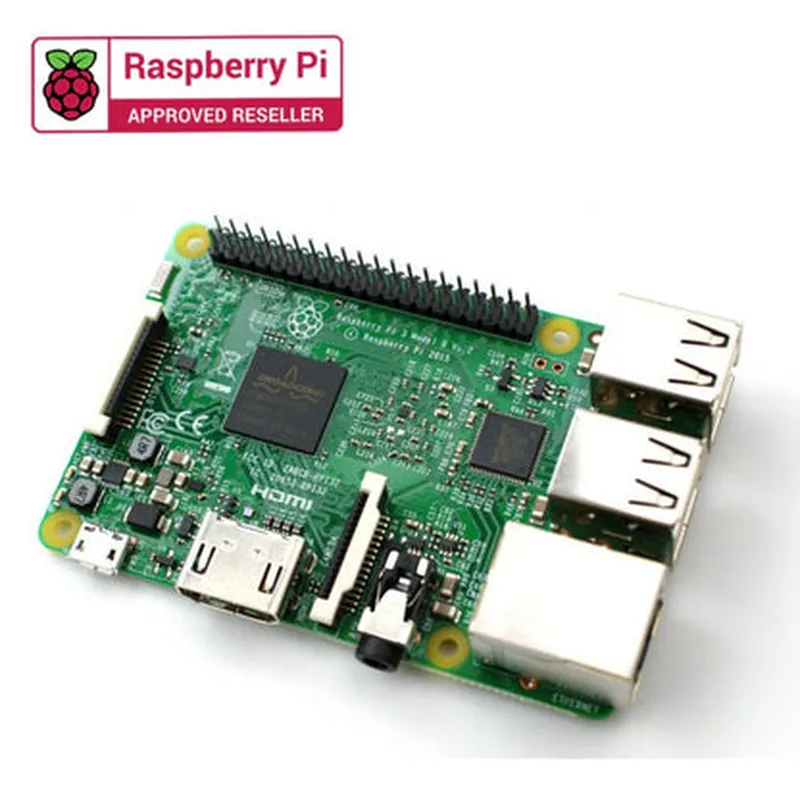
The board comes with 1 GB of LPDDR2 RAM and a microSD card slot for storing the operating system and data.
802.11b/g/n Wi-Fi, Bluetooth 4.1
40
The Raspberry Pi 3B has a built-in HDMI port, supporting resolutions up to 4K at 30 Hz, as well as a 3.5 mm audio jack and composite video output.
The board can be powered via a micro-USB port or a GPIO header, and it has a power consumption of around 2.5 watts when idle.
The Raspberry Pi 3B supports a wide range of operating systems, including Raspbian, Ubuntu, Windows 10 IoT, and more.
The board has a CSI (Camera Serial Interface) connector, which allows users to connect a camera module for computer vision applications.
The Raspberry Pi 3B measures 85 mm x 56 mm x 17 mm, making it compact and easy to integrate into projects.
Technical Specifications
Broadcom BCM2837 quad-core Cortex-A53 CPU
1.4 GHz
1 GB LPDDR2 RAM
MicroSD card slot
1 x HDMI 1.4
1 x 3.5 mm
1 x RCA
1 x CSI
around 2.5 watts (idle)
micro-USB port or GPIO header
0C to 50C
Conclusion
The Raspberry Pi 3B is a powerful, versatile, and affordable single-board computer that is ideal for a wide range of applications, from IoT projects to home automation systems and artificial intelligence developments. Its ease of use, extensive community support, and comprehensive documentation make it an excellent choice for both beginners and experienced developers.
Raspberry Pi 3B DocumentationOverviewThe Raspberry Pi 3B is a credit-card sized, low-cost, and highly capable single-board computer (SBC) designed for IoT, robotics, and automation projects. It is a popular choice among DIY enthusiasts, students, and professionals due to its ease of use, flexibility, and versatility.FeaturesBroadcom BCM2837 quad-core Cortex-A53 CPU (64-bit)
1GB RAM
802.11n Wi-Fi
Bluetooth 4.1
HDMI output
4x USB 2.0 ports
40-pin GPIO header
MicroSD card slotProgramming LanguagesThe Raspberry Pi 3B supports a variety of programming languages, including Python, Java, C++, and Node.js.Example 1: Python Example - Blinking LEDThis example demonstrates how to use the Raspberry Pi 3B's GPIO pins to blink an LED.Hardware Requirements:Raspberry Pi 3B
Breadboard
LED
Resistor (220)
Jumper wiresSoftware Requirements:Raspbian OS (latest version)
Python 3 (pre-installed)Code:
```python
import RPi.GPIO as GPIO
import time# Set up GPIO mode
GPIO.setmode(GPIO.BCM)# Set up LED pin as output
LED_PIN = 17
GPIO.setup(LED_PIN, GPIO.OUT)try:
while True:
# Turn LED on
GPIO.output(LED_PIN, GPIO.HIGH)
time.sleep(1)
# Turn LED off
GPIO.output(LED_PIN, GPIO.LOW)
time.sleep(1)except KeyboardInterrupt:
GPIO.cleanup()
```
Example 2: Node.js Example - Web Interface for Temperature ReadingThis example demonstrates how to use the Raspberry Pi 3B to create a web interface for reading temperature data from a DS18B20 sensor.Hardware Requirements:Raspberry Pi 3B
DS18B20 temperature sensor
Breadboard
Jumper wiresSoftware Requirements:Raspbian OS (latest version)
Node.js (installed via npm)
express.js (installed via npm)Code:
```javascript
const express = require('express');
const app = express();
const fs = require('fs');
const path = require('path');
const gpio = require('rpi-gpio');const sensorPin = 4; // Pin for DS18B20 sensorapp.use(express.static(path.join(__dirname, 'public')));app.get('/temperature', (req, res) => {
gpio.setup(sensorPin, gpio.DIR_IN);
const temperature = fs.readFileSync('/sys/bus/w1/devices/28-000007123456/temperature', 'utf8');
res.send(`Temperature: ${temperature}C`);
});app.listen(3000, () => {
console.log('Server started on port 3000');
});
```
Example 3: C++ Example - GPIO Input/OutputThis example demonstrates how to use the Raspberry Pi 3B's GPIO pins for input and output operations using C++.Hardware Requirements:Raspberry Pi 3B
Breadboard
Button (push-button switch)
LED
Jumper wiresSoftware Requirements:Raspbian OS (latest version)
GCC compiler (pre-installed)Code:
```c
#include <iostream>
#include <wiringPi.h>#define BUTTON_PIN 23
#define LED_PIN 17int main() {
wiringPiSetup();pinMode(BUTTON_PIN, INPUT);
pinMode(LED_PIN, OUTPUT);while (1) {
if (digitalRead(BUTTON_PIN) == HIGH) {
digitalWrite(LED_PIN, HIGH);
} else {
digitalWrite(LED_PIN, LOW);
}
delay(100);
}return 0;
}
```
These examples demonstrate the versatility of the Raspberry Pi 3B in various contexts, from simple GPIO operations to web-based interfaces and C++ programming.