High-quality aluminum alloy


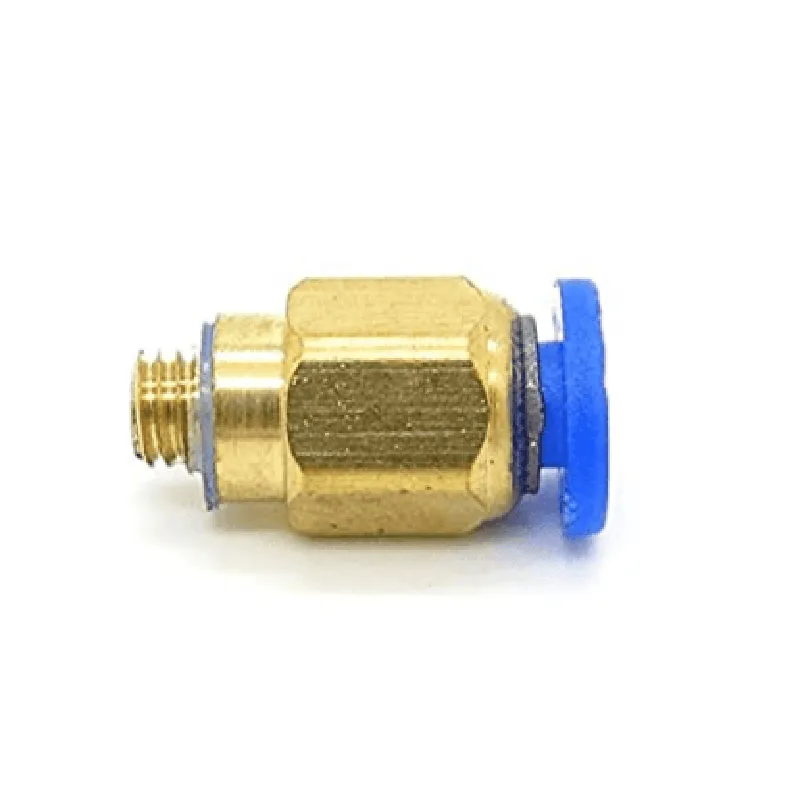
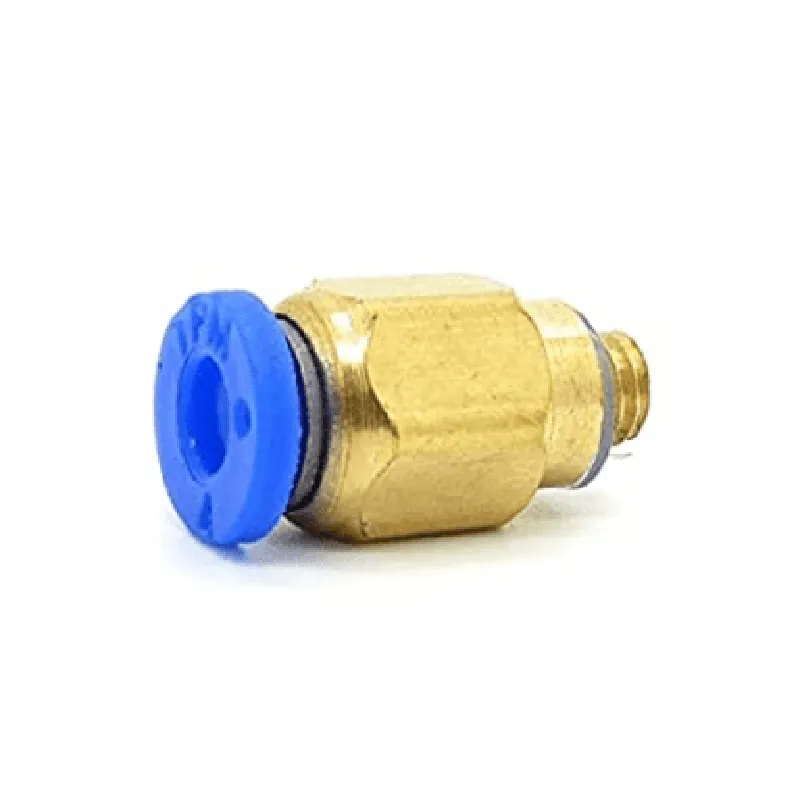
High-quality aluminum alloy
M5
1.75mm
Up to 250C (482F)
Up to 10 bar (145 psi)
40mm x 25mm x 20mm (L x W x H)
Applications
| The PC4-M5 Pneumatic Push-in Bowden Extruder is suitable for a wide range of applications, including |
3D printing
Additive manufacturing
Rapid prototyping
Model making
Robotics
CNC machines
Conclusion
The PC4-M5 Pneumatic Push-in Bowden Extruder is a high-performance component designed to provide reliable and precise extrusion performance for 1.75mm 3D printing filament. Its pneumatic operation, push-in fitting design, and high-precision construction make it an ideal choice for a wide range of applications.
PC4-M5 Pneumatic Push in Bowden Extruders for 1.75mm DocumentationOverviewThe PC4-M5 Pneumatic Push in Bowden Extruders for 1.75mm is a high-performance extruder designed for use in 3D printing applications. It features a pneumatic push-in design, making it easy to install and remove the Bowden tube. The extruder is compatible with 1.75mm filament and is ideal for use in Bowden-style 3D printing systems.Technical SpecificationsFilament diameter: 1.75mm
Extruder type: Pneumatic push-in Bowden
Connector type: M5 thread
Material: PC4 (high-temperature resistant)FeaturesEasy installation and removal of Bowden tube
High-temperature resistance for improved print quality
Compatible with a wide range of 1.75mm filament typesCode Examples### Example 1: Using the PC4-M5 Pneumatic Push in Bowden Extruder with Marlin FirmwareIn this example, we will demonstrate how to use the PC4-M5 Pneumatic Push in Bowden Extruder with Marlin firmware on an Arduino-based 3D printer.Marlin ConfigurationIn the `Configuration.h` file, add the following lines to configure the extruder:
```c
#define EXTRUDER_TYPE 1 // Pneumatic push-in Bowden extruder
#define EXTRUDER_MOTOR_DIR_PIN 2 // Pin for extruder motor direction
#define EXTRUDER_MOTOR_STEP_PIN 3 // Pin for extruder motor steps
#define EXTRUDER_ENABLE_PIN 4 // Pin for extruder enable
```
Main Code
```c
#include <Marlin.h>void setup() {
// Initialize the extruder motor
pinMode(EXTRUDER_MOTOR_DIR_PIN, OUTPUT);
pinMode(EXTRUDER_MOTOR_STEP_PIN, OUTPUT);
pinMode(EXTRUDER_ENABLE_PIN, OUTPUT);
}void loop() {
// Home the extruder
G28();
// Move the extruder to the desired position
G1 F300 E10;
// Print a test line
G1 F300 E20;
delay(500);
}
```
### Example 2: Using the PC4-M5 Pneumatic Push in Bowden Extruder with Python and PySerialIn this example, we will demonstrate how to use the PC4-M5 Pneumatic Push in Bowden Extruder with Python and PySerial to control the extruder motor.Python Code
```python
import serial# Open the serial connection to the 3D printer
ser = serial.Serial('COM3', 115200)# Set the extruder motor direction and steps
ser.write(b'M3 S1 F300
') # Set extruder motor direction to clockwise
ser.write(b'M8 S1 F300
') # Set extruder motor steps to 300# Move the extruder to the desired position
ser.write(b'G1 F300 E10
')# Print a test line
ser.write(b'G1 F300 E20
')
ser.flush()
```
Note: In this example, we assume that the 3D printer is connected to the computer via a serial connection (e.g., COM3) and that the PySerial library is installed.### Example 3: Using the PC4-M5 Pneumatic Push in Bowden Extruder with Repetier FirmwareIn this example, we will demonstrate how to use the PC4-M5 Pneumatic Push in Bowden Extruder with Repetier firmware on an Arduino-based 3D printer.Repetier ConfigurationIn the `configuration.h` file, add the following lines to configure the extruder:
```c
#define EXTRUDER_TYPE 1 // Pneumatic push-in Bowden extruder
#define EXTRUDER_MOTOR_PIN 2 // Pin for extruder motor
#define EXTRUDER_ENABLE_PIN 4 // Pin for extruder enable
```
Main Code
```c
#include <Repetier.h>void setup() {
// Initialize the extruder motor
pinMode(EXTRUDER_MOTOR_PIN, OUTPUT);
pinMode(EXTRUDER_ENABLE_PIN, OUTPUT);
}void loop() {
// Home the extruder
G28();
// Move the extruder to the desired position
G1 F300 E10;
// Print a test line
G1 F300 E20;
delay(500);
}
```
Note: These code examples are for illustrative purposes only and may require modifications to work with your specific 3D printing setup. Be sure to consult the documentation for your 3D printer and firmware for specific instructions on how to use the PC4-M5 Pneumatic Push in Bowden Extruder.